Limited Offer · 50% OFF50% OFFYearly plans · GPT Image 2.5 + Seedance 2.5
Image 2
Turn detailed prompts and reference images into finished posters, product pages, UI mockups, and clean edits.
A quick look at what Seedream 5.0 Lite can do: science posters, e-commerce detail pages, app UI, precise edits and stickers, annotations, data-driven visuals, material studies, and mind maps. Tap any image to load its prompt.
Seedream 5.0 Lite reads long, structured prompts and keeps everything consistent across complex scenes — posters, app UI, annotations, data visuals, edits, product pages, stickers, and mind maps.
Write subject relationships, exact text, layout hierarchy, material constraints, and physical logic into the prompt to get coherent posters, campaign visuals, diagrams, and structured scenes.
Upload an image and describe the change — add stickers, swap materials, shift the lighting, transfer a style, or edit a subject while keeping it recognizable. You can bring in up to 14 reference images at once.
Render at 2K for quick drafts or 3K when you need more detail. Both cost the same 4 credits per image, so you can go high-resolution without watching the price.
Choose square, portrait, landscape, social vertical, classic 3:2 or 2:3, plus 21:9 for wide compositions.
From hand-drawn typography and app UI to precise edits, science posters, product pages, material studies, stickers, and mind maps, Seedream 5.0 Lite handles a wide range of production work.
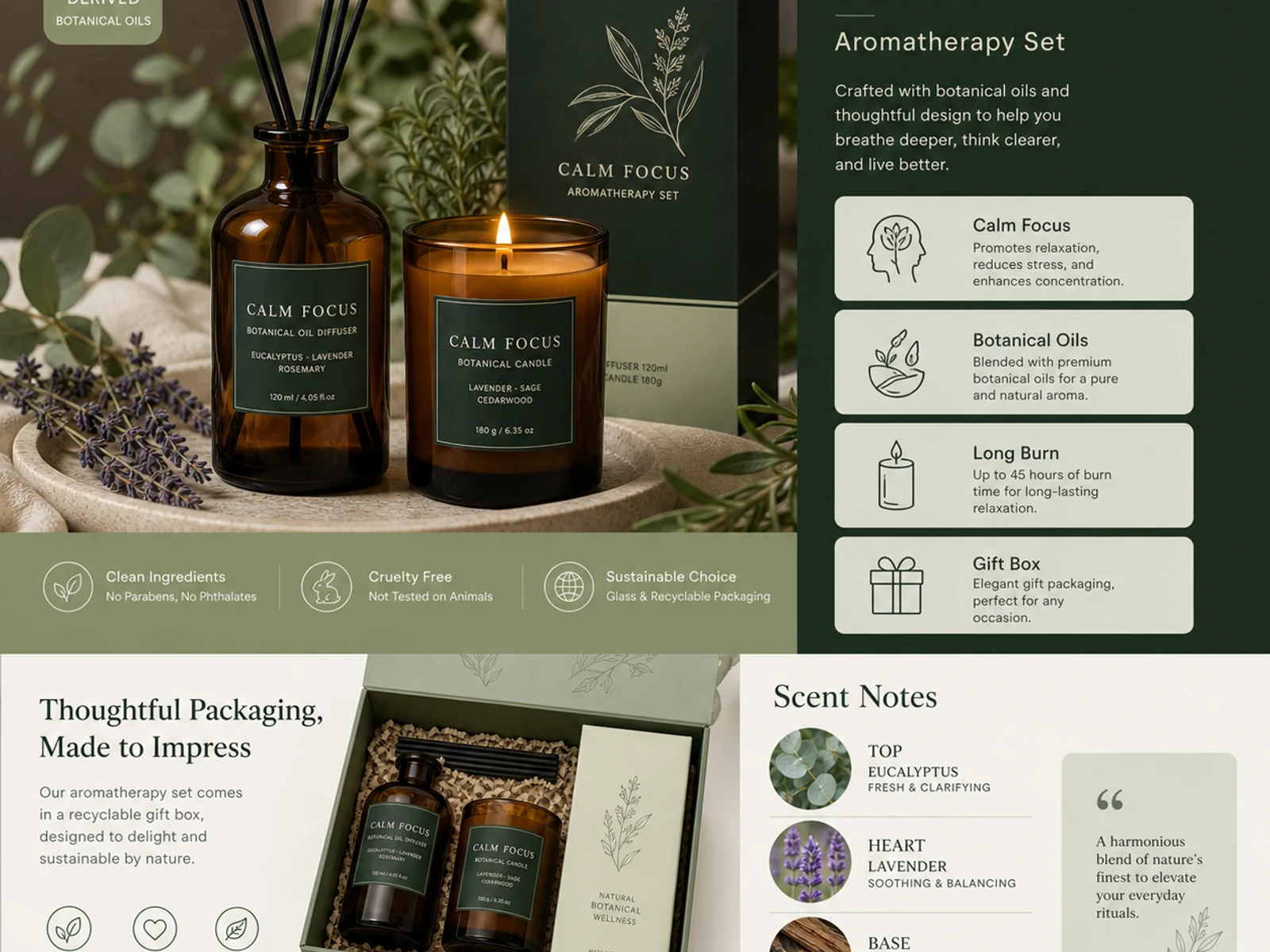
Aromatherapy detail pages, packaging systems, glass, metal, fabric, cosmetics, and catalog-style variations.
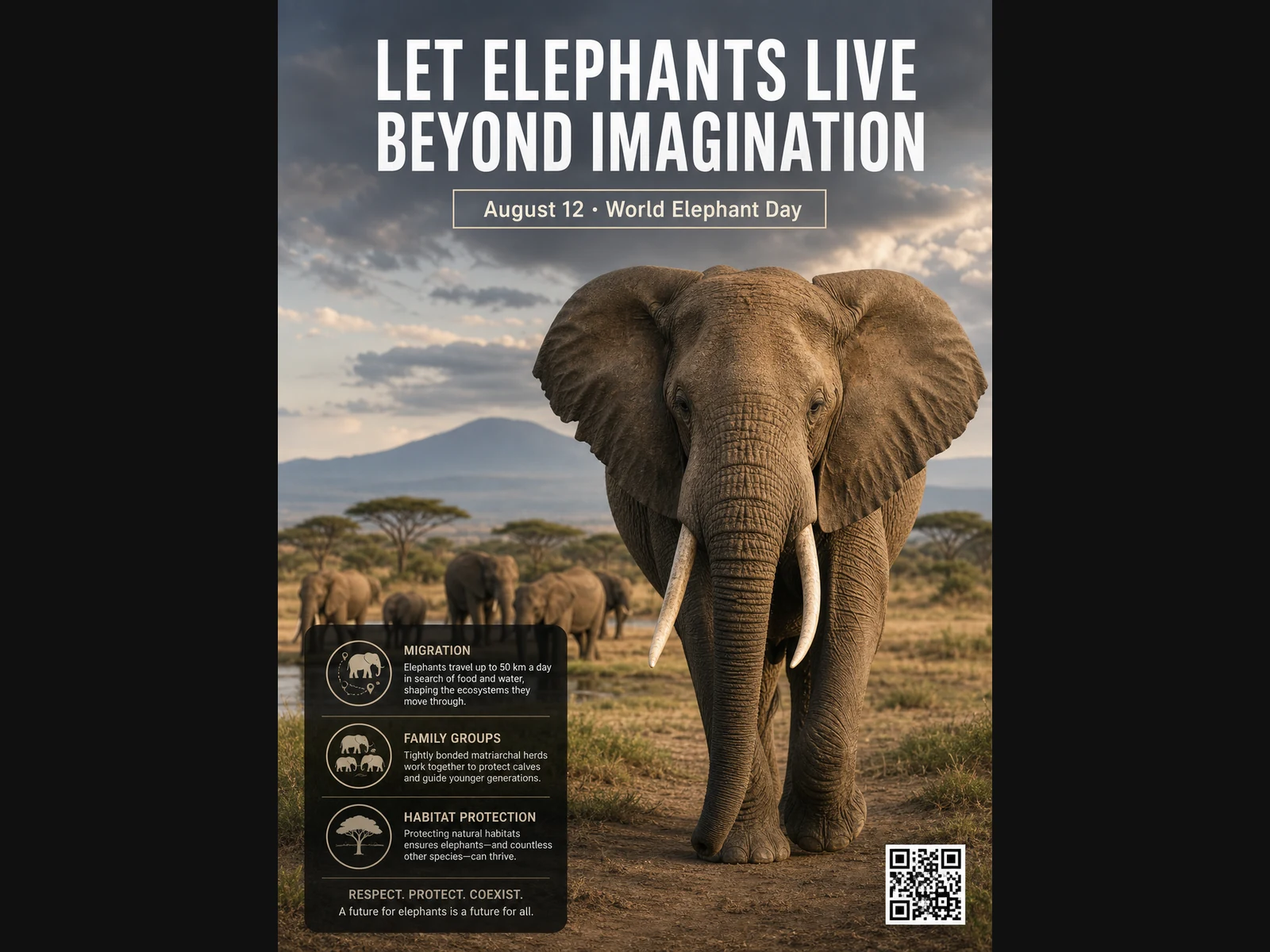
Wildlife posters, educational layouts, editorial portraits, fashion concepts, and mood-board references.
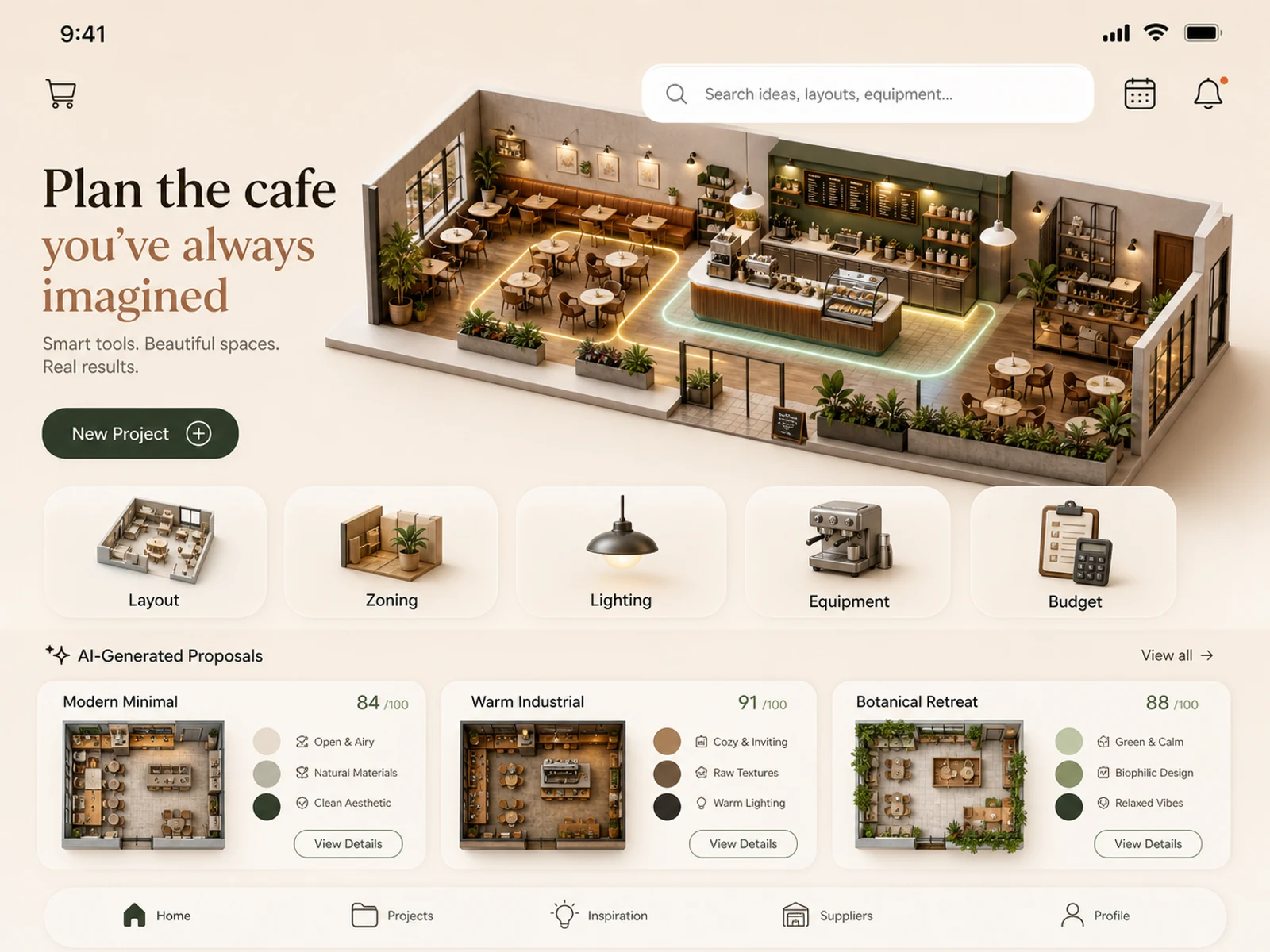
Mobile app concepts, cafe planning, retail spaces, room styling, lighting studies, and location treatments.
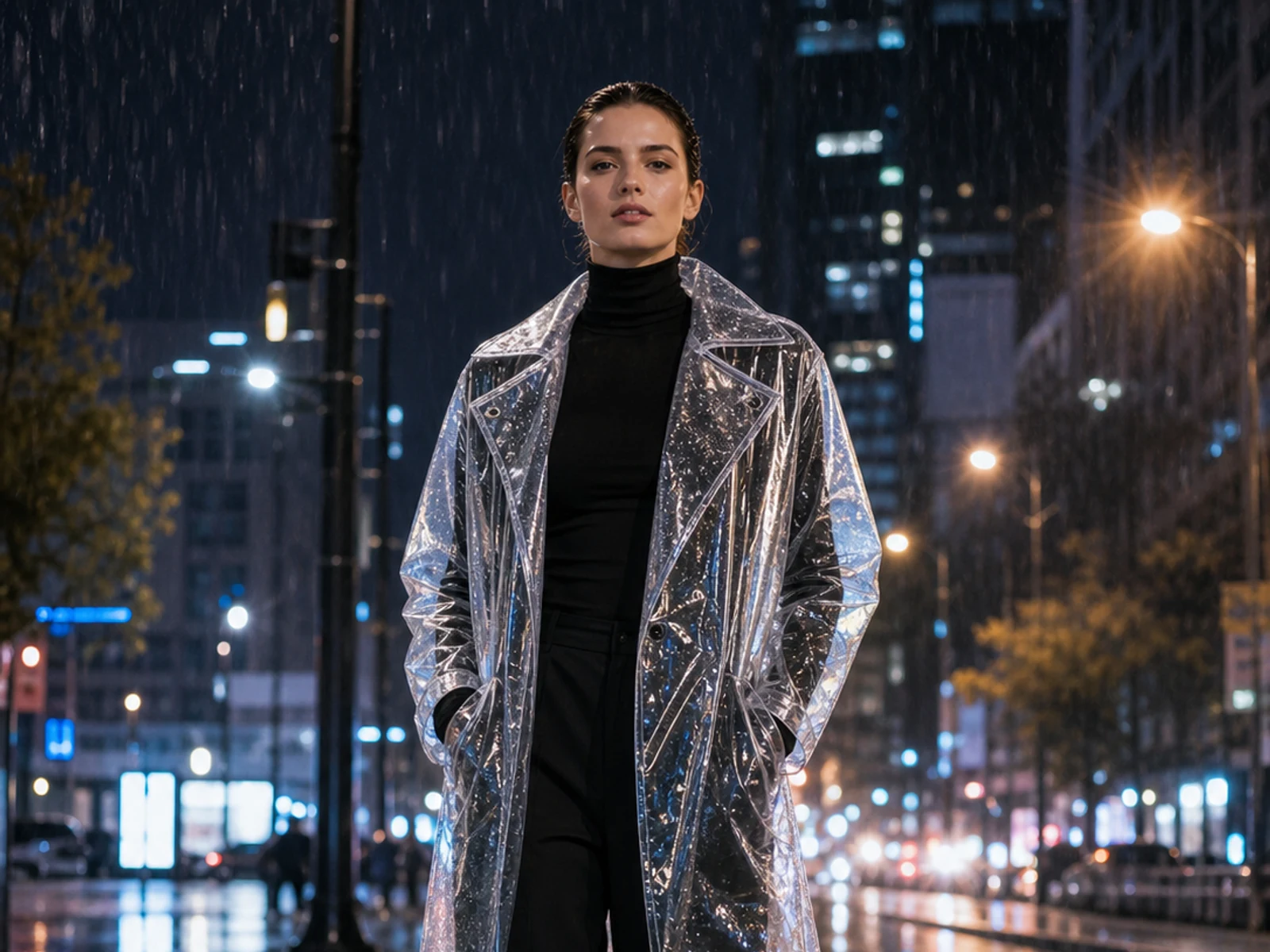
Add stickers, change material, lighting, season, setting, outfit, or styling while anchoring on the uploaded image.
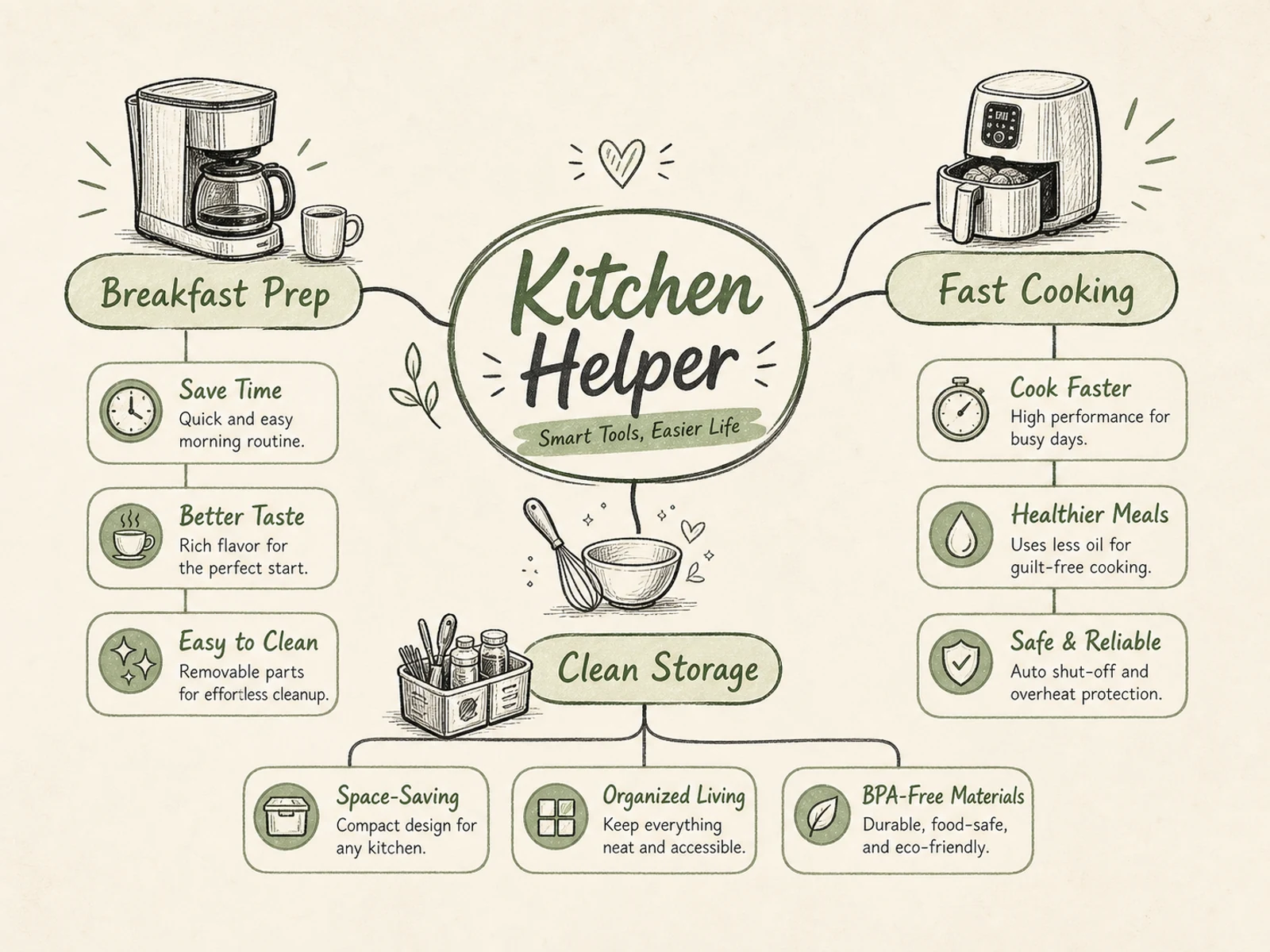
Mind maps, process diagrams, educational visuals, product explainers, event infographics, and briefs with clear hierarchy.
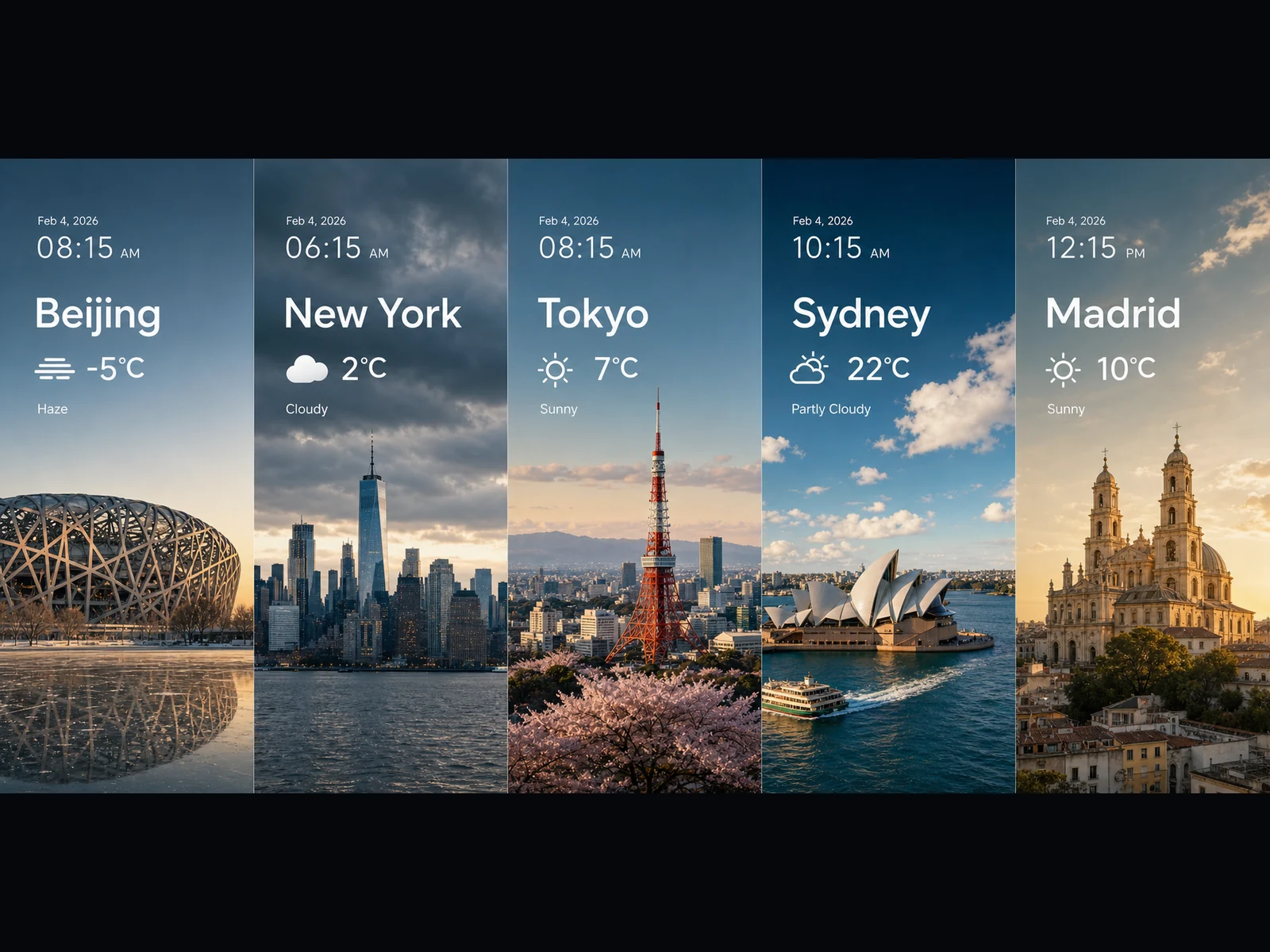
Weather panels, trend visuals, chart-like cards, wide key visuals, and cinematic scene ideas in 16:9 or 21:9.
Every prompt follows a simple pattern: name the task, spell out the exact text and layout, describe how the elements relate, and lock in the visual style. Copy one and make it your own.
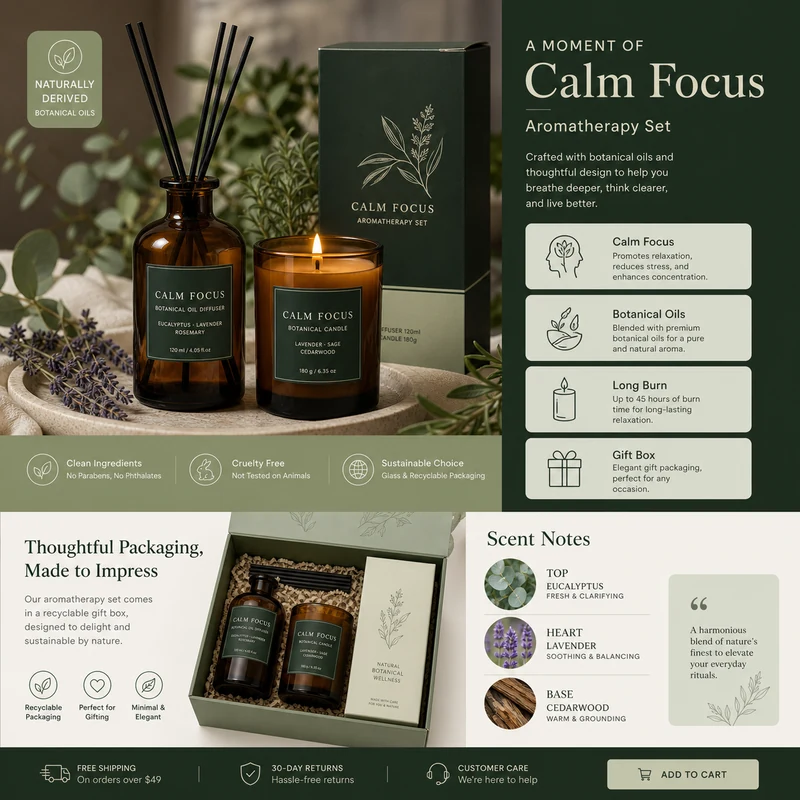
For e-commerce product detail pages of premium aromatherapy products, create an image that showcases high-resolution product photography, packaging design, key selling points, product advantages, and promotional copy blocks. Use a color scheme primarily consisting of dark green, light sage green, and warm ivory. Layout like a mature product detail page: large product image on the left, selling-point cards on the right, packaging and scent notes below. Use concise English text, premium and commercial.
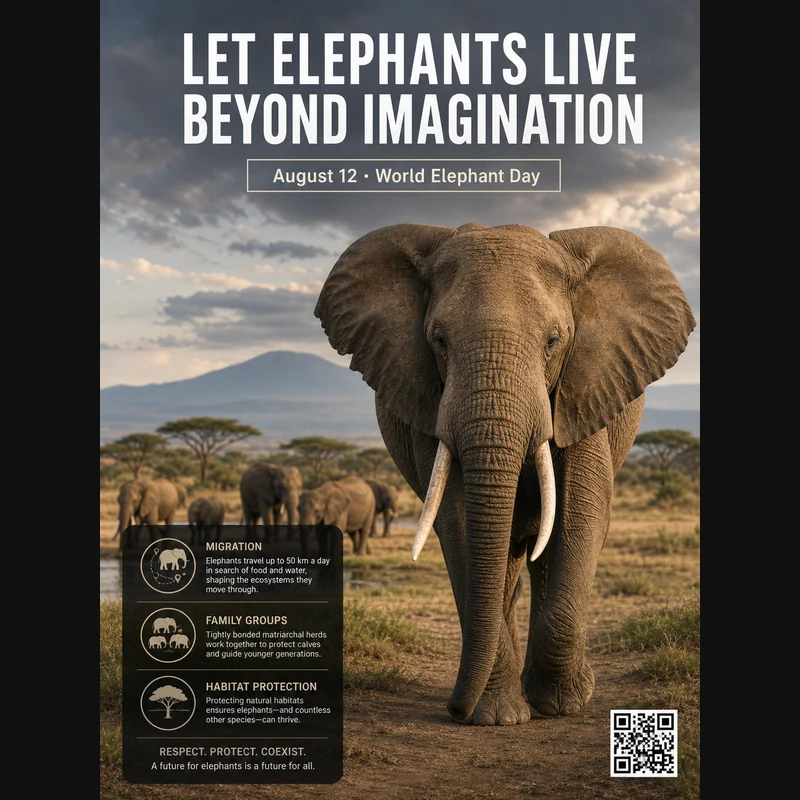
Realistic photographic science poster. A wild elephant is located in a tropical savanna. At the top is the title: “Let elephants live beyond imagination.” Below the title, inside a framed box, it says: “August 12: World Elephant Day.” In the lower-left corner, within a black semi-transparent box, there are three sections of educational text about elephant migration, family groups, and habitat protection. In the lower-right corner, there is a clean QR code. Professional conservation poster layout, photorealistic and print-ready.
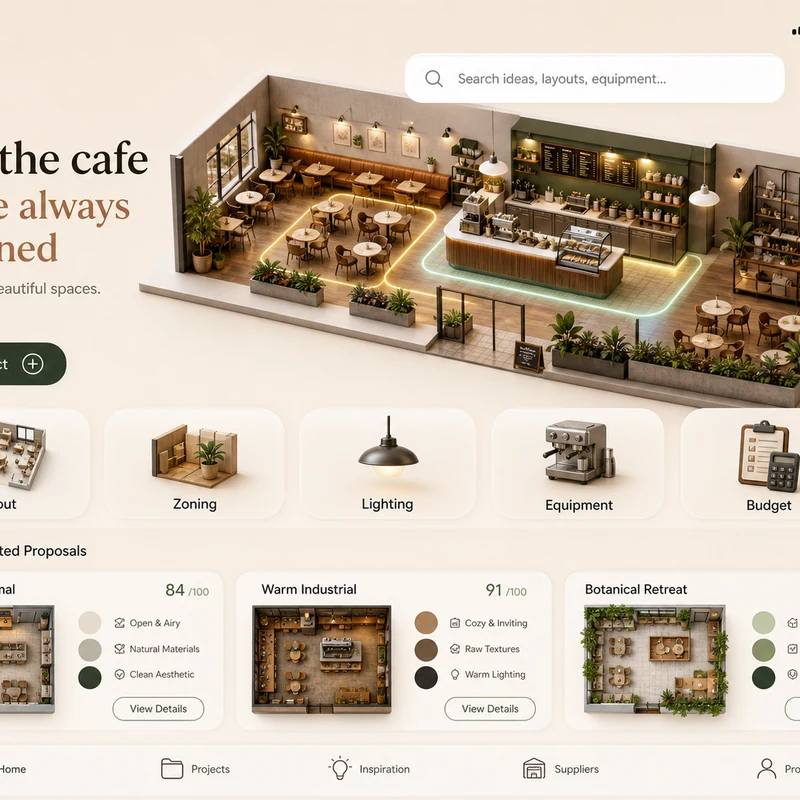
Trendy cafe-planning app interface design: 1. Warm cream background, with the time, mobile signal, Wi-Fi, and battery icons shown at the top. 2. At the top left there is a small cart icon; on the right there is a long white search box, plus calendar and bell icons. 3. The hero banner shows a modern neighborhood cafe as a small 3D space model. 4. Below is a function navigation bar: Layout, Zoning, Lighting, Equipment, Budget, with polished 3D icons. 5. Show 2–3 space proposal cards with mini floor plans, color swatches, and scores. The interface should look like a premium AI interior design SaaS mobile app.
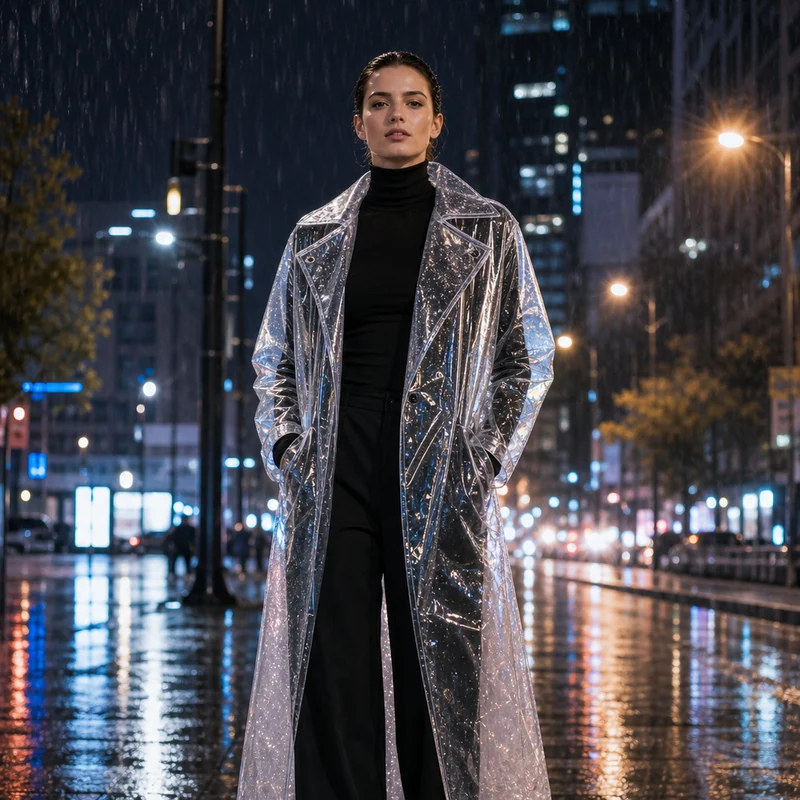
Image editing result example. Preserve the adult professional model’s realistic face, natural body proportions, front-facing pose, and rainy city-night background. Change the outerwear into a translucent architectural raincoat while keeping the rest of the outfit as a full black turtleneck and long trousers. The transparent raincoat should show realistic droplets, refraction, glossy folds, seams, and wet-pavement reflections. Premium commercial fashion photography, no text or logo.
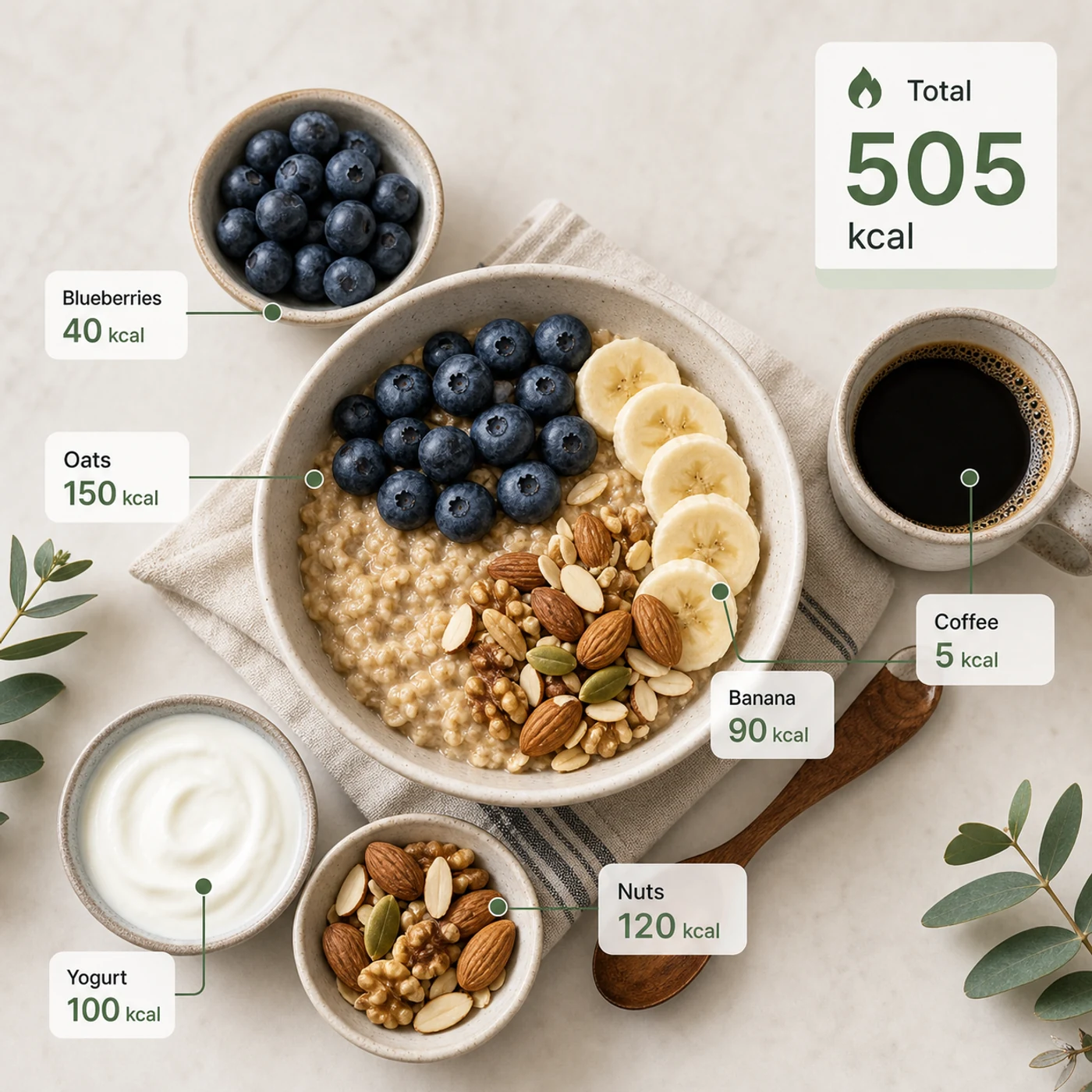
Identify the calorie content of the food in the image and annotate the information on the picture. The image contains an oatmeal bowl, blueberries, banana slices, nuts, yogurt, and a cup of coffee. Add clean calorie callout lines and small labels next to each food, such as “Oats 150 kcal” and “Blueberries 40 kcal.” Place a total-calorie card in the upper-right corner. Clean professional style, like a nutrition analysis app report.
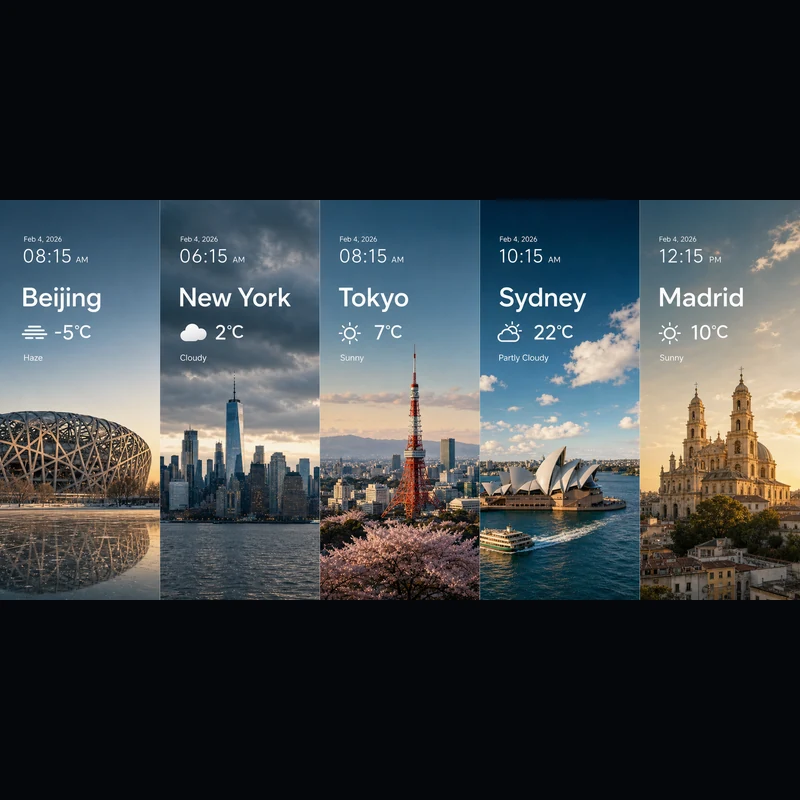
Search for the weather, temperature, and time on February 4, 2026, for the following locations: 1. Beijing, 2. New York, 3. Tokyo, 4. Sydney, 5. Madrid. High-concept composite photography. Note: only return ONE image. The image is composed of five seamlessly stitched vertical panoramic strips. Each strip presents the landmark, weather, and lighting of one city: Beijing Bird’s Nest Stadium, Manhattan skyscrapers, Tokyo Tower, Sydney Opera House, and San Francisco el Grande Cathedral in Madrid. Despite different weather conditions, use cinematic color grading to unify the image. High contrast, photorealistic, wide composition, English text.
Whether you start from text or a reference image, it's the same editor.
Describe the subject, setting, exact text, layout, lighting, material, aspect ratio, relationships between subjects, and information hierarchy.
Working from a reference? Upload it and say what should change and what should stay the same.
Pick 2K for fast drafts or 3K for extra detail — either way it's the same 4 credits per image.
Answers to your questions about Seedream 5.0 Lite.
Seedream 5.0 Lite is a multimodal image model that turns detailed, structured prompts into finished visuals — posters, product pages, app UI, infographics, edits, and more. Because it follows instructions closely, you can spell out the exact text, layout, and how elements relate, and expect them to show up in the result. On Image 2 it runs in one editor for both text-to-image and image-to-image, so you can start from scratch or build on an image you upload.
Yes. Switch to image-to-image, upload one or more images, and describe the change in plain language — swap a material, restyle an outfit, add elements, or adjust the lighting while keeping the subject recognizable. A single request can take up to 14 reference images, which helps when you want the result to draw on or stay faithful to several inputs at once.
You can render at 2K or 3K. 2K is great for quick drafts, social posts, and on-screen use, while 3K adds detail for large layouts, print, or anything you plan to crop into. Both cost the same per image, so you can jump to 3K whenever the final use calls for it without paying more.
Eight ratios are available: 1:1, 4:3, 3:4, 16:9, 9:16, 2:3, 3:2, and 21:9. That covers square posts, vertical formats for stories and posters, standard landscape and portrait, and ultra-wide 21:9 for cinematic key visuals. Pick the ratio before you generate so the composition is framed right from the start.
Reach for Seedream 5.0 Lite when your prompt is detailed and structured — science posters, app UI, product detail pages, knowledge visuals, weather and data composites, material studies, stickers, mind maps, and reference-guided edits. Choose GPT Image 2 when you specifically want its typography and reference handling.
Every image costs 4 credits — the same whether you generate from text or a reference, and whether you choose 2K or 3K. You also get free credits every day to keep experimenting.
It depends on the Image 2 terms, the model's own terms, and your rights to the prompts, uploads, brands, and references involved. It's worth reviewing these before you publish client or paid work.
Most images come back in well under a minute, though it varies with current demand, prompt complexity, and how many references you add. The result panel updates on its own as soon as your image is ready.
Still have questions? Contact us at [email protected]
Start from text alone, or add a reference when the result needs to match an existing image.
Seedream 5.0 Lite Results