期間限定 · 50% OFF50% OFF年間プラン · GPT Image 2.5 + Seedance 2.5
Image 2
詳しいプロンプトと参照画像から、仕上がったポスター・商品ページ・UIモック・きれいな編集まで一気に。
Seedream 5.0 Liteでできることをひと目で:サイエンスポスター、ECの商品詳細ページ、アプリUI、精密な編集やステッカー、注釈、データビジュアル、素材スタディ、マインドマップ。画像をタップすると、そのプロンプトが読み込まれます。
Seedream 5.0 Liteは長く構造化されたプロンプトを読み取り、複雑なシーンでも各要素の整合性を保ちます——ポスター、アプリUI、注釈、データビジュアル、編集、商品ページ、ステッカー、マインドマップまで。
被写体どうしの関係、表示したい文字、レイアウトの優先順位、素材の条件、物理的な整合性までプロンプトに書き込めば、ポスター、キャンペーンビジュアル、図解、構成の込み入ったシーンもまとまりよく仕上がります。
画像をアップロードして、変えたい点を伝えるだけ——ステッカーの追加、素材の差し替え、ライティングの調整、スタイル転送、被写体を保ったままの編集など。一度に最大14枚の参照画像を使えます。
下書きは2Kで素早く、ディテールが欲しいときは3Kで。どちらも1枚あたり同じ4クレジットなので、価格を気にせず高解像度にできます。
正方形、縦長、横長、SNS向け縦型、定番の3:2・2:3に加え、ワイドな構図向けの21:9も選べます。
手描き風タイポグラフィやアプリUIから、精密な編集、サイエンスポスター、商品ページ、素材スタディ、ステッカー、マインドマップまで。Seedream 5.0 Liteは幅広い制作業務に対応します。
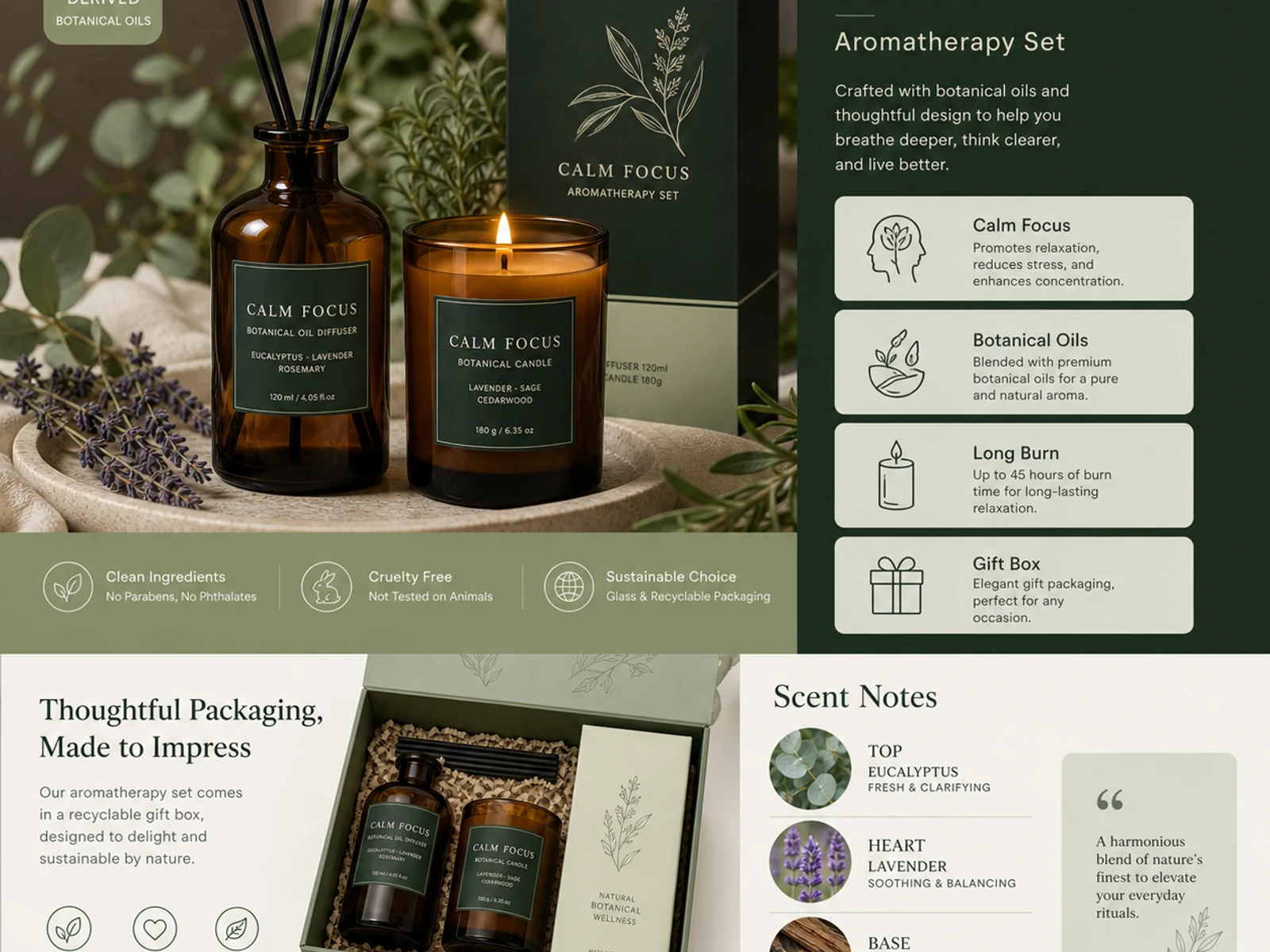
アロマ商品の詳細ページ、パッケージデザインの展開、ガラス・金属・布・化粧品の質感、カタログ風のバリエーション。
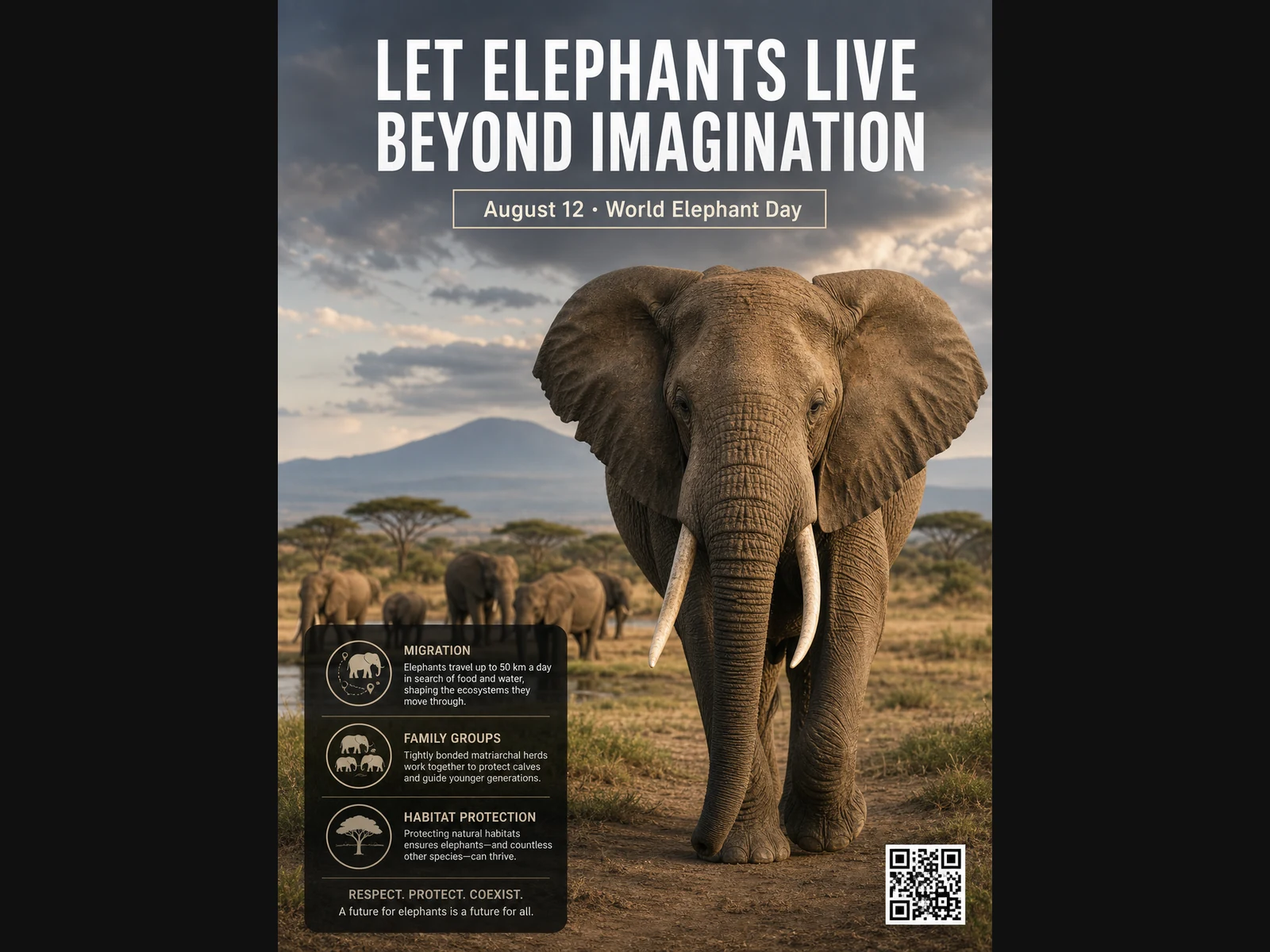
野生動物のポスター、教育向けレイアウト、エディトリアルポートレート、ファッションコンセプト、ムードボード用の参考画像。
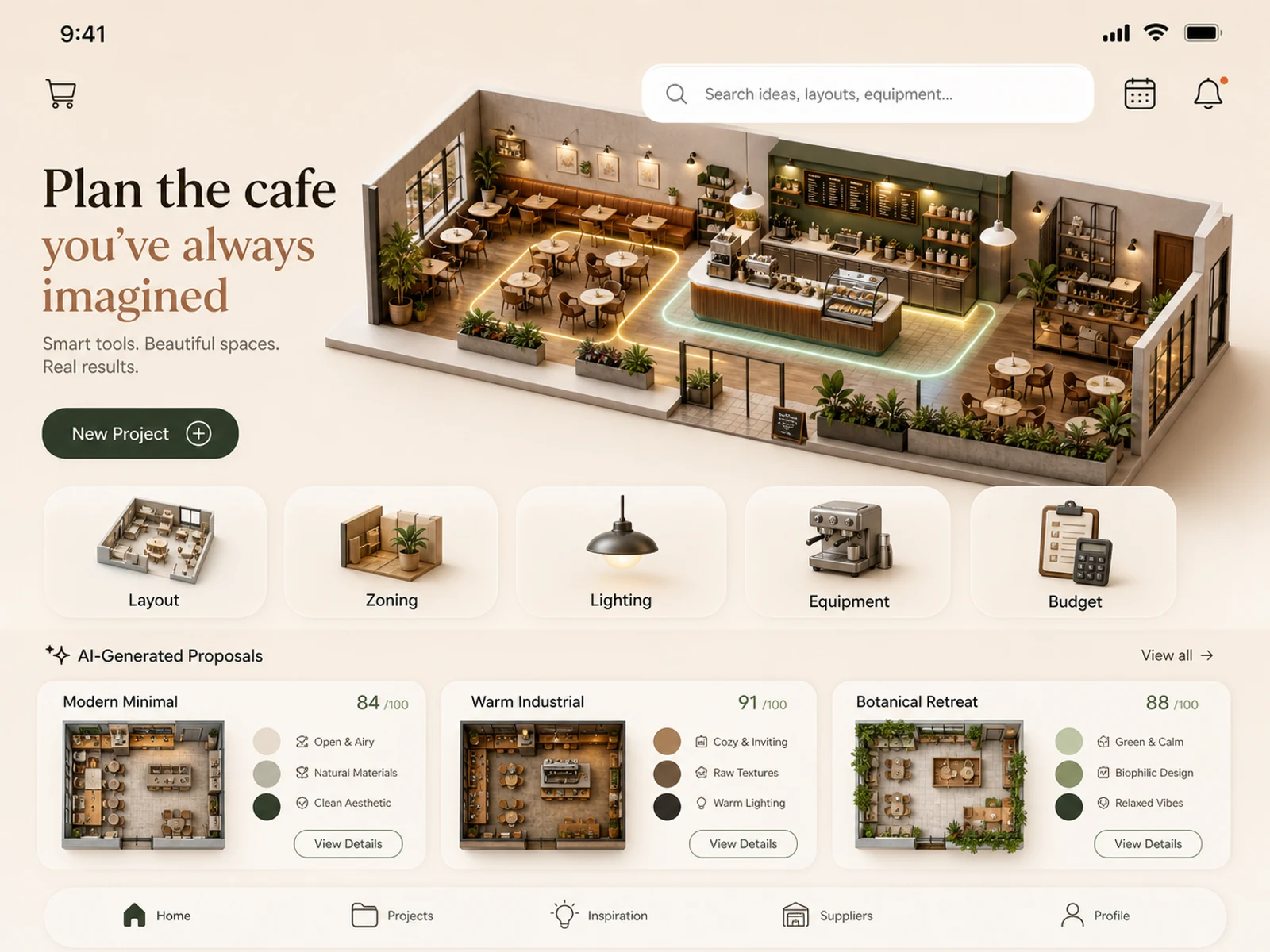
モバイルアプリのコンセプト、カフェのレイアウト計画、店舗空間、部屋のスタイリング、照明プランの検討、ロケーションの演出案。
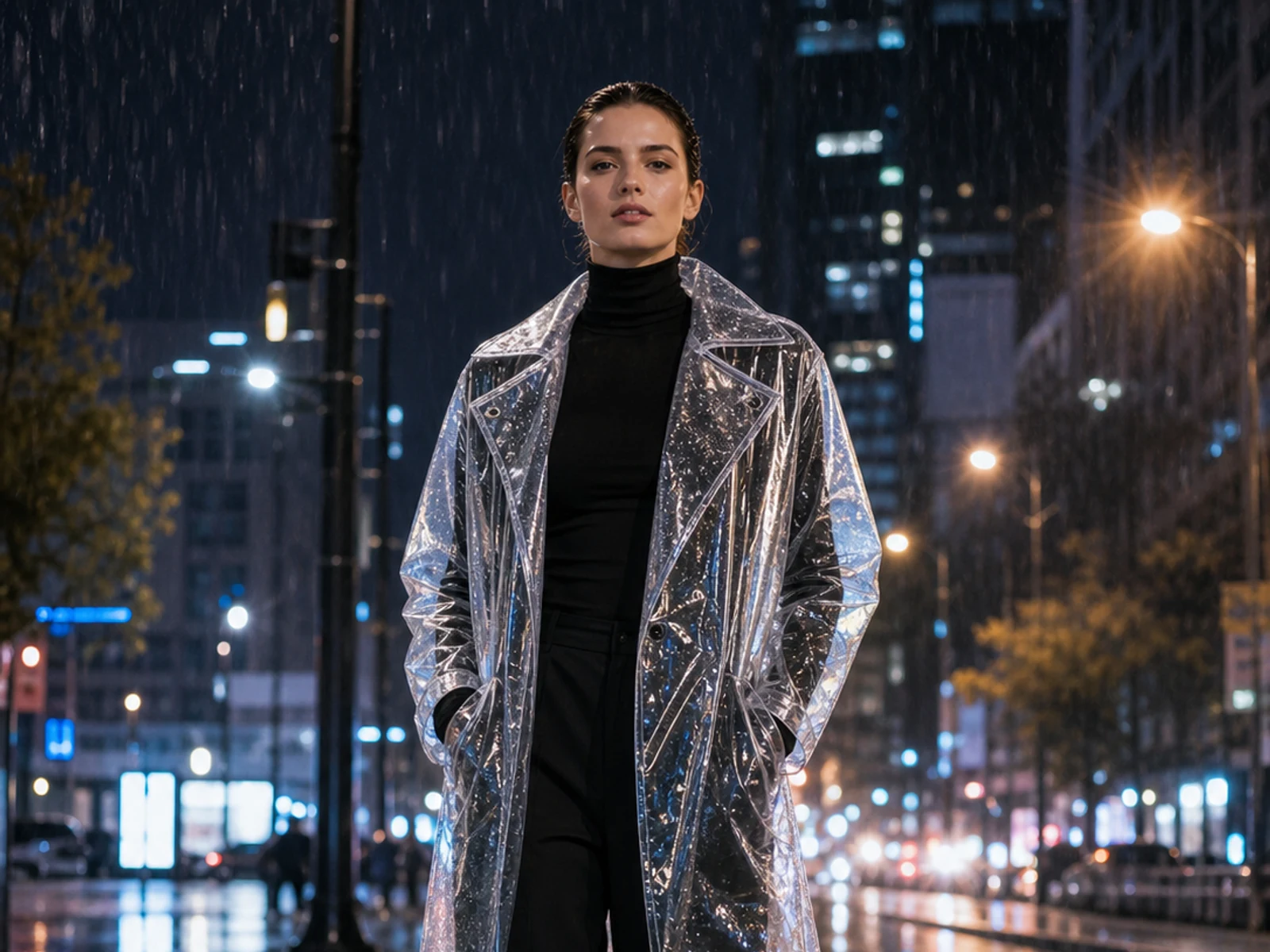
アップロード画像をベースにしたまま、ステッカーの追加や、素材・照明・季節・背景・服装・スタイリングの変更ができます。
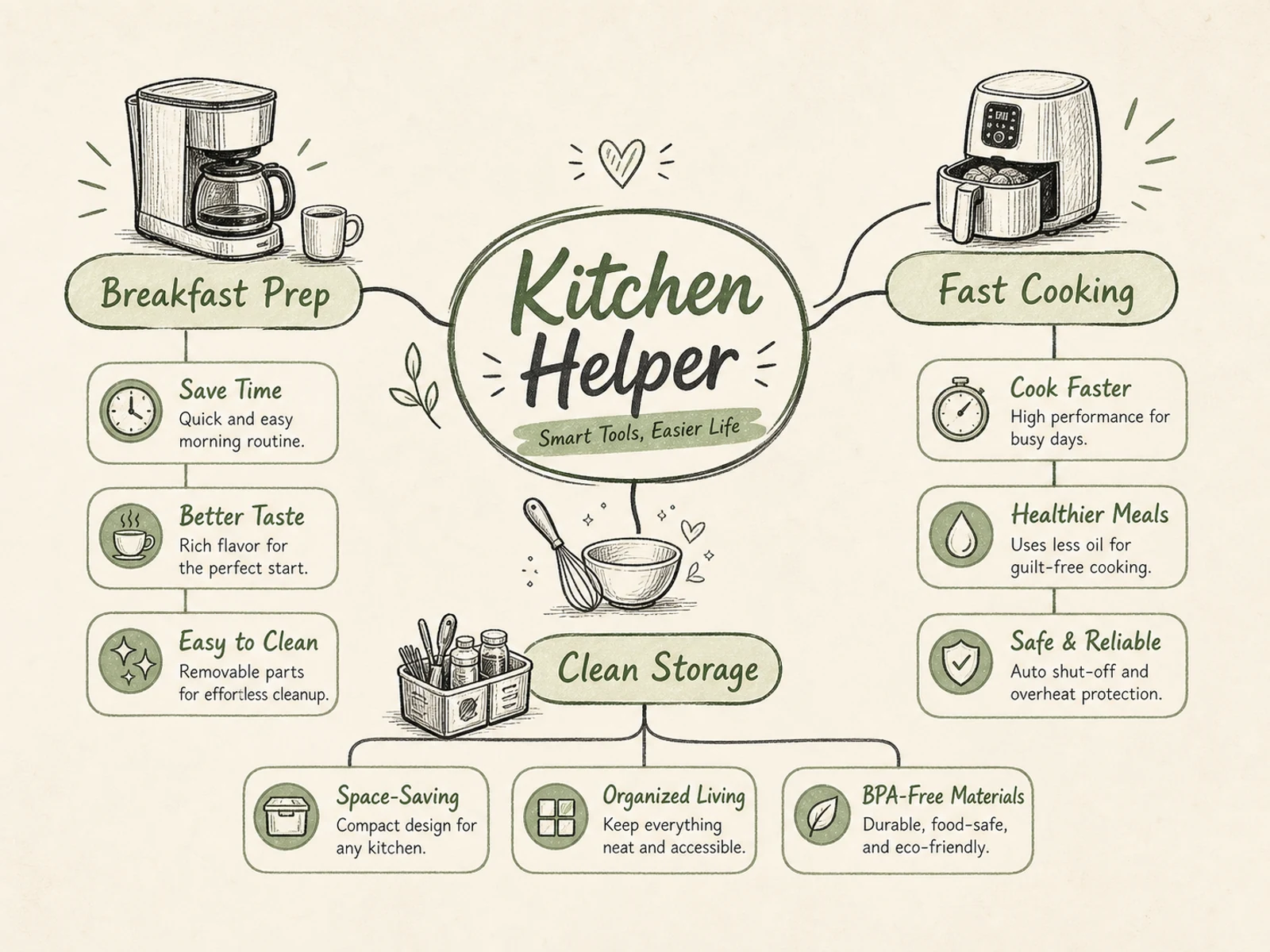
マインドマップ、プロセス図、教育用ビジュアル、商品解説、イベントのインフォグラフィック、階層が明確な資料。
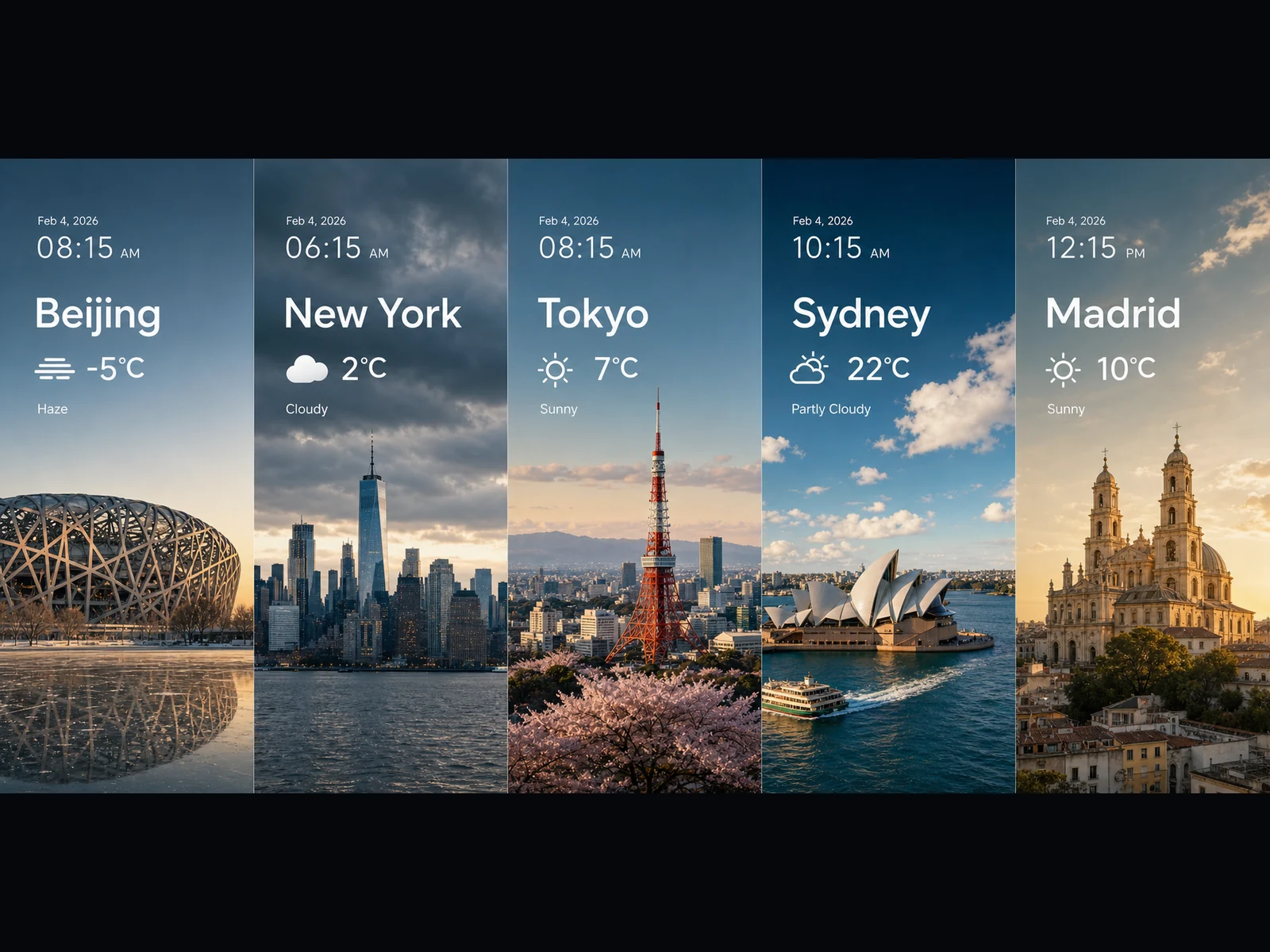
天気パネル、トレンドビジュアル、グラフ風カード、ワイドなキービジュアル、16:9・21:9のシネマティックなシーン案。
どのプロンプトもシンプルな型に沿っています:タスクを示し、文字とレイアウトを具体的に書き、要素どうしの関係を説明し、ビジュアルのスタイルを固定する。ひとつコピーして、自分用に変えてみてください。
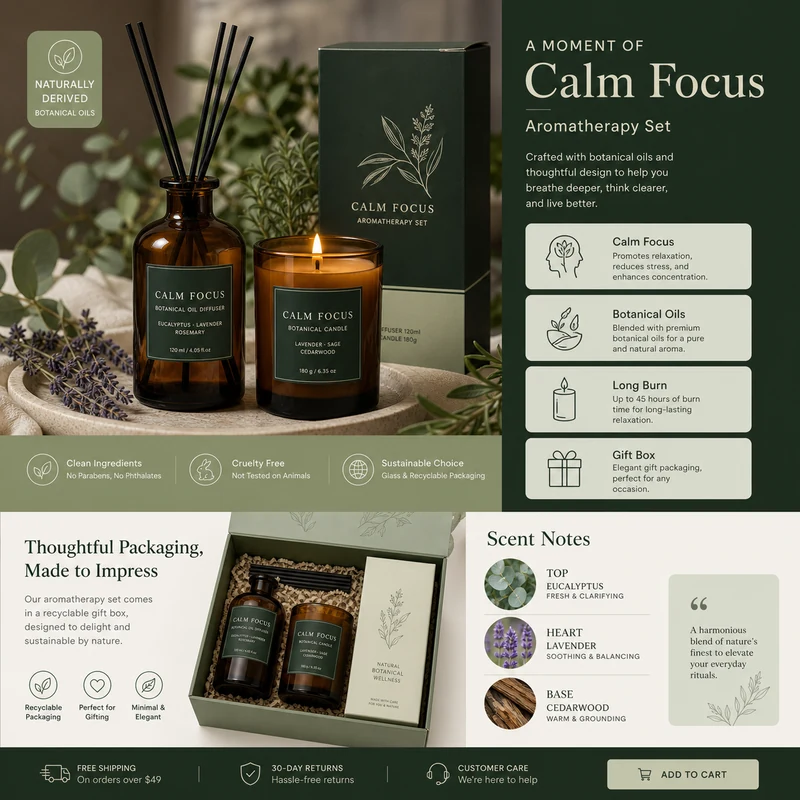
For e-commerce product detail pages of premium aromatherapy products, create an image that showcases high-resolution product photography, packaging design, key selling points, product advantages, and promotional copy blocks. Use a color scheme primarily consisting of dark green, light sage green, and warm ivory. Layout like a mature product detail page: large product image on the left, selling-point cards on the right, packaging and scent notes below. Use concise English text, premium and commercial.
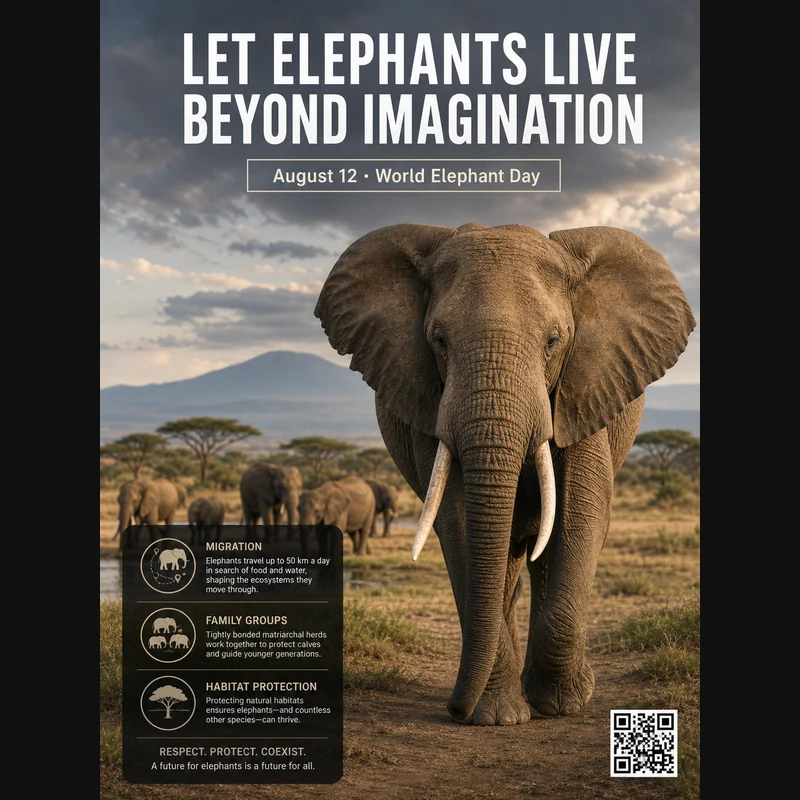
Realistic photographic science poster. A wild elephant is located in a tropical savanna. At the top is the title: “Let elephants live beyond imagination.” Below the title, inside a framed box, it says: “August 12: World Elephant Day.” In the lower-left corner, within a black semi-transparent box, there are three sections of educational text about elephant migration, family groups, and habitat protection. In the lower-right corner, there is a clean QR code. Professional conservation poster layout, photorealistic and print-ready.
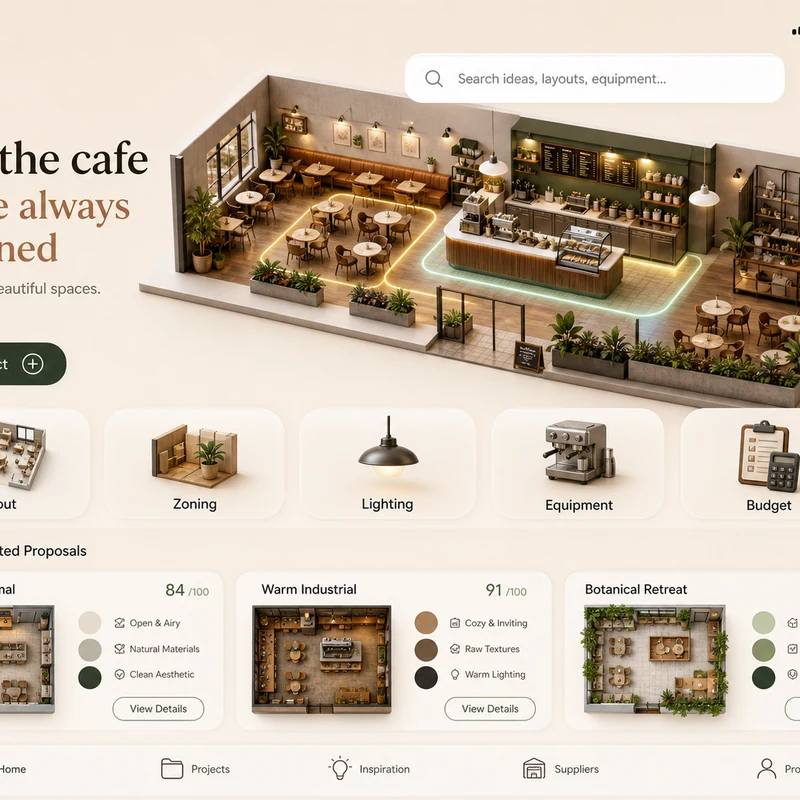
Trendy cafe-planning app interface design: 1. Warm cream background, with the time, mobile signal, Wi-Fi, and battery icons shown at the top. 2. At the top left there is a small cart icon; on the right there is a long white search box, plus calendar and bell icons. 3. The hero banner shows a modern neighborhood cafe as a small 3D space model. 4. Below is a function navigation bar: Layout, Zoning, Lighting, Equipment, Budget, with polished 3D icons. 5. Show 2–3 space proposal cards with mini floor plans, color swatches, and scores. The interface should look like a premium AI interior design SaaS mobile app.
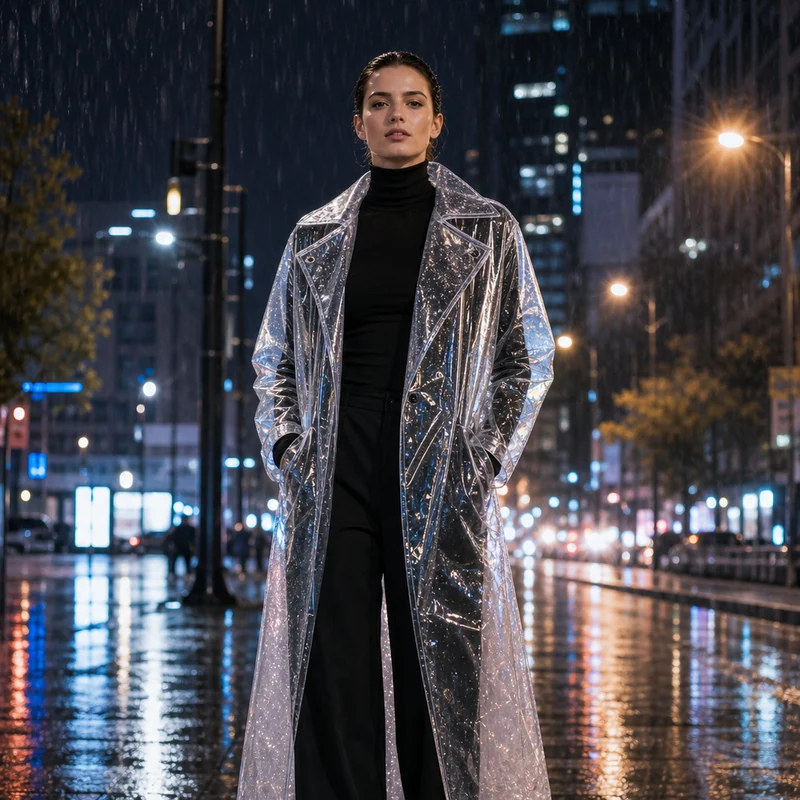
Image editing result example. Preserve the adult professional model’s realistic face, natural body proportions, front-facing pose, and rainy city-night background. Change the outerwear into a translucent architectural raincoat while keeping the rest of the outfit as a full black turtleneck and long trousers. The transparent raincoat should show realistic droplets, refraction, glossy folds, seams, and wet-pavement reflections. Premium commercial fashion photography, no text or logo.
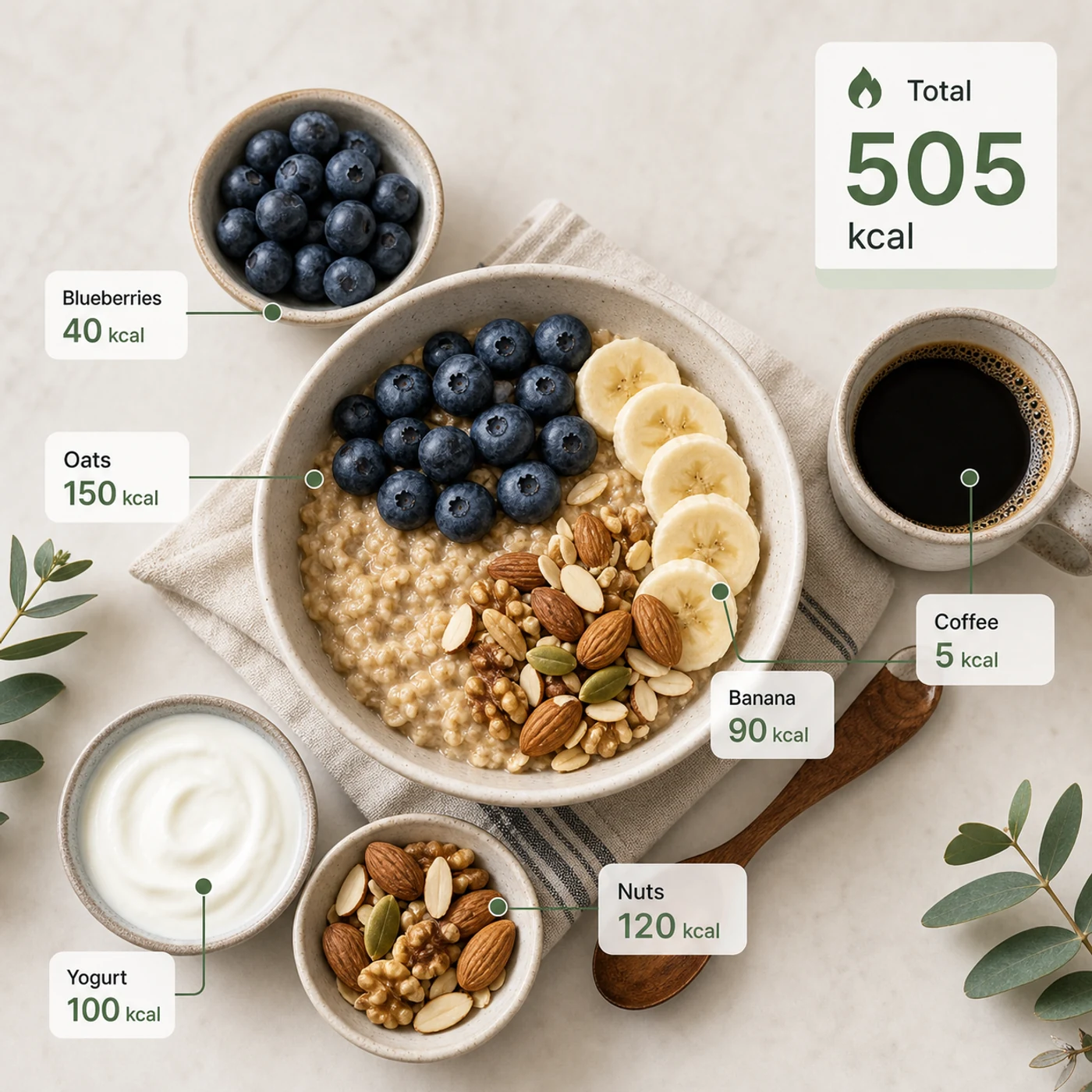
Identify the calorie content of the food in the image and annotate the information on the picture. The image contains an oatmeal bowl, blueberries, banana slices, nuts, yogurt, and a cup of coffee. Add clean calorie callout lines and small labels next to each food, such as “Oats 150 kcal” and “Blueberries 40 kcal.” Place a total-calorie card in the upper-right corner. Clean professional style, like a nutrition analysis app report.
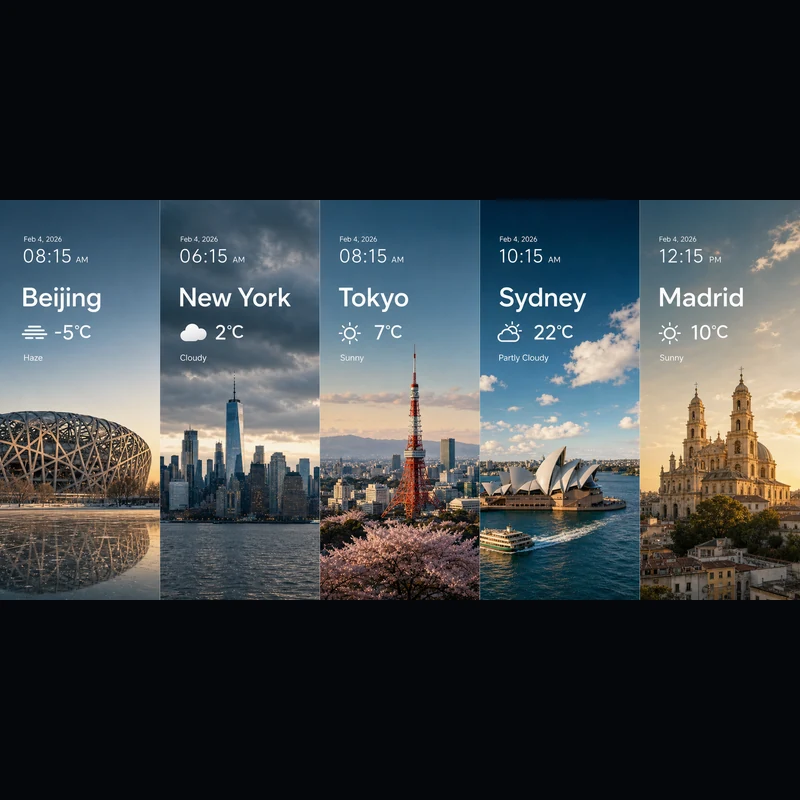
Search for the weather, temperature, and time on February 4, 2026, for the following locations: 1. Beijing, 2. New York, 3. Tokyo, 4. Sydney, 5. Madrid. High-concept composite photography. Note: only return ONE image. The image is composed of five seamlessly stitched vertical panoramic strips. Each strip presents the landmark, weather, and lighting of one city: Beijing Bird’s Nest Stadium, Manhattan skyscrapers, Tokyo Tower, Sydney Opera House, and San Francisco el Grande Cathedral in Madrid. Despite different weather conditions, use cinematic color grading to unify the image. High contrast, photorealistic, wide composition, English text.
テキストから始めても、参照画像から始めても、使うエディターは同じです。
被写体、シーン、入れたい文字、レイアウト、光、素材、比率、被写体同士の関係、情報の優先順位まで書いてください。
参照画像を使いますか?アップロードして、変える部分と保つ部分を伝えましょう。
下書きは2K、ディテール重視なら3K——どちらでも1枚あたり同じ4クレジットです。
Seedream 5.0 Liteについての疑問にお答えします。
Seedream 5.0 Liteは、詳しく構造化されたプロンプトを仕上がった画像に変えるマルチモーダル画像モデルです——ポスター、商品ページ、アプリUI、インフォグラフィック、編集まで。指示への忠実度が高いので、正確な文字・レイアウト・要素どうしの関係まで書き込めば、ほぼそのまま結果に反映されます。Image 2では同じエディターでテキストから画像も画像から画像も使えるため、ゼロから生成することも、アップロードした画像をベースに作り込むこともできます。
対応しています。画像から画像に切り替え、1枚以上の画像をアップロードして、加えたい変更を普通の言葉で伝えてください——素材の差し替え、服装のリスタイル、要素の追加、被写体を保ったままのライティング調整など。1回のリクエストで最大14枚の参照画像を使えるので、複数の入力を同時に参照したり、それらに忠実に仕上げたいときに便利です。
2Kまたは3Kで出力できます。2Kは下書き、SNS投稿、画面表示に最適。3Kは大判レイアウトや印刷、あとで切り抜く素材などにディテールを足せます。どちらも1枚あたりの料金は同じなので、最終用途が求めるときにいつでも追加料金なしで3Kに切り替えられます。
8種類の比率に対応:1:1、4:3、3:4、16:9、9:16、2:3、3:2、21:9。正方形の投稿、ストーリーズやポスター向けの縦型、標準の横長・縦長、そしてシネマティックなキービジュアル向けの超ワイド21:9までカバーします。生成前に比率を選んでおくと、最初から構図が正しく決まります。
プロンプトが詳しく構造的なときはSeedream 5.0 Liteを——サイエンスポスター、アプリUI、商品詳細ページ、ナレッジビジュアル、天気・データの合成、素材スタディ、ステッカー、マインドマップ、参照画像での編集など。GPT Image 2のタイポグラフィや参照画像の扱いがどうしても必要なときは、GPT Image 2を選んでください。
1枚あたり4クレジットです——テキストからでも参照画像からでも、2Kでも3Kでも同じ。さらに毎日無料クレジットがもらえるので、気軽に試せます。
商用利用の可否は、Image 2の規約、モデル自体の規約、そしてプロンプト・アップロード・ブランド・参照素材に対するあなたの権利によって決まります。クライアント案件や有料の制作物として公開する前に、該当する規約を確認することをおすすめします。
ほとんどの画像は1分かからずに返ってきますが、混雑状況・プロンプトの複雑さ・参照画像の枚数によって変わります。画像ができ次第、結果パネルが自動的に更新されます。
他にご質問はございますか? お問い合わせ: [email protected]
テキストだけでも、既存の画像に合わせたいときは参照画像を加えても。
Seedream 5.0 Lite の結果