Limited Offer · 50% OFF50% OFFYearly plans · GPT Image 2.5 + Seedance 2.5
Image 2
Multi-image editing that stays faithful to your references — with designer-grade poster layouts and crisp, readable text.
A quick tour of what Seedream 4.5 handles best: reference-faithful portrait edits, material swaps, multi-image composites, in-image text and translation, 3D miniatures, and poster and logo layouts. Tap any image to load its prompt.
Seedream 4.5 is an all-round upgrade over Seedream 4.0 — sharper prompt adherence, stronger reference fidelity, and cleaner typography — so complex edits and dense layouts hold together.
Hand it reference images and Seedream 4.5 preserves the faces, lighting, and color tone — so an edited subject still looks like itself across every variation.
Designer-level composition with clear, readable small text — built for posters, packaging, logos, and dense typographic layouts that have to render cleanly.
Point to elements across several input images and Seedream 4.5 locks onto the right targets — combine, swap, or remove subjects without disturbing the rest. Up to 14 references at once.
Render at 2K for quick drafts or 4K for print-size detail. Both cost the same 6 credits per image, so you can go high-resolution without watching the price.
From reference-faithful portrait and product edits to posters, logos, multi-image composites, and in-image text, Seedream 4.5 covers the work that has to stay exact.
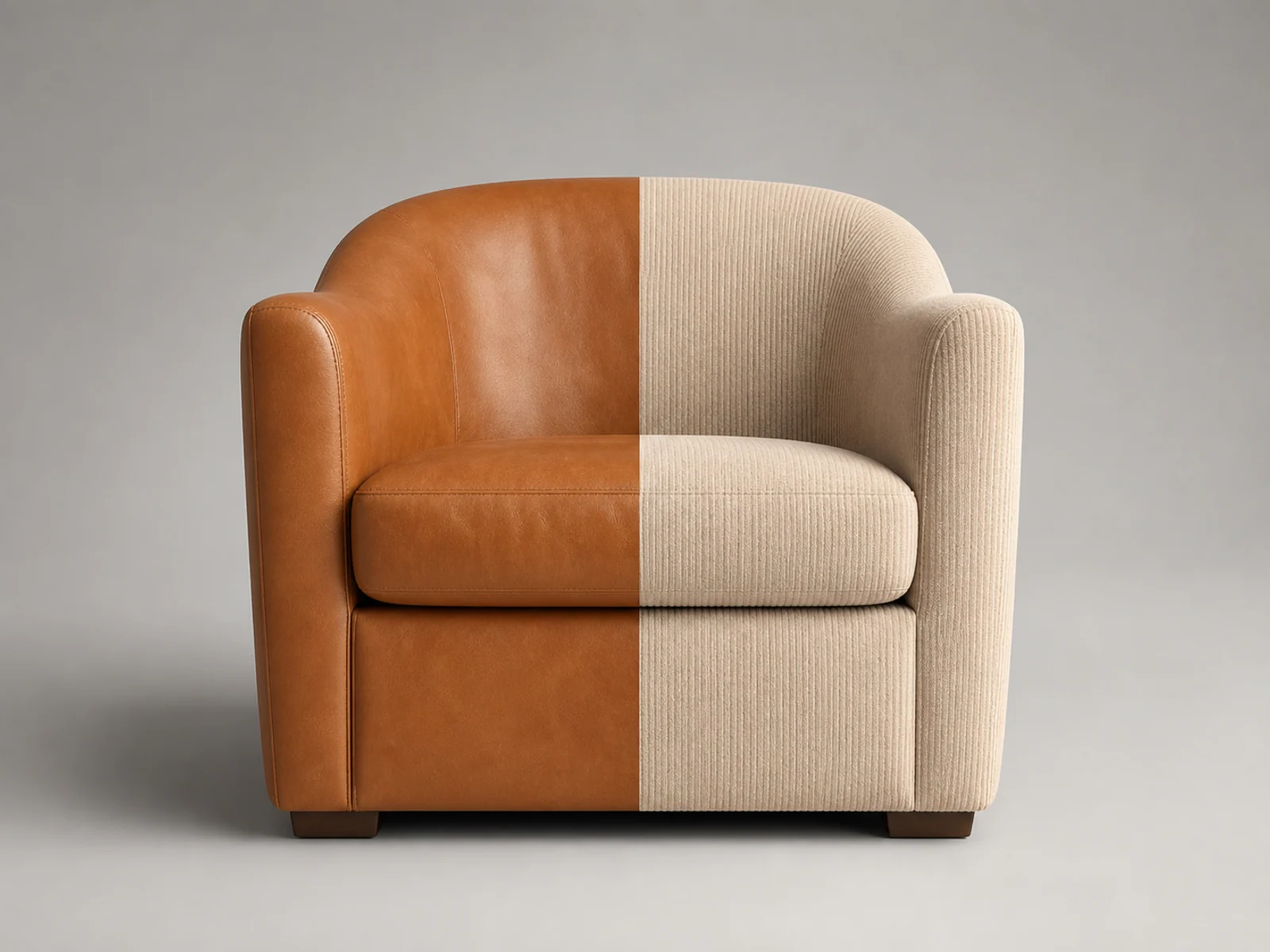
Swap materials, finishes, and packaging while keeping the product's shape, label, and lighting true to the original shot.
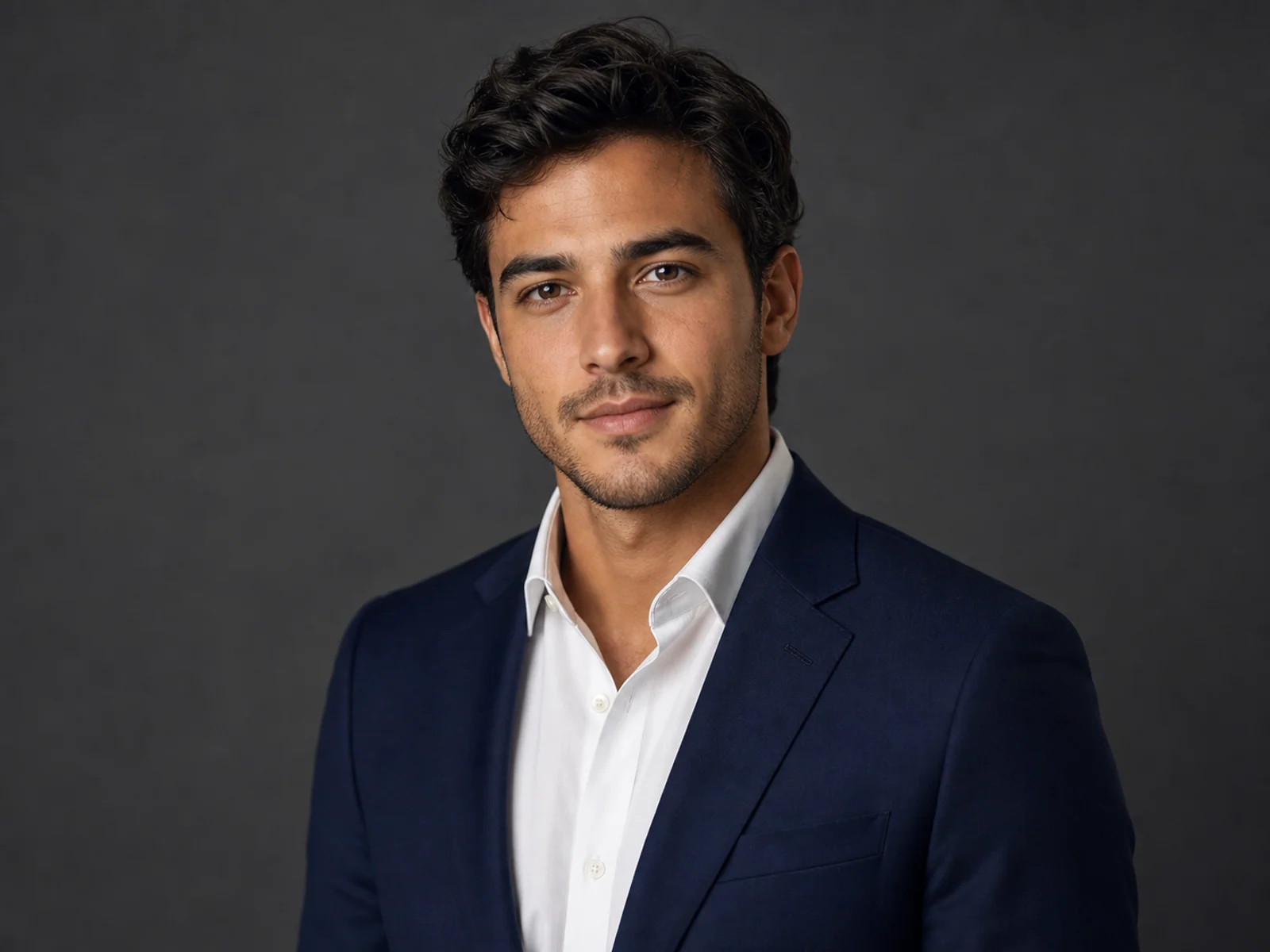
Restyle wardrobe, background, and lighting while preserving the subject's face, hair, and skin tone across every version.
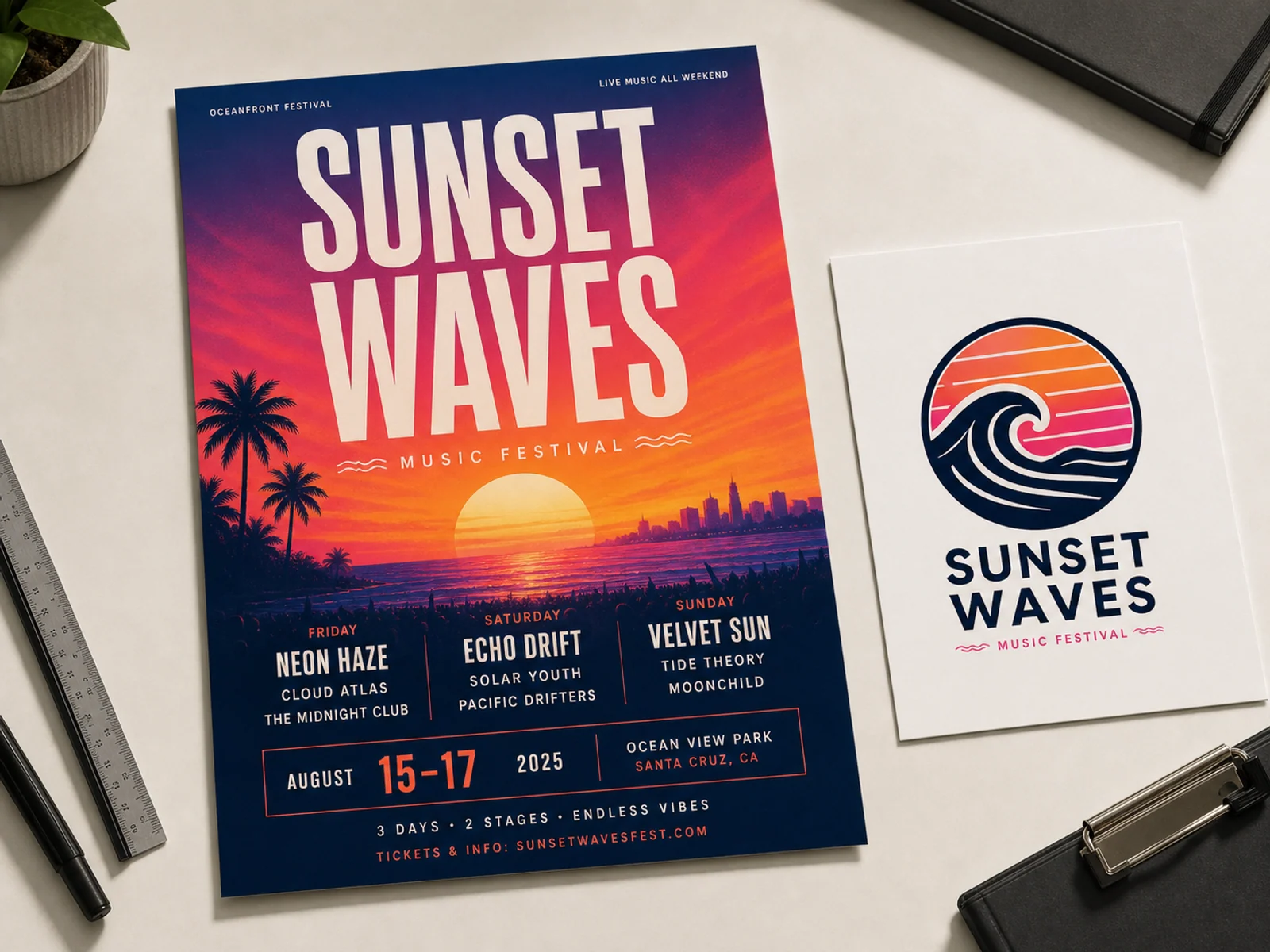
Designer-grade poster, packaging, and logo layouts with clear, readable small text and strong typographic hierarchy.
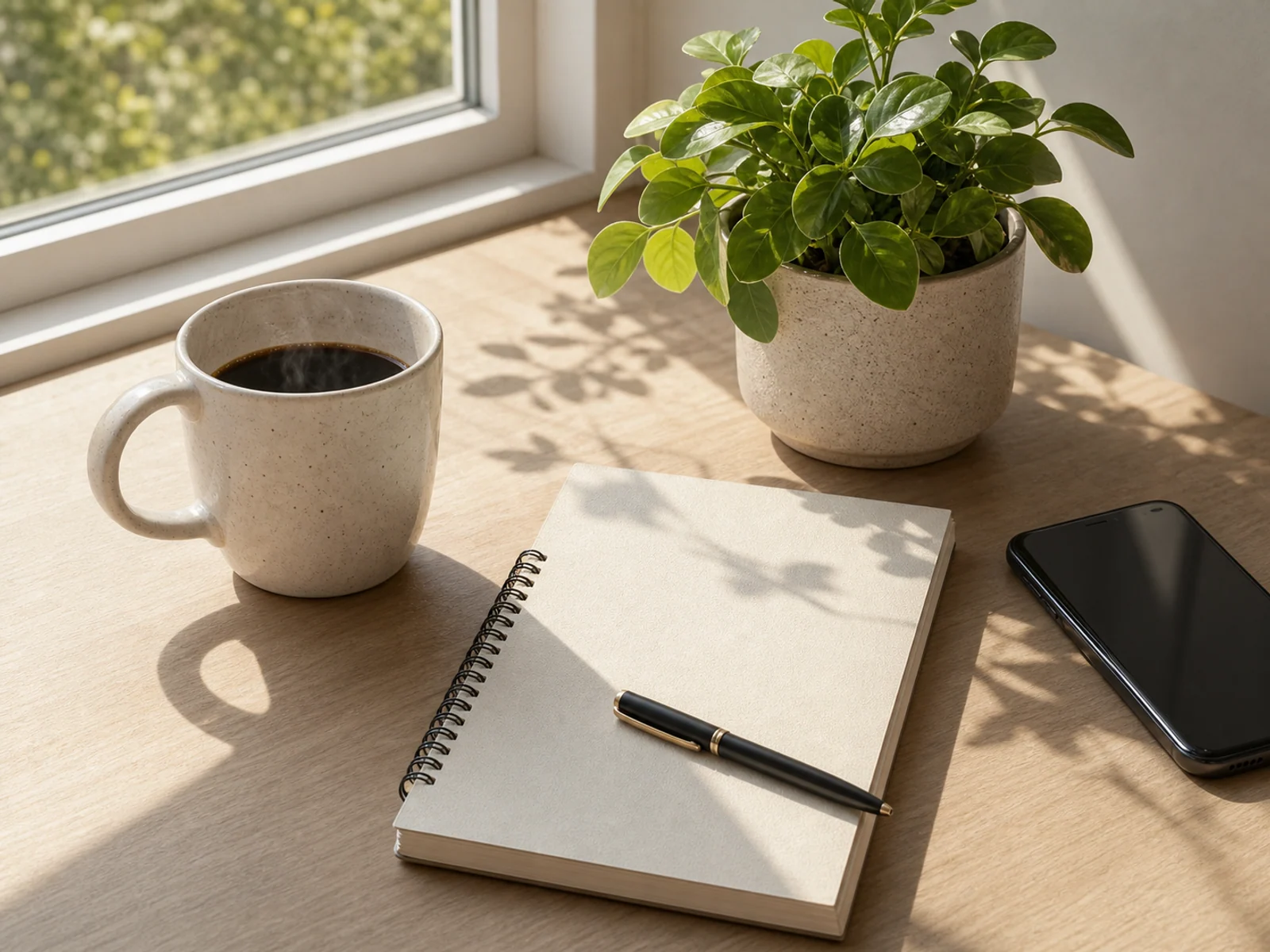
Combine subjects from several images, keep the ones you point to, and drop the rest — with matched lighting and perspective.
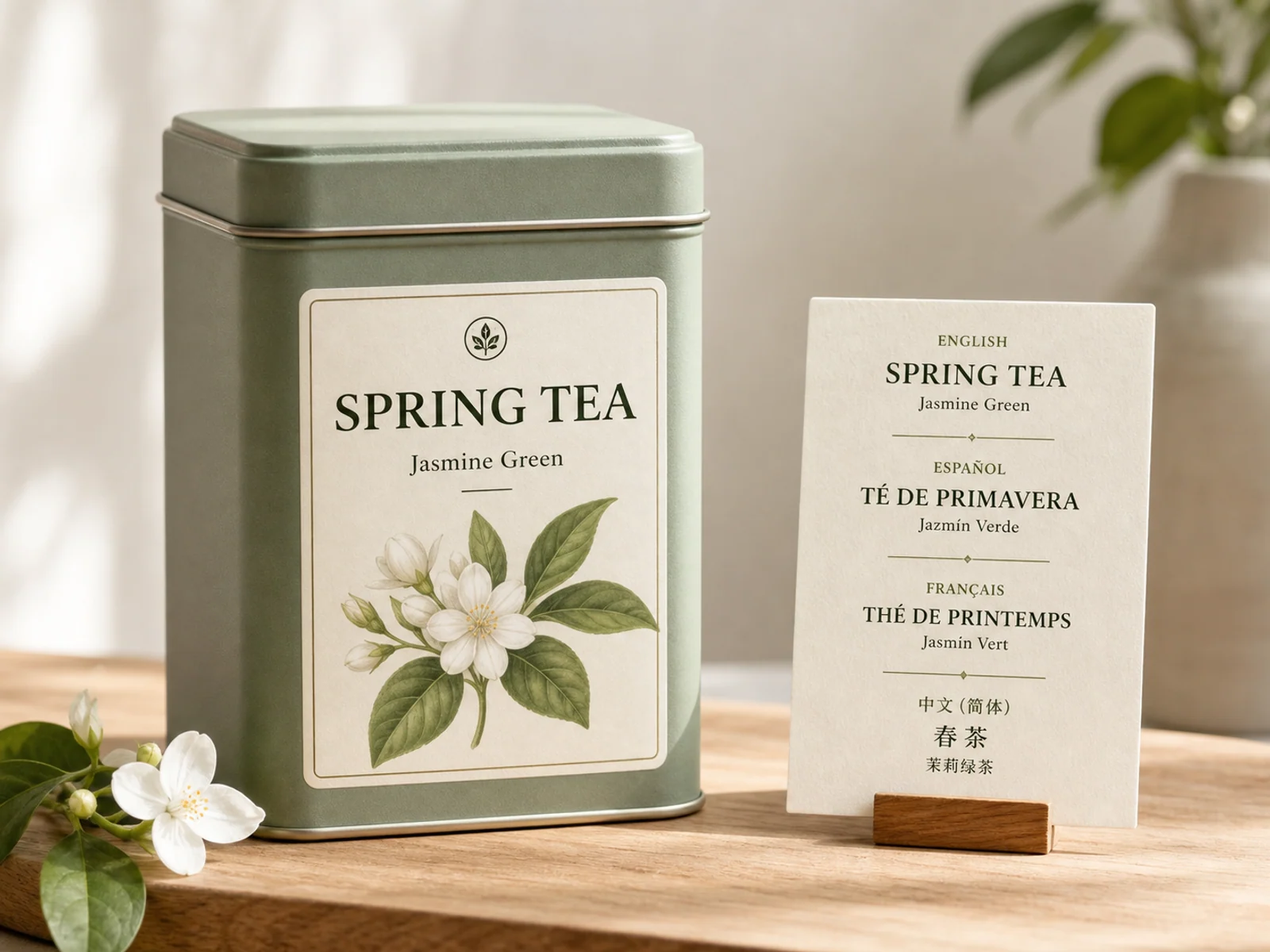
Add, rewrite, or translate text inside an image — handwritten or set type — while leaving everything else untouched.
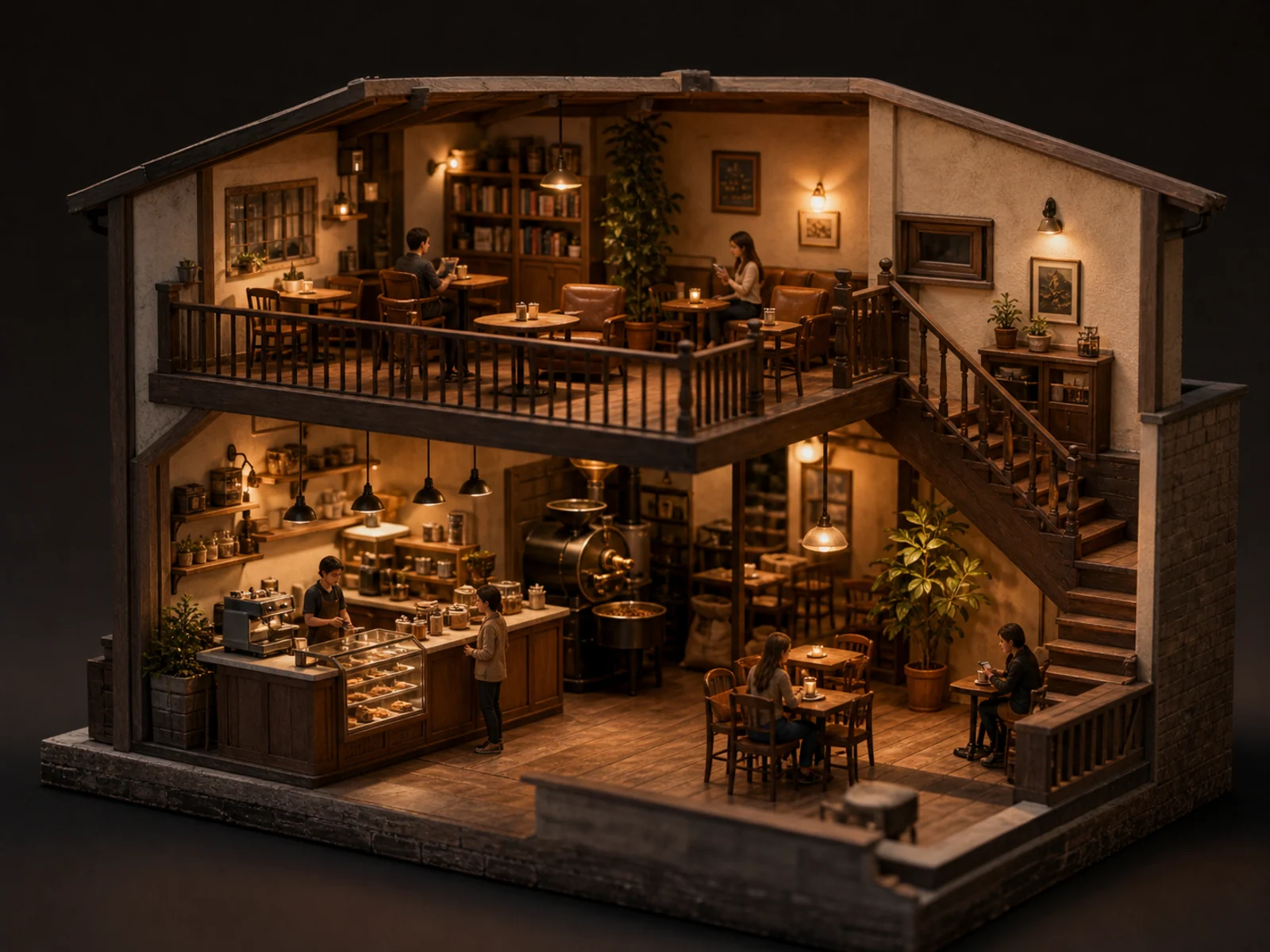
Tilt-shift miniature worlds, cinematic night scenes, and wide event key visuals in 16:9 or 21:9.
Each prompt names the edit, locks what must stay the same, then spells out the change. Copy one and make it your own.
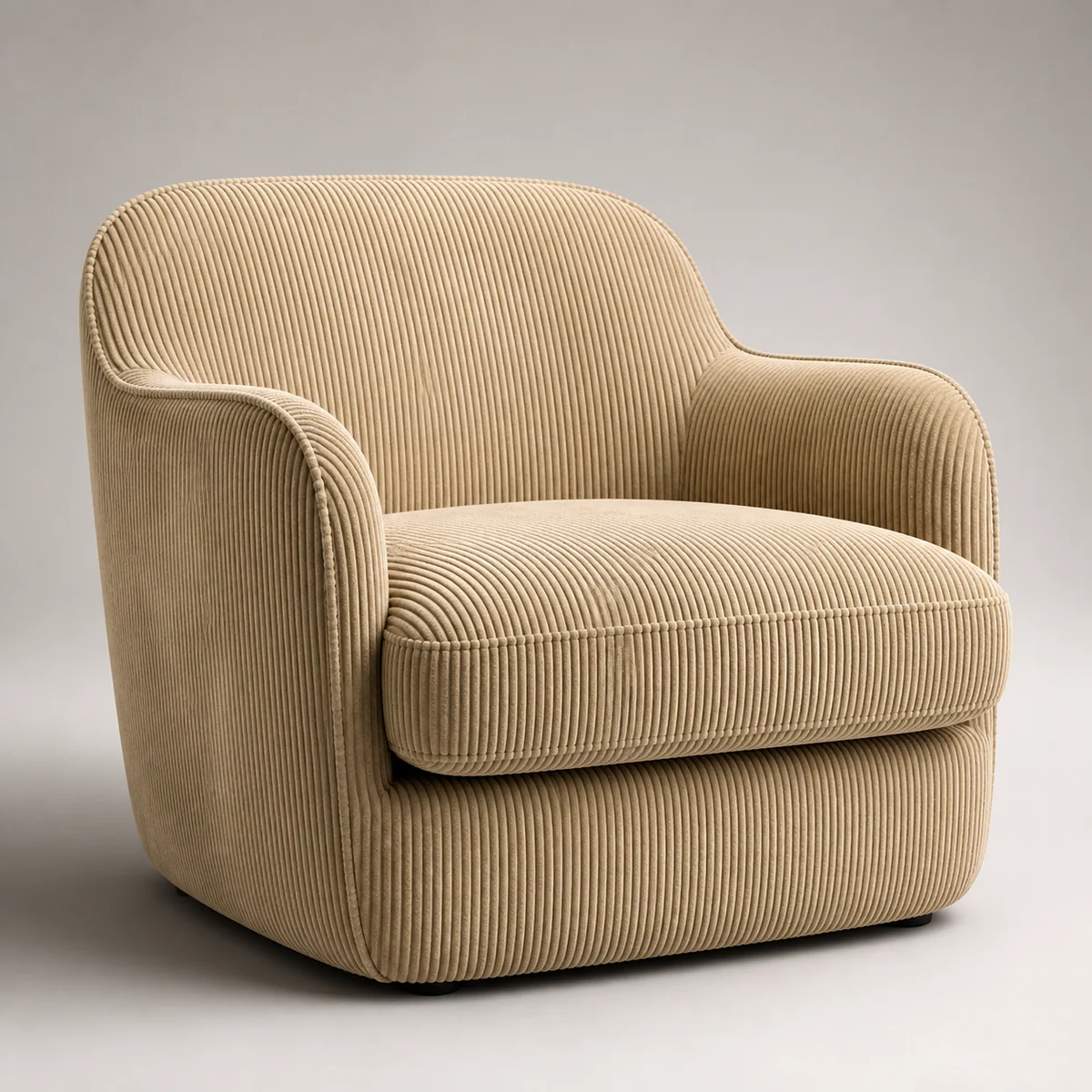
Keep this leather armchair's shape, stitching, and placement unchanged. Change the material from leather to beige corduroy. Soft studio lighting, clean seamless background, premium catalog look.
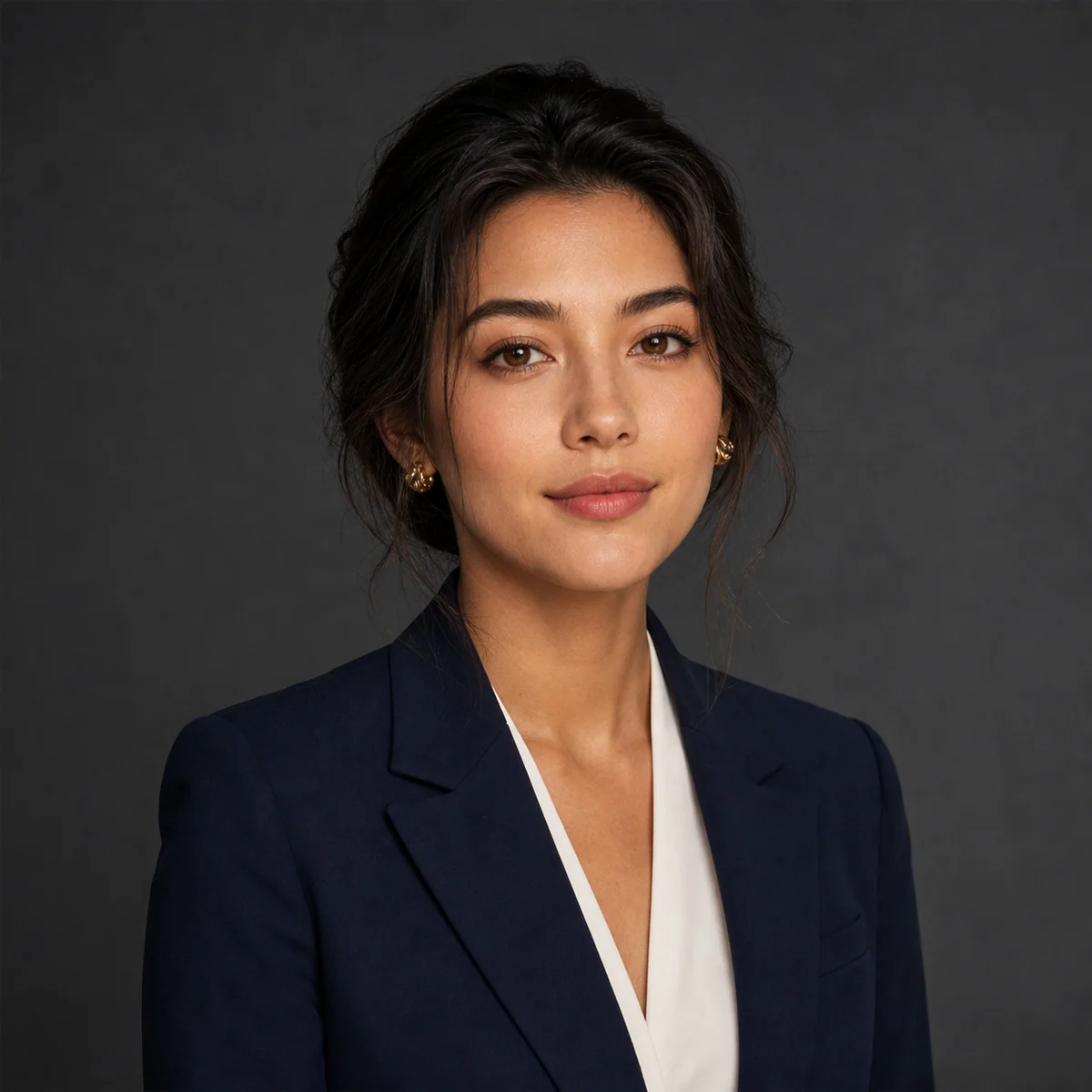
Keep the person's facial features and hairstyle from this ID photo. Replace the background with a professional charcoal-grey studio backdrop, add soft Rembrandt lighting, and change the outfit to a navy suit. Corporate headshot.

Music festival poster. Bold title 'SUNSET WAVES' at the top, a three-line artist lineup in small type in the middle, date and venue along the bottom, neon-sunset palette, strong typographic hierarchy.
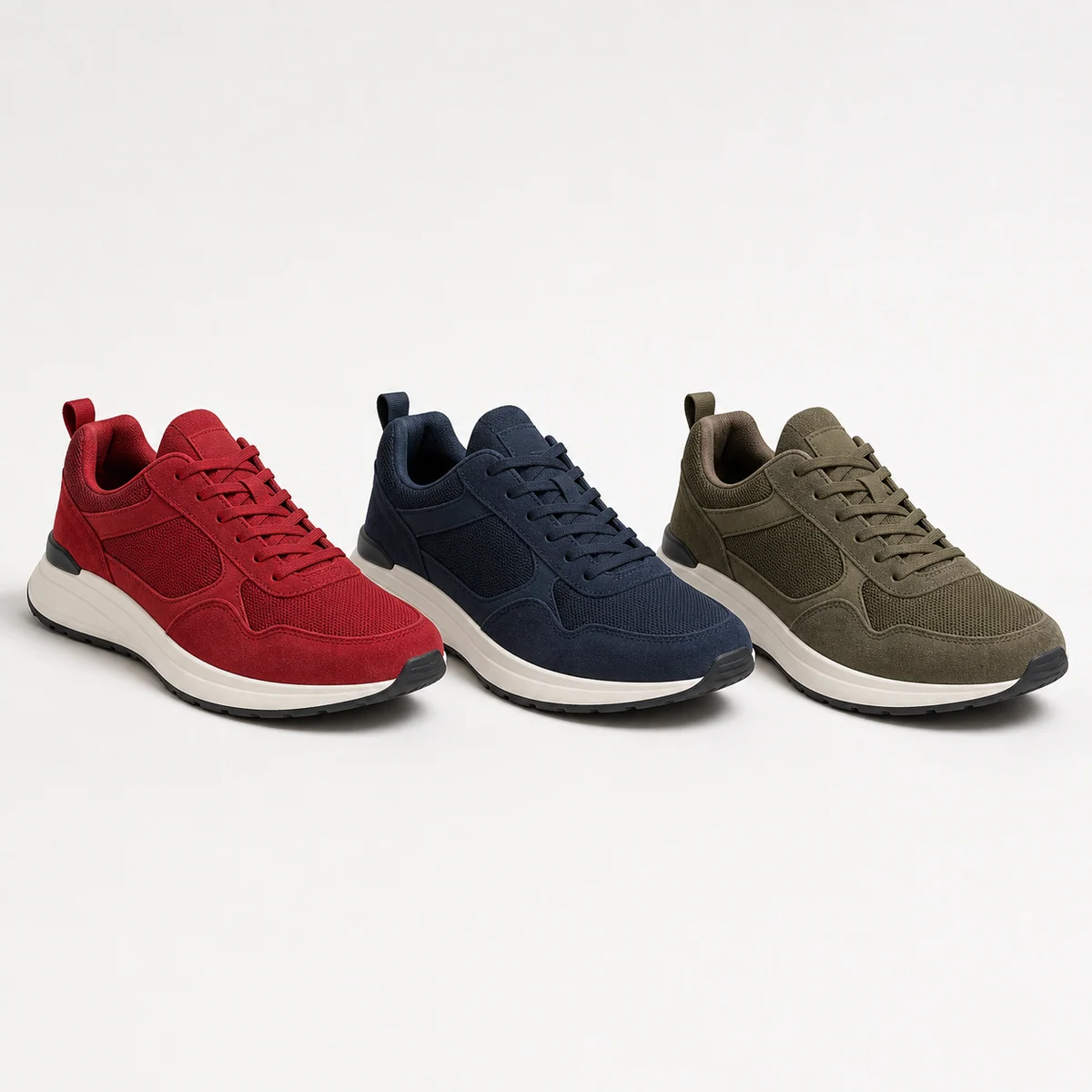
Generate three colorway variations of this sneaker — red, navy, and olive — keeping the exact shape, angle, and lighting consistent across all three. Clean catalog background.

Add promotional labels to this drink product shot: a round 'NEW' badge in the top-left corner and a clear 'Buy 1 Get 1' line of small text along the bottom, styled to match the packaging.
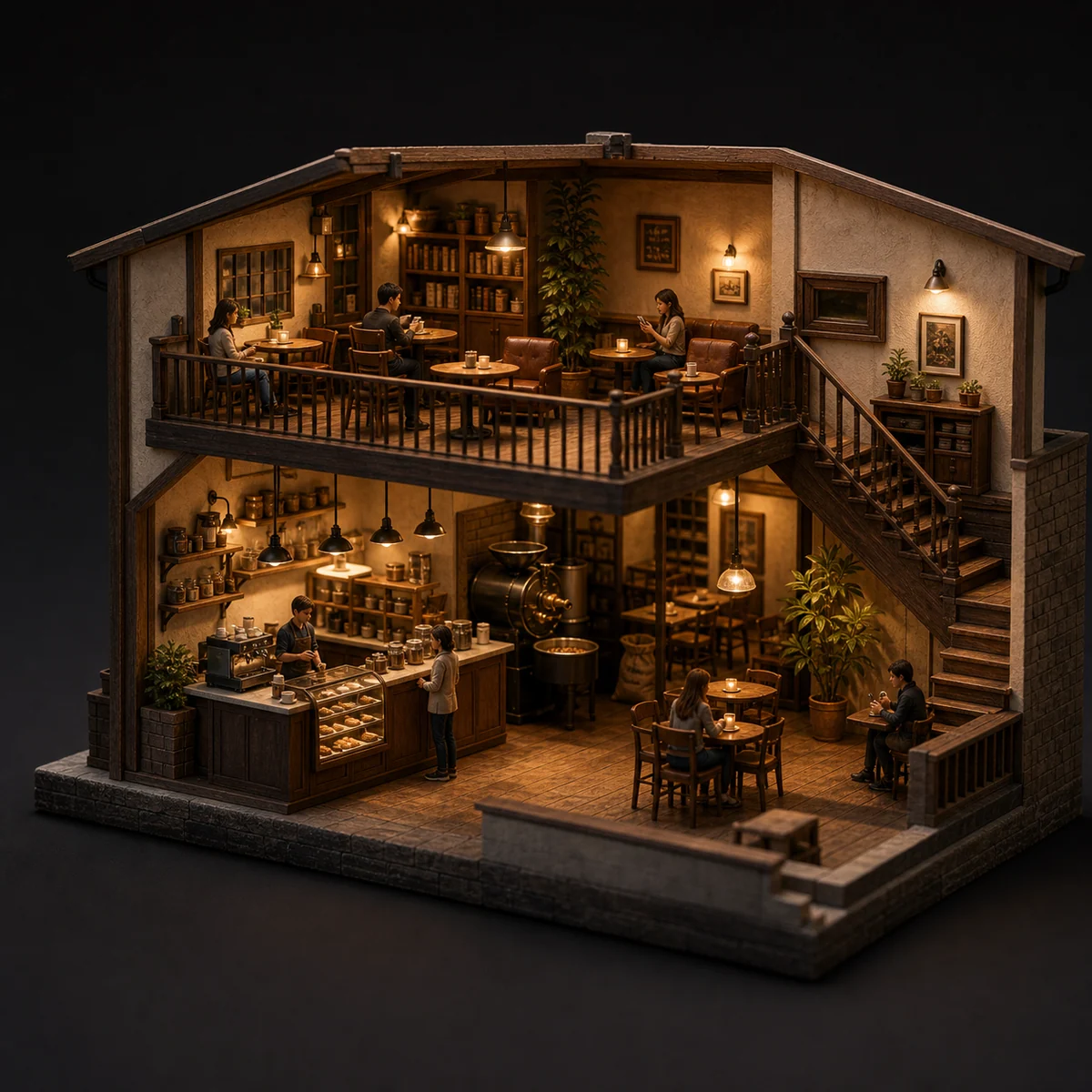
3D miniature cross-section of a cozy two-floor coffee shop — counter, roasting area, and seating all visible at once. Warm lighting, tilt-shift, highly detailed.
Whether you start from text or a reference image, it's the same editor.
Describe the subject, setting, exact text, layout, lighting, material, aspect ratio, relationships between subjects, and information hierarchy.
Editing or compositing? Upload one or more references — up to 14 — and say which subjects to keep, what to change, and what must stay faithful to the originals.
Pick 2K for fast drafts or 4K for extra detail — either way it's the same 6 credits per image.
Answers to your questions about Seedream 4.5.
Seedream 4.5 is ByteDance's image model, tuned for editing and layout. It's an all-round upgrade over Seedream 4.0 — better prompt adherence, stronger reference fidelity, and cleaner typography. It's at its best on multi-image editing, keeping faces, lighting, and color faithful to your references, and on designer-grade posters and logos with crisp, readable text. On Image 2 it runs in one editor for both text-to-image and image-to-image.
Yes. Switch to image-to-image, upload one or more images, and describe the change in plain language — swap a material, restyle an outfit, add elements, or adjust the lighting while keeping the subject recognizable. A single request can take up to 14 reference images, which helps when you want the result to draw on or stay faithful to several inputs at once.
You can render at 2K or 4K. 2K is great for quick drafts, social posts, and on-screen use, while 4K adds detail for large layouts, print, or anything you plan to crop into. Both cost the same per image, so you can jump to 4K whenever the final use calls for it without paying more.
Eight ratios are available: 1:1, 4:3, 3:4, 16:9, 9:16, 2:3, 3:2, and 21:9. That covers square posts, vertical formats for stories and posters, standard landscape and portrait, and ultra-wide 21:9 for cinematic key visuals. Pick the ratio before you generate so the composition is framed right from the start.
Reach for Seedream 4.5 when the job is editing or layout — multi-image composites, reference-faithful changes, material swaps, posters, logos, and in-image text. Choose GPT Image 2 when you want its particular typography style and reference handling. They're complementary, so plenty of people keep both within reach.
Every image costs 6 credits — the same whether you generate from text or a reference, and whether you choose 2K or 4K. You also get free credits every day to keep experimenting.
It depends on the Image 2 terms, the model's own terms, and your rights to the prompts, uploads, brands, and references involved. It's worth reviewing these before you publish client or paid work.
Most images come back in well under a minute, though it varies with current demand, prompt complexity, and how many references you add. The result panel updates on its own as soon as your image is ready.
You can start for free — new accounts come with registration credits to spend right away. After that you can top up by purchasing credit packages, claiming daily check-in rewards, or inviting friends. Each Seedream 4.5 image costs 6 credits, so your free balance is enough to test real prompts before you decide to buy.
Both live in the same editor and handle text-to-image and reference editing the same way, so day to day they feel alike. The clearest difference is resolution: Seedream 4.5 renders up to 4K for print-size and large-canvas work, while Seedream 5.0 Lite is the lighter, newer build that tops out at 3K. When you can't decide, run the same prompt through both and keep whichever look you prefer.
Still have questions? Contact us at [email protected]
Start from text alone, or add a reference when the result needs to match an existing image.
Seedream 4.5 Results