


01Transformations
Two ages, one frame
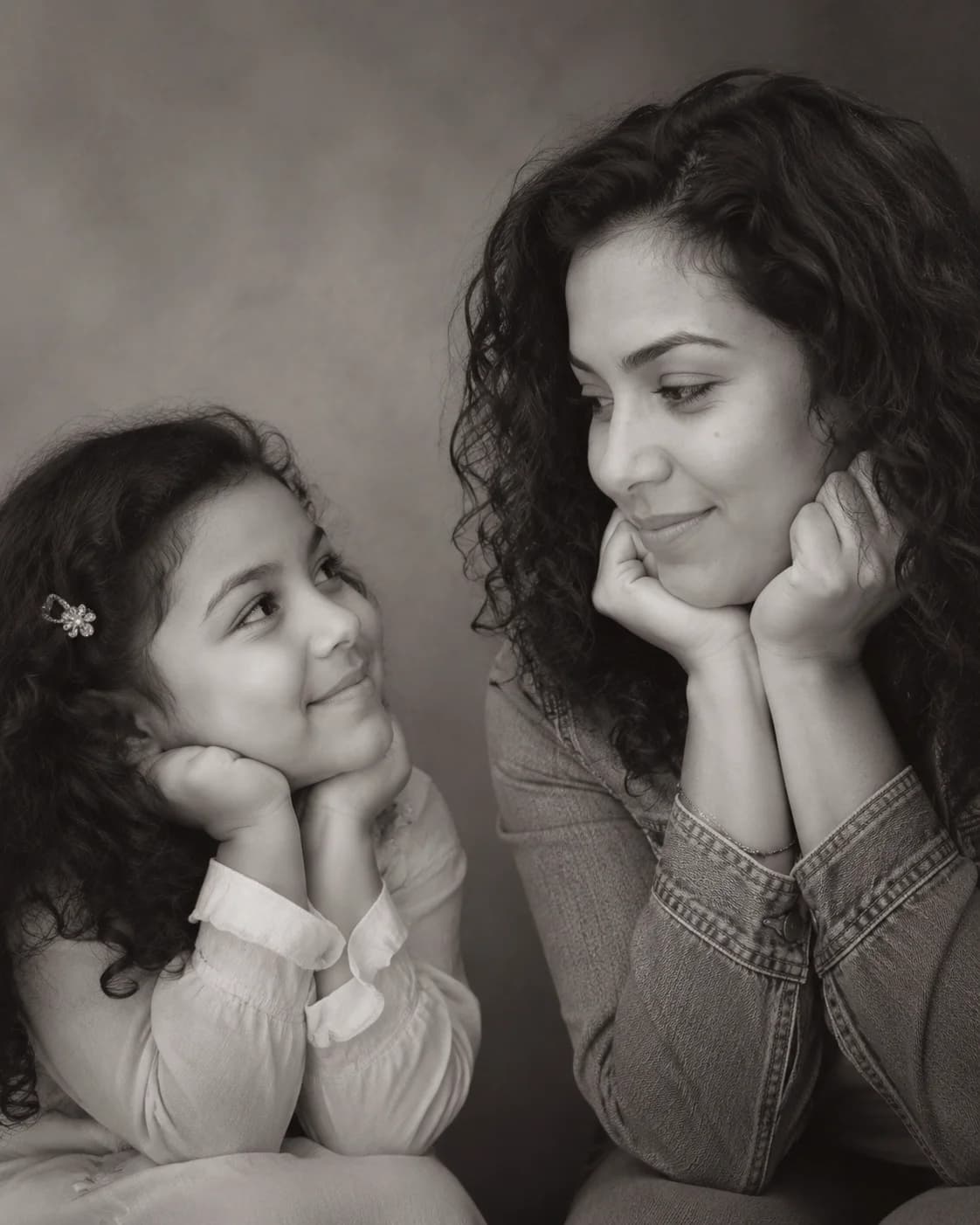
Younger you and present-day you in a single, quietly emotional studio shot.
Create the viral Childhood vs Present AI photo trend. Upload one clear portrait — Image 2 creates a believable younger version of you and places both ages in the same black-and-white studio shot.
Create the viral Childhood vs Present AI photo trend.
Younger you and present-day you in a single, quietly emotional studio shot.
Soft black-and-white light keeps every detail on the eye contact between past and present.
Clean 4:5 framing built for reels, posts, and time travel selfie stories.
Use the default emotional black-and-white prompt, or copy a variant for a different social photo edit.
Use the uploaded photo as the only identity reference. Create a realistic black-and-white 4:5 studio portrait with a believable younger version on the left looking right with an innocent smile, and the present-day person from the uploaded photo on the right resting hands under the chin while looking back with a calm smile. Plain soft studio background, warm cinematic monochrome lighting, professional minimal emotional photography, preserve the uploaded identity, no text or watermark.
Create a gentle color version of the childhood vs present portrait using one uploaded photo as the identity reference. Place a younger version on the left and the present-day version on the right, both in the same soft studio space, exchanging a warm eye line. Use muted cream and warm gray tones, realistic skin texture, shallow depth of field, natural expressions, emotional but not exaggerated, preserve the person's identity.
Build a nostalgic school-days vs now composition from one uploaded portrait. Left side: a believable childhood version with subtle school portrait cues, neat hair, innocent smile, looking toward the right. Right side: the present-day person in clean modern clothing, relaxed pose, calm smile, looking back. Keep one realistic studio photoshoot, soft monochrome grade, plain background, accurate facial identity, 4:5 portrait.
Create a social-ready childhood vs present AI photo for a reel cover using one uploaded photo as the identity reference. Vertical 4:5 framing, left child version and right adult version close enough to feel emotionally connected, clean negative space around faces, soft black-and-white contrast, cinematic catchlights, no text, no border, no collage seams, realistic studio photography, preserve the uploaded identity.
Choose a copy-ready prompt or follow the complete guide before creating your next version.
Common questions about using Meet Your Younger Self AI Generator
It is the viral time travel selfie trend in one click. Image 2 uses one uploaded portrait as the identity reference and composes your present-day self with a believable younger version in a single black-and-white studio shot.
Upload one clear present-day portrait or selfie. Front-facing or three-quarter shots with the face fully visible give the most reliable younger-self likeness.
Yes — the prompt is tuned to preserve facial identity, hairstyle cues, skin tone, and natural expression from the uploaded portrait while creating an age-appropriate younger version.
Yes. This template is designed for one uploaded photo. A clearer portrait gives Image 2 more identity cues for both the present-day self and the inferred younger self.
A realistic 4:5 black-and-white studio portrait with soft cinematic light, a plain background, and a quiet eye line between past you and present you.
Each generation uses 2/2/6 (1K/2K/4K) credits. New users can try it with signup credits, and more credits are available through plans, top-ups, check-ins, or referrals.
Yes. The output is designed for social posts, reels, profile content, and personal storytelling. For commercial usage, make sure you own the rights to the uploaded photo and follow Image 2 terms.
Still have questions? Contact us at [email protected]