Offre limitée · 50% de réduction50% de réductionForfaits annuels · GPT Image 2.5 + Seedance 2.5
Image 2
Transformez des prompts détaillés et des images de référence en affiches, fiches produit, maquettes d'UI et retouches impeccables.
Un aperçu de ce que fait Seedream 5.0 Lite : affiches scientifiques, fiches produit e-commerce, UI d'applis, retouches précises et stickers, annotations, visuels de données, études de matières et cartes mentales. Touchez une image pour charger son prompt.
Seedream 5.0 Lite comprend des prompts longs et structurés et garde tout cohérent dans les scènes complexes — affiches, UI d'applis, annotations, visuels de données, retouches, fiches produit, stickers et cartes mentales.
Décrivez dans le prompt les relations entre les sujets, le texte exact, la hiérarchie de mise en page, les contraintes de matière et la logique physique pour obtenir des affiches, visuels de campagne, schémas et scènes structurées cohérents.
Importez une image et décrivez la modification — ajouter des stickers, changer de matière, ajuster la lumière, transférer un style ou retoucher un sujet tout en gardant sa ressemblance. Jusqu'à 14 images de référence à la fois.
Générez en 2K pour des brouillons rapides ou en 3K quand il faut plus de détail. Les deux coûtent les mêmes 4 crédits par image : vous montez en résolution sans surveiller le prix.
Choisissez un format carré, portrait, paysage, vertical pour les réseaux sociaux, le classique 3:2 ou 2:3, ou encore le 21:9 pour les compositions panoramiques.
De la typographie dessinée à la main et l'UI d'applis aux retouches précises, affiches scientifiques, fiches produit, études de matières, stickers et cartes mentales, Seedream 5.0 Lite couvre un large éventail de travaux.
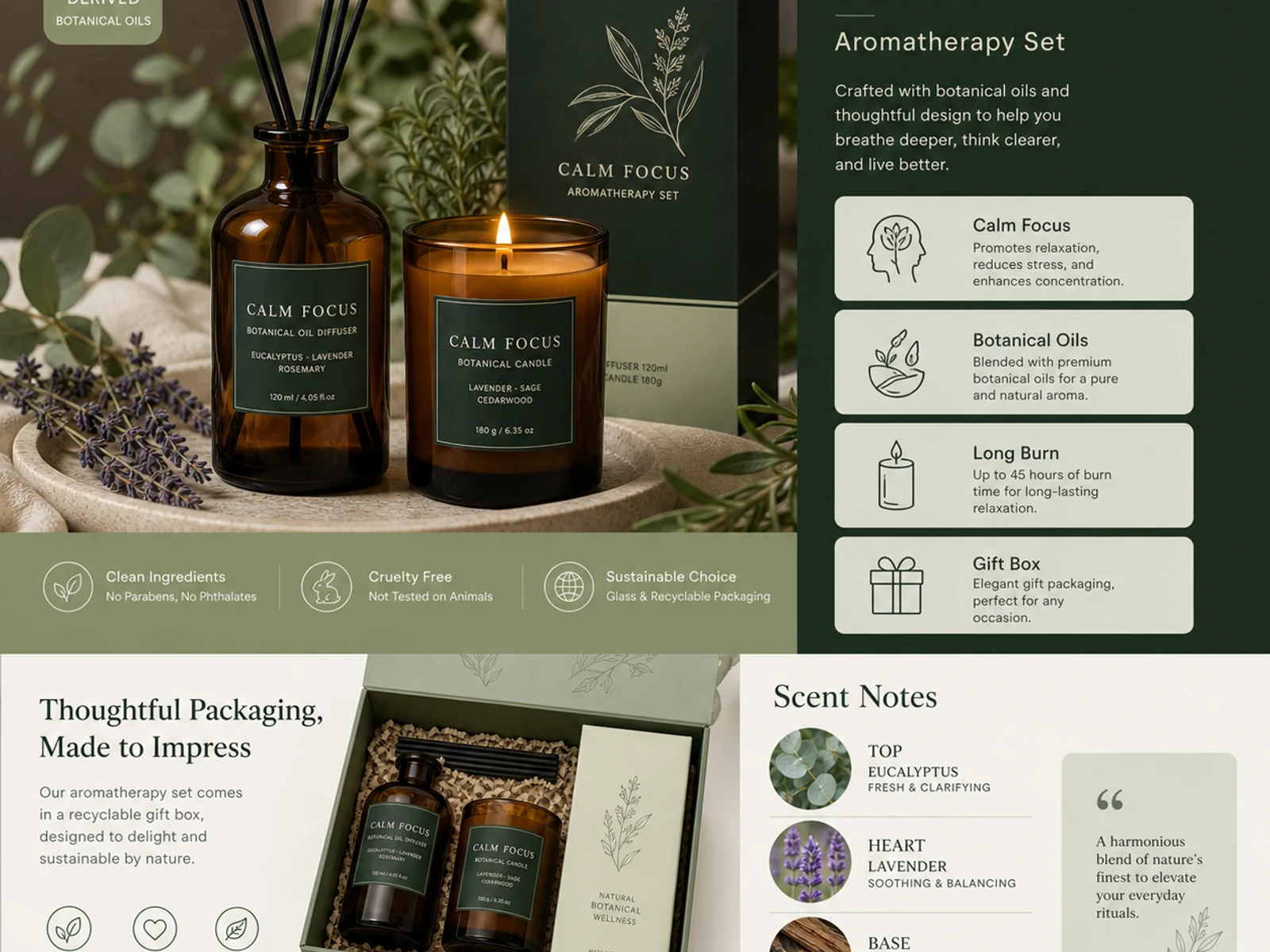
Pages produit d’aromathérapie, systèmes de packaging, verre, métal, tissu, cosmétiques et déclinaisons façon catalogue.
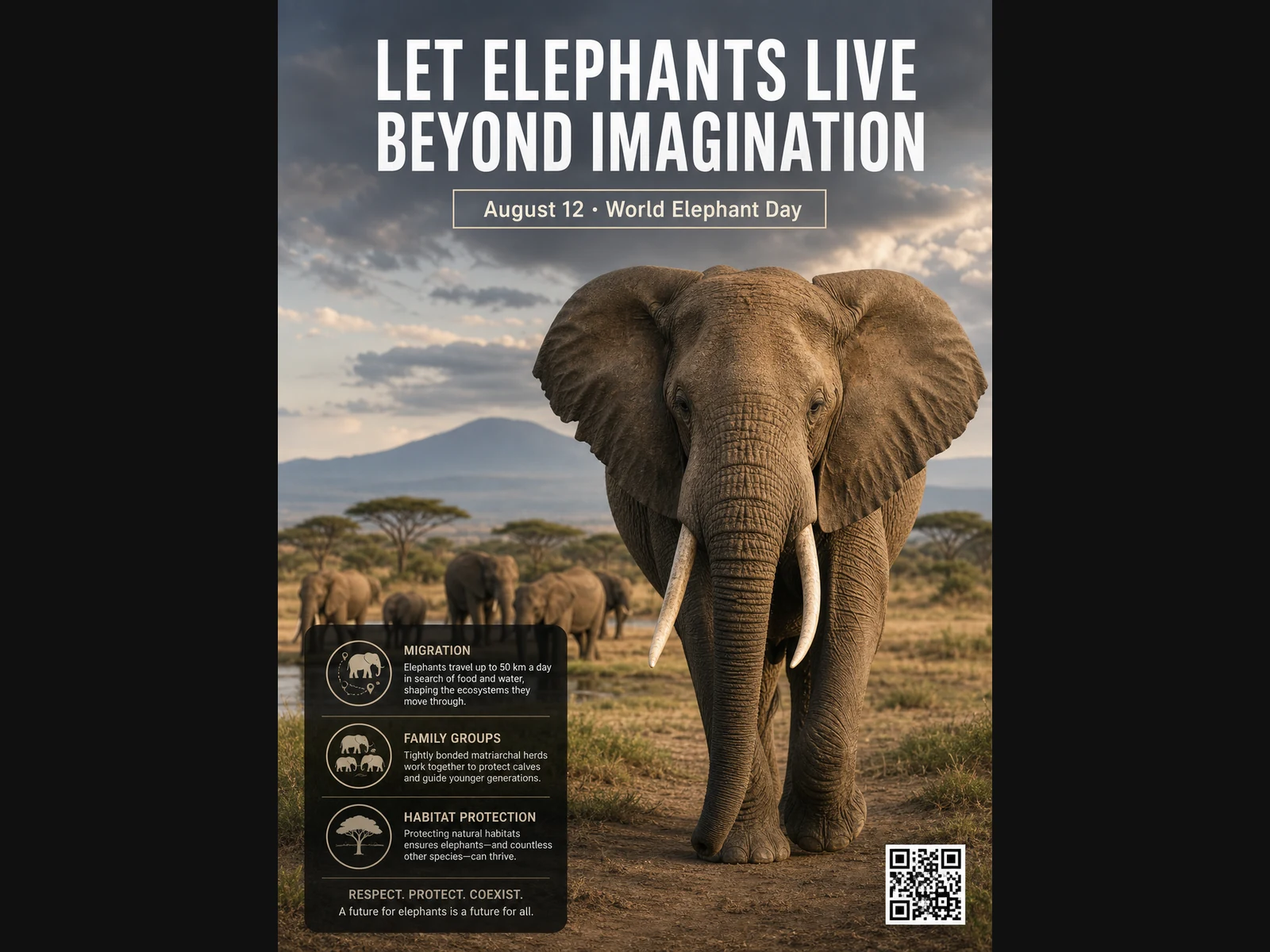
Affiches sur la faune, mises en page pédagogiques, portraits éditoriaux, concepts mode et références de moodboard.
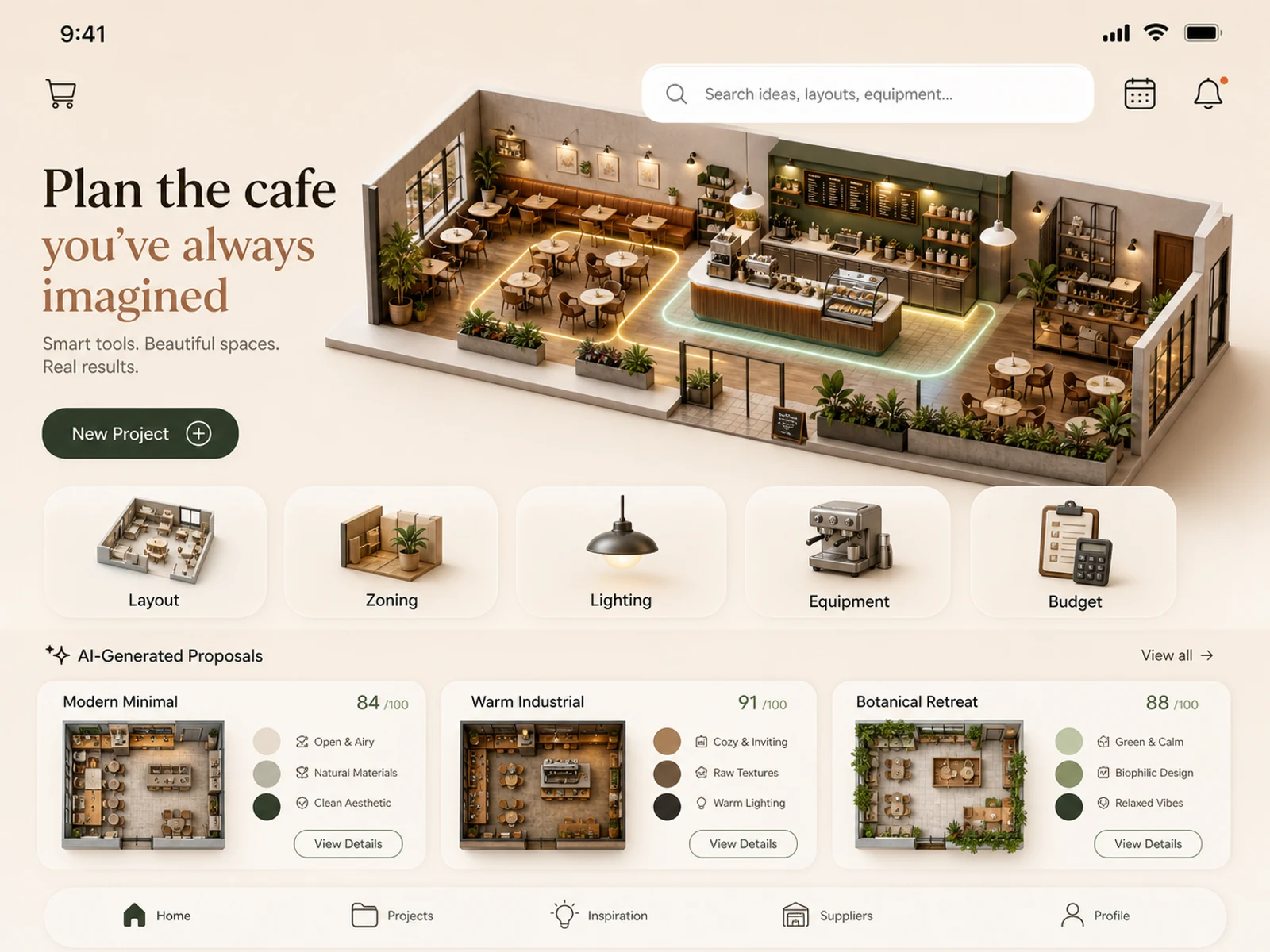
Concepts d’applis mobiles, aménagement de cafés, espaces de vente, décoration de pièces, études d’éclairage et mises en scène de lieux.
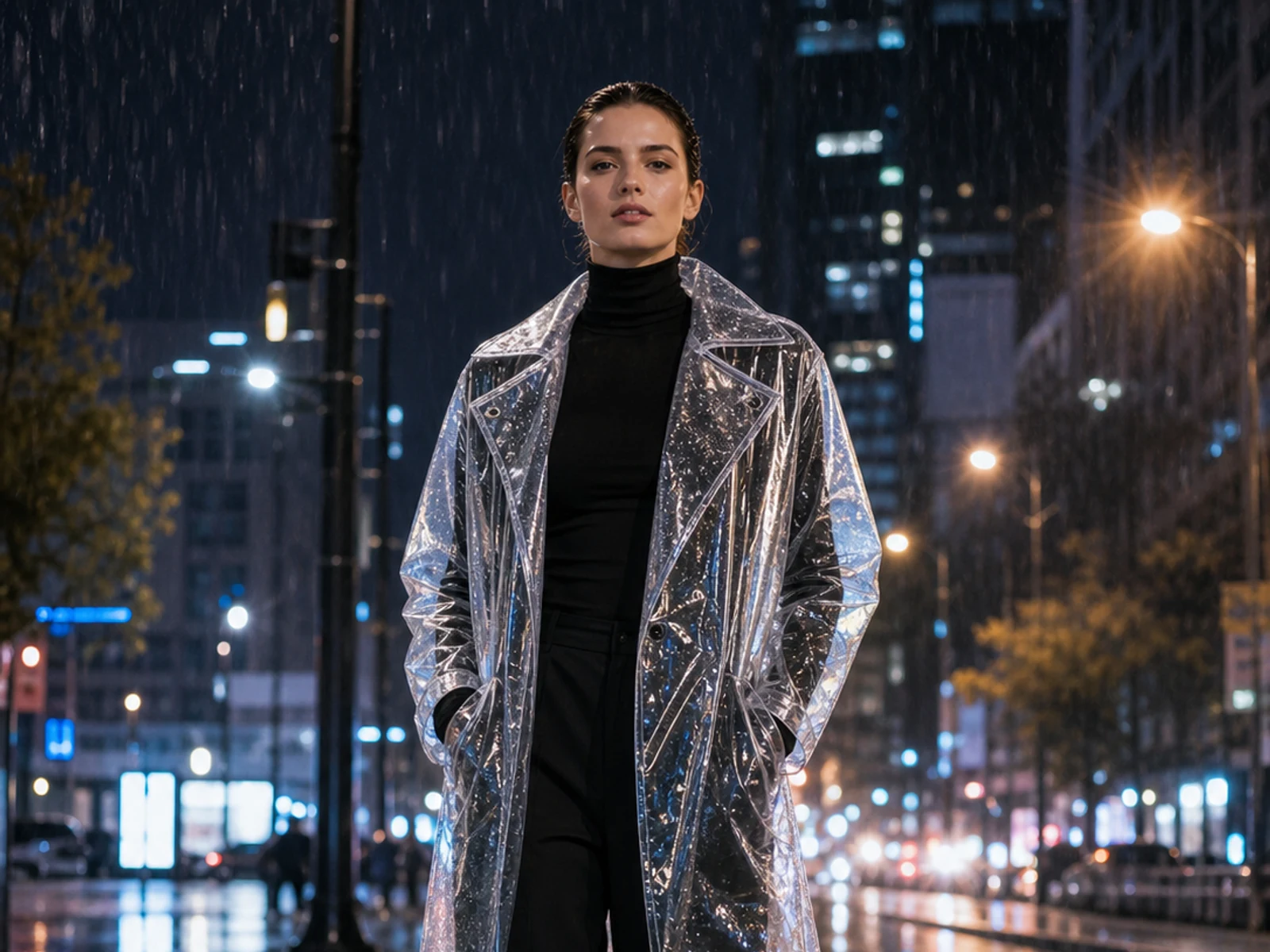
Ajoutez des stickers, changez la matière, la lumière, la saison, le décor, la tenue ou le style tout en restant fidèle à l’image importée.
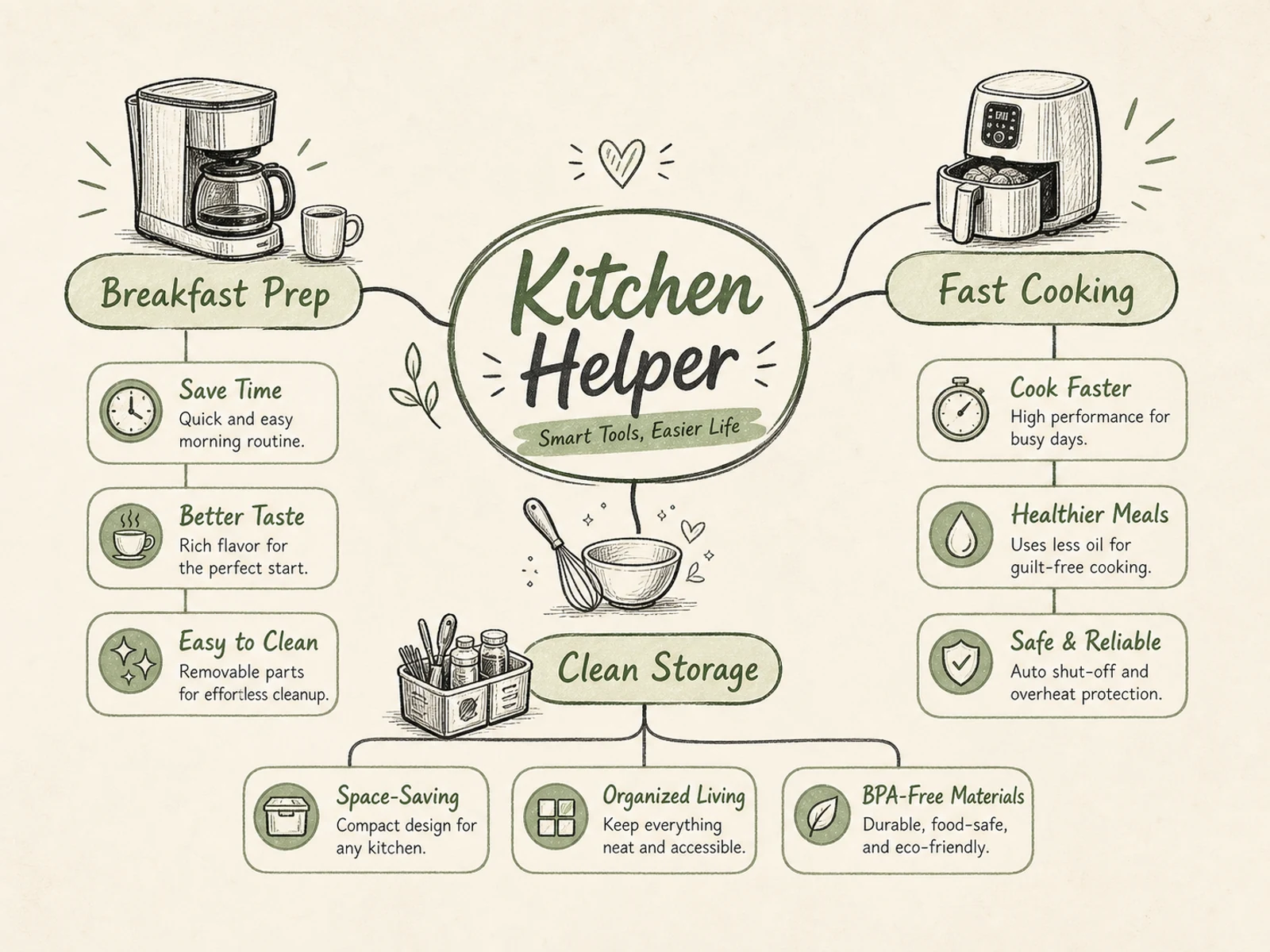
Cartes mentales, schémas de processus, visuels pédagogiques, explications produit, infographies d’événements et briefs à la hiérarchie claire.
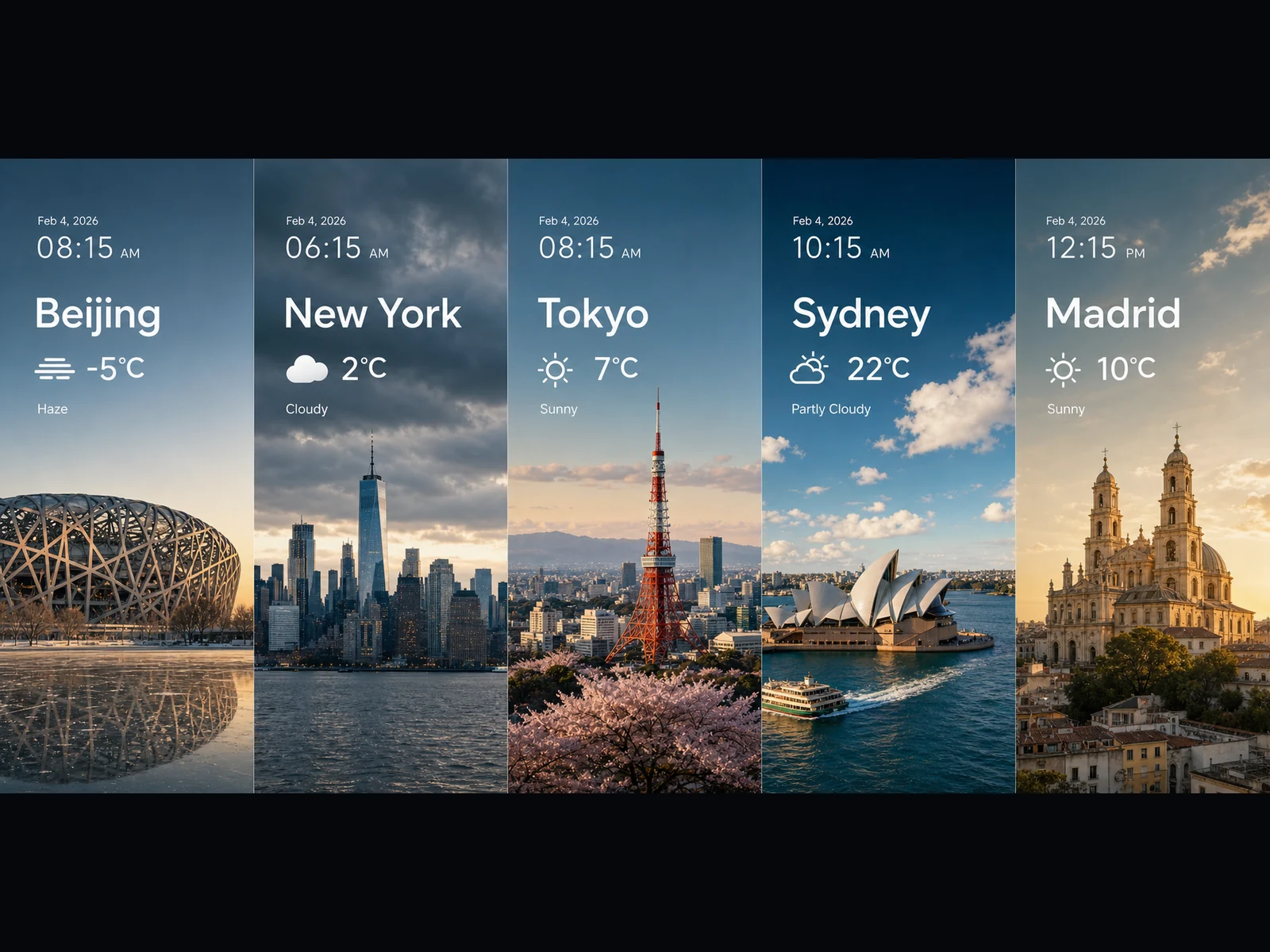
Panneaux météo, visuels de tendances, cartes façon graphiques, key visuals panoramiques et idées de scènes cinématographiques en 16:9 ou 21:9.
Chaque prompt suit un schéma simple : nommer la tâche, préciser le texte et la mise en page exacts, décrire les liens entre les éléments et fixer le style visuel. Copiez-en un et faites-le vôtre.
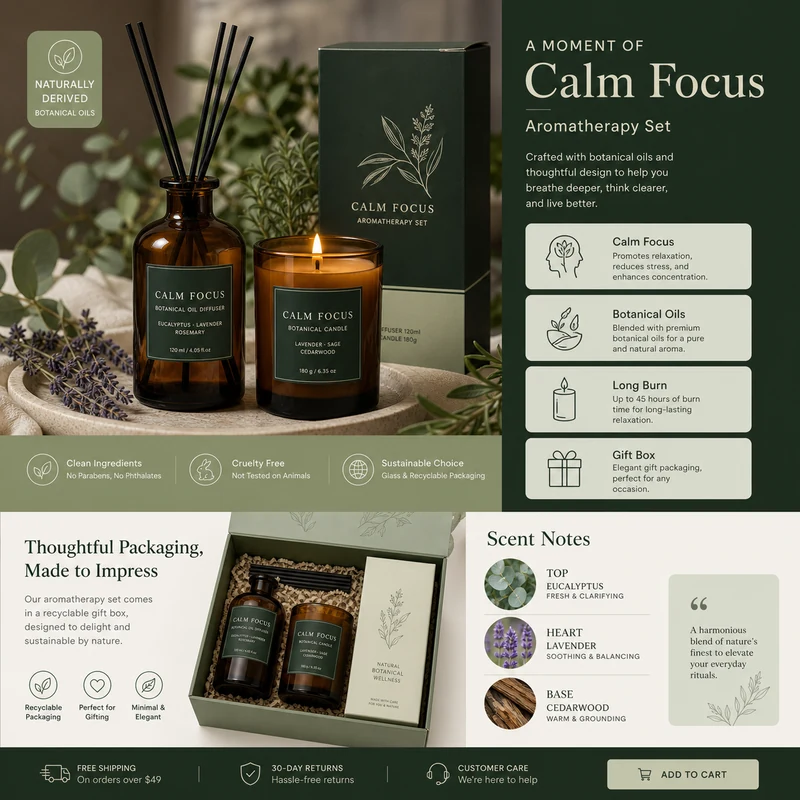
For e-commerce product detail pages of premium aromatherapy products, create an image that showcases high-resolution product photography, packaging design, key selling points, product advantages, and promotional copy blocks. Use a color scheme primarily consisting of dark green, light sage green, and warm ivory. Layout like a mature product detail page: large product image on the left, selling-point cards on the right, packaging and scent notes below. Use concise English text, premium and commercial.
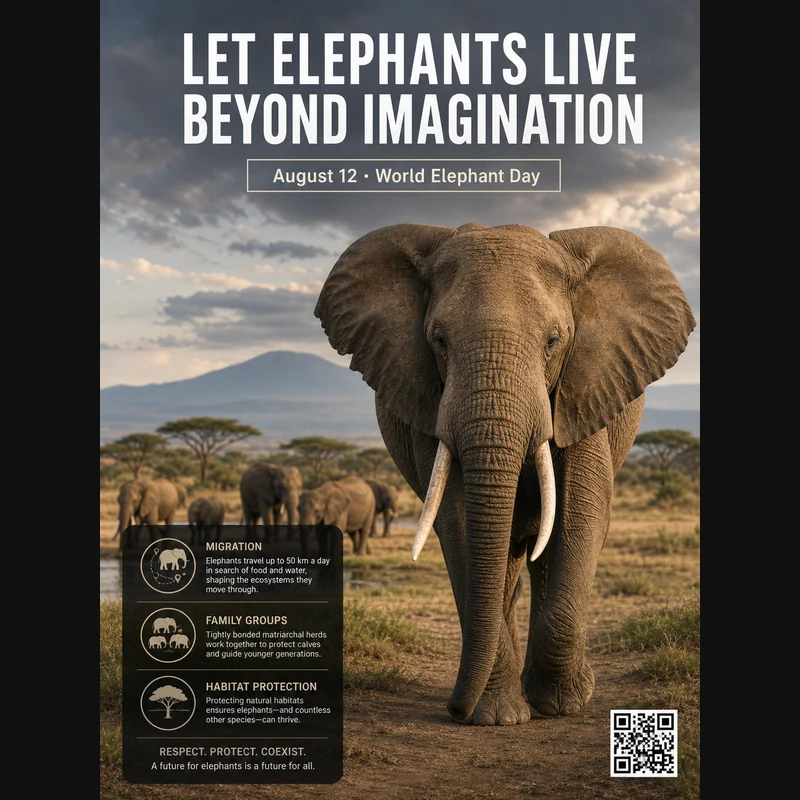
Realistic photographic science poster. A wild elephant is located in a tropical savanna. At the top is the title: “Let elephants live beyond imagination.” Below the title, inside a framed box, it says: “August 12: World Elephant Day.” In the lower-left corner, within a black semi-transparent box, there are three sections of educational text about elephant migration, family groups, and habitat protection. In the lower-right corner, there is a clean QR code. Professional conservation poster layout, photorealistic and print-ready.
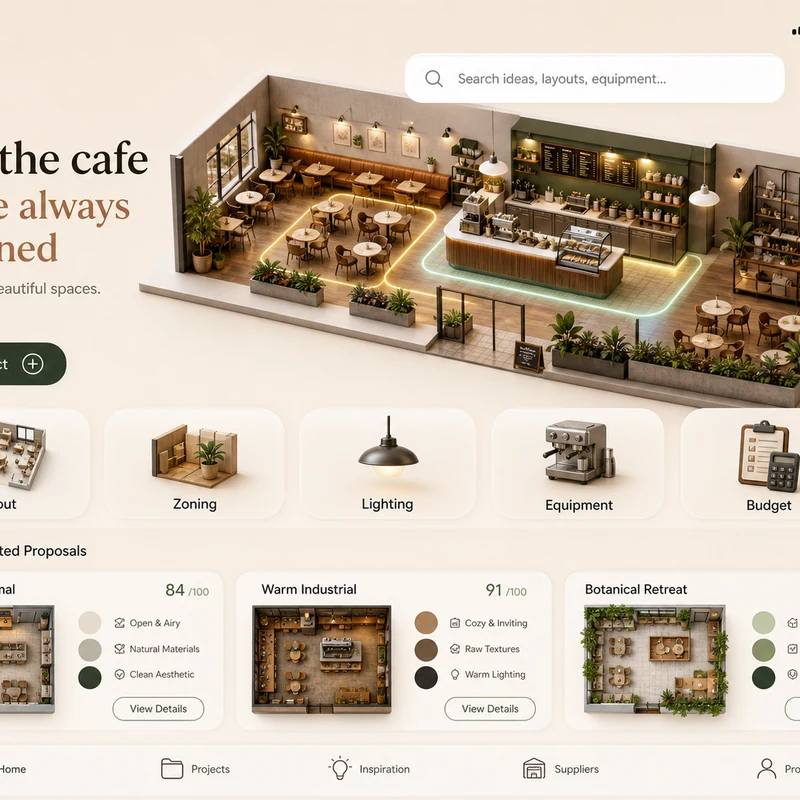
Trendy cafe-planning app interface design: 1. Warm cream background, with the time, mobile signal, Wi-Fi, and battery icons shown at the top. 2. At the top left there is a small cart icon; on the right there is a long white search box, plus calendar and bell icons. 3. The hero banner shows a modern neighborhood cafe as a small 3D space model. 4. Below is a function navigation bar: Layout, Zoning, Lighting, Equipment, Budget, with polished 3D icons. 5. Show 2–3 space proposal cards with mini floor plans, color swatches, and scores. The interface should look like a premium AI interior design SaaS mobile app.
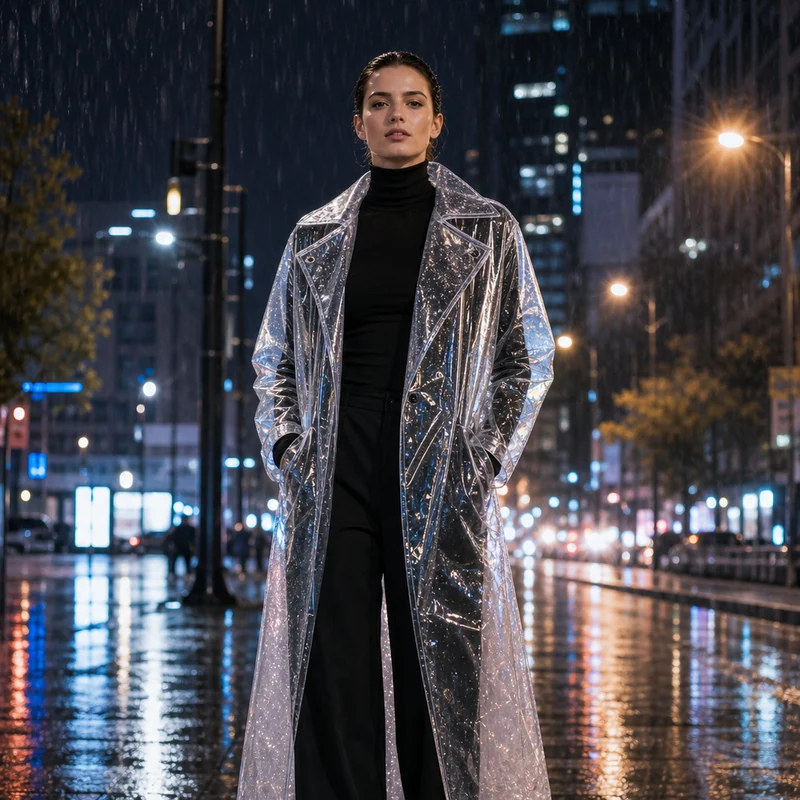
Image editing result example. Preserve the adult professional model’s realistic face, natural body proportions, front-facing pose, and rainy city-night background. Change the outerwear into a translucent architectural raincoat while keeping the rest of the outfit as a full black turtleneck and long trousers. The transparent raincoat should show realistic droplets, refraction, glossy folds, seams, and wet-pavement reflections. Premium commercial fashion photography, no text or logo.
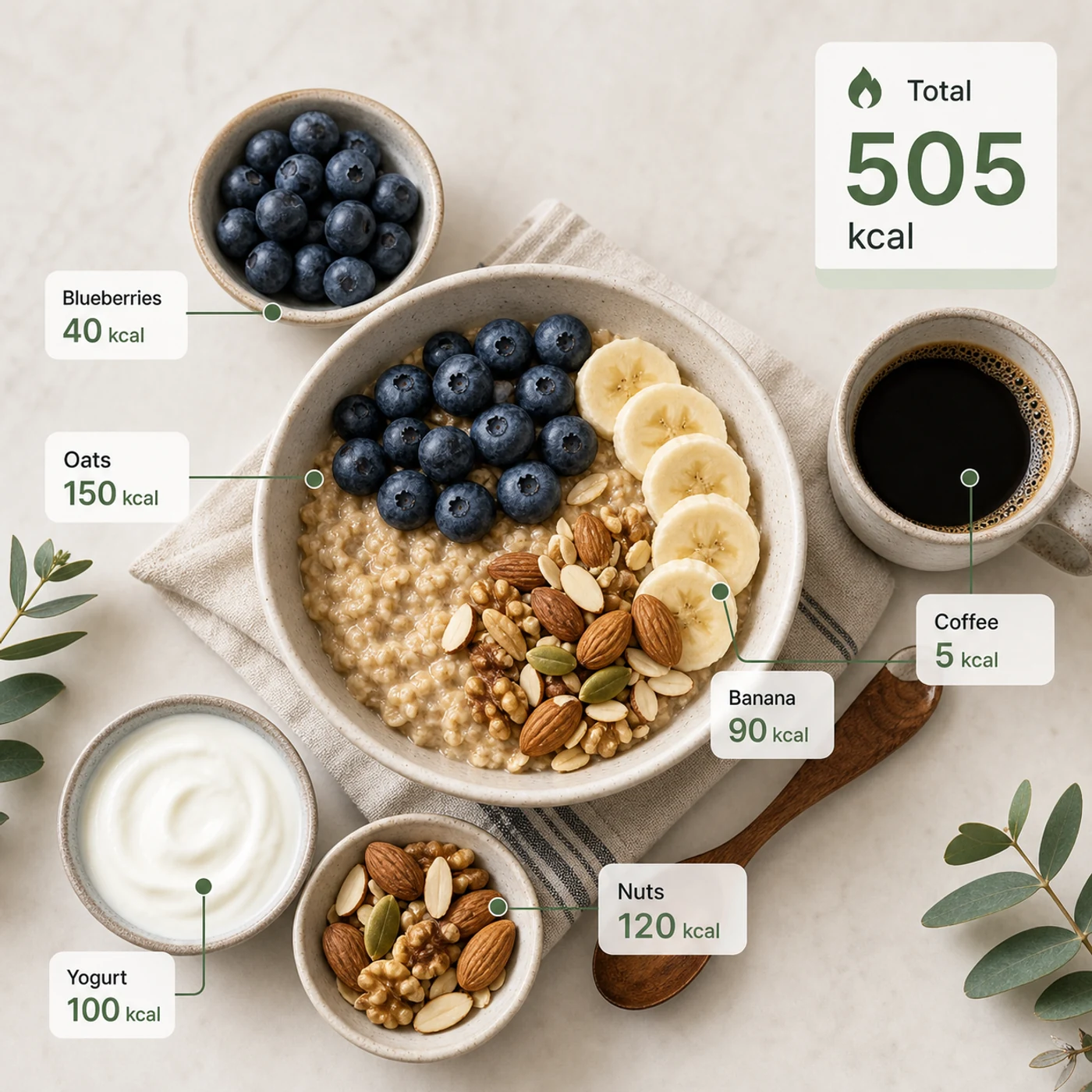
Identify the calorie content of the food in the image and annotate the information on the picture. The image contains an oatmeal bowl, blueberries, banana slices, nuts, yogurt, and a cup of coffee. Add clean calorie callout lines and small labels next to each food, such as “Oats 150 kcal” and “Blueberries 40 kcal.” Place a total-calorie card in the upper-right corner. Clean professional style, like a nutrition analysis app report.
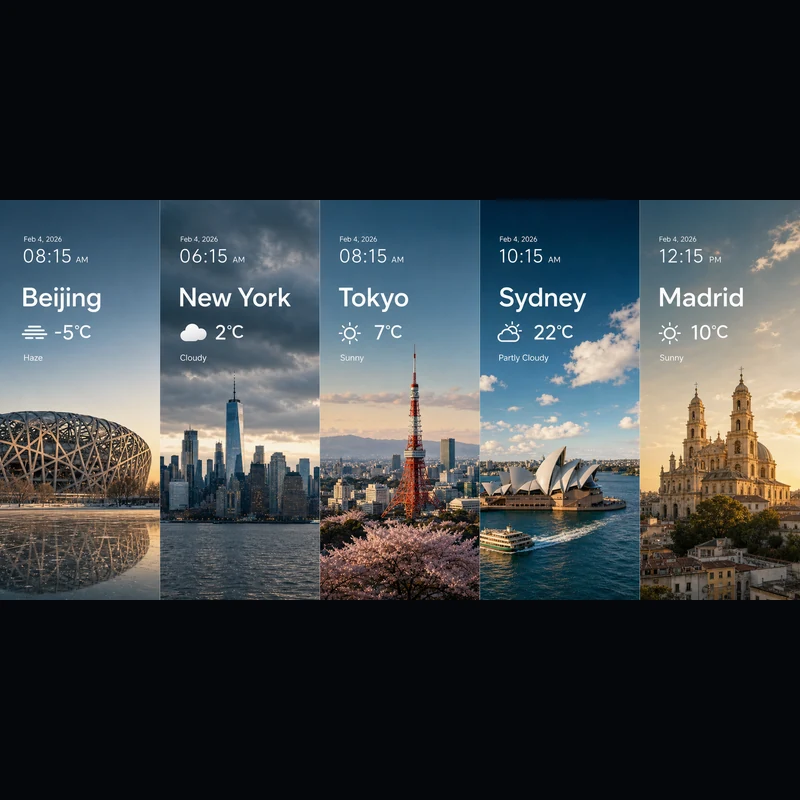
Search for the weather, temperature, and time on February 4, 2026, for the following locations: 1. Beijing, 2. New York, 3. Tokyo, 4. Sydney, 5. Madrid. High-concept composite photography. Note: only return ONE image. The image is composed of five seamlessly stitched vertical panoramic strips. Each strip presents the landmark, weather, and lighting of one city: Beijing Bird’s Nest Stadium, Manhattan skyscrapers, Tokyo Tower, Sydney Opera House, and San Francisco el Grande Cathedral in Madrid. Despite different weather conditions, use cinematic color grading to unify the image. High contrast, photorealistic, wide composition, English text.
Que vous partiez d'un texte ou d'une image de référence, c'est le même éditeur.
Décrivez le sujet, la scène, le texte exact, la mise en page, la lumière, la matière, le format, les relations entre les sujets et la hiérarchie de l'information.
Vous partez d'une référence ? Importez-la et indiquez ce qui doit changer et ce qui doit rester.
Choisissez 2K pour des brouillons rapides ou 3K pour plus de détail — dans les deux cas, ce sont les mêmes 4 crédits par image.
Les réponses à vos questions sur Seedream 5.0 Lite.
Seedream 5.0 Lite est un modèle d'image multimodal qui transforme des prompts détaillés et structurés en images abouties — affiches, fiches produit, UI d'applis, infographies, retouches et plus encore. Comme il suit les consignes de près, vous pouvez préciser le texte exact, la mise en page et les liens entre les éléments, et les retrouver dans le résultat. Sur Image 2, il fonctionne dans un seul éditeur pour le texte vers image et l'image vers image : vous partez de zéro ou vous construisez sur une image importée.
Oui. Passez en image vers image, importez une ou plusieurs images et décrivez la modification avec vos mots — changer une matière, restyler une tenue, ajouter des éléments ou ajuster la lumière tout en gardant le sujet reconnaissable. Une seule requête accepte jusqu'à 14 images de référence, pratique quand le résultat doit s'appuyer sur plusieurs sources ou y rester fidèle.
Vous pouvez générer en 2K ou en 3K. Le 2K convient aux brouillons rapides, aux posts et à l'usage à l'écran, tandis que le 3K apporte du détail pour les grandes mises en page, l'impression ou un visuel que vous allez recadrer. Les deux coûtent le même prix par image : vous passez en 3K dès que l'usage final l'exige, sans payer plus.
Huit formats sont disponibles : 1:1, 4:3, 3:4, 16:9, 9:16, 2:3, 3:2 et 21:9. De quoi couvrir les posts carrés, les formats verticaux pour les stories et les affiches, le paysage et le portrait classiques, et le très large 21:9 pour des visuels au rendu cinématographique. Choisissez le format avant de générer pour que le cadrage soit juste dès le départ.
Optez pour Seedream 5.0 Lite quand votre prompt est détaillé et structuré : affiches scientifiques, UI d'applis, fiches produit, visuels pédagogiques, compositions météo et données, études de matières, stickers, cartes mentales et retouches par référence. Choisissez GPT Image 2 quand vous avez précisément besoin de sa typographie et de sa gestion des références.
Chaque image coûte 4 crédits — le même prix que vous génériez à partir d'un texte ou d'une référence, et que vous choisissiez le 2K ou le 3K. Vous recevez aussi des crédits gratuits chaque jour pour continuer à expérimenter.
Cela dépend des conditions d'Image 2, des conditions propres au modèle et de vos droits sur les prompts, les imports, les marques et les éléments de référence. Mieux vaut consulter les conditions applicables avant de publier des travaux clients ou payants.
La plupart des images reviennent en bien moins d'une minute, même si cela varie selon la charge du moment, la complexité du prompt et le nombre de références. Le panneau de résultats se met à jour tout seul dès que votre image est prête.
D'autres questions ? Contactez-nous à [email protected]
Utilisez le texte seul, ou ajoutez une référence quand le résultat doit coller à une image existante.
Résultats Seedream 5.0 Lite