Offerta limitata · 50% di sconto50% di scontoPiani annuali · GPT Image 2.5 + Seedance 2.5
Image 2
Trasforma prompt dettagliati e immagini di riferimento in poster, schede prodotto, mockup di UI ed editing impeccabili.
Uno sguardo veloce a ciò che fa Seedream 5.0 Lite: poster scientifici, schede prodotto e-commerce, UI di app, editing precisi e sticker, annotazioni, visual basati sui dati, studi di materiali e mappe mentali. Tocca un'immagine per caricarne il prompt.
Seedream 5.0 Lite interpreta prompt lunghi e strutturati e mantiene tutto coerente nelle scene complesse: poster, UI di app, annotazioni, visual sui dati, editing, schede prodotto, sticker e mappe mentali.
Scrivi nel prompt le relazioni tra i soggetti, il testo esatto, la gerarchia del layout, i vincoli sui materiali e la logica fisica per ottenere poster, visual per campagne, diagrammi e scene strutturate coerenti.
Carica un'immagine e descrivi la modifica: aggiungi sticker, cambia materiali, regola la luce, trasferisci uno stile o modifica un soggetto mantenendolo riconoscibile. Puoi usare fino a 14 immagini di riferimento alla volta.
Genera in 2K per le bozze veloci o in 3K quando ti serve più dettaglio. Entrambe costano gli stessi 4 crediti per immagine, così puoi alzare la risoluzione senza badare al prezzo.
Scegli tra quadrato, verticale, orizzontale, verticale per i social, i classici 3:2 o 2:3 e il 21:9 per le composizioni panoramiche.
Dalla tipografia disegnata a mano e dalle UI di app fino a editing precisi, poster scientifici, schede prodotto, studi di materiali, sticker e mappe mentali, Seedream 5.0 Lite copre un'ampia gamma di lavori.
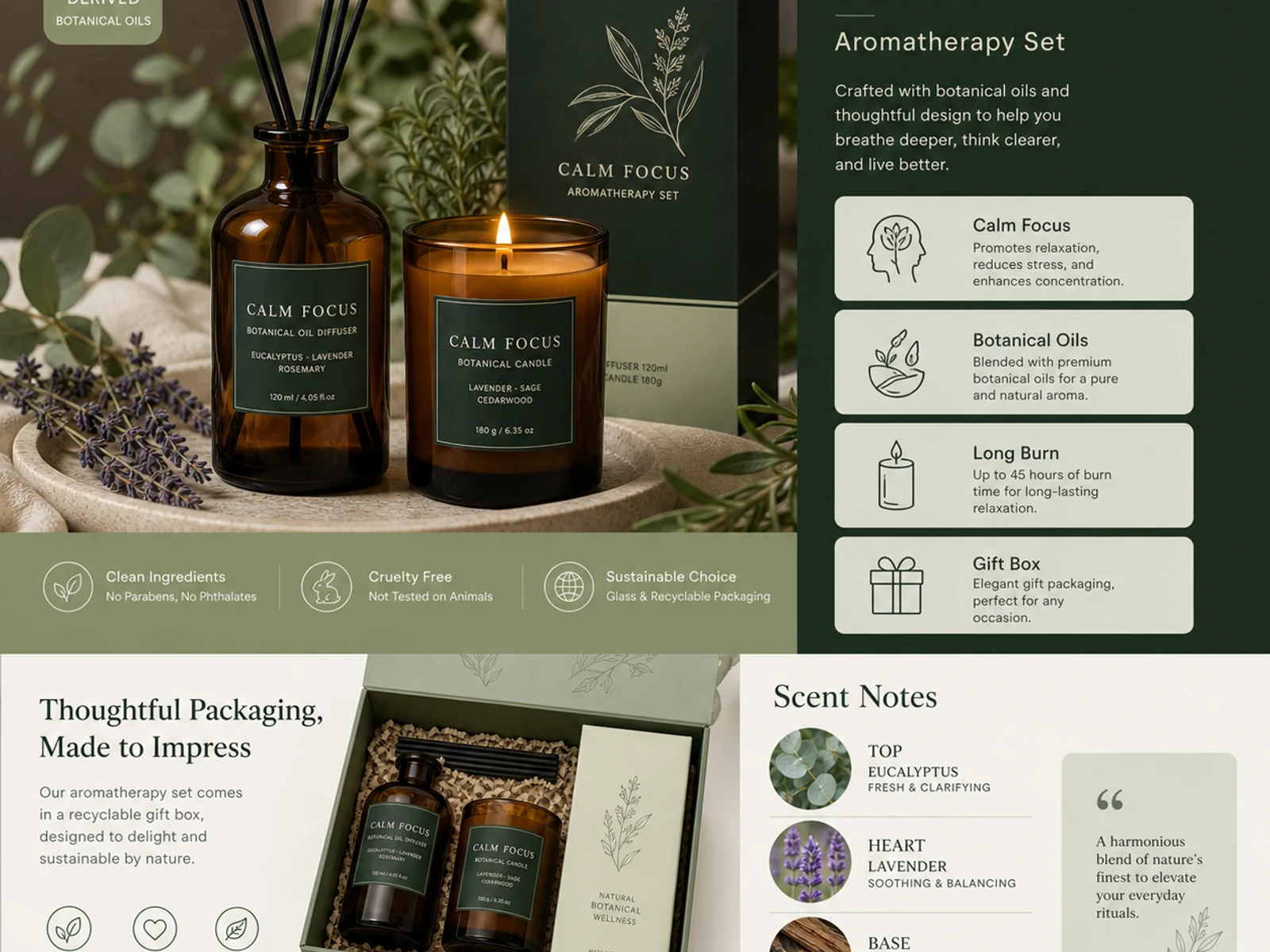
Schede prodotto per l’aromaterapia, linee di packaging, vetro, metallo, tessuti, cosmetici e varianti in stile catalogo.
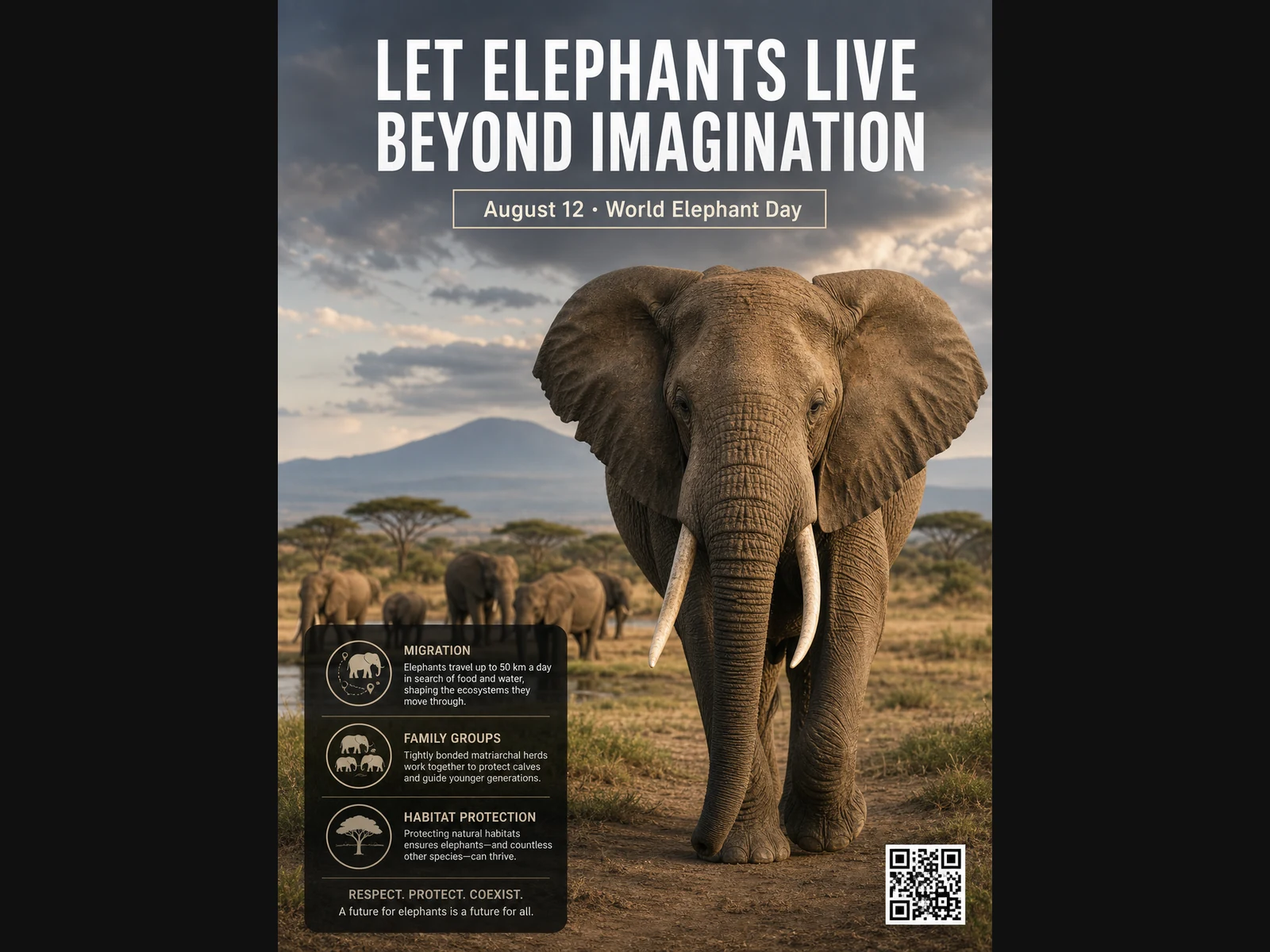
Poster sulla fauna selvatica, layout didattici, ritratti editoriali, concept di moda e riferimenti per mood board.
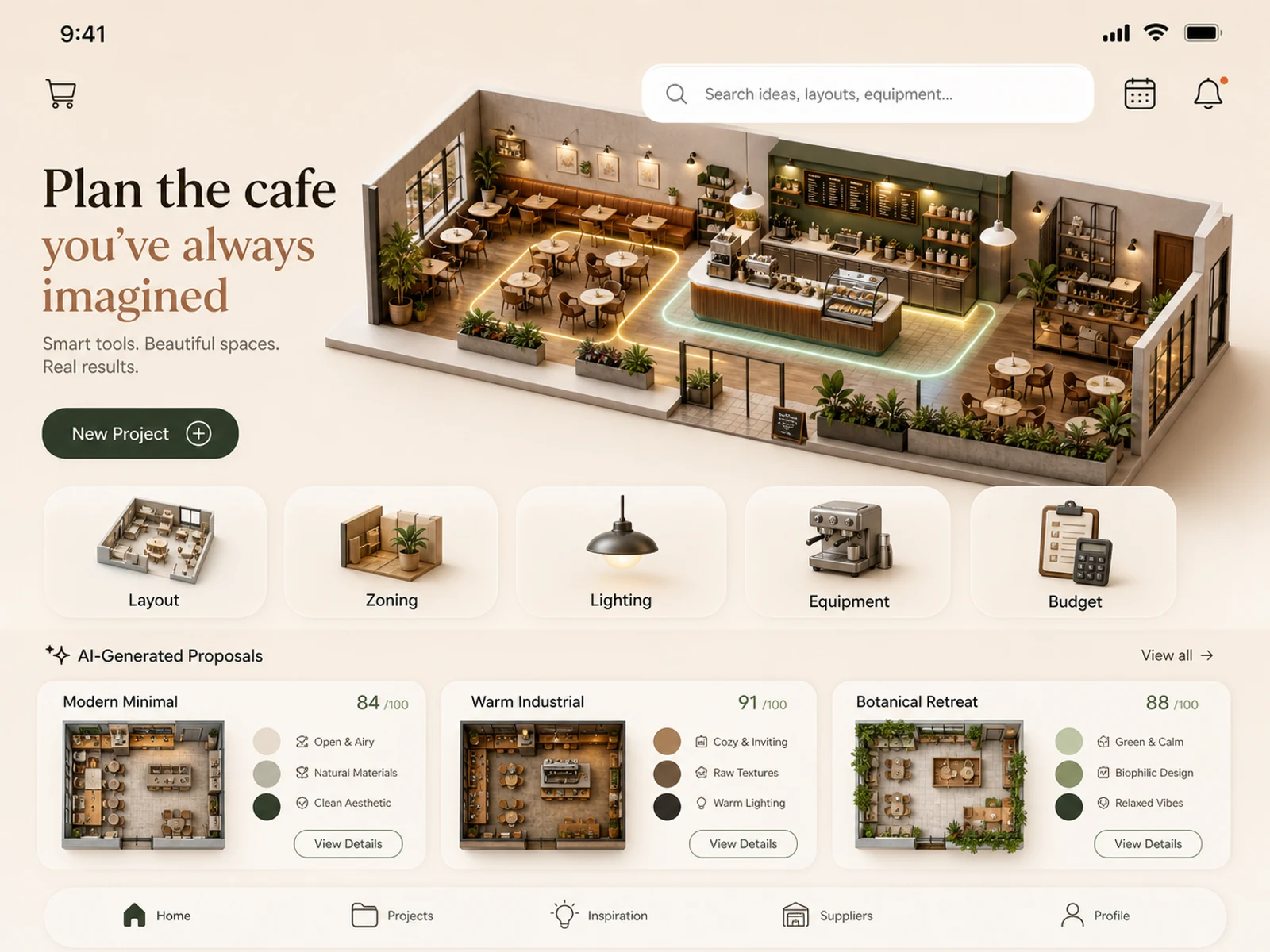
Concept di app mobile, progettazione di caffetterie, spazi retail, styling degli ambienti, studi di illuminazione e allestimenti di location.
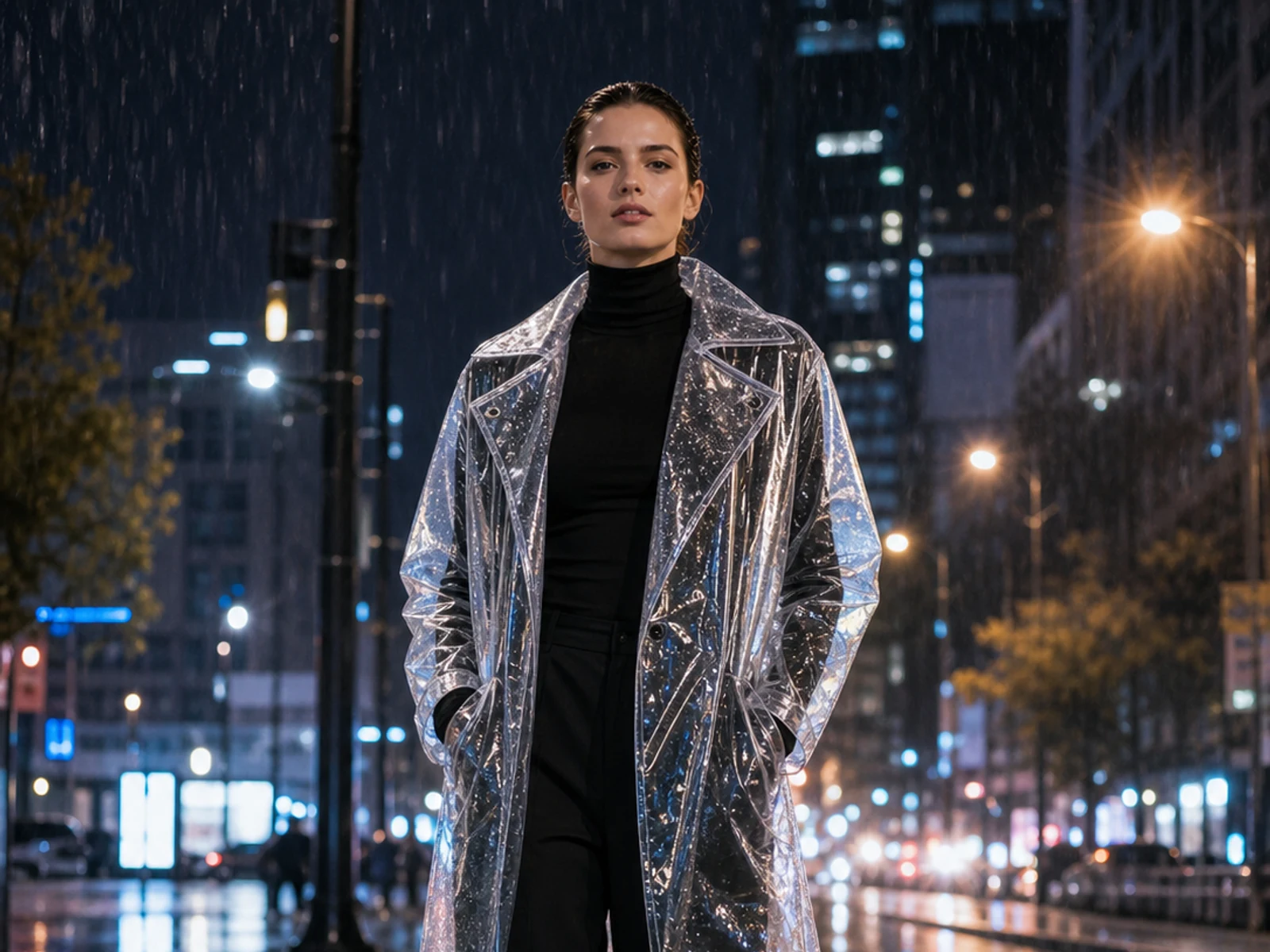
Aggiungi sticker, cambia materiale, luce, stagione, ambientazione, outfit o styling partendo sempre dall’immagine caricata.
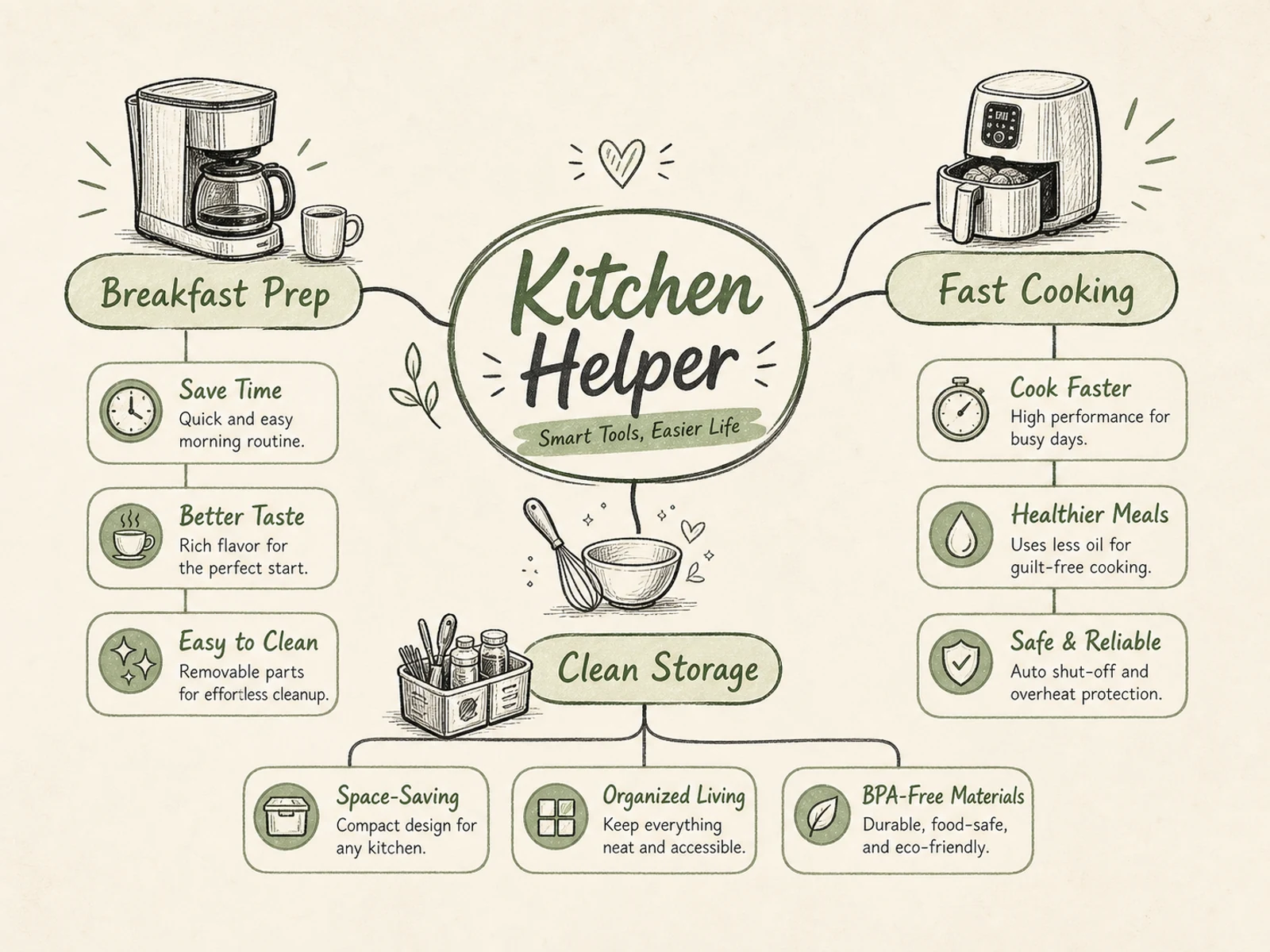
Mappe mentali, diagrammi di processo, visual didattici, schede esplicative di prodotto, infografiche per eventi e brief con una gerarchia chiara.
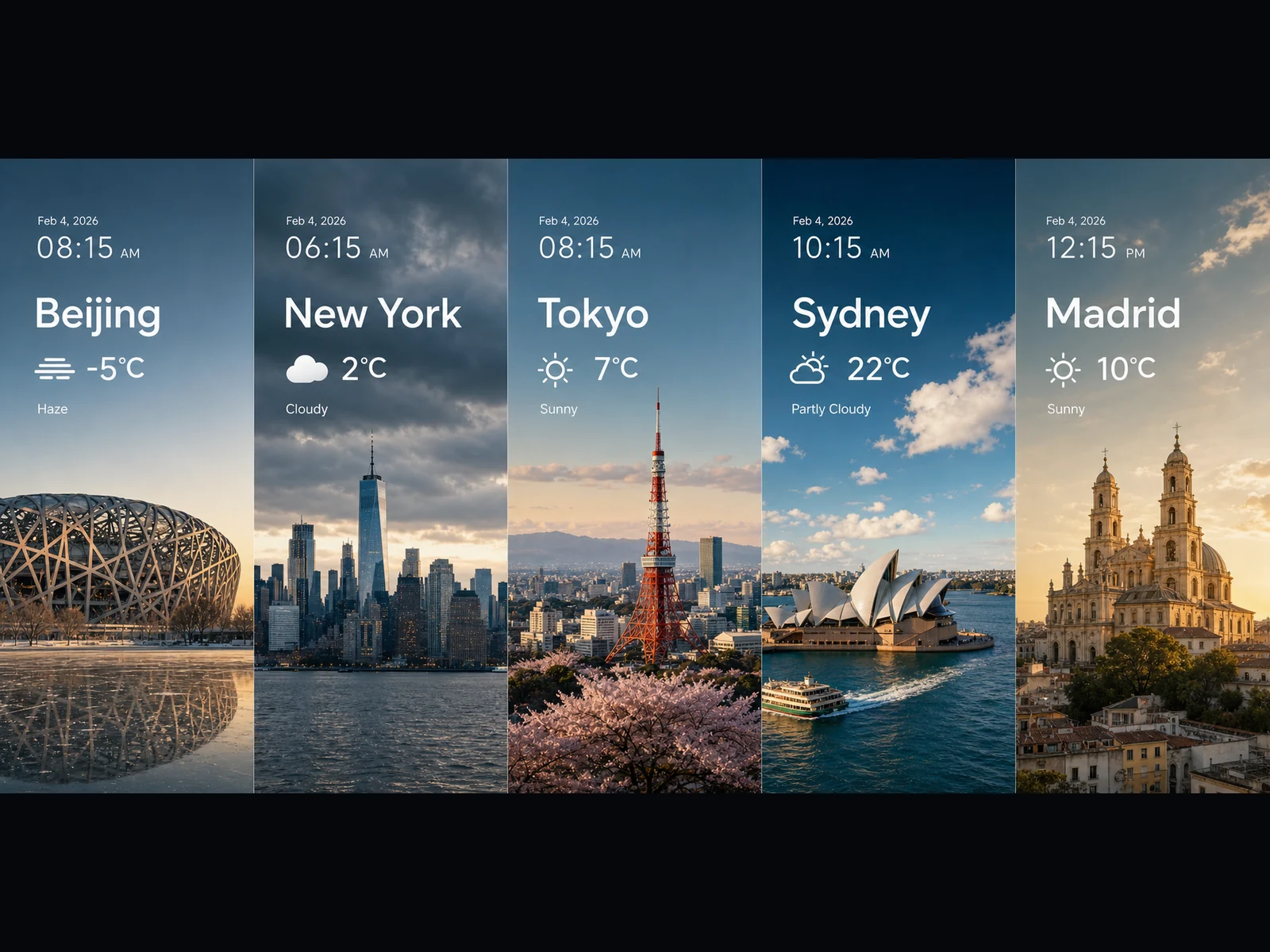
Pannelli meteo, visual sui trend, card simili a grafici, key visual panoramici e idee di scene cinematografiche in 16:9 o 21:9.
Ogni prompt segue uno schema semplice: definisci il compito, specifica testo e layout esatti, spiega come si collegano gli elementi e fissa lo stile visivo. Copiane uno e rendilo tuo.
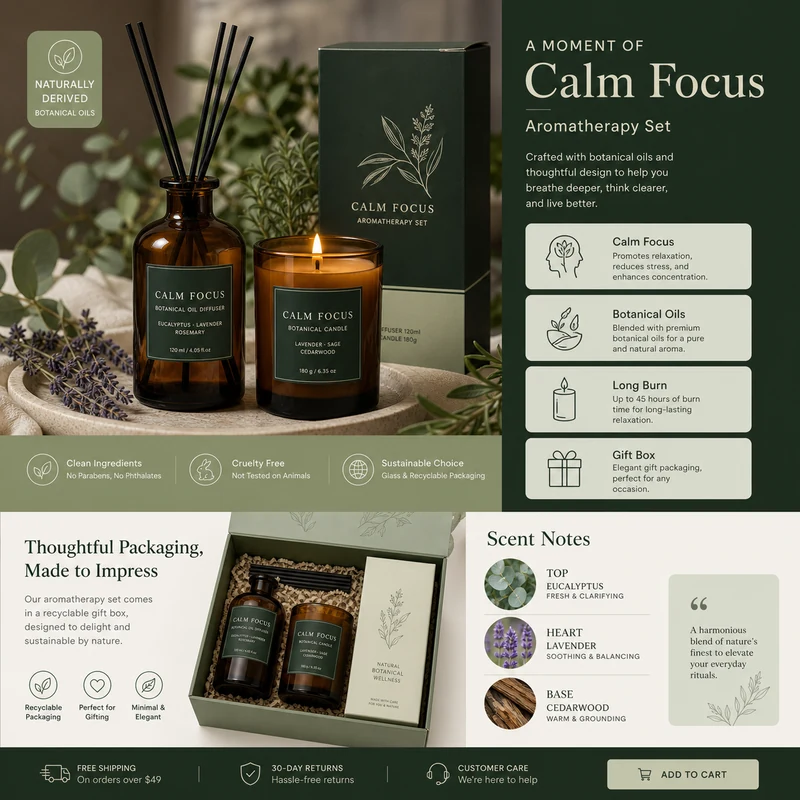
For e-commerce product detail pages of premium aromatherapy products, create an image that showcases high-resolution product photography, packaging design, key selling points, product advantages, and promotional copy blocks. Use a color scheme primarily consisting of dark green, light sage green, and warm ivory. Layout like a mature product detail page: large product image on the left, selling-point cards on the right, packaging and scent notes below. Use concise English text, premium and commercial.
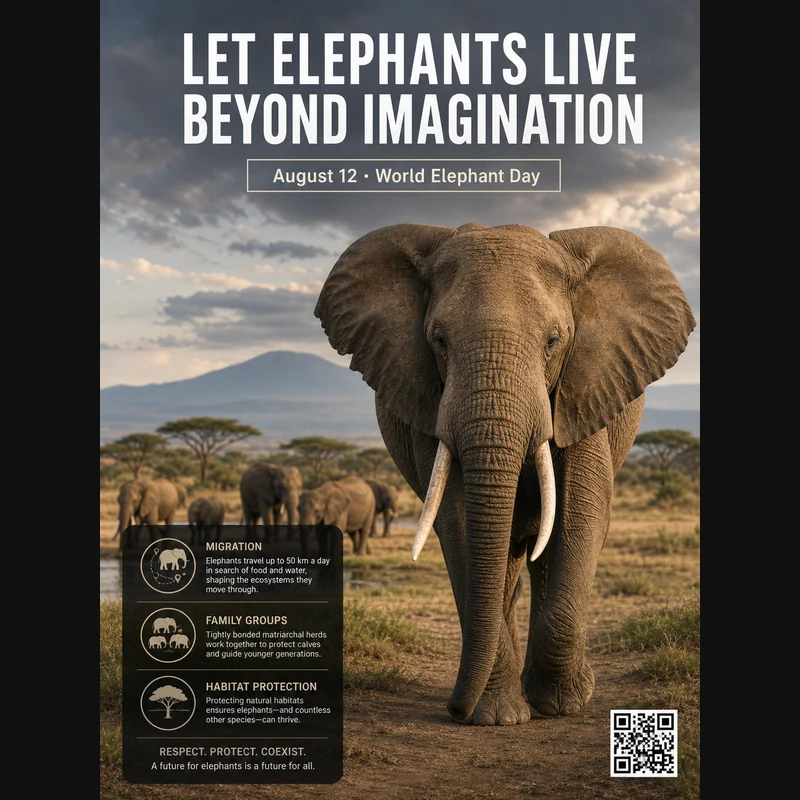
Realistic photographic science poster. A wild elephant is located in a tropical savanna. At the top is the title: “Let elephants live beyond imagination.” Below the title, inside a framed box, it says: “August 12: World Elephant Day.” In the lower-left corner, within a black semi-transparent box, there are three sections of educational text about elephant migration, family groups, and habitat protection. In the lower-right corner, there is a clean QR code. Professional conservation poster layout, photorealistic and print-ready.
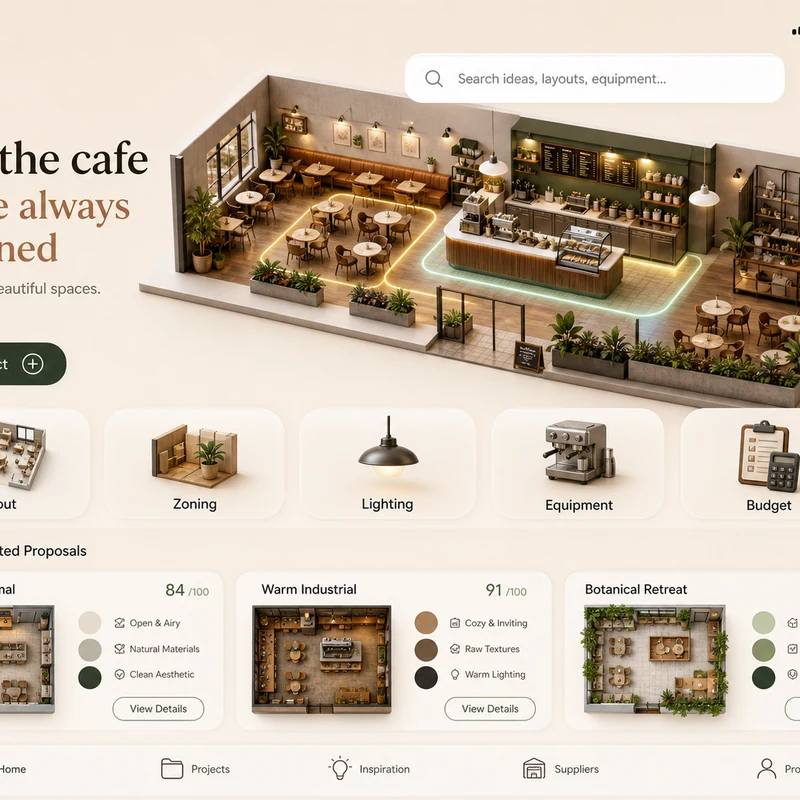
Trendy cafe-planning app interface design: 1. Warm cream background, with the time, mobile signal, Wi-Fi, and battery icons shown at the top. 2. At the top left there is a small cart icon; on the right there is a long white search box, plus calendar and bell icons. 3. The hero banner shows a modern neighborhood cafe as a small 3D space model. 4. Below is a function navigation bar: Layout, Zoning, Lighting, Equipment, Budget, with polished 3D icons. 5. Show 2–3 space proposal cards with mini floor plans, color swatches, and scores. The interface should look like a premium AI interior design SaaS mobile app.
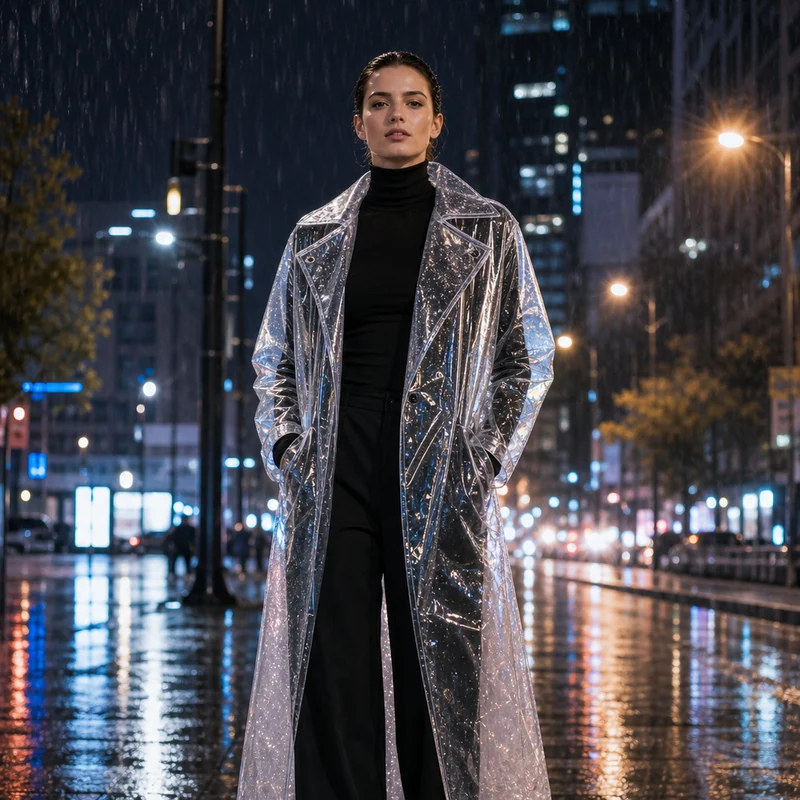
Image editing result example. Preserve the adult professional model’s realistic face, natural body proportions, front-facing pose, and rainy city-night background. Change the outerwear into a translucent architectural raincoat while keeping the rest of the outfit as a full black turtleneck and long trousers. The transparent raincoat should show realistic droplets, refraction, glossy folds, seams, and wet-pavement reflections. Premium commercial fashion photography, no text or logo.
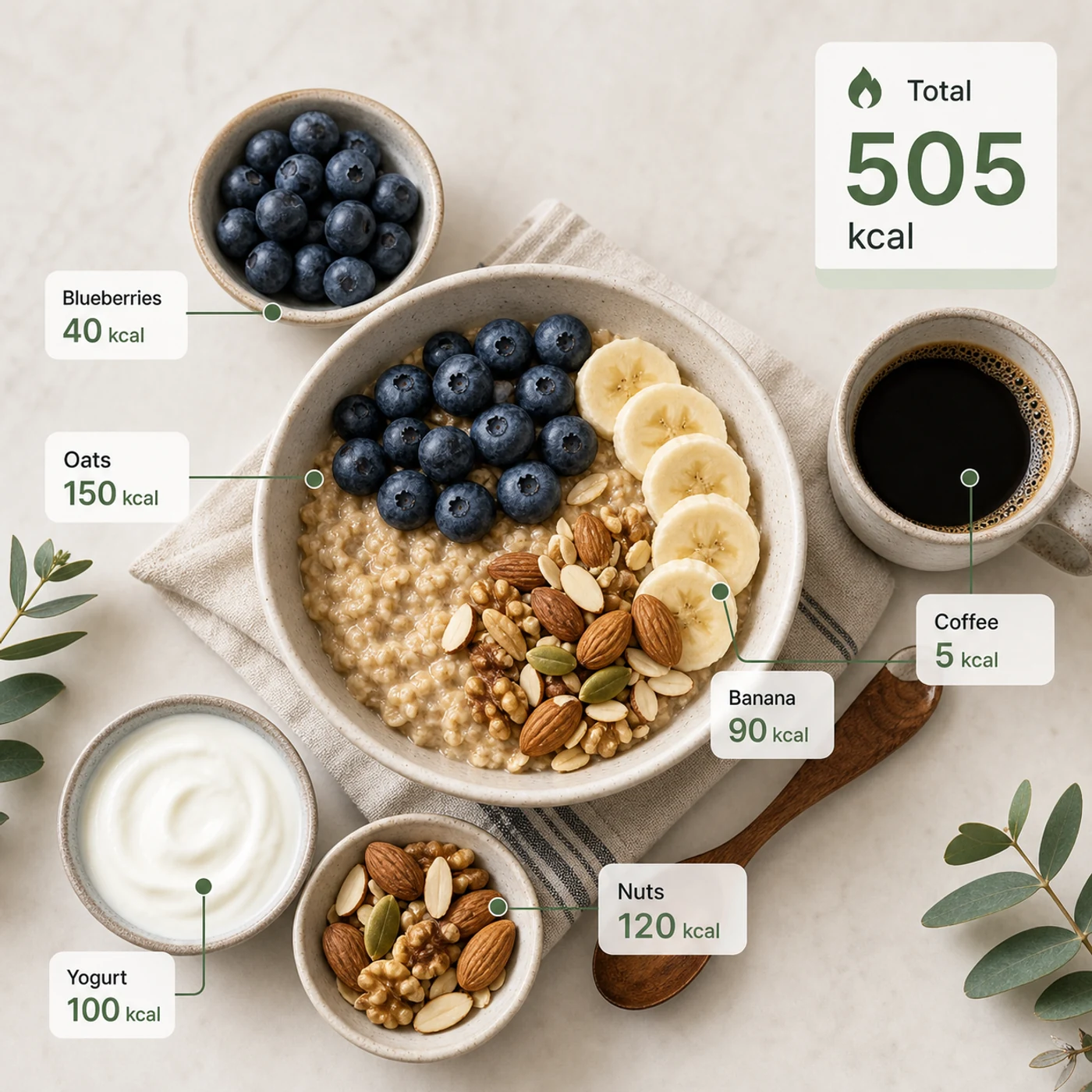
Identify the calorie content of the food in the image and annotate the information on the picture. The image contains an oatmeal bowl, blueberries, banana slices, nuts, yogurt, and a cup of coffee. Add clean calorie callout lines and small labels next to each food, such as “Oats 150 kcal” and “Blueberries 40 kcal.” Place a total-calorie card in the upper-right corner. Clean professional style, like a nutrition analysis app report.
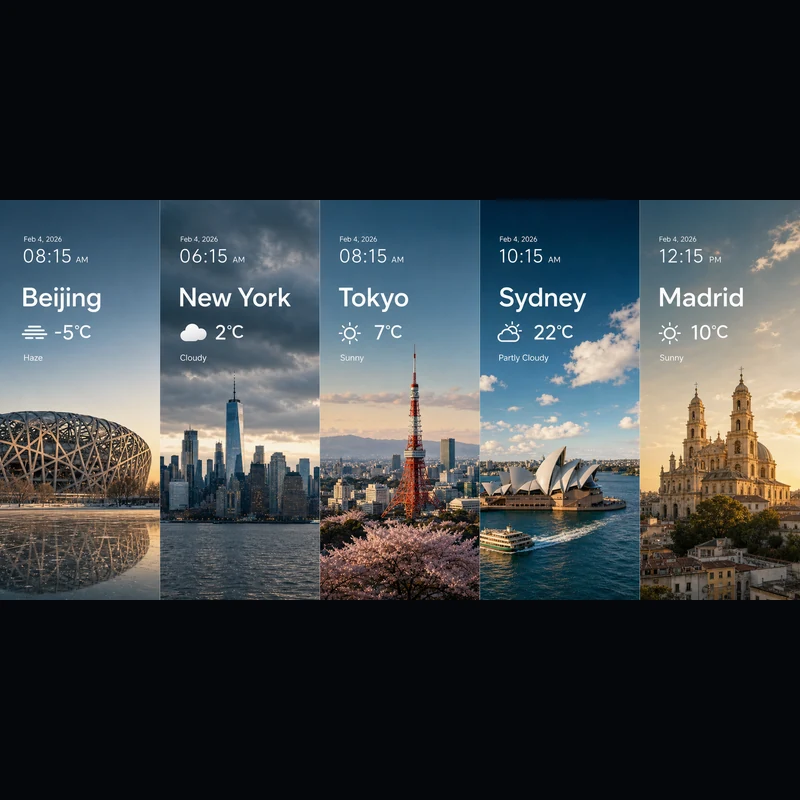
Search for the weather, temperature, and time on February 4, 2026, for the following locations: 1. Beijing, 2. New York, 3. Tokyo, 4. Sydney, 5. Madrid. High-concept composite photography. Note: only return ONE image. The image is composed of five seamlessly stitched vertical panoramic strips. Each strip presents the landmark, weather, and lighting of one city: Beijing Bird’s Nest Stadium, Manhattan skyscrapers, Tokyo Tower, Sydney Opera House, and San Francisco el Grande Cathedral in Madrid. Despite different weather conditions, use cinematic color grading to unify the image. High contrast, photorealistic, wide composition, English text.
Che tu parta da un testo o da un'immagine di riferimento, l'editor è lo stesso.
Descrivi soggetto, scena, testo esatto, layout, luce, materiale, formato, relazioni tra i soggetti e gerarchia delle informazioni.
Parti da un riferimento? Caricalo e indica cosa deve cambiare e cosa deve restare uguale.
Scegli 2K per bozze veloci o 3K per più dettaglio: in entrambi i casi sono gli stessi 4 crediti per immagine.
Le risposte alle tue domande su Seedream 5.0 Lite.
Seedream 5.0 Lite è un modello di immagini multimodale che trasforma prompt dettagliati e strutturati in immagini finite — poster, schede prodotto, UI di app, infografiche, editing e altro. Poiché segue le istruzioni con precisione, puoi indicare il testo esatto, il layout e come si collegano gli elementi, e ritrovarli nel risultato. Su Image 2 funziona in un unico editor sia per testo in immagine sia per immagine in immagine, così parti da zero o costruisci su un'immagine che carichi.
Sì. Passa a immagine in immagine, carica una o più immagini e descrivi la modifica con parole tue — cambiare un materiale, ridisegnare un outfit, aggiungere elementi o regolare la luce mantenendo il soggetto riconoscibile. Una singola richiesta accetta fino a 14 immagini di riferimento, utile quando vuoi che il risultato attinga a più input o resti fedele a essi.
Puoi generare in 2K o 3K. Il 2K è ottimo per bozze veloci, post social e uso a schermo, mentre il 3K aggiunge dettaglio per layout grandi, stampa o materiale che ritaglierai. Costano uguale per immagine, quindi passi al 3K ogni volta che l'uso finale lo richiede, senza spendere di più.
Sono disponibili otto proporzioni: 1:1, 4:3, 3:4, 16:9, 9:16, 2:3, 3:2 e 21:9. Coprono i post quadrati, i formati verticali per storie e poster, orizzontale e verticale standard e l'ultrapanoramico 21:9 per key visual di taglio cinematografico. Scegli la proporzione prima di generare, così l'inquadratura è corretta fin dall'inizio.
Affidati a Seedream 5.0 Lite quando il prompt è dettagliato e strutturato: poster scientifici, UI di app, schede prodotto, visual didattici, composizioni di meteo e dati, studi di materiali, sticker, mappe mentali ed editing con riferimenti. Scegli GPT Image 2 quando ti servono in modo specifico la sua tipografia e la sua gestione dei riferimenti.
Ogni immagine costa 4 crediti — lo stesso sia che parta da un testo o da un riferimento, sia che scelga 2K o 3K. Inoltre ricevi crediti gratuiti ogni giorno per continuare a sperimentare.
Dipende dai termini di Image 2, dai termini del modello stesso e dai tuoi diritti su prompt, caricamenti, marchi e materiali di riferimento. Conviene controllare i termini applicabili prima di pubblicare lavori per clienti o a pagamento.
La maggior parte delle immagini torna in molto meno di un minuto, anche se dipende dal traffico del momento, dalla complessità del prompt e dal numero di riferimenti. Il pannello dei risultati si aggiorna da solo non appena l'immagine è pronta.
Hai ancora domande? Contattaci a [email protected]
Usa solo il testo, oppure aggiungi un riferimento quando il risultato deve rispecchiare un'immagine esistente.
Risultati Seedream 5.0 Lite