한정 특가 · 50% 할인50% 할인연간 플랜 · GPT Image 2.5 + Seedance 2.5
Image 2
자세한 프롬프트와 참조 이미지를 완성도 높은 포스터, 상품 페이지, UI 목업, 깔끔한 편집물로.
Seedream 5.0 Lite로 무엇을 만들 수 있는지 살펴보세요: 사이언스 포스터, 이커머스 상세 페이지, 앱 UI, 정밀 편집과 스티커, 주석, 데이터 비주얼, 소재 스터디, 마인드맵. 이미지를 누르면 해당 프롬프트가 자동으로 입력됩니다.
Seedream 5.0 Lite는 길고 구조화된 프롬프트를 이해해, 복잡한 장면에서도 각 요소를 일관되게 유지합니다 — 포스터, 앱 UI, 주석, 데이터 비주얼, 편집, 상품 페이지, 스티커, 마인드맵까지.
피사체 간 관계, 넣을 문구, 레이아웃 위계, 소재 조건, 물리 법칙까지 프롬프트에 적으면 일관된 포스터, 캠페인 비주얼, 다이어그램, 구조화된 장면을 얻을 수 있습니다.
이미지를 올리고 바꾸고 싶은 부분만 설명하세요 — 스티커 추가, 소재 교체, 조명 조정, 스타일 전환, 피사체를 유지한 편집까지. 한 번에 최대 14장의 참조 이미지를 사용할 수 있습니다.
초안은 2K로 빠르게, 디테일이 필요하면 3K로. 둘 다 이미지당 동일한 4 크레딧이라, 가격 걱정 없이 고해상도로 작업할 수 있습니다.
정사각형, 세로, 가로, 소셜 세로형, 클래식 3:2와 2:3, 와이드 구도를 위한 21:9까지 선택할 수 있습니다.
손그림 타이포그래피와 앱 UI부터 정밀 편집, 사이언스 포스터, 상품 페이지, 소재 스터디, 스티커, 마인드맵까지, Seedream 5.0 Lite는 다양한 작업을 소화합니다.
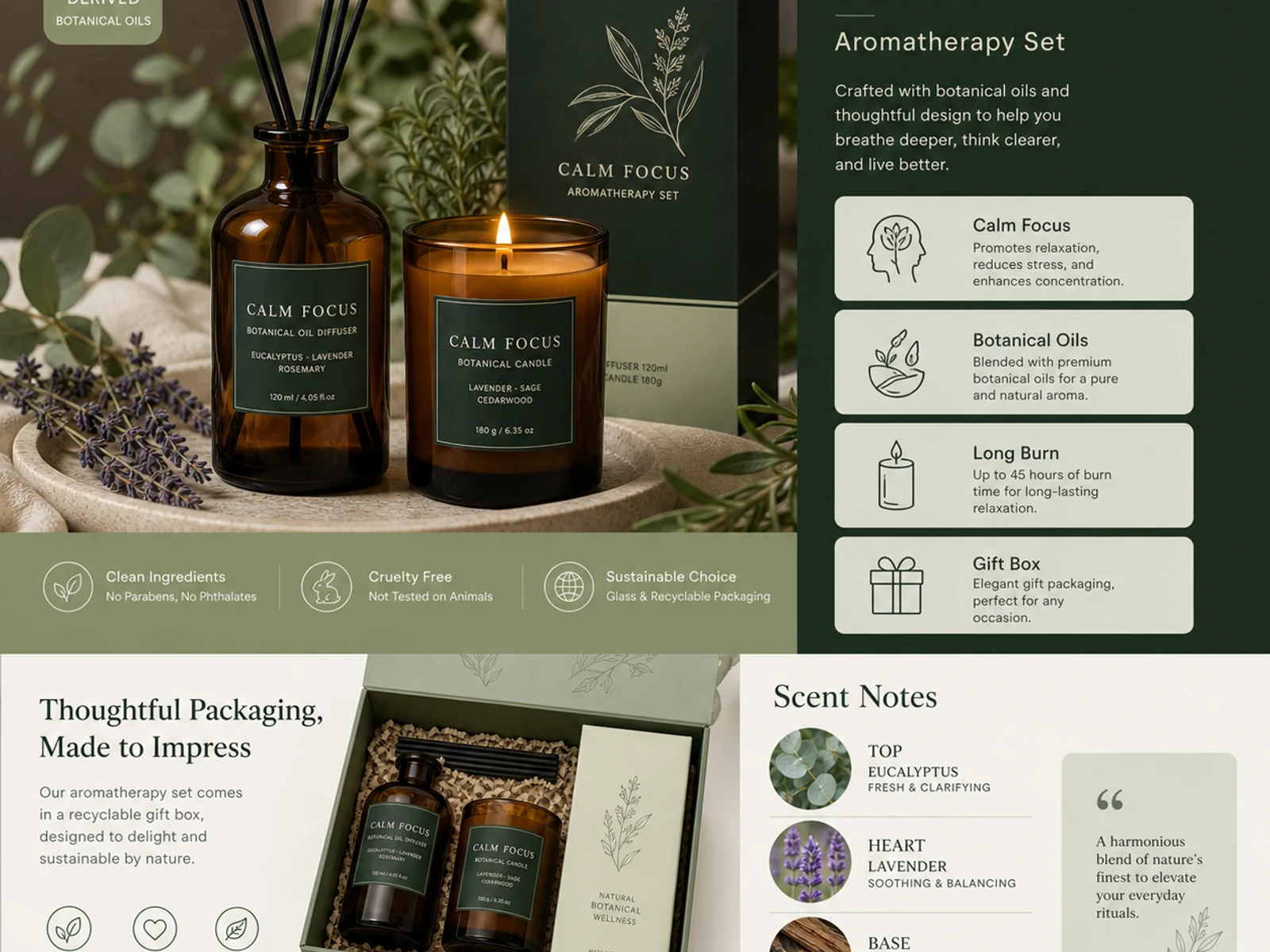
아로마테라피 상세 페이지, 패키지 시스템, 유리·메탈·패브릭·코스메틱 소재, 카탈로그 스타일 변형까지 다룹니다.
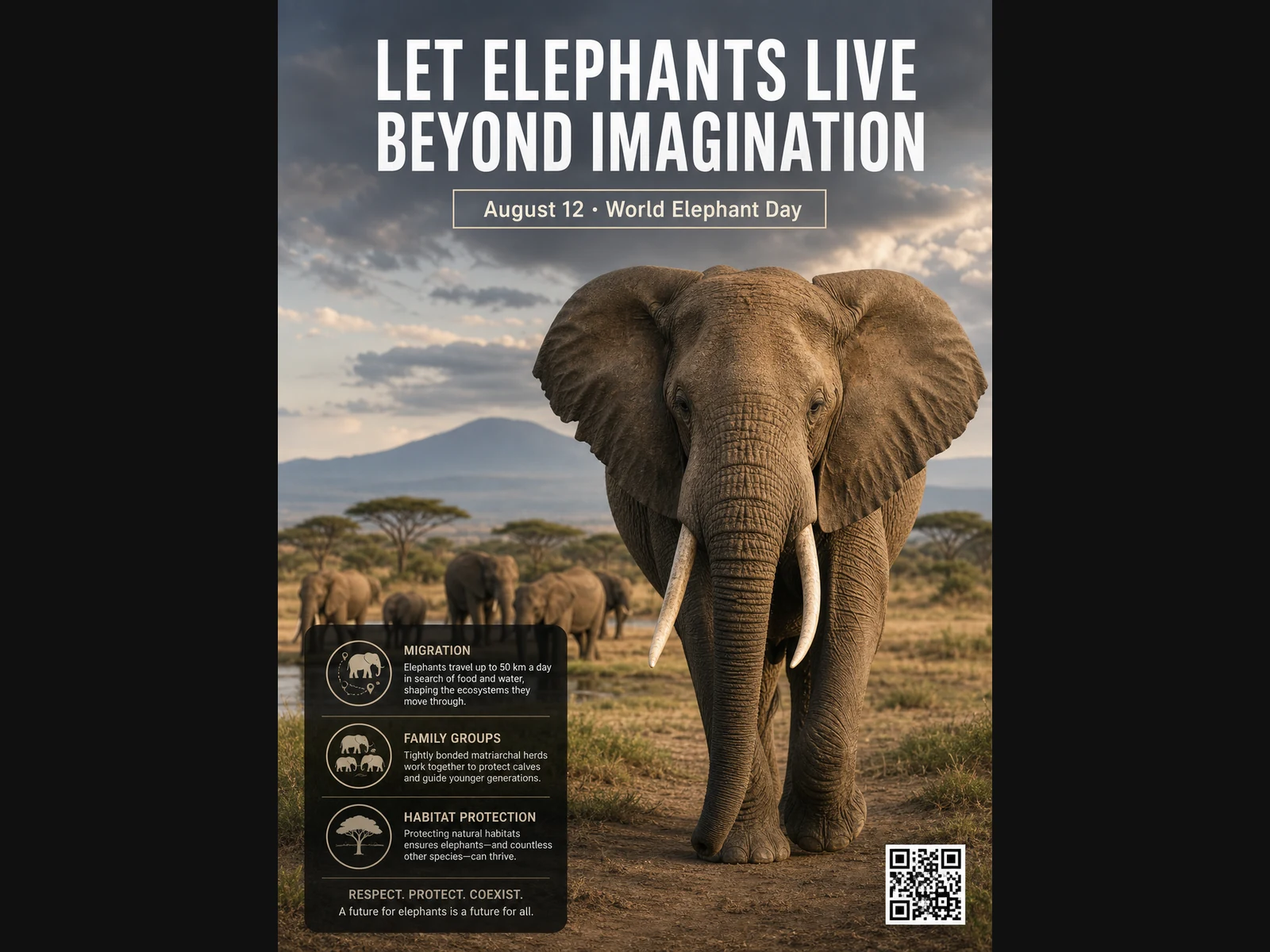
야생동물 포스터, 교육용 레이아웃, 에디토리얼 포트레이트, 패션 콘셉트, 무드보드용 이미지까지 만듭니다.
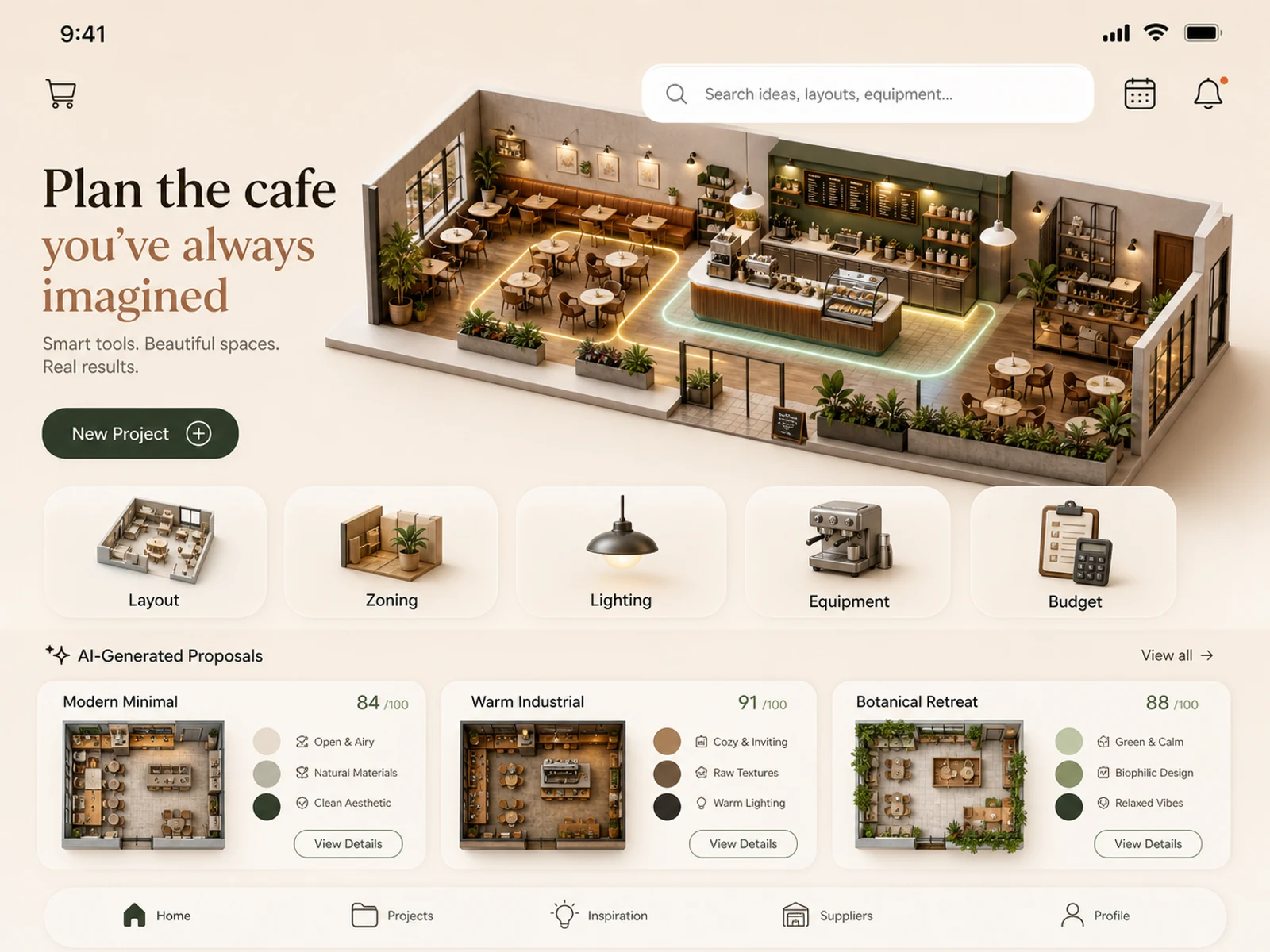
모바일 앱 콘셉트, 카페 플래닝, 리테일 공간, 룸 스타일링, 조명 스터디, 로케이션 연출까지 다룹니다.
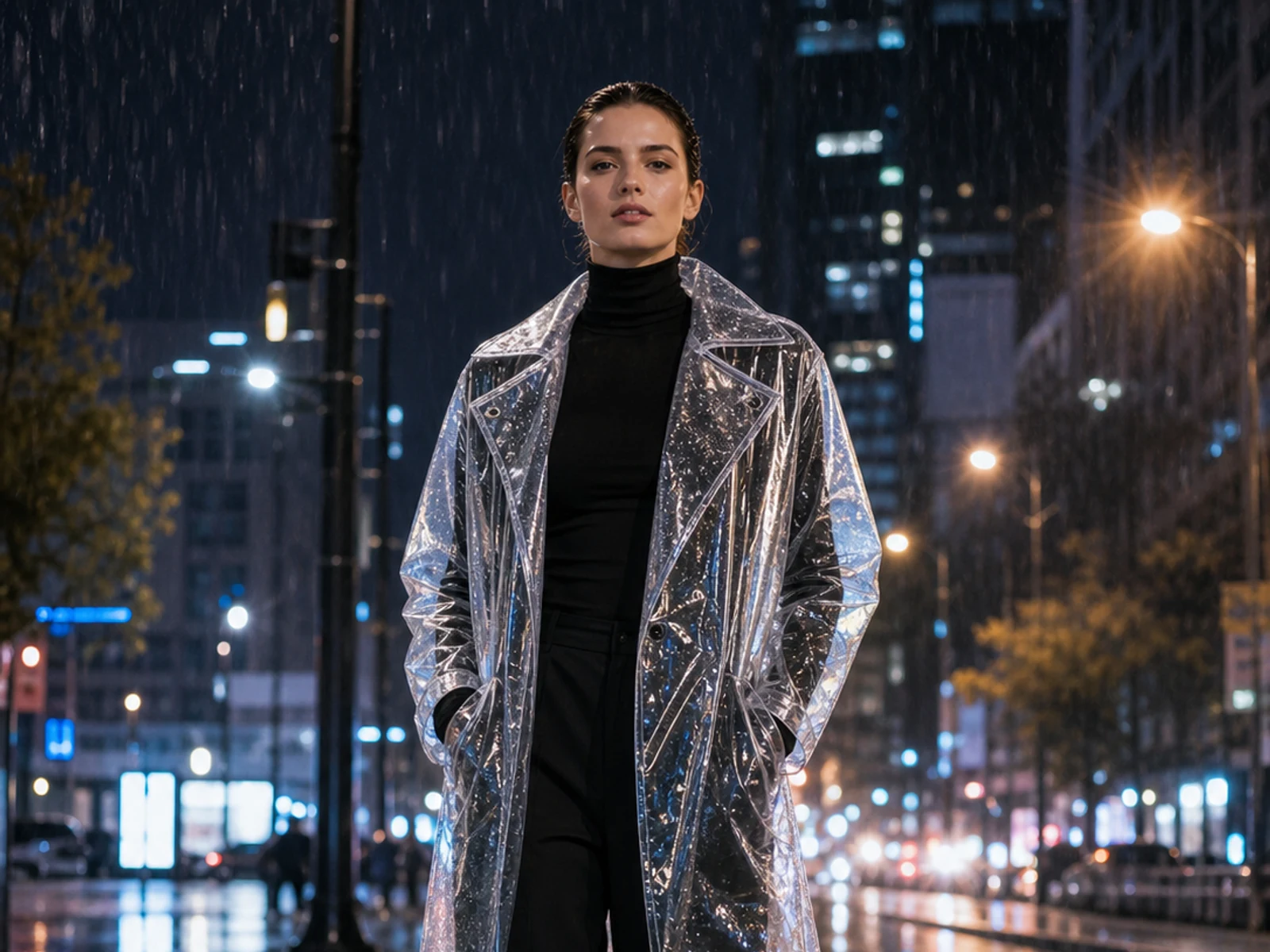
업로드한 이미지를 기준으로 스티커 추가, 소재·조명·계절·배경·의상·스타일링 변경까지 정확하게 편집합니다.
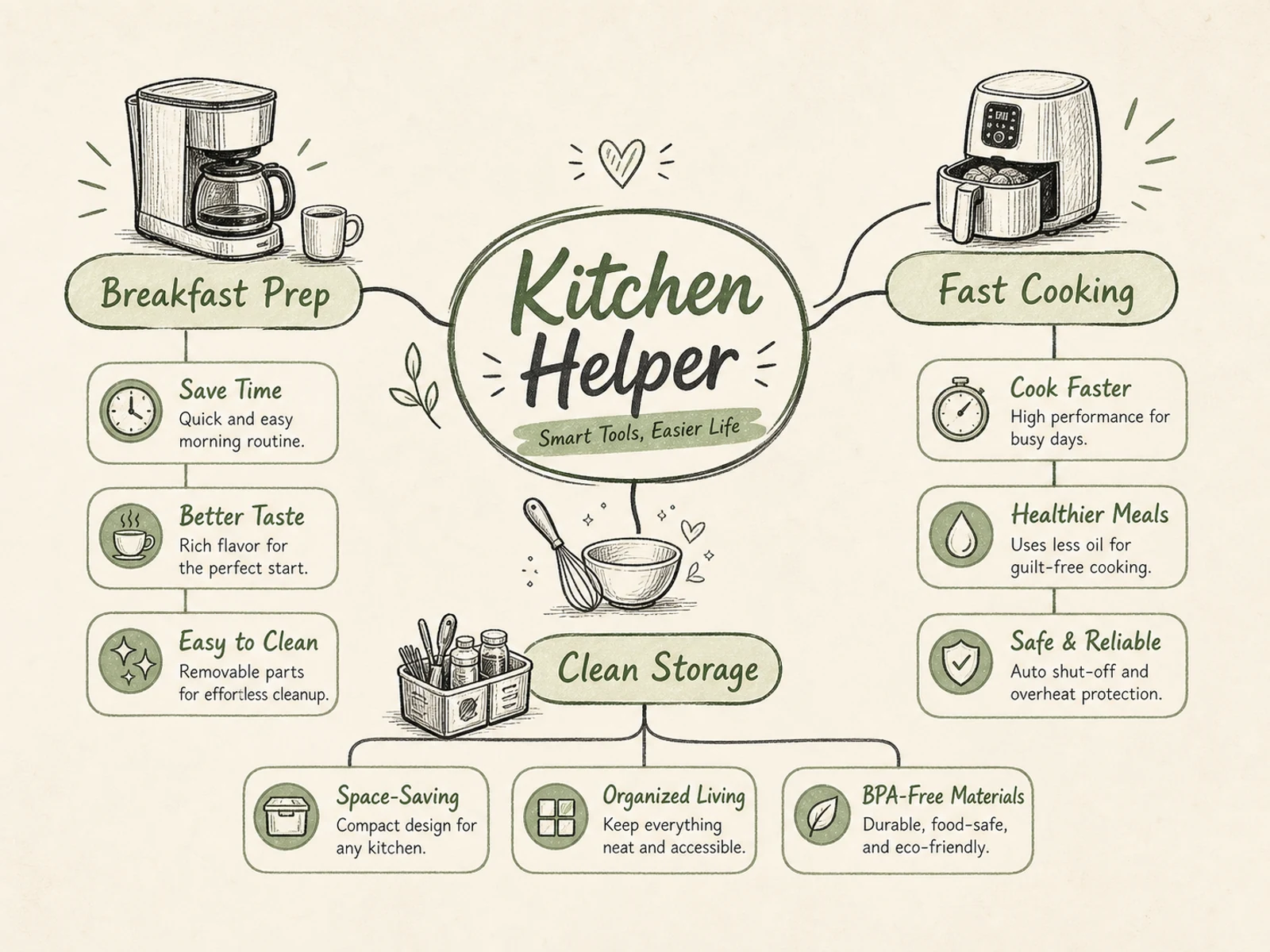
마인드맵, 프로세스 다이어그램, 교육용 비주얼, 제품 설명 이미지, 이벤트 인포그래픽처럼 위계가 뚜렷한 레이아웃을 만듭니다.
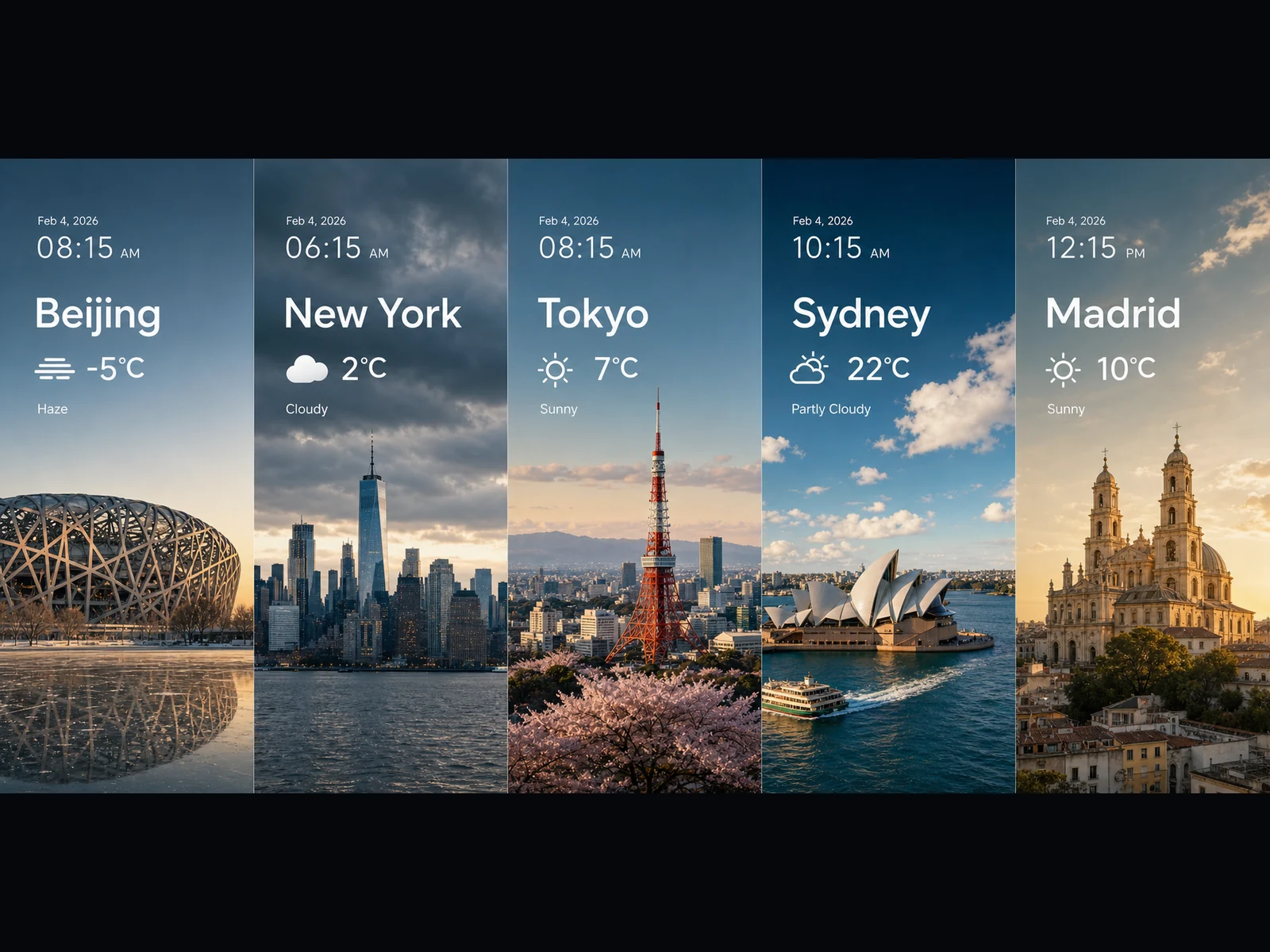
날씨 패널, 트렌드 비주얼, 차트형 카드, 와이드 키비주얼, 16:9나 21:9의 시네마틱 장면 아이디어까지 다룹니다.
모든 프롬프트는 간단한 패턴을 따릅니다: 작업을 정하고, 정확한 문구와 레이아웃을 적고, 요소 간 관계를 설명하고, 비주얼 스타일을 고정합니다. 하나 복사해 나만의 것으로 바꿔 보세요.
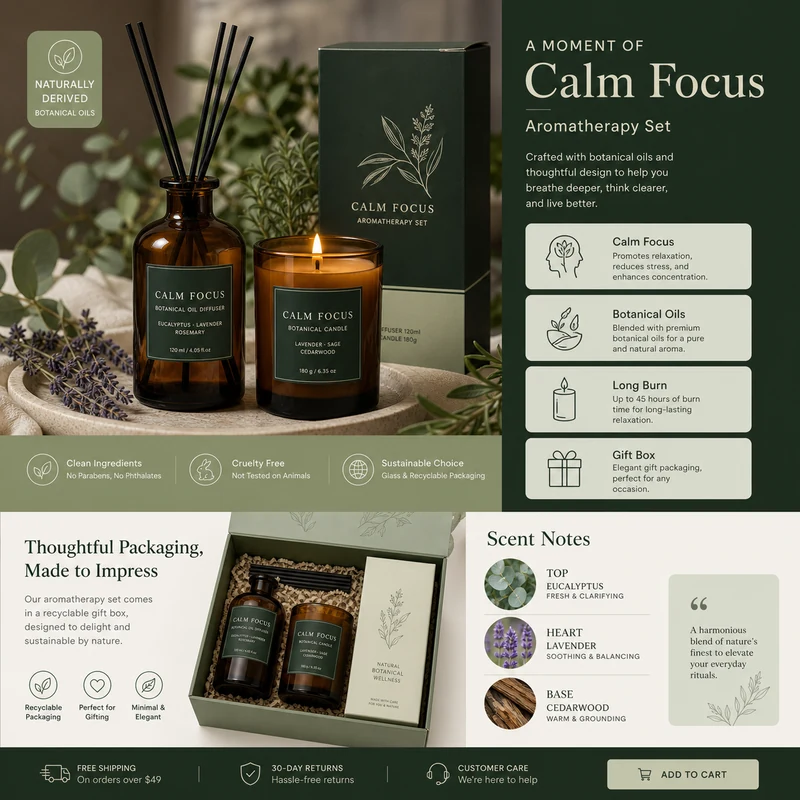
For e-commerce product detail pages of premium aromatherapy products, create an image that showcases high-resolution product photography, packaging design, key selling points, product advantages, and promotional copy blocks. Use a color scheme primarily consisting of dark green, light sage green, and warm ivory. Layout like a mature product detail page: large product image on the left, selling-point cards on the right, packaging and scent notes below. Use concise English text, premium and commercial.
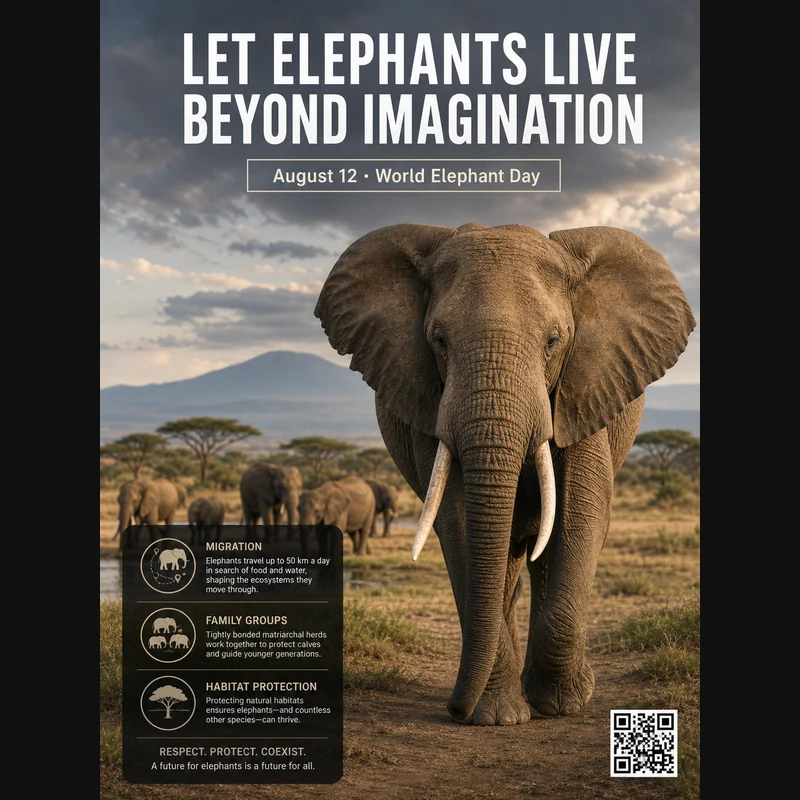
Realistic photographic science poster. A wild elephant is located in a tropical savanna. At the top is the title: “Let elephants live beyond imagination.” Below the title, inside a framed box, it says: “August 12: World Elephant Day.” In the lower-left corner, within a black semi-transparent box, there are three sections of educational text about elephant migration, family groups, and habitat protection. In the lower-right corner, there is a clean QR code. Professional conservation poster layout, photorealistic and print-ready.
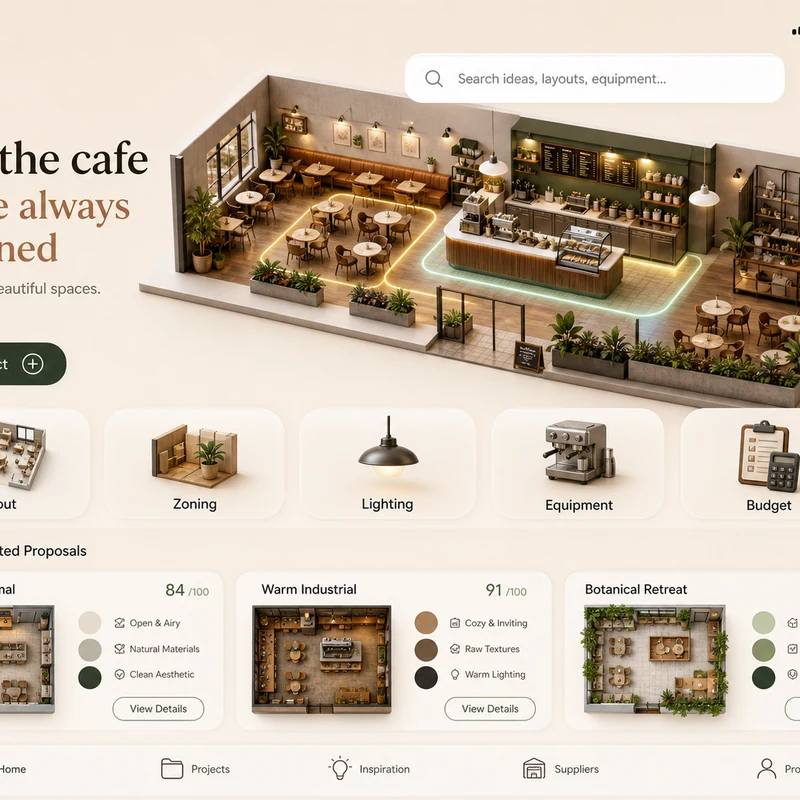
Trendy cafe-planning app interface design: 1. Warm cream background, with the time, mobile signal, Wi-Fi, and battery icons shown at the top. 2. At the top left there is a small cart icon; on the right there is a long white search box, plus calendar and bell icons. 3. The hero banner shows a modern neighborhood cafe as a small 3D space model. 4. Below is a function navigation bar: Layout, Zoning, Lighting, Equipment, Budget, with polished 3D icons. 5. Show 2–3 space proposal cards with mini floor plans, color swatches, and scores. The interface should look like a premium AI interior design SaaS mobile app.
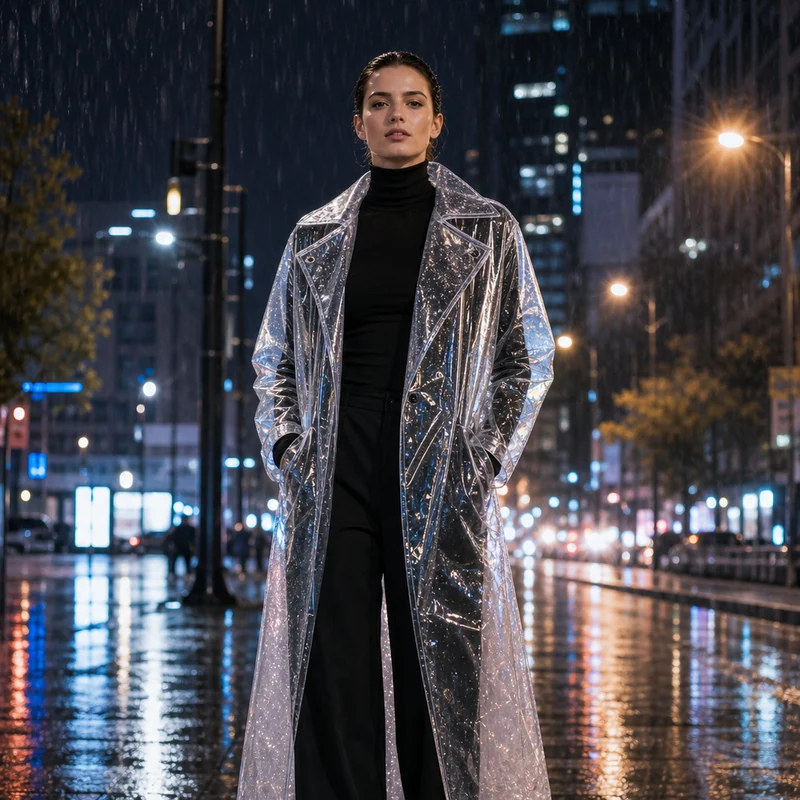
Image editing result example. Preserve the adult professional model’s realistic face, natural body proportions, front-facing pose, and rainy city-night background. Change the outerwear into a translucent architectural raincoat while keeping the rest of the outfit as a full black turtleneck and long trousers. The transparent raincoat should show realistic droplets, refraction, glossy folds, seams, and wet-pavement reflections. Premium commercial fashion photography, no text or logo.
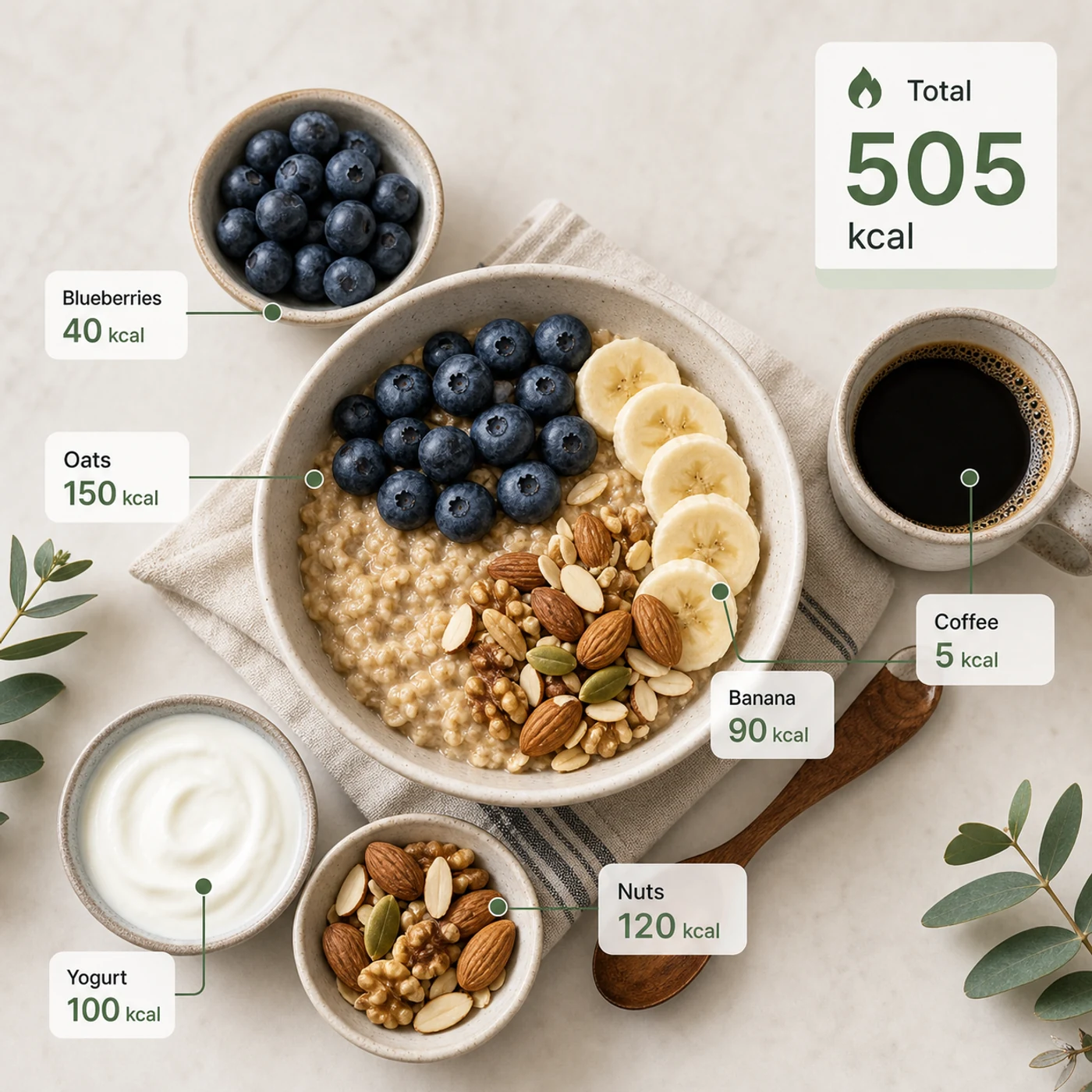
Identify the calorie content of the food in the image and annotate the information on the picture. The image contains an oatmeal bowl, blueberries, banana slices, nuts, yogurt, and a cup of coffee. Add clean calorie callout lines and small labels next to each food, such as “Oats 150 kcal” and “Blueberries 40 kcal.” Place a total-calorie card in the upper-right corner. Clean professional style, like a nutrition analysis app report.
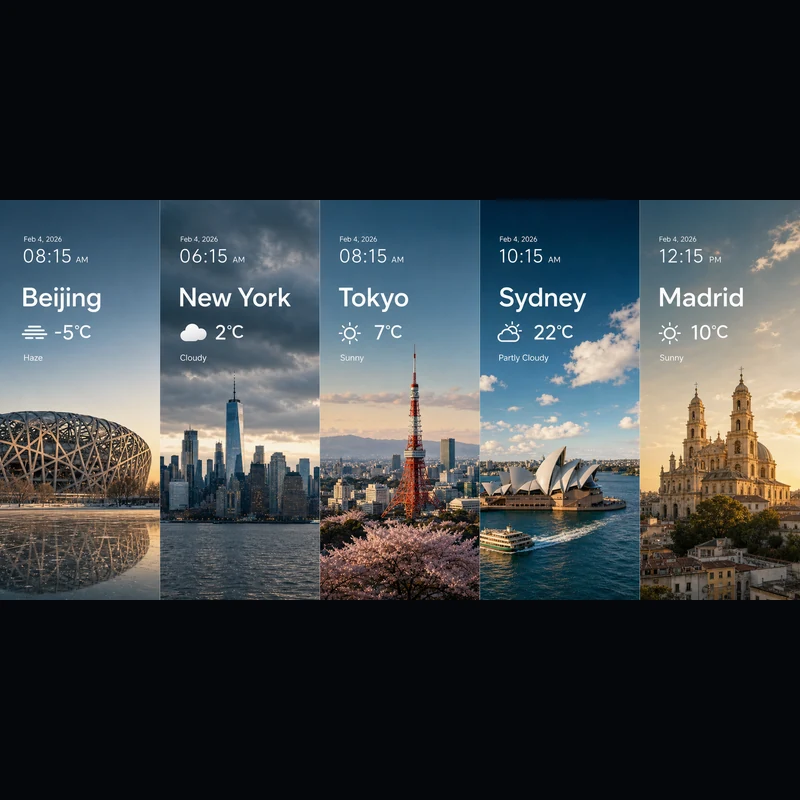
Search for the weather, temperature, and time on February 4, 2026, for the following locations: 1. Beijing, 2. New York, 3. Tokyo, 4. Sydney, 5. Madrid. High-concept composite photography. Note: only return ONE image. The image is composed of five seamlessly stitched vertical panoramic strips. Each strip presents the landmark, weather, and lighting of one city: Beijing Bird’s Nest Stadium, Manhattan skyscrapers, Tokyo Tower, Sydney Opera House, and San Francisco el Grande Cathedral in Madrid. Despite different weather conditions, use cinematic color grading to unify the image. High contrast, photorealistic, wide composition, English text.
텍스트로 시작하든 참조 이미지로 시작하든, 같은 에디터를 사용합니다.
피사체, 장면, 넣을 문구, 레이아웃, 조명, 소재, 화면 비율, 피사체 간 관계와 정보 우선순위까지 적어 주세요.
참조 이미지를 쓰시나요? 업로드한 뒤 무엇을 바꾸고 무엇을 그대로 둘지 알려 주세요.
초안은 2K, 디테일이 필요하면 3K — 어느 쪽이든 이미지당 동일한 4 크레딧입니다.
Seedream 5.0 Lite 사용에 관한 질문과 답변입니다.
Seedream 5.0 Lite는 자세하고 구조화된 프롬프트를 완성된 이미지로 바꿔 주는 멀티모달 이미지 모델입니다 — 포스터, 상품 페이지, 앱 UI, 인포그래픽, 편집까지. 지시를 충실히 따르기 때문에 정확한 문구, 레이아웃, 요소 간 관계를 적어 두면 대부분 결과에 그대로 반영됩니다. Image 2에서는 같은 에디터에서 텍스트-이미지와 이미지-이미지를 모두 쓸 수 있어, 처음부터 생성하거나 업로드한 이미지를 바탕으로 작업할 수 있습니다.
지원합니다. 이미지-이미지로 전환하고 이미지를 한 장 이상 올린 뒤, 원하는 변경을 평범한 말로 설명하세요 — 소재 교체, 의상 리스타일, 요소 추가, 피사체를 유지한 조명 조정까지. 한 번의 요청에 최대 14장의 참조 이미지를 쓸 수 있어, 여러 입력을 함께 참고하거나 그에 충실하게 만들고 싶을 때 유용합니다.
2K 또는 3K로 출력할 수 있습니다. 2K는 빠른 초안, SNS 게시물, 화면 표시에 좋고, 3K는 대형 레이아웃이나 인쇄, 나중에 잘라낼 소재에 더 많은 디테일을 더해 줍니다. 이미지당 가격은 같으니, 최종 용도가 필요로 할 때 추가 비용 없이 언제든 3K로 바꿀 수 있습니다.
여덟 가지 비율을 제공합니다: 1:1, 4:3, 3:4, 16:9, 9:16, 2:3, 3:2, 21:9. 정사각형 게시물, 스토리·포스터용 세로형 콘텐츠, 일반 가로형과 세로형, 그리고 시네마틱 키 비주얼을 위한 초광각 21:9까지 아우릅니다. 생성 전에 비율을 정해 두면 처음부터 구도가 정확하게 잡힙니다.
프롬프트가 자세하고 구조적일 때 Seedream 5.0 Lite를 사용하세요 — 사이언스 포스터, 앱 UI, 상품 상세 페이지, 지식 비주얼, 날씨·데이터 합성, 소재 스터디, 스티커, 마인드맵, 참조 기반 편집 등. GPT Image 2의 타이포그래피와 참조 처리가 특별히 필요하다면 GPT Image 2를 선택하세요.
이미지당 4 크레딧입니다 — 텍스트든 참조 이미지든, 2K든 3K든 동일합니다. 게다가 매일 무료 크레딧이 주어져 부담 없이 시도할 수 있습니다.
상업적 사용 가능 여부는 Image 2 약관, 모델 자체의 약관, 그리고 프롬프트, 업로드 이미지, 브랜드, 참조 자료에 대한 회원님의 권리에 따라 달라집니다. 클라이언트 작업이나 유료 결과물로 게시하기 전에 해당 약관을 확인하시기 바랍니다.
대부분의 이미지는 1분이 채 안 돼 나오지만, 현재 사용량, 프롬프트 복잡도, 참조 이미지 수에 따라 달라집니다. 이미지가 준비되는 즉시 결과 패널이 자동으로 업데이트됩니다.
더 궁금한 것이 있으신가요? 문의하기: [email protected]
텍스트만으로도, 기존 이미지에 맞춰야 할 때는 참조 이미지를 더해도 됩니다.
Seedream 5.0 Lite 결과