Limitiertes Angebot · 50% Rabatt50% RabattJahresabos · GPT Image 2.5 + Seedance 2.5
Image 2
Mach aus detaillierten Prompts und Referenzbildern fertige Poster, Produktseiten, UI-Mockups und saubere Edits.
Ein schneller Blick auf das, was Seedream 5.0 Lite kann: Wissenschaftsposter, E-Commerce-Produktseiten, App-UI, präzise Edits und Sticker, Annotationen, datengetriebene Grafiken, Materialstudien und Mindmaps. Tippe auf ein Bild, um seinen Prompt zu laden.
Seedream 5.0 Lite versteht lange, strukturierte Prompts und hält in komplexen Szenen alles stimmig zusammen – Poster, App-UI, Annotationen, Datengrafiken, Edits, Produktseiten, Sticker und Mindmaps.
Schreib Beziehungen zwischen Motiven, exakten Text, Layout-Hierarchie, Materialvorgaben und physikalische Logik in den Prompt – für stimmige Poster, Kampagnenmotive, Diagramme und strukturierte Szenen.
Lade ein Bild hoch und beschreibe die Änderung – Sticker hinzufügen, Materialien tauschen, Licht anpassen, einen Stil übertragen oder ein Motiv bearbeiten, ohne dass es seine Wiedererkennbarkeit verliert. Bis zu 14 Referenzbilder auf einmal sind möglich.
Rendere in 2K für schnelle Entwürfe oder in 3K, wenn du mehr Details brauchst. Beides kostet die gleichen 4 Credits pro Bild – so kannst du hochauflösend arbeiten, ohne auf den Preis zu schauen.
Wähle Quadrat, Hochformat, Querformat, Hochformat für Social Media, klassisch 3:2 oder 2:3 sowie 21:9 für breite Kompositionen.
Von handgezeichneter Typografie und App-UI bis zu präzisen Edits, Wissenschaftspostern, Produktseiten, Materialstudien, Stickern und Mindmaps – Seedream 5.0 Lite deckt ein breites Spektrum an Produktionsarbeit ab.
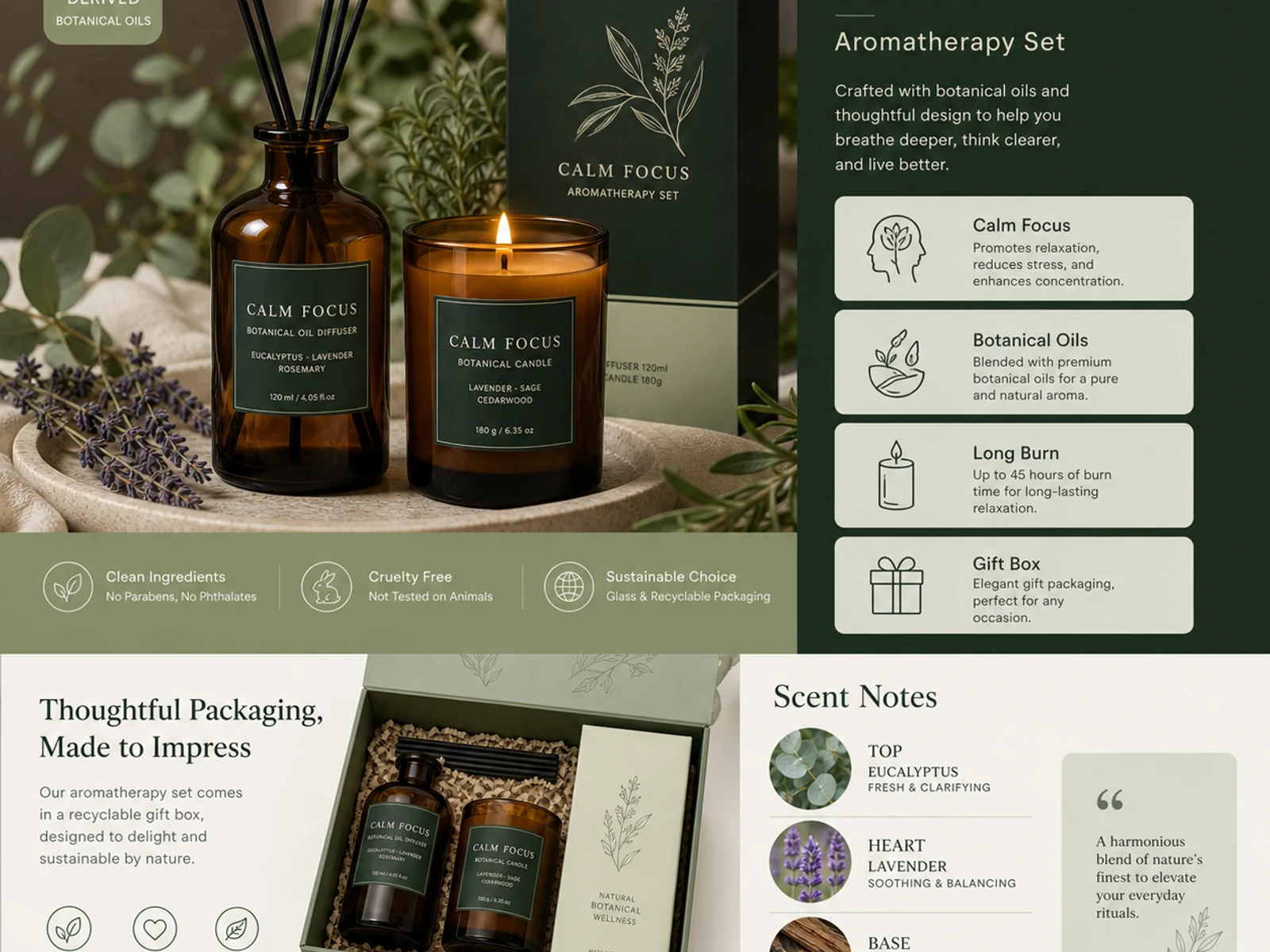
Detailseiten für Aromatherapie-Produkte, Verpackungssysteme, Glas, Metall, Stoff, Kosmetik und Varianten im Katalogstil.
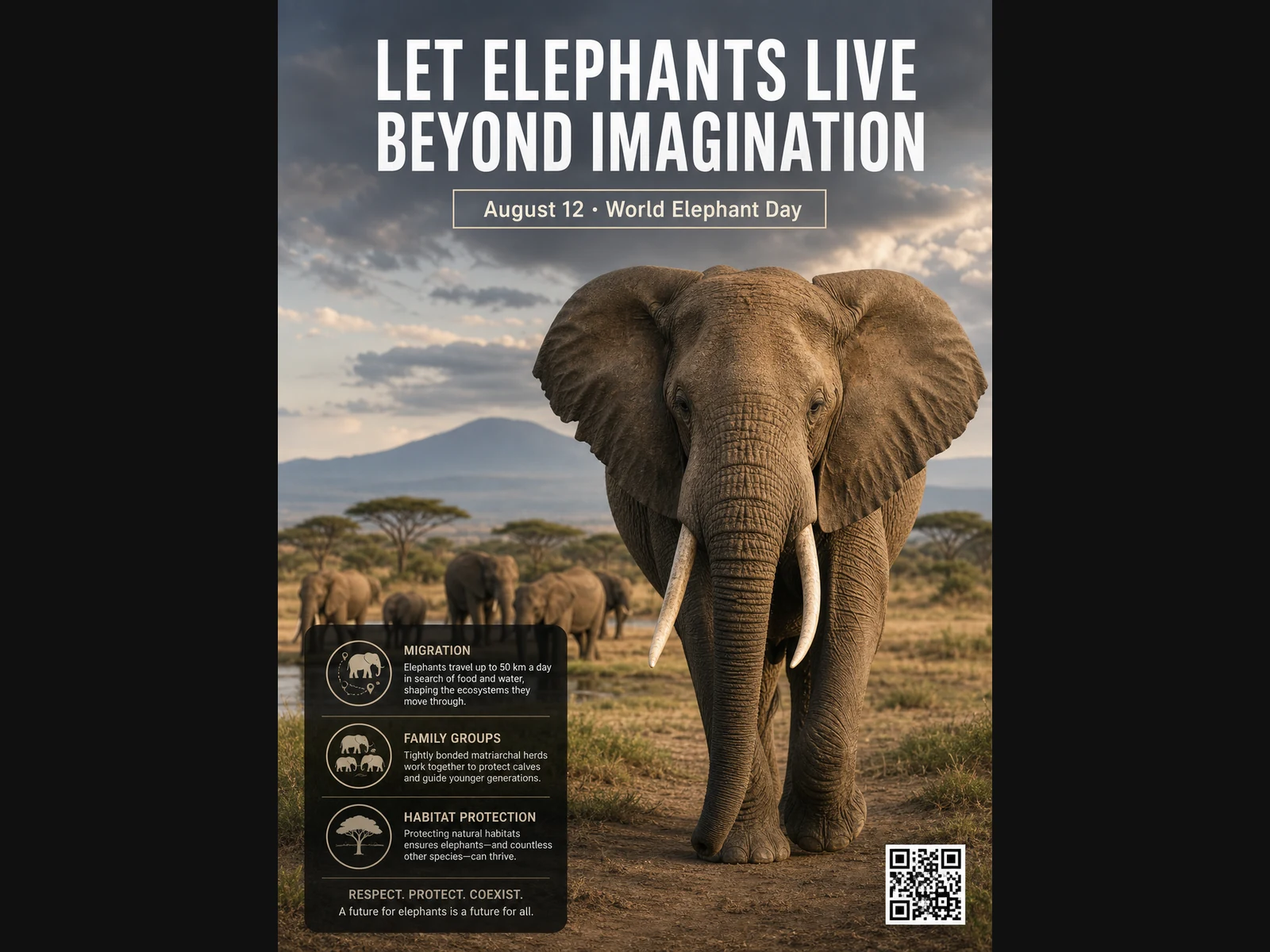
Tierposter, Lernlayouts, Editorial-Porträts, Modekonzepte und Moodboard-Referenzen.
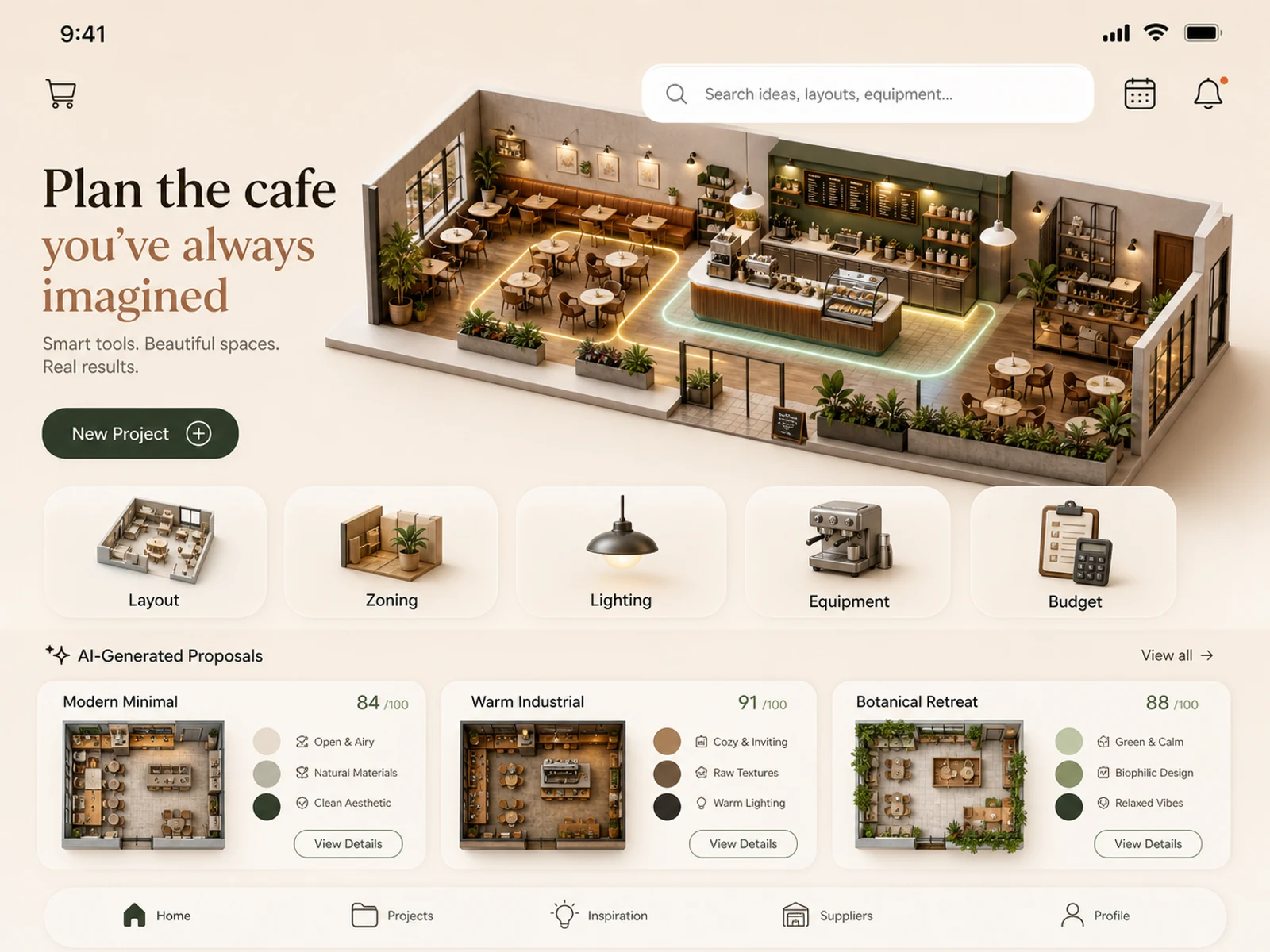
Konzepte für mobile Apps, Café-Planung, Ladenflächen, Raumgestaltung, Lichtstudien und Location-Konzepte.
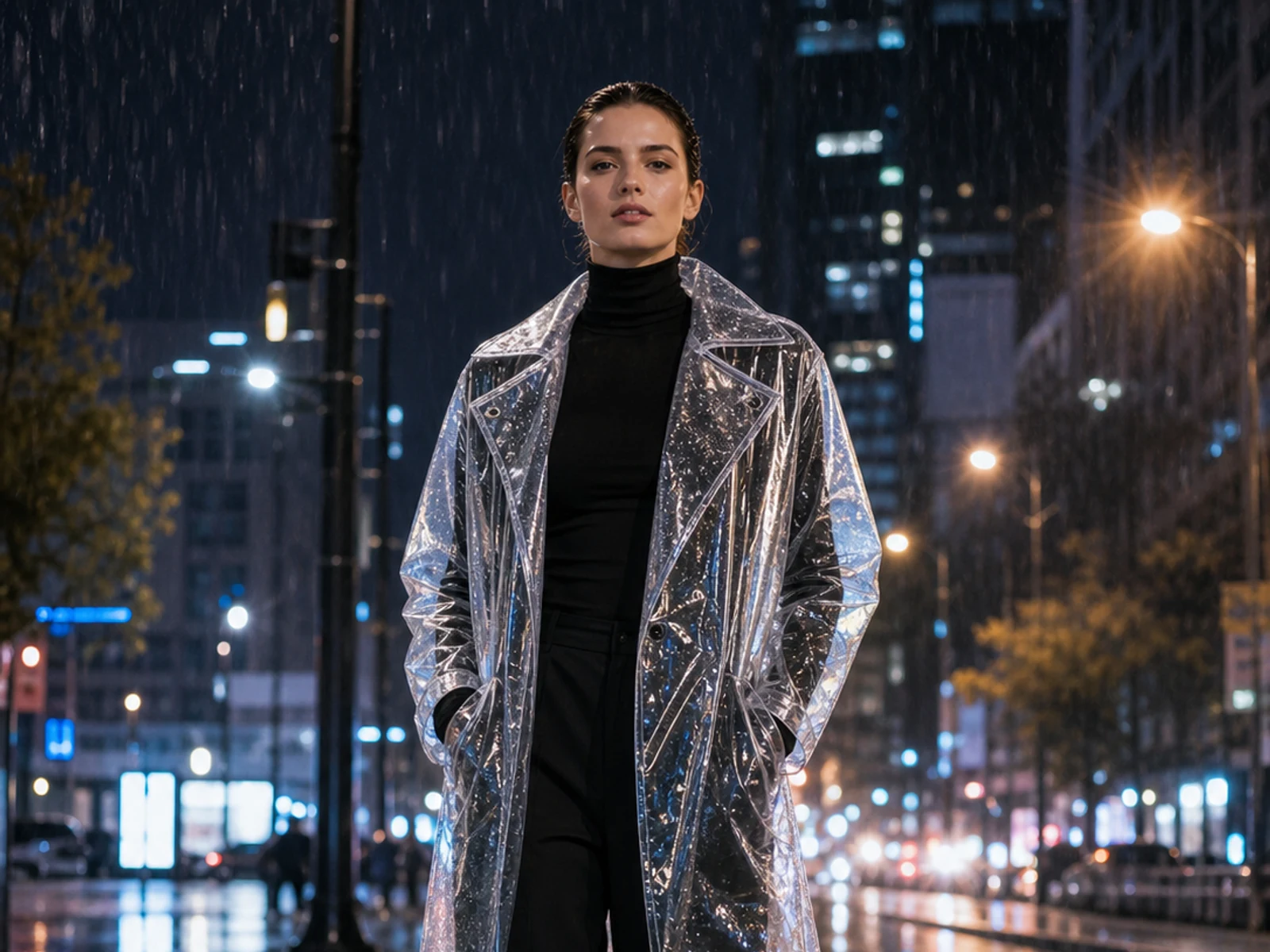
Füge Sticker hinzu oder ändere Material, Licht, Jahreszeit, Umgebung, Outfit oder Styling – mit dem hochgeladenen Bild als Grundlage.
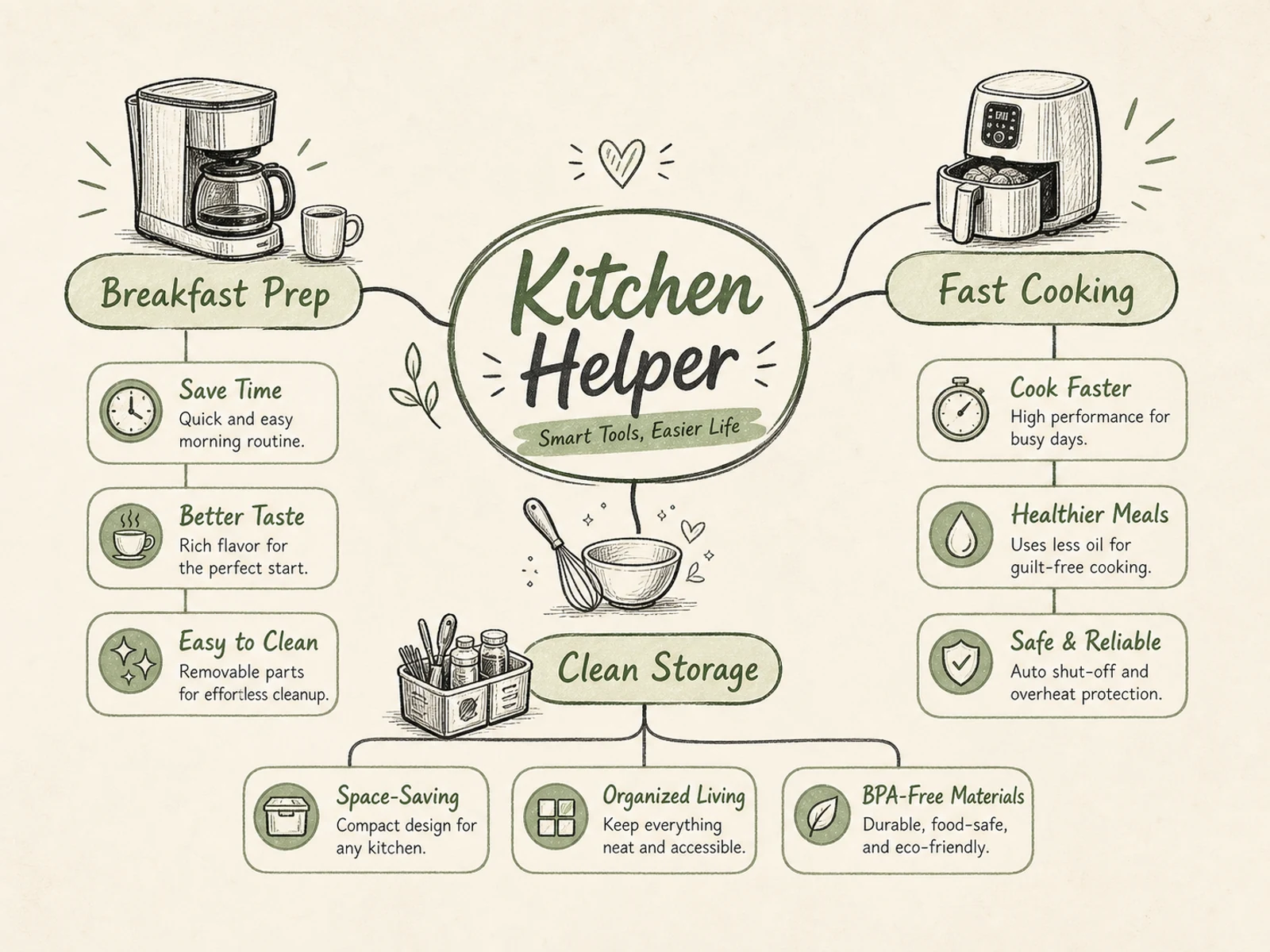
Mindmaps, Prozessdiagramme, Lerngrafiken, Produkterklärungen, Event-Infografiken und Briefings mit klarer Hierarchie.
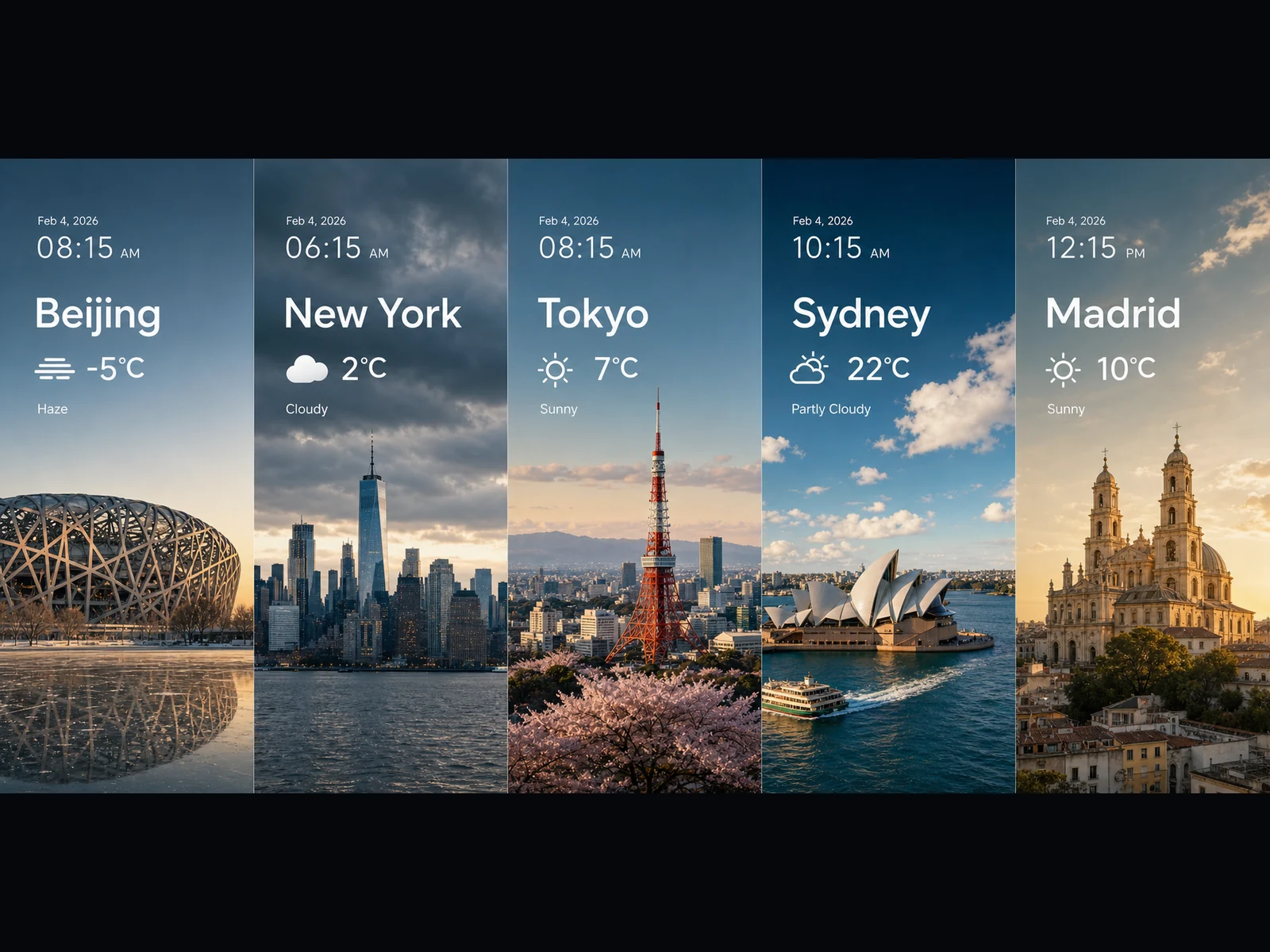
Wetter-Panels, Trend-Visuals, diagrammartige Karten, breite Key Visuals und filmische Szenenideen in 16:9 oder 21:9.
Jeder Prompt folgt einem einfachen Muster: Aufgabe benennen, Text und Layout genau festlegen, beschreiben, wie die Elemente zusammenhängen, und den visuellen Stil festzurren. Kopiere einen und mach ihn zu deinem.
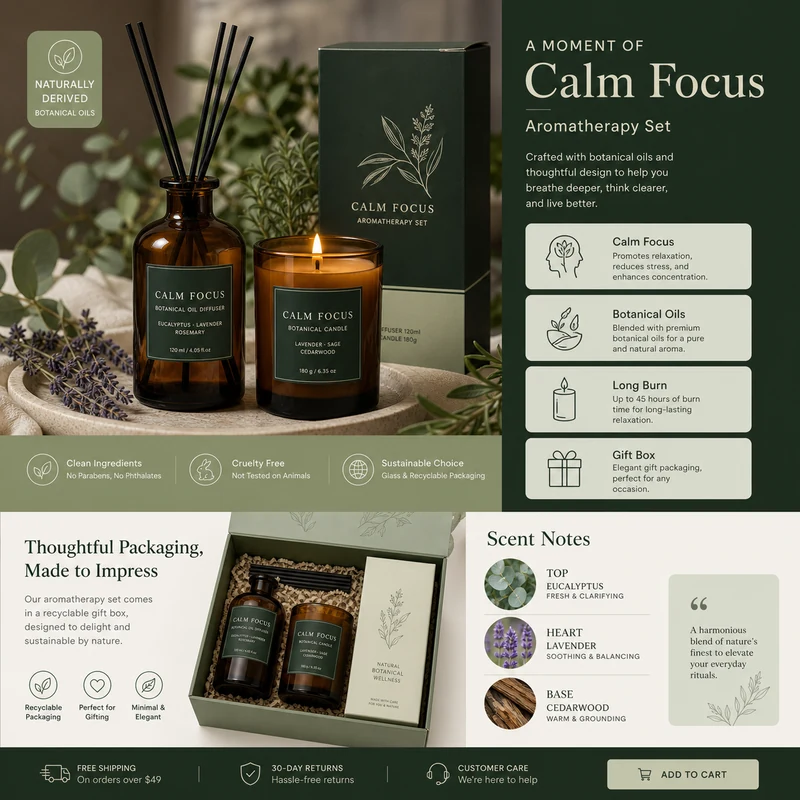
For e-commerce product detail pages of premium aromatherapy products, create an image that showcases high-resolution product photography, packaging design, key selling points, product advantages, and promotional copy blocks. Use a color scheme primarily consisting of dark green, light sage green, and warm ivory. Layout like a mature product detail page: large product image on the left, selling-point cards on the right, packaging and scent notes below. Use concise English text, premium and commercial.
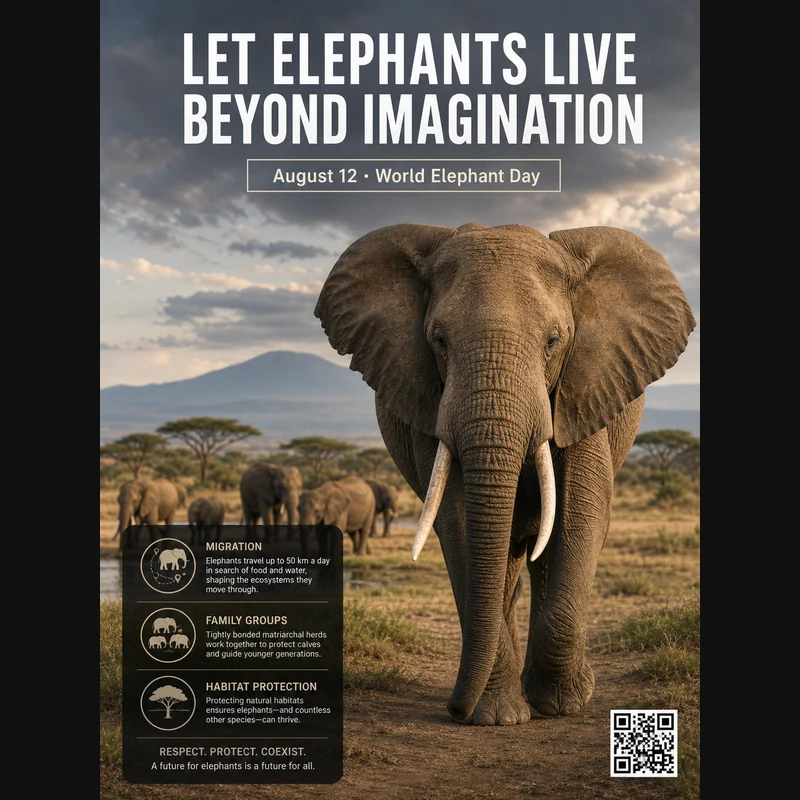
Realistic photographic science poster. A wild elephant is located in a tropical savanna. At the top is the title: “Let elephants live beyond imagination.” Below the title, inside a framed box, it says: “August 12: World Elephant Day.” In the lower-left corner, within a black semi-transparent box, there are three sections of educational text about elephant migration, family groups, and habitat protection. In the lower-right corner, there is a clean QR code. Professional conservation poster layout, photorealistic and print-ready.
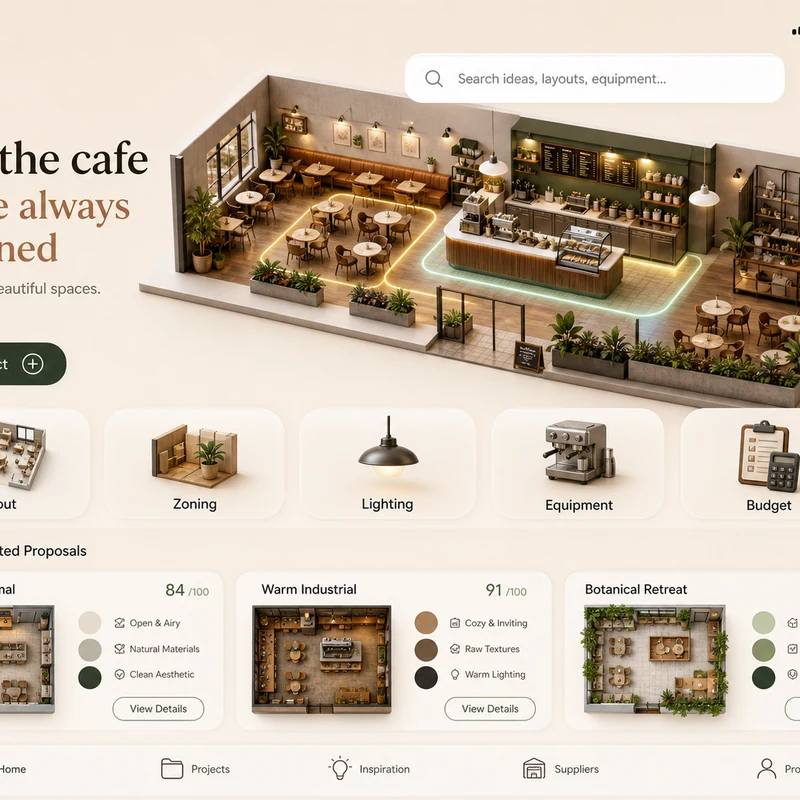
Trendy cafe-planning app interface design: 1. Warm cream background, with the time, mobile signal, Wi-Fi, and battery icons shown at the top. 2. At the top left there is a small cart icon; on the right there is a long white search box, plus calendar and bell icons. 3. The hero banner shows a modern neighborhood cafe as a small 3D space model. 4. Below is a function navigation bar: Layout, Zoning, Lighting, Equipment, Budget, with polished 3D icons. 5. Show 2–3 space proposal cards with mini floor plans, color swatches, and scores. The interface should look like a premium AI interior design SaaS mobile app.
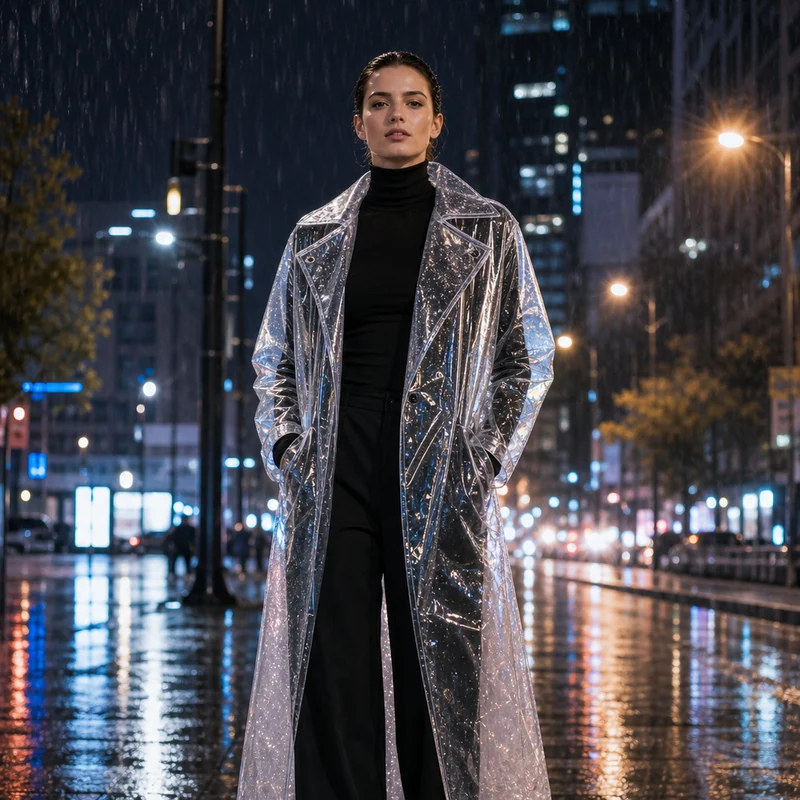
Image editing result example. Preserve the adult professional model’s realistic face, natural body proportions, front-facing pose, and rainy city-night background. Change the outerwear into a translucent architectural raincoat while keeping the rest of the outfit as a full black turtleneck and long trousers. The transparent raincoat should show realistic droplets, refraction, glossy folds, seams, and wet-pavement reflections. Premium commercial fashion photography, no text or logo.
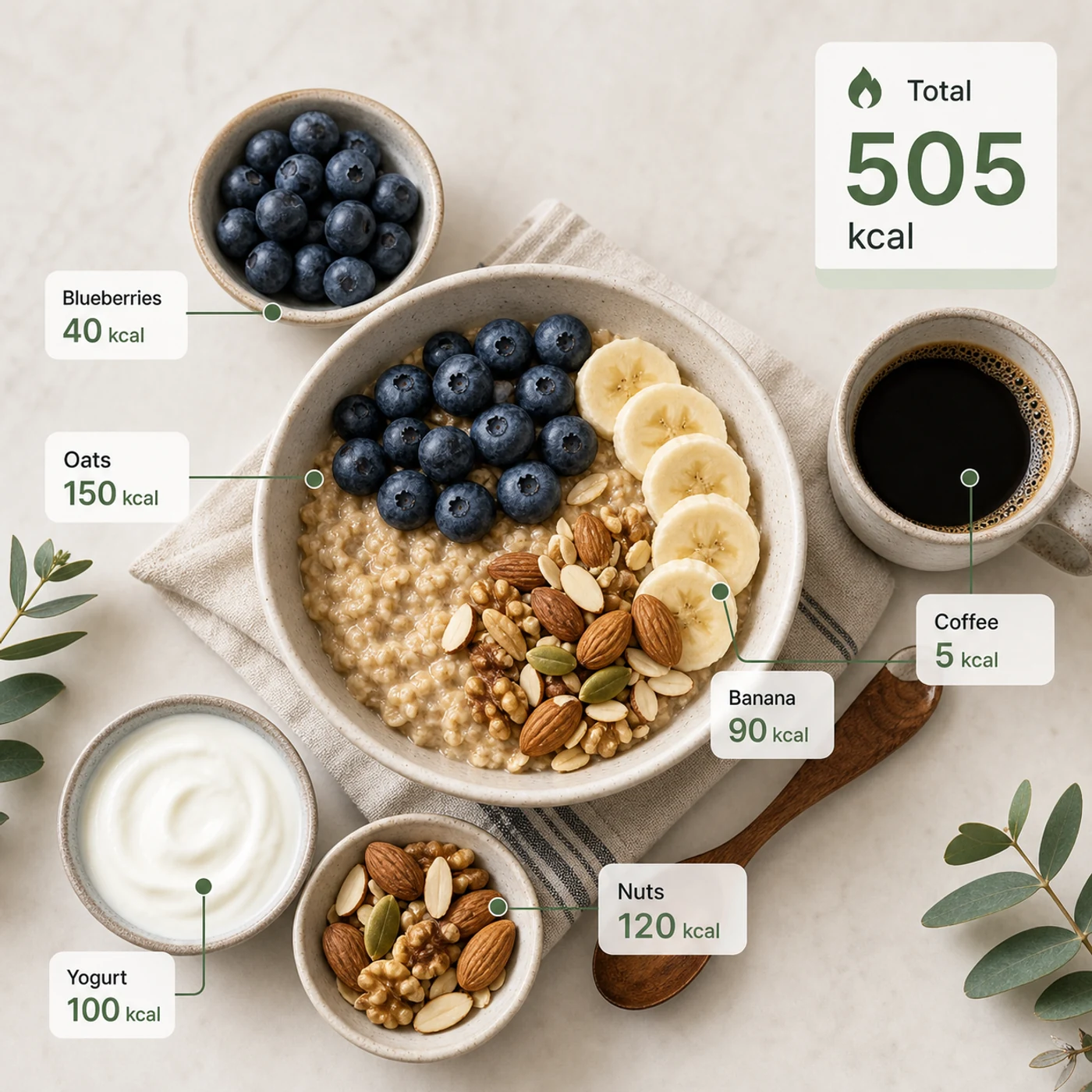
Identify the calorie content of the food in the image and annotate the information on the picture. The image contains an oatmeal bowl, blueberries, banana slices, nuts, yogurt, and a cup of coffee. Add clean calorie callout lines and small labels next to each food, such as “Oats 150 kcal” and “Blueberries 40 kcal.” Place a total-calorie card in the upper-right corner. Clean professional style, like a nutrition analysis app report.
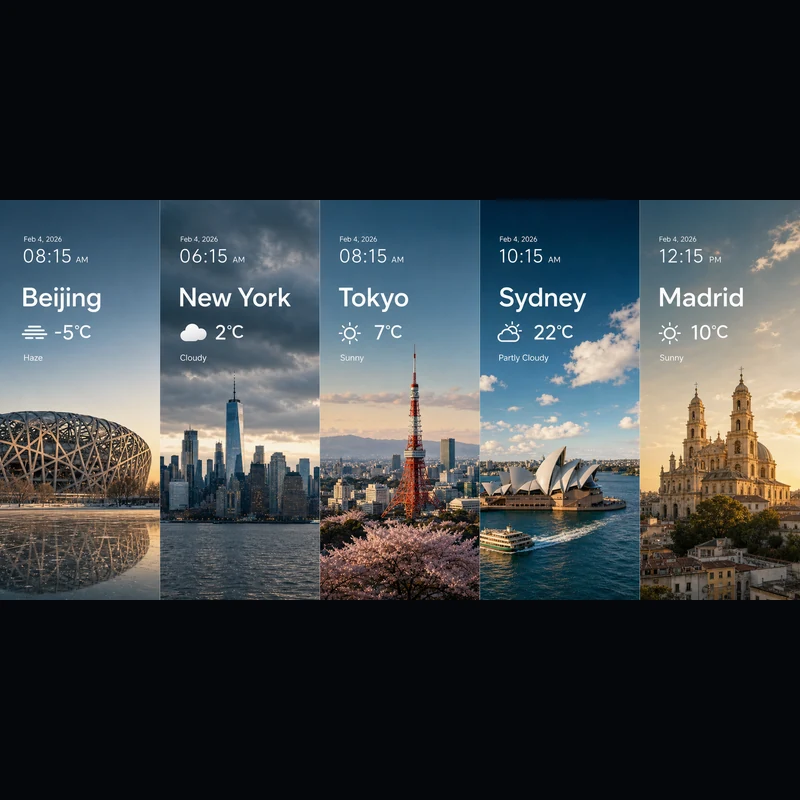
Search for the weather, temperature, and time on February 4, 2026, for the following locations: 1. Beijing, 2. New York, 3. Tokyo, 4. Sydney, 5. Madrid. High-concept composite photography. Note: only return ONE image. The image is composed of five seamlessly stitched vertical panoramic strips. Each strip presents the landmark, weather, and lighting of one city: Beijing Bird’s Nest Stadium, Manhattan skyscrapers, Tokyo Tower, Sydney Opera House, and San Francisco el Grande Cathedral in Madrid. Despite different weather conditions, use cinematic color grading to unify the image. High contrast, photorealistic, wide composition, English text.
Ob du mit Text oder mit einem Referenzbild startest – es ist derselbe Editor.
Beschreibe Motiv, Umgebung, exakten Text, Layout, Licht, Material, Seitenverhältnis, Beziehungen zwischen den Motiven und die Informationshierarchie.
Du arbeitest mit einer Referenz? Lade sie hoch und sag, was sich ändern und was gleich bleiben soll.
Wähle 2K für schnelle Entwürfe oder 3K für mehr Details – so oder so sind es die gleichen 4 Credits pro Bild.
Antworten auf deine Fragen zu Seedream 5.0 Lite.
Seedream 5.0 Lite ist ein multimodales Bildmodell, das detaillierte, strukturierte Prompts in fertige Bilder verwandelt – Poster, Produktseiten, App-UI, Infografiken, Edits und mehr. Da es Anweisungen genau befolgt, kannst du exakten Text, das Layout und die Beziehungen zwischen Elementen festlegen und erwarten, dass sie im Ergebnis auftauchen. Auf Image 2 läuft es in einem Editor für Text-zu-Bild und Bild-zu-Bild – du startest also bei null oder baust auf einem hochgeladenen Bild auf.
Ja. Wechsle zu Bild-zu-Bild, lade ein oder mehrere Bilder hoch und beschreibe die Änderung in normaler Sprache – ein Material tauschen, ein Outfit neu stylen, Elemente hinzufügen oder das Licht anpassen, ohne dass das Motiv seine Wiedererkennbarkeit verliert. Eine einzelne Anfrage nimmt bis zu 14 Referenzbilder, praktisch, wenn das Ergebnis mehrere Vorlagen zugleich aufgreifen oder ihnen treu bleiben soll.
Du kannst in 2K oder 3K rendern. 2K eignet sich für schnelle Entwürfe, Social Posts und die Bildschirmnutzung, während 3K mehr Detail für große Layouts, Druck oder Material liefert, das du noch zuschneidest. Beides kostet pro Bild gleich viel – du wechselst also zu 3K, wann immer der Verwendungszweck es verlangt, ohne mehr zu zahlen.
Acht Formate stehen zur Wahl: 1:1, 4:3, 3:4, 16:9, 9:16, 2:3, 3:2 und 21:9. Das deckt quadratische Posts, Hochformate für Stories und Poster, klassisches Quer- und Hochformat sowie das ultrabreite 21:9 für cineastische Key Visuals ab. Wähle das Format vor dem Generieren, damit die Komposition von Anfang an stimmt.
Greif zu Seedream 5.0 Lite, wenn dein Prompt detailliert und strukturiert ist – Wissenschaftsposter, App-UI, Produktseiten, Wissensgrafiken, Wetter- und Datenkompositionen, Materialstudien, Sticker, Mindmaps und referenzbasierte Edits. Wähle GPT Image 2, wenn du gezielt dessen Typografie und Referenzverhalten brauchst.
Jedes Bild kostet 4 Credits – gleich, ob du aus Text oder aus einer Referenz generierst und ob du 2K oder 3K wählst. Außerdem bekommst du täglich kostenlose Credits zum Ausprobieren.
Das hängt von den Image-2-Bedingungen, den Bedingungen des Modells selbst und deinen Rechten an Prompts, Uploads, Marken und Referenzmaterial ab. Prüfe die geltenden Bedingungen, bevor du Kunden- oder bezahlte Arbeiten veröffentlichst.
Die meisten Bilder kommen in deutlich unter einer Minute zurück, je nach aktueller Auslastung, Prompt-Komplexität und Anzahl der Referenzen. Das Ergebnis-Panel aktualisiert sich von selbst, sobald dein Bild fertig ist.
Noch Fragen? Schreib uns an: [email protected]
Nutze nur Text oder füge eine Referenz hinzu, wenn das Ergebnis zu einem vorhandenen Bild passen soll.
Seedream 5.0 Lite Ergebnisse