Oferta limitada · 50% DTO.50% DTO.Planes anuales · GPT Image 2.5 + Seedance 2.5
Image 2
Convierte prompts detallados e imágenes de referencia en pósters, fichas de producto, mockups de UI y ediciones impecables.
Un vistazo a lo que puede hacer Seedream 5.0 Lite: pósters científicos, fichas de producto de e-commerce, UI de apps, ediciones precisas y stickers, anotaciones, visuales con datos, estudios de materiales y mapas mentales. Toca cualquier imagen para cargar su prompt.
Seedream 5.0 Lite interpreta prompts largos y estructurados y mantiene la coherencia en escenas complejas: pósters, UI de apps, anotaciones, visuales con datos, ediciones, fichas de producto, stickers y mapas mentales.
Describe en el prompt las relaciones entre sujetos, el texto exacto, la jerarquía del diseño, las restricciones de materiales y la lógica física para obtener pósteres, visuales de campaña, diagramas y escenas estructuradas coherentes.
Sube una imagen y describe el cambio: añade stickers, cambia materiales, ajusta la iluminación, transfiere un estilo o edita un sujeto sin perder su parecido. Puedes usar hasta 14 imágenes de referencia a la vez.
Genera en 2K para bocetos rápidos o en 3K cuando necesites más detalle. Ambas cuestan los mismos 4 créditos por imagen, así que puedes subir la resolución sin pensar en el precio.
Elige formato cuadrado, vertical, horizontal, vertical para redes o los clásicos 3:2 y 2:3, además de 21:9 para composiciones panorámicas.
Desde tipografía dibujada a mano y UI de apps hasta ediciones precisas, pósters científicos, fichas de producto, estudios de materiales, stickers y mapas mentales, Seedream 5.0 Lite cubre una amplia gama de trabajos.
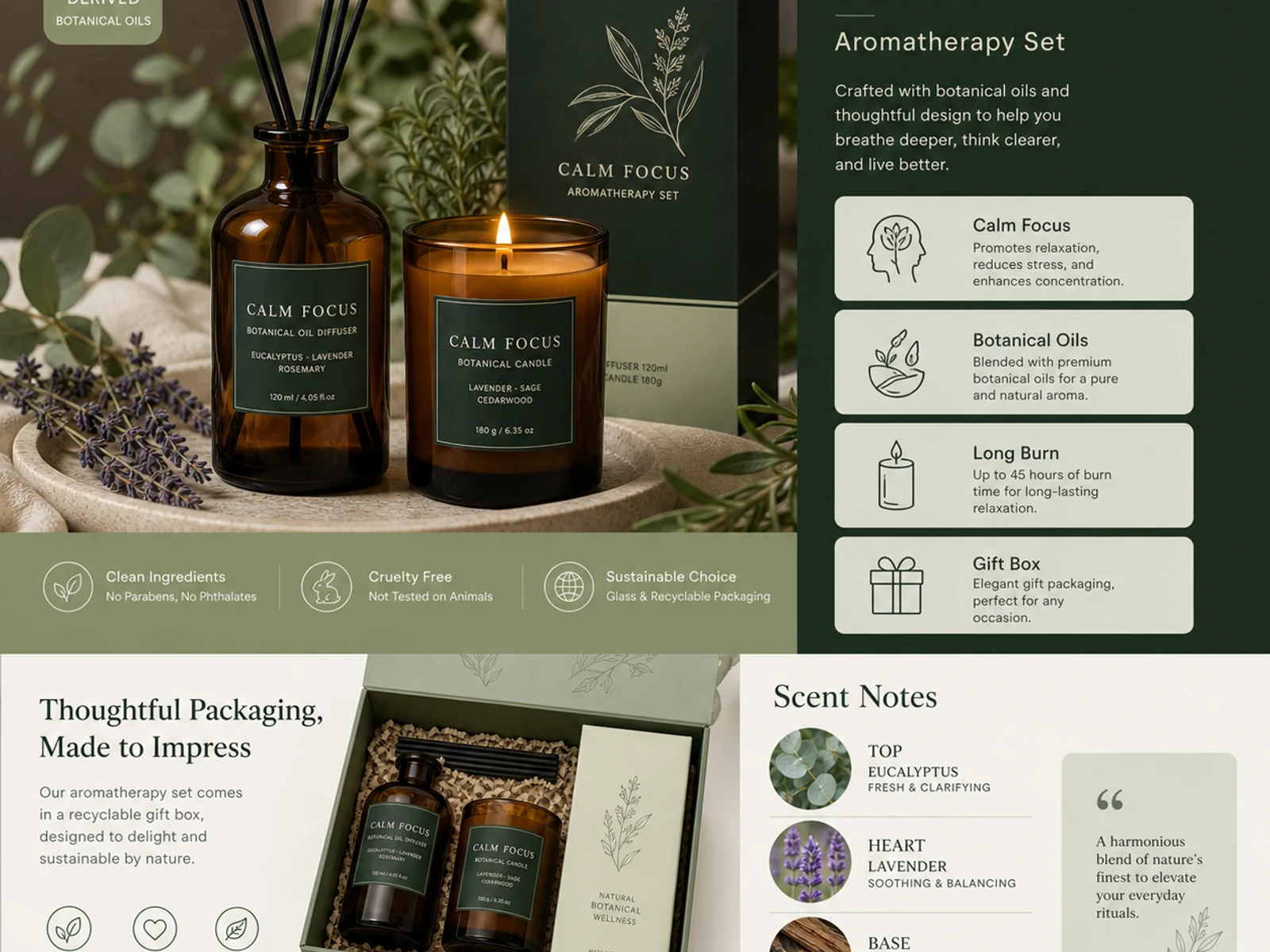
Páginas de detalle de aromaterapia, sistemas de packaging, vidrio, metal, tela, cosmética y variaciones de estilo catálogo.
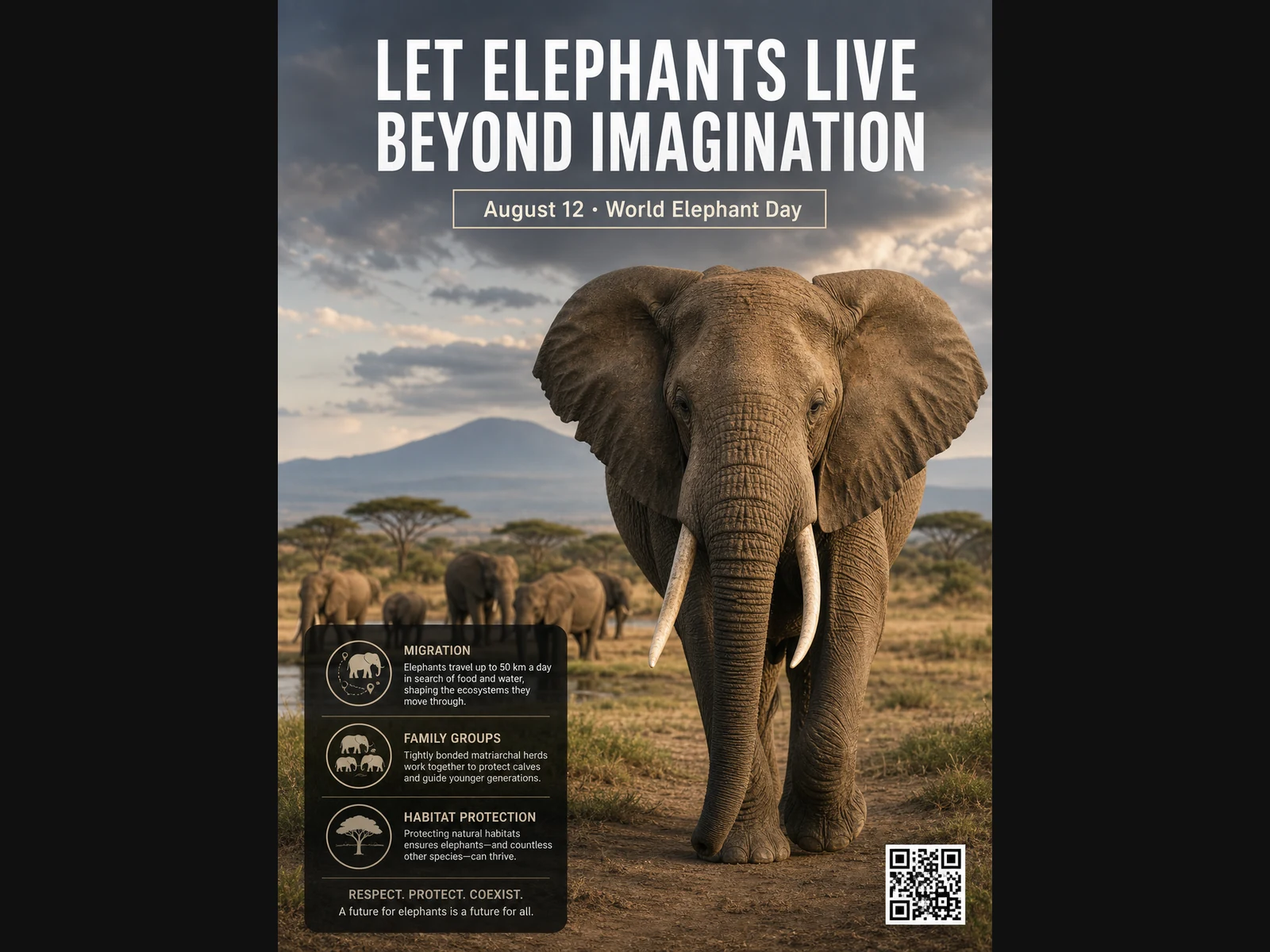
Pósteres de fauna, diseños educativos, retratos editoriales, conceptos de moda y referencias para moodboards.
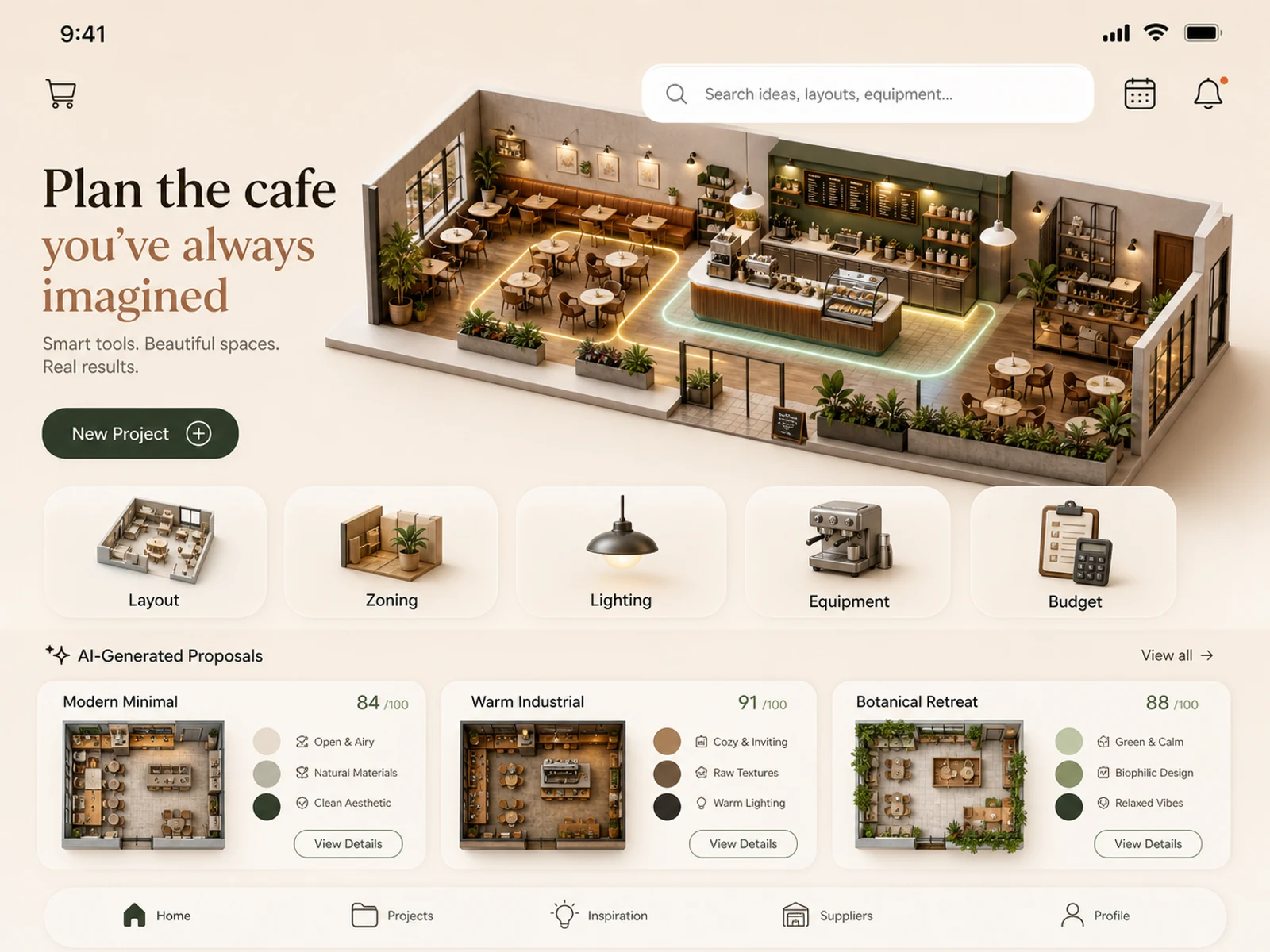
Conceptos de apps móviles, planificación de cafeterías, espacios comerciales, decoración de habitaciones, estudios de iluminación y ambientación de localizaciones.
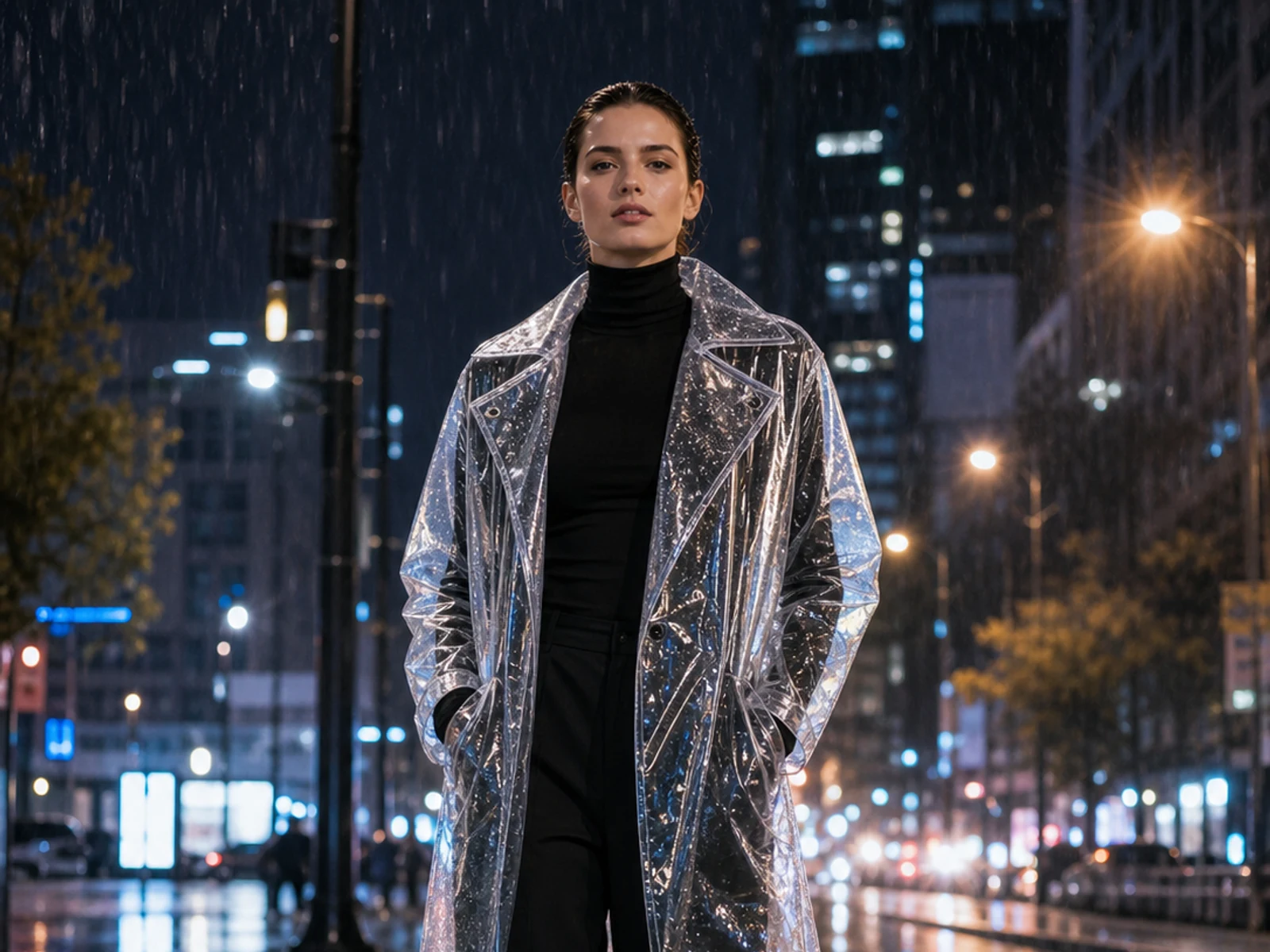
Añade stickers o cambia el material, la iluminación, la estación, el entorno, el atuendo o el estilo sin perder la base de la imagen subida.
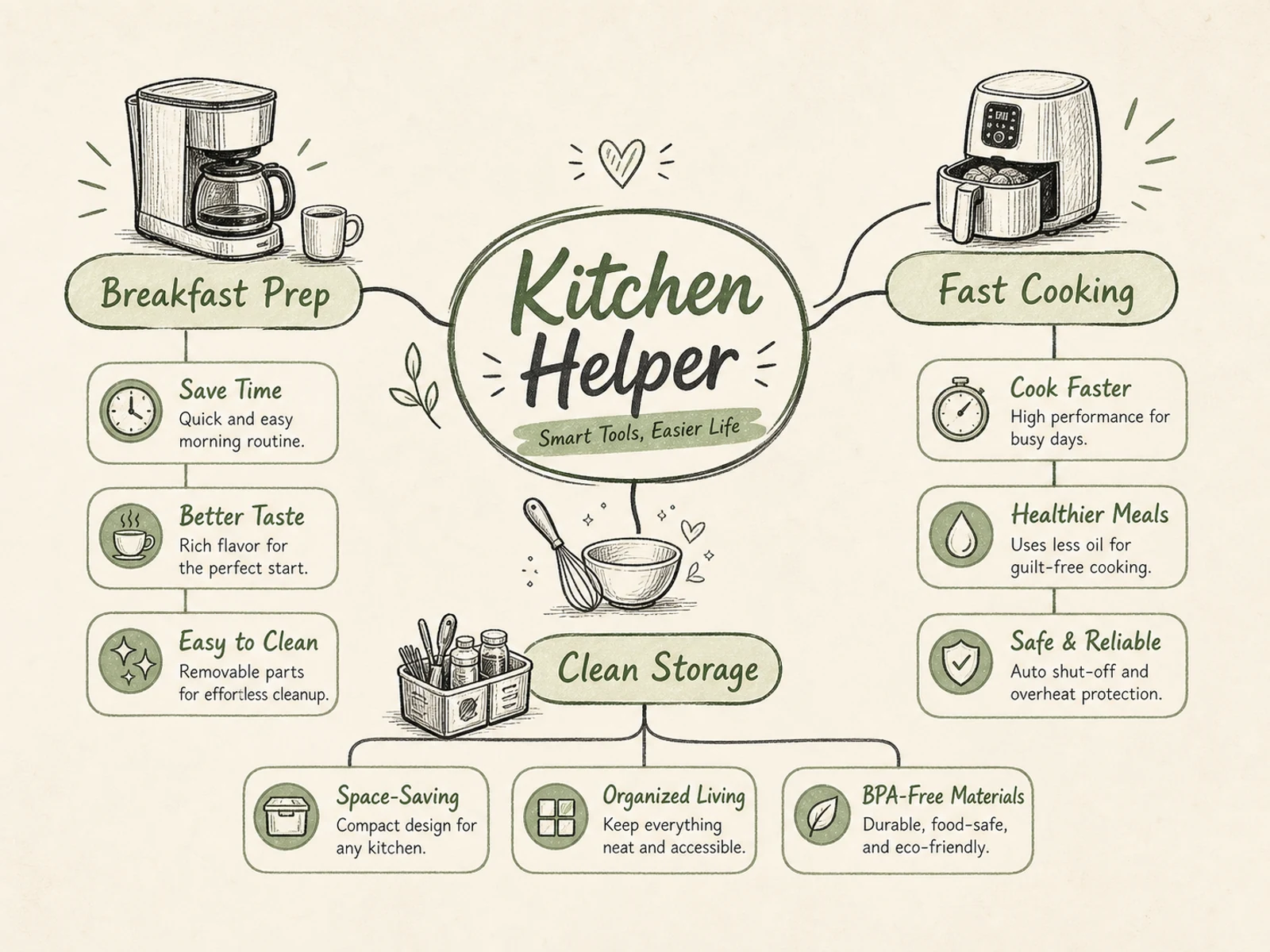
Mapas mentales, diagramas de procesos, visuales educativos, explicaciones de productos, infografías de eventos y briefs con una jerarquía clara.
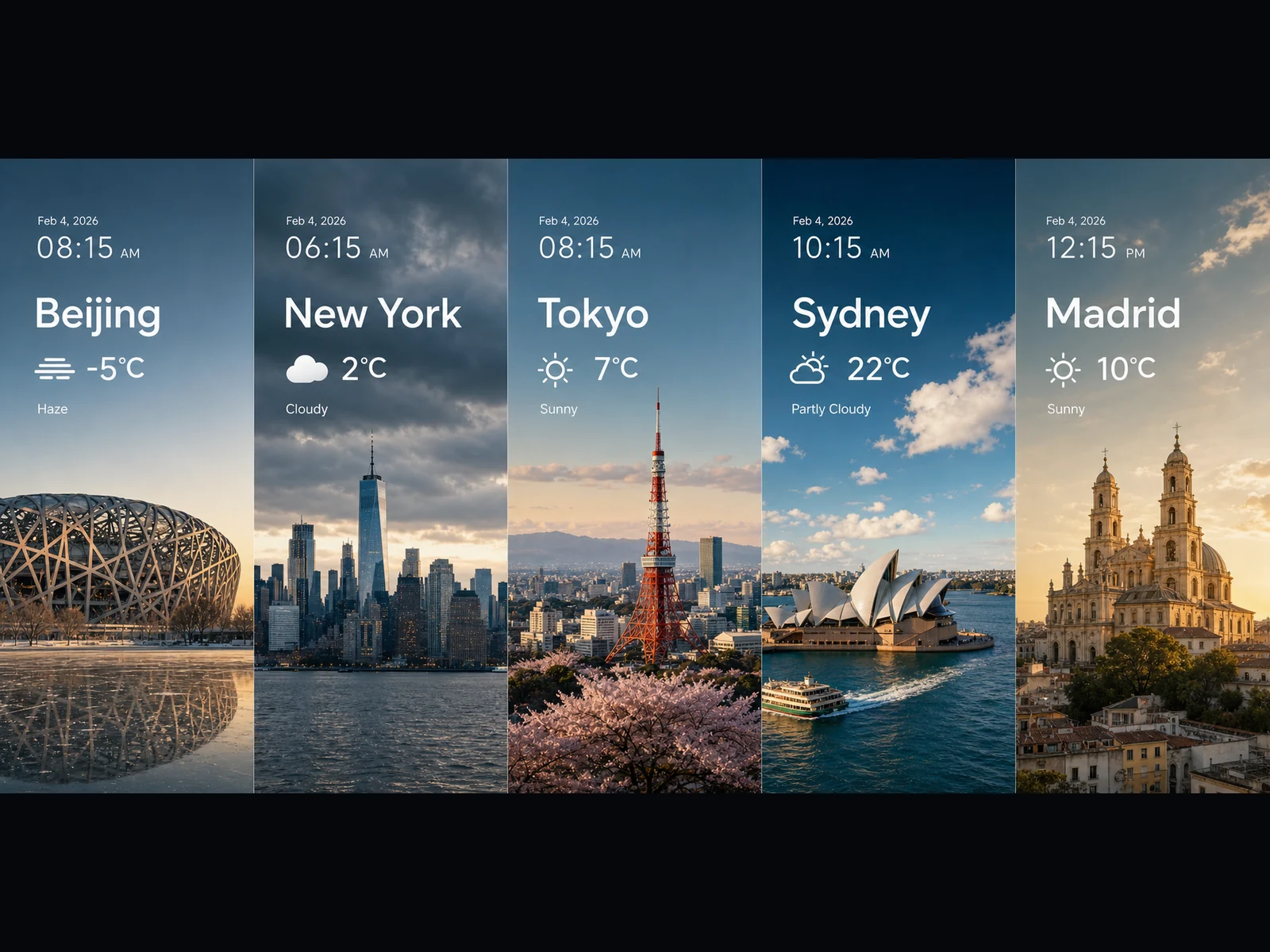
Paneles meteorológicos, visuales de tendencias, tarjetas tipo gráfico, visuales clave panorámicos e ideas de escenas cinematográficas en 16:9 o 21:9.
Cada prompt sigue un patrón sencillo: define la tarea, detalla el texto y la disposición exactos, explica cómo se relacionan los elementos y fija el estilo visual. Copia uno y hazlo tuyo.
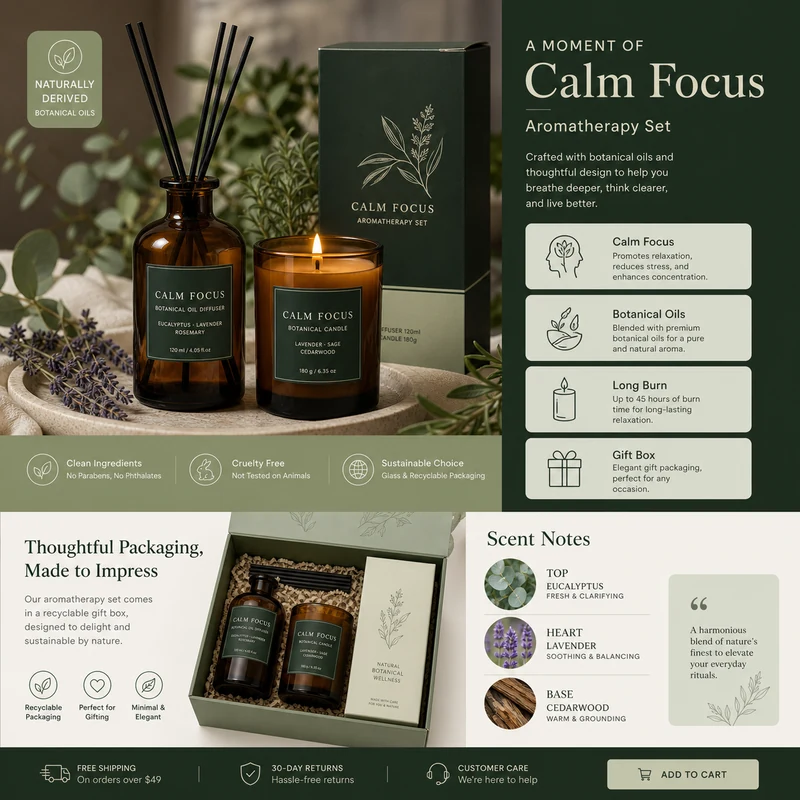
For e-commerce product detail pages of premium aromatherapy products, create an image that showcases high-resolution product photography, packaging design, key selling points, product advantages, and promotional copy blocks. Use a color scheme primarily consisting of dark green, light sage green, and warm ivory. Layout like a mature product detail page: large product image on the left, selling-point cards on the right, packaging and scent notes below. Use concise English text, premium and commercial.
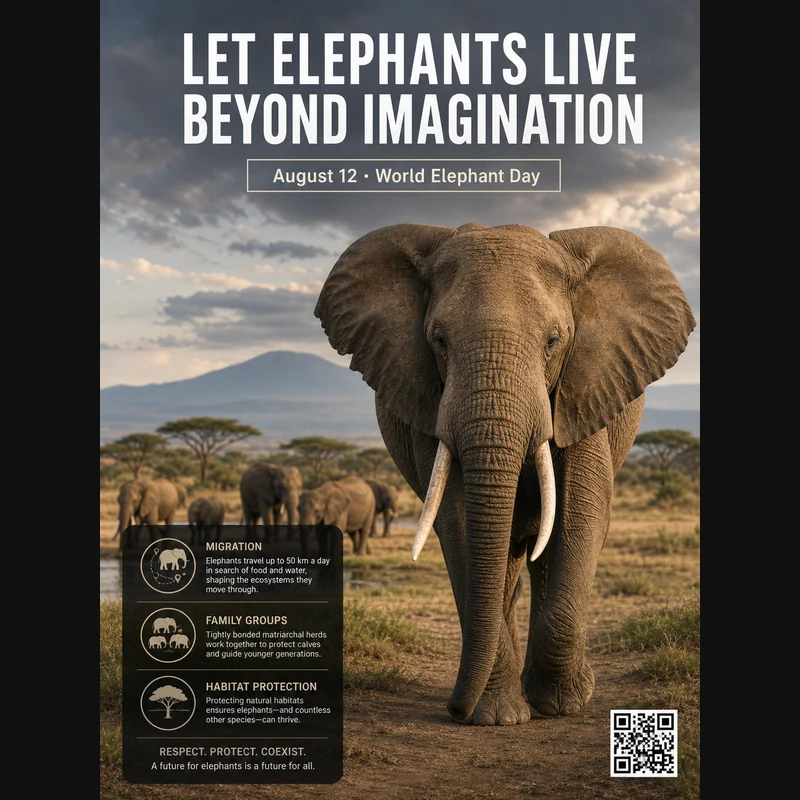
Realistic photographic science poster. A wild elephant is located in a tropical savanna. At the top is the title: “Let elephants live beyond imagination.” Below the title, inside a framed box, it says: “August 12: World Elephant Day.” In the lower-left corner, within a black semi-transparent box, there are three sections of educational text about elephant migration, family groups, and habitat protection. In the lower-right corner, there is a clean QR code. Professional conservation poster layout, photorealistic and print-ready.
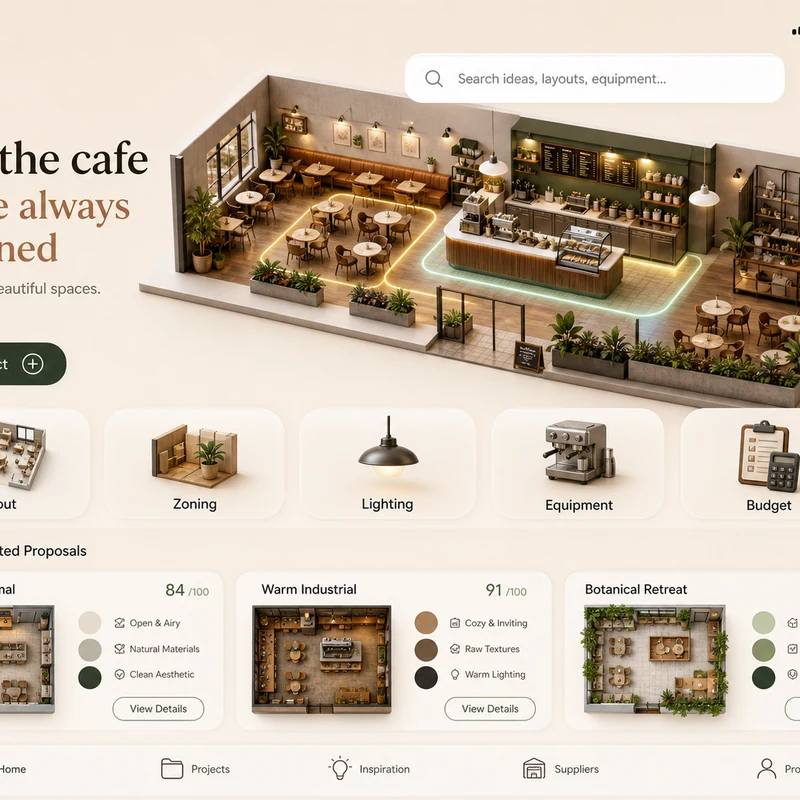
Trendy cafe-planning app interface design: 1. Warm cream background, with the time, mobile signal, Wi-Fi, and battery icons shown at the top. 2. At the top left there is a small cart icon; on the right there is a long white search box, plus calendar and bell icons. 3. The hero banner shows a modern neighborhood cafe as a small 3D space model. 4. Below is a function navigation bar: Layout, Zoning, Lighting, Equipment, Budget, with polished 3D icons. 5. Show 2–3 space proposal cards with mini floor plans, color swatches, and scores. The interface should look like a premium AI interior design SaaS mobile app.
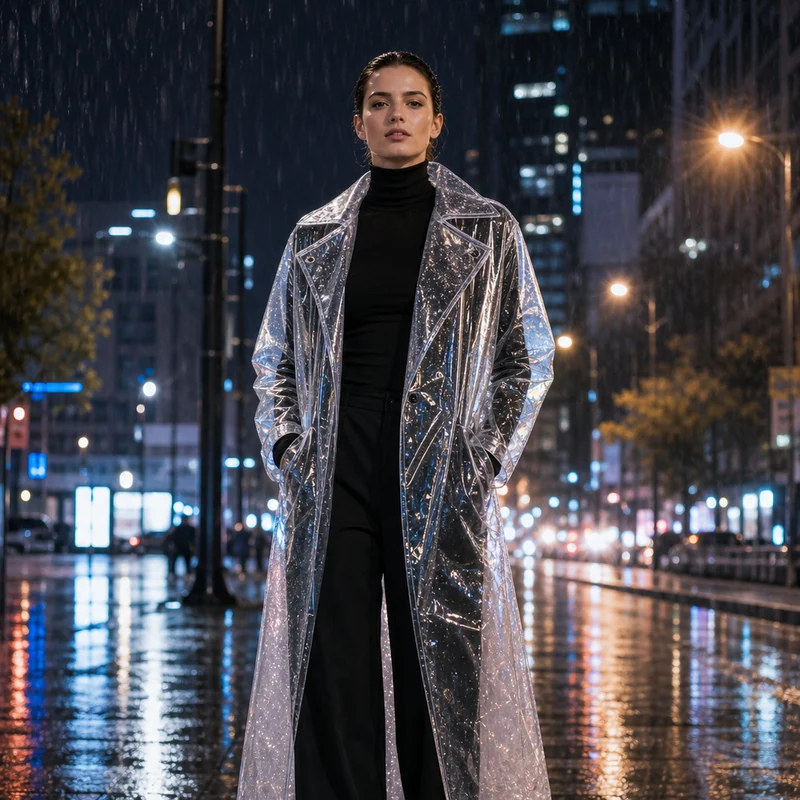
Image editing result example. Preserve the adult professional model’s realistic face, natural body proportions, front-facing pose, and rainy city-night background. Change the outerwear into a translucent architectural raincoat while keeping the rest of the outfit as a full black turtleneck and long trousers. The transparent raincoat should show realistic droplets, refraction, glossy folds, seams, and wet-pavement reflections. Premium commercial fashion photography, no text or logo.
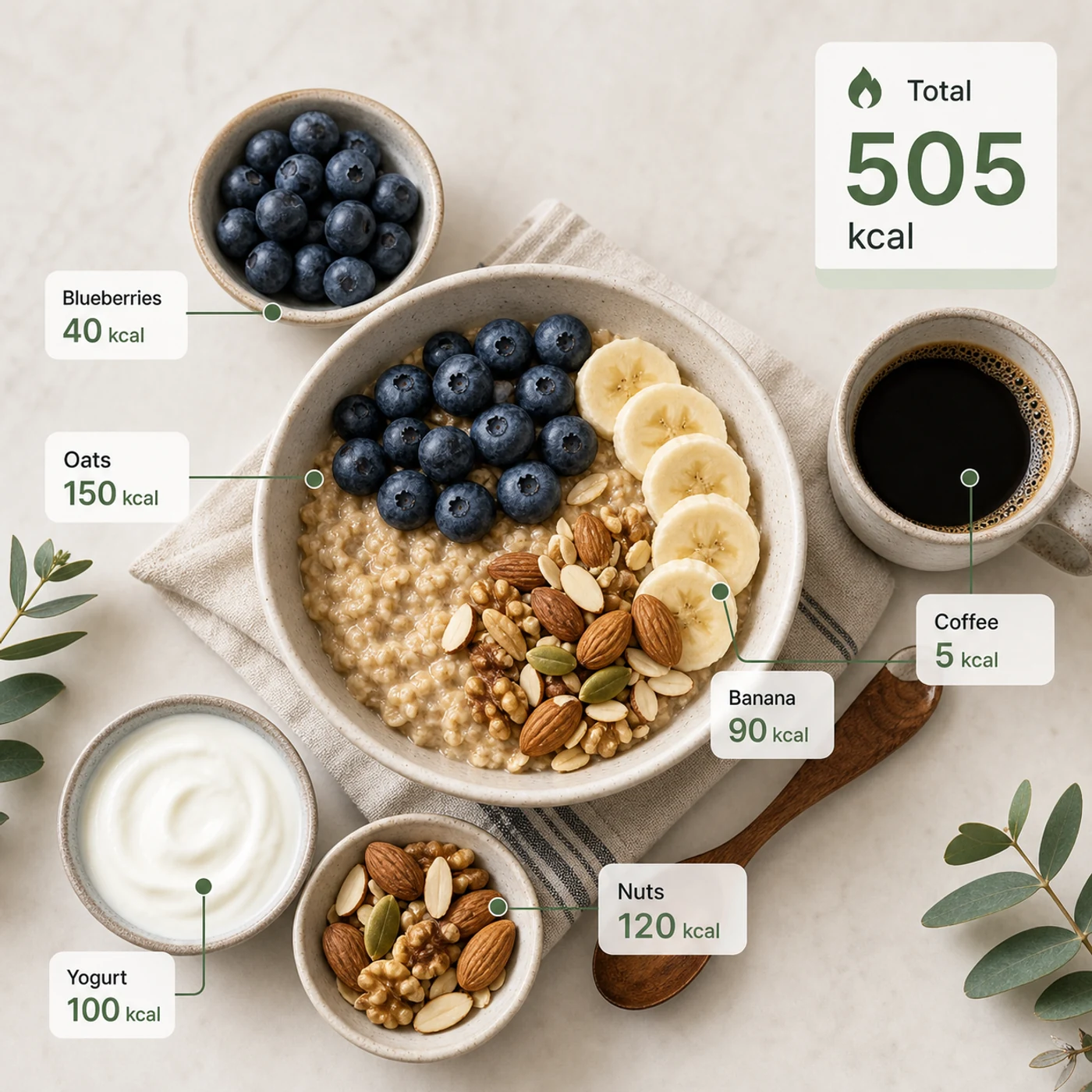
Identify the calorie content of the food in the image and annotate the information on the picture. The image contains an oatmeal bowl, blueberries, banana slices, nuts, yogurt, and a cup of coffee. Add clean calorie callout lines and small labels next to each food, such as “Oats 150 kcal” and “Blueberries 40 kcal.” Place a total-calorie card in the upper-right corner. Clean professional style, like a nutrition analysis app report.
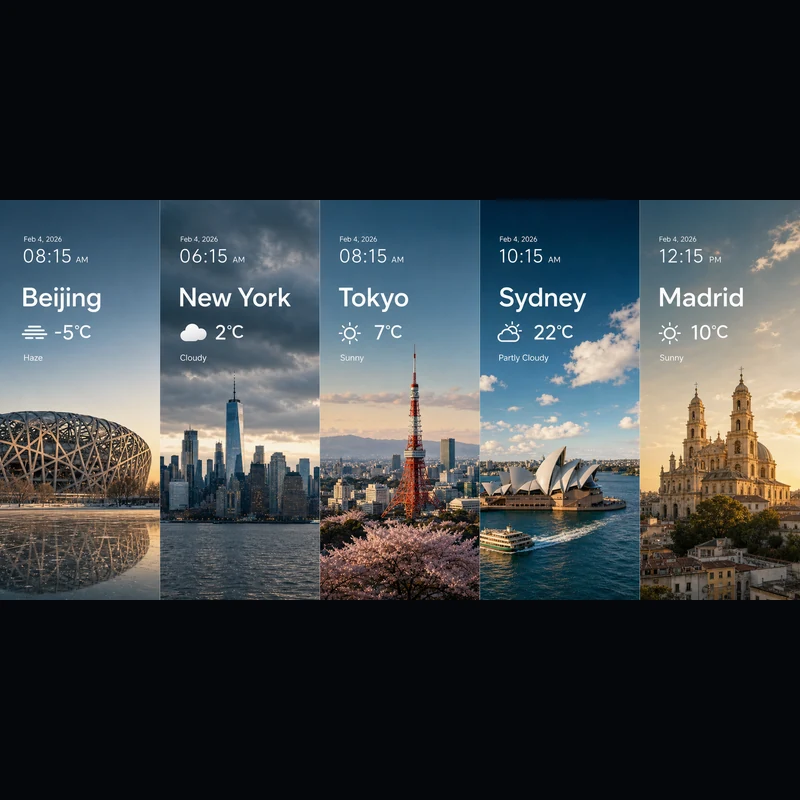
Search for the weather, temperature, and time on February 4, 2026, for the following locations: 1. Beijing, 2. New York, 3. Tokyo, 4. Sydney, 5. Madrid. High-concept composite photography. Note: only return ONE image. The image is composed of five seamlessly stitched vertical panoramic strips. Each strip presents the landmark, weather, and lighting of one city: Beijing Bird’s Nest Stadium, Manhattan skyscrapers, Tokyo Tower, Sydney Opera House, and San Francisco el Grande Cathedral in Madrid. Despite different weather conditions, use cinematic color grading to unify the image. High contrast, photorealistic, wide composition, English text.
Tanto si empiezas con texto como con una imagen de referencia, el editor es el mismo.
Describe el sujeto, la escena, el texto exacto, el diseño, la luz, el material, la proporción, la relación entre sujetos y la jerarquía de la información.
¿Partes de una referencia? Súbela y di qué debe cambiar y qué debe quedarse igual.
Elige 2K para bocetos rápidos o 3K para más detalle: en cualquier caso son los mismos 4 créditos por imagen.
Respuestas a tus preguntas sobre Seedream 5.0 Lite.
Seedream 5.0 Lite es un modelo de imagen multimodal que convierte prompts detallados y estructurados en imágenes terminadas: pósters, fichas de producto, UI de apps, infografías, ediciones y más. Como sigue las instrucciones de cerca, puedes detallar el texto exacto, la disposición y cómo se relacionan los elementos, y esperar que aparezcan en el resultado. En Image 2 funciona en un mismo editor para texto a imagen e imagen a imagen, así que puedes partir de cero o trabajar sobre una imagen que subas.
Sí. Cambia a imagen a imagen, sube una o varias imágenes y describe el cambio con tus palabras: cambiar un material, recrear un look, añadir elementos o ajustar la iluminación sin perder el parecido del sujeto. Una sola solicitud admite hasta 14 imágenes de referencia, algo útil cuando quieres que el resultado combine varias entradas o se mantenga fiel a ellas.
Puedes generar en 2K o 3K. El 2K va muy bien para bocetos rápidos, redes y uso en pantalla, mientras que el 3K aporta detalle para maquetas grandes, impresión o material que vayas a recortar. Ambas cuestan lo mismo por imagen, así que puedes pasar al 3K cuando el uso final lo pida sin pagar más.
Hay ocho proporciones disponibles: 1:1, 4:3, 3:4, 16:9, 9:16, 2:3, 3:2 y 21:9. Cubren publicaciones cuadradas, formatos verticales para historias y pósters, horizontal y vertical estándar, y el ultrapanorámico 21:9 para visuales de impacto cinematográfico. Elige la proporción antes de generar para que el encuadre quede bien desde el principio.
Recurre a Seedream 5.0 Lite cuando tu prompt sea detallado y estructurado: pósters científicos, UI de apps, fichas de producto, visuales de conocimiento, composiciones con clima y datos, estudios de materiales, stickers, mapas mentales y ediciones con referencias. Elige GPT Image 2 cuando necesites específicamente su tipografía y su manejo de referencias.
Cada imagen cuesta 4 créditos, lo mismo si la generas desde texto o desde una referencia, y tanto en 2K como en 3K. Además, recibes créditos gratis cada día para seguir experimentando.
Depende de los términos de Image 2, los términos del propio modelo y tus derechos sobre los prompts, las imágenes subidas, las marcas y los materiales de referencia. Conviene revisar los términos aplicables antes de publicar trabajos para clientes o de pago.
La mayoría de las imágenes llegan en bastante menos de un minuto, aunque varía según la demanda del momento, la complejidad del prompt y la cantidad de referencias. El panel de resultados se actualiza solo en cuanto tu imagen está lista.
¿Aún tienes preguntas? Contáctanos en: [email protected]
Usa solo texto o añade una referencia cuando el resultado deba ajustarse a una imagen existente.
Resultados de Seedream 5.0 Lite