Limited Offer · 50% OFF50% OFFYearly plans · GPT Image 2.5 + Seedance 2.5
Image 2
Pro-level image quality, at Flash speed.
Click any tile and its prompt drops into the editor up top.
Create social images, product scenes and poster drafts from text or references, choosing a resolution for each version.
Put the exact text in quotes and describe its position, for example a short headline at the top of a poster or a label on packaging.
Start at 1K to explore composition, then choose 2K or 4K if you need more pixels. The credit cost changes with resolution.
This model currently accepts up to 14 reference images for both free and paid accounts. The upload area shows the current limit. Explain which image supplies the subject, background or style.
Provide facts, numbers and labels in the prompt to create a diagram. This workflow does not automatically look up live data.
Not because it can only do six — these are where the speed-plus-readable-text combo really pays off.
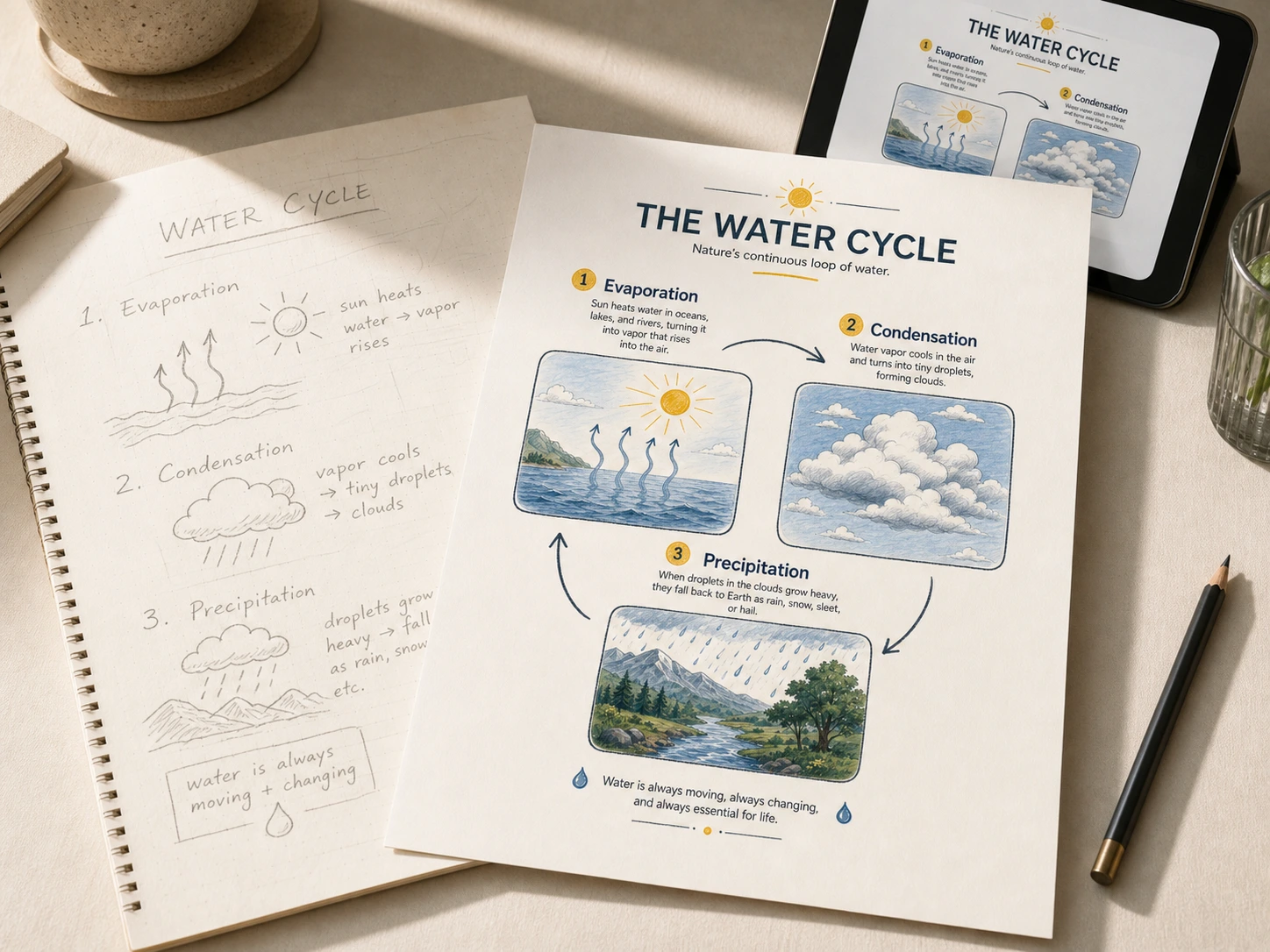
Turn rough notes into a clean diagram in one prompt — arrows, labels and small illustrations all readable.
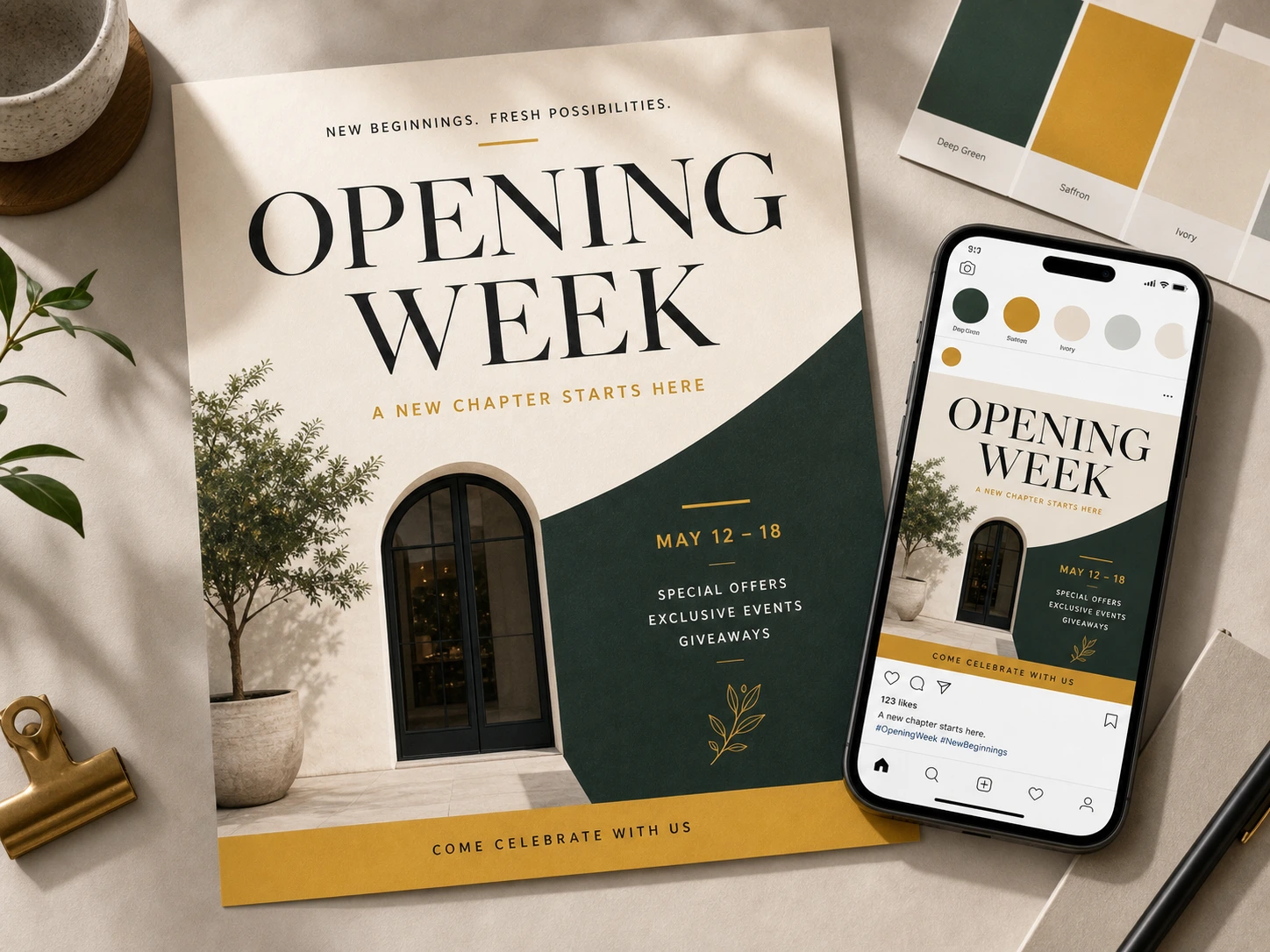
Drop a tagline in, get a layout-ready poster with type that doesn't melt at the edges.
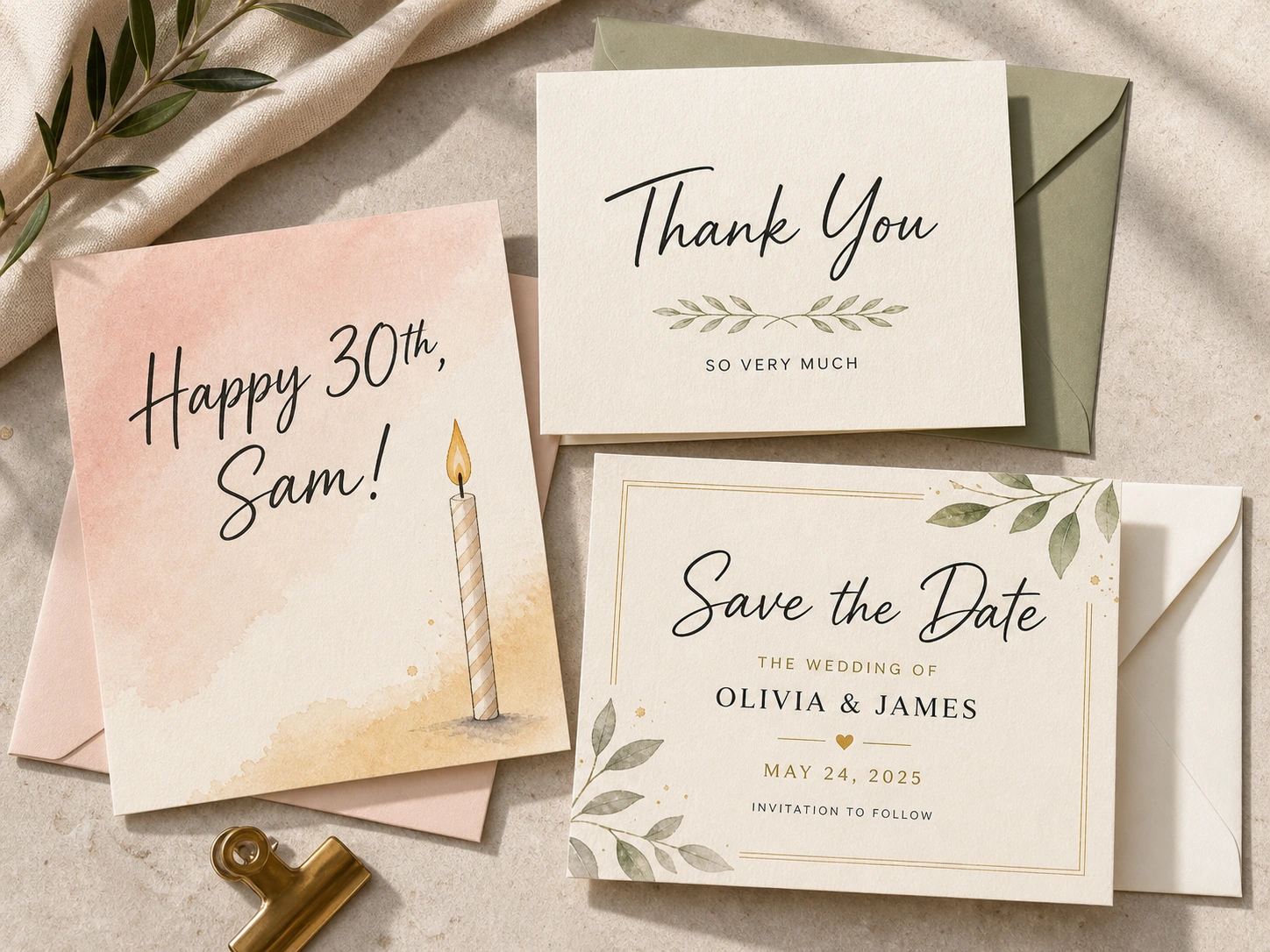
Birthdays, thank-yous, save-the-dates. Hand-lettering or clean modern type — both render legibly.
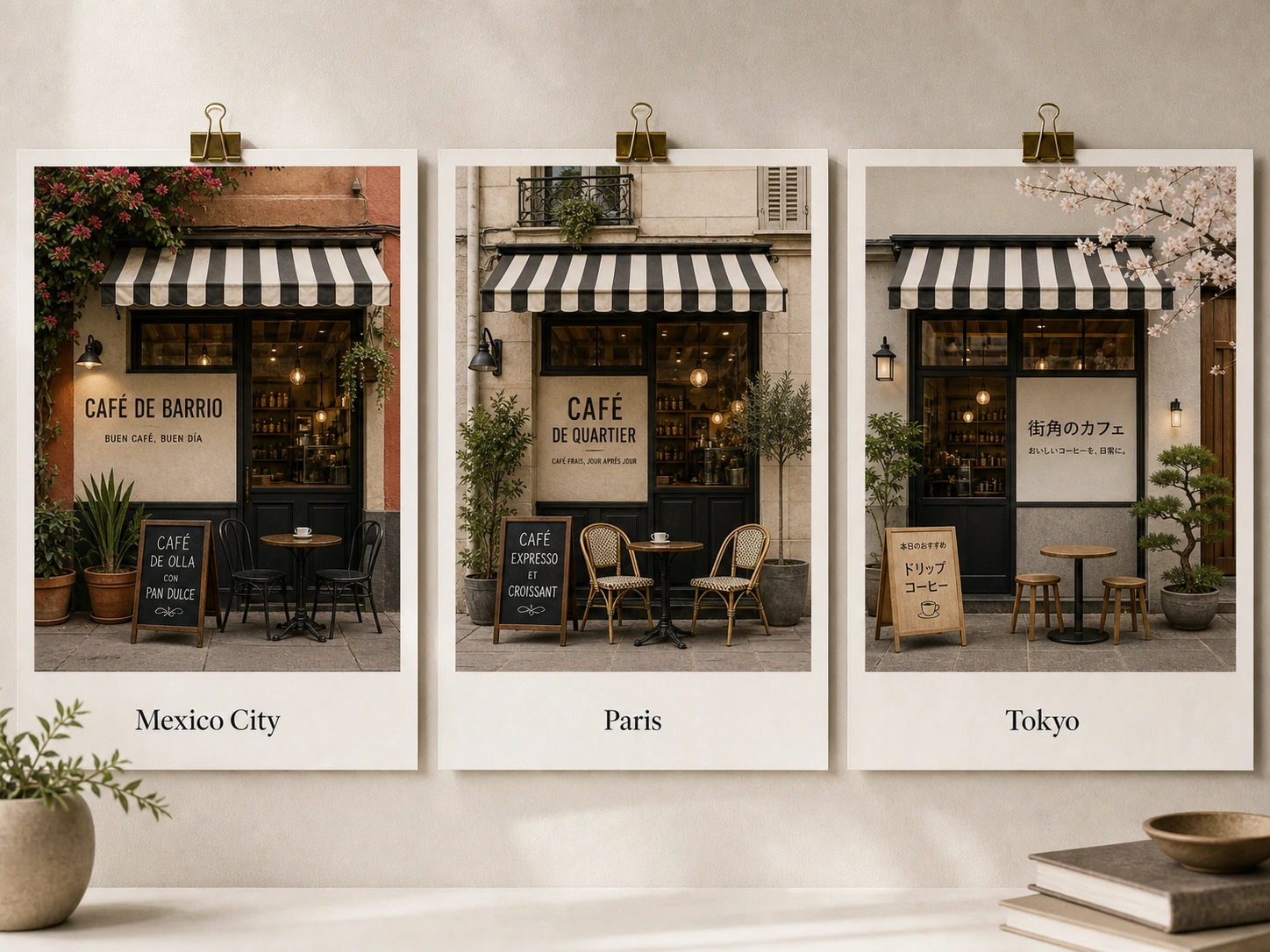
Swap city, props and on-image text in a single prompt. Same idea, ready for ten markets.
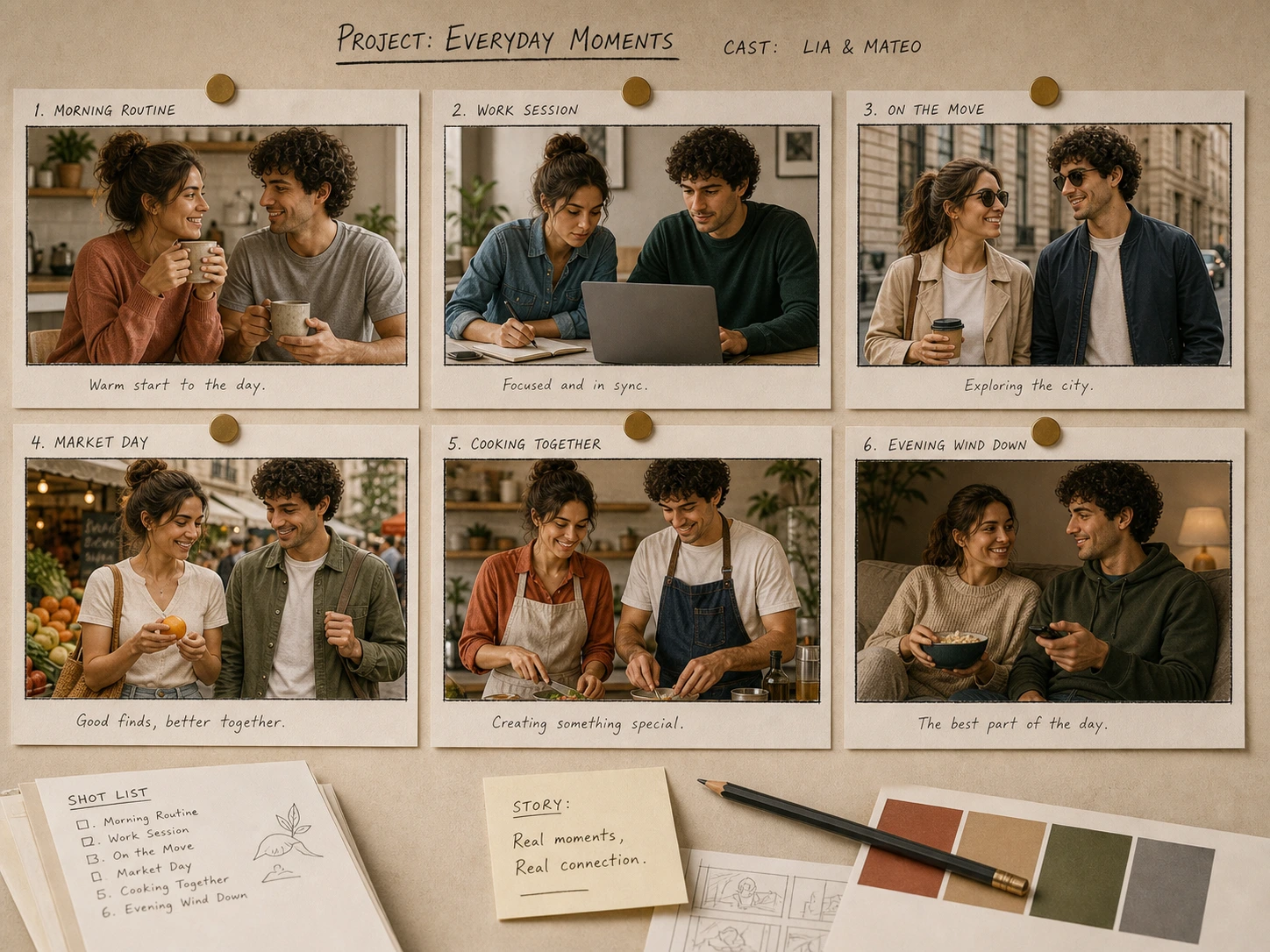
Lock your characters once and run them through scenes, expressions and outfits without redrawing.
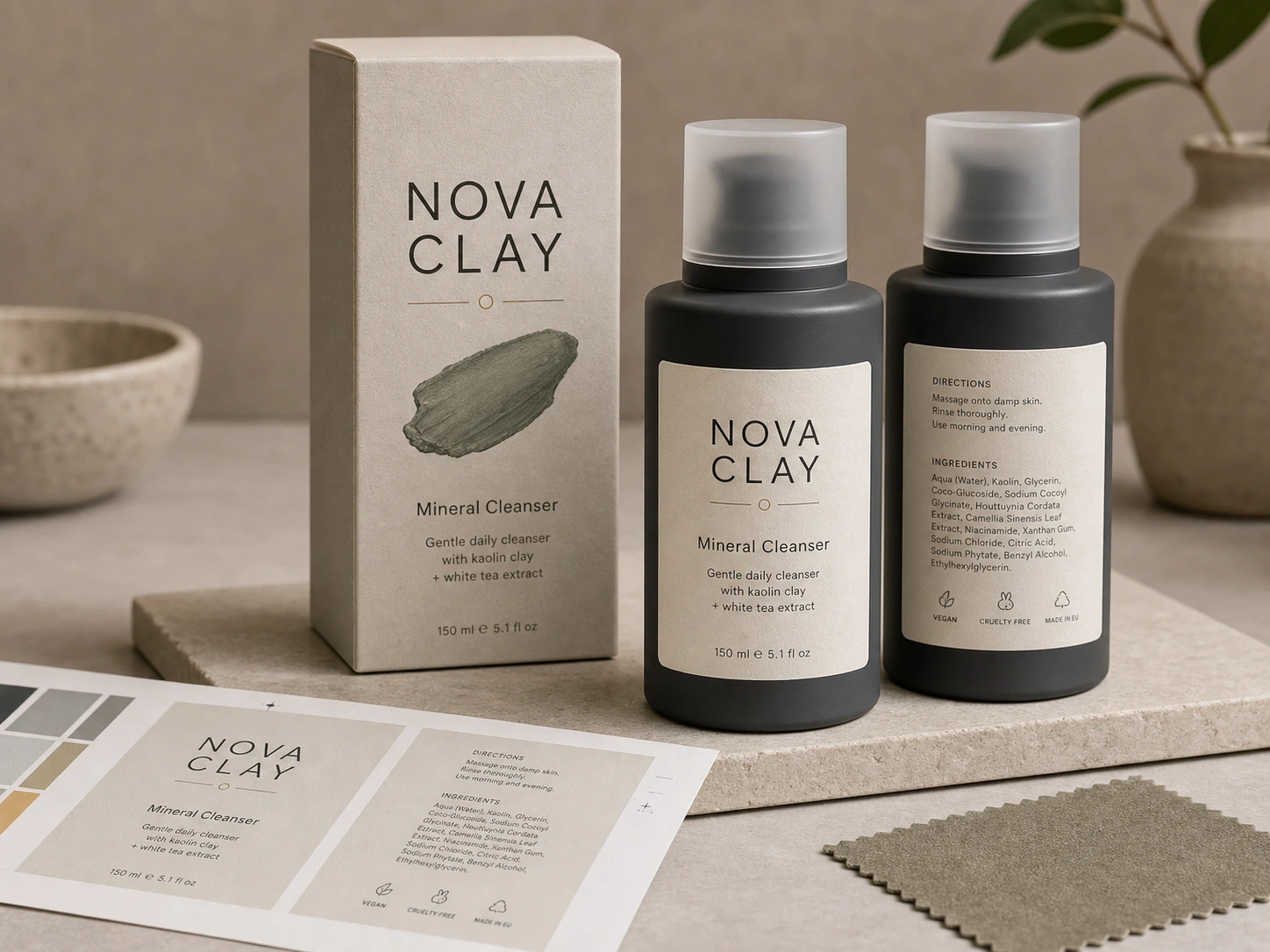
Real label copy, real material textures, ready for a deck or an early concept review.
Tap copy and the prompt drops into the editor up top. Tweak from there.
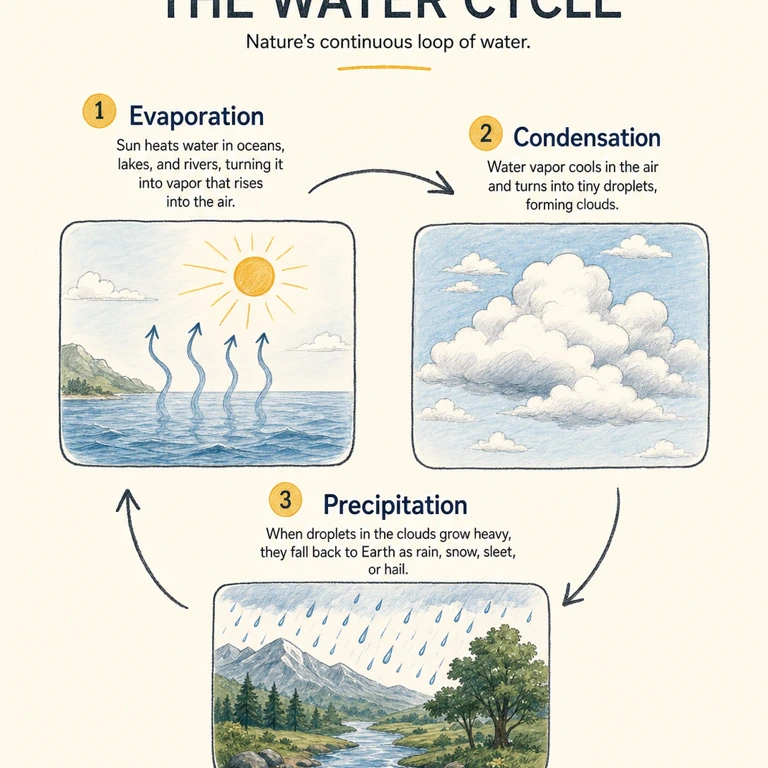
A clean one-page infographic explaining the water cycle. Labels read "Evaporation", "Condensation" and "Precipitation" in a friendly modern sans-serif. Hand-drawn arrows connect three small illustrations of each stage. Off-white background, two-color palette.
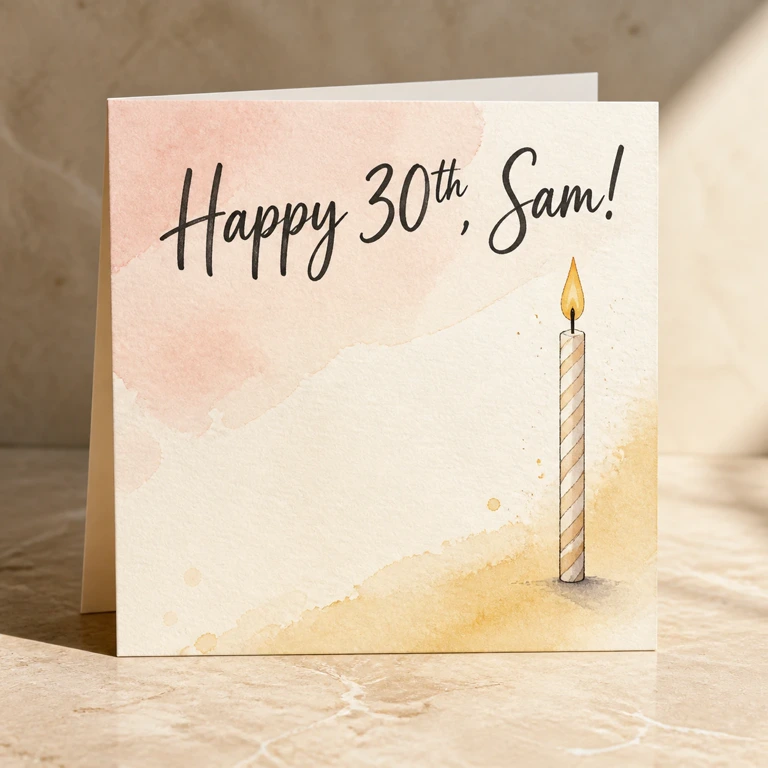
A birthday card with the hand-lettered phrase "Happy 30th, Sam!" across the top in a flowing brush script. Soft pastel watercolor background, a single illustrated candle on the right, generous room for a short hand-written note below.
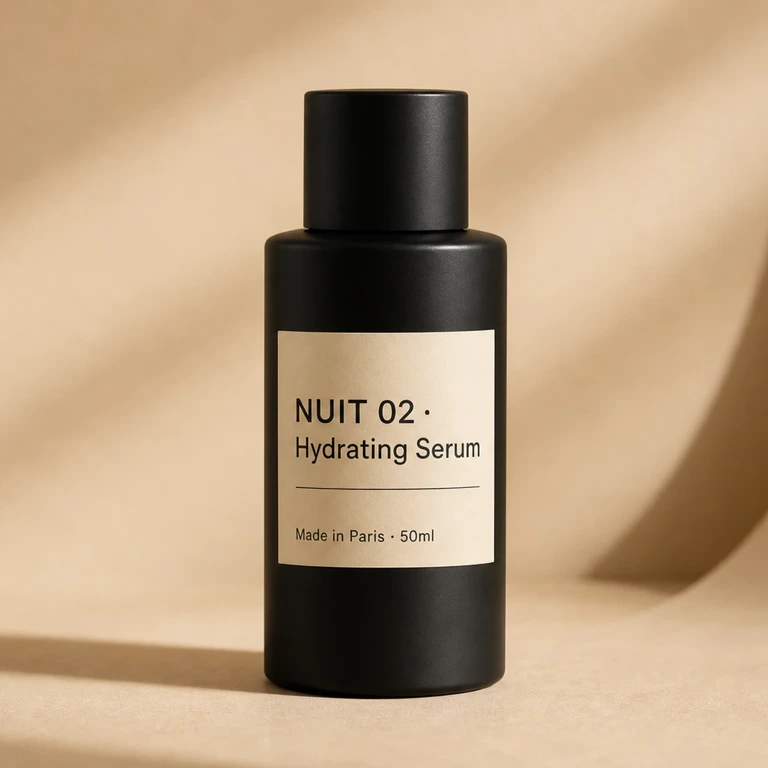
Front view of a matte black skincare bottle on beige seamless paper. The label reads "NUIT 02 · Hydrating Serum" in a minimal sans-serif, with subtext "Made in Paris · 50ml" in a smaller weight. Soft three-point softbox lighting, shallow depth of field, shot like a Kinfolk product editorial.
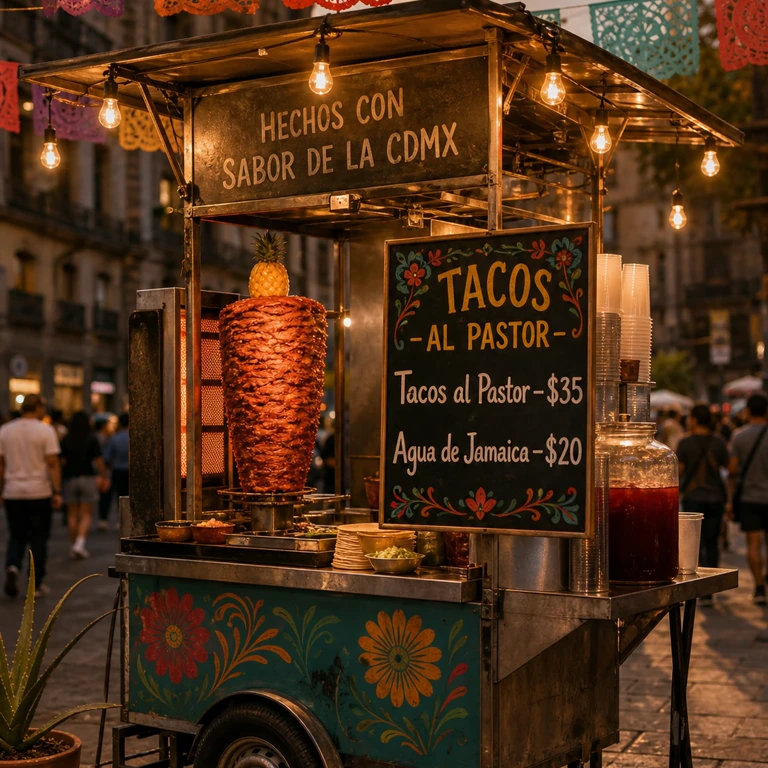
A street food cart at golden hour in Mexico City. The hand-painted menu board reads "Tacos al Pastor — $35" and "Agua de Jamaica — $20" in a chunky brush script. Papel picado overhead, warm tungsten string lights, photoreal in the style of National Geographic street photography.
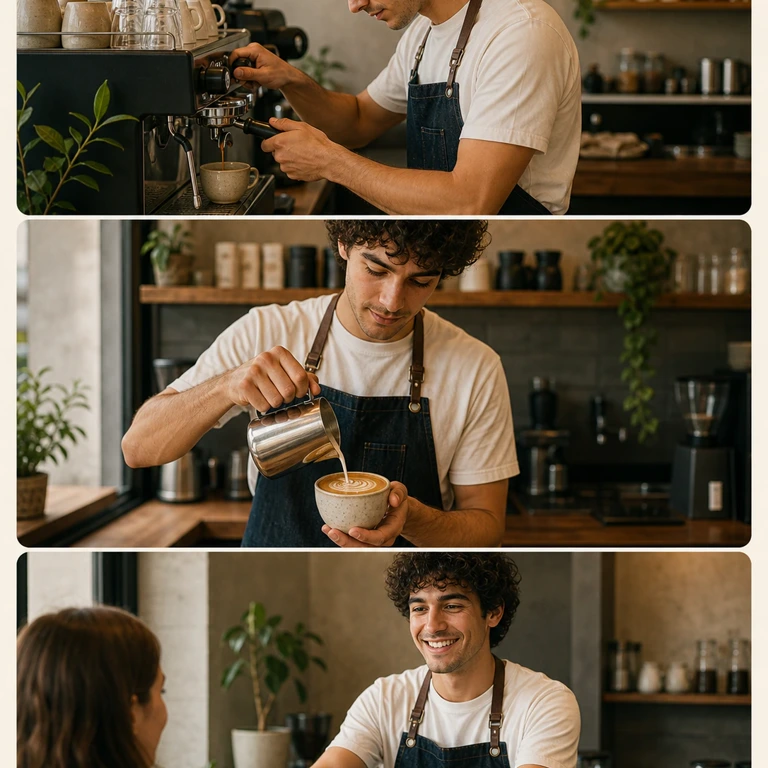
The same character — a curly-haired barista in a denim apron and white tee — shown across three frames in a row: (1) pulling an espresso shot at the machine, (2) finishing latte art in a ceramic cup, (3) handing the cup to a smiling customer at the counter. Keep the face, hair and outfit identical across all three frames. Soft daylight from a side window, shot on a 35mm lens.
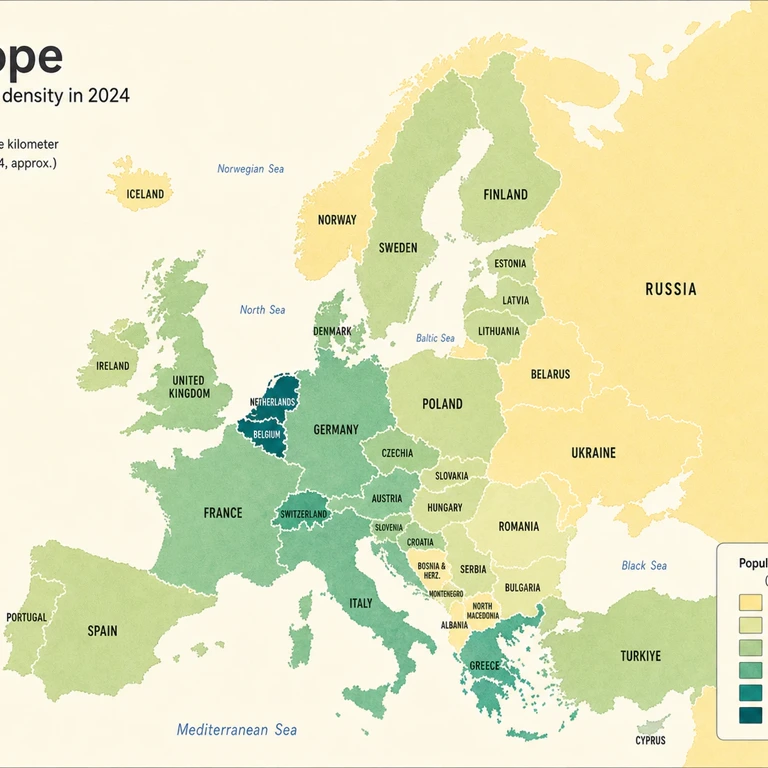
A clean choropleth map of Europe colored by 2024 population density. Country names rendered in a crisp modern sans-serif, with a small legend anchored in the bottom-right. Light cream background, minimalist editorial styling.
Describe the result, choose your output settings and check the generated image.
For a new image, describe the subject, scene and style. For an edit, upload the source and explain what should change and what should stay.
Choose an aspect ratio and 1K, 2K or 4K output, currently costing 4, 6 or 12 credits per image. Try the composition at 1K first, then check the total before generating a larger version.
Check text, faces and product details before downloading. If something is wrong, make that instruction clearer and generate another version.
Answers to your questions about Nano Banana 2.
Generate social images or product scenes from a description, or combine references into a poster draft. Choose 1K, 2K or 4K for each version.
Both offer 1K, 2K and 4K output. Current credits per image are 4/6/12 for Nano Banana 2 and 8/8/16 for Nano Banana Pro, in that order. Both free and paid accounts can upload up to 14 references with Nano Banana 2 or 8 with Pro. Start with Nano Banana 2 if reference count or credit cost matters, then compare samples for the look you want. Check the total shown before submitting.
Upload a clear reference and say what to preserve, such as facial features, packaging or logo placement. Describe the change separately. Compare the result with the source, because details can still drift.
This model currently accepts up to 14 reference images for both free and paid accounts. The upload area shows the current limit. Explain which image supplies the subject, background or style.
Nano Banana 2 supports 1K, 2K, and 4K resolutions with multiple aspect ratios. This gives you full production-ready control whether you're creating vertical social posts, wide-screen backdrops, or panoramic banners.
Write the exact wording in quotation marks and describe its position. Keep copy short, then check spelling and numbers in the result. For text that must be exact, add or correct it in a design editor.
Nano Banana 2 requires credits to use. New users receive free credits upon registration to get started. You can also purchase credit packages, claim daily check-in rewards, invite friends, or upgrade to a paid plan for more extensive usage. Credits vary by resolution: 1K costs 4 credits, 2K costs 6 credits, and 4K costs 12 credits.
Identify one issue, such as layout, lighting or incorrect lettering, and make that instruction more specific. Keep the useful references and change one requirement at a time so you can see what helped.
Still have questions? Contact us at [email protected]
Sign in, claim your daily credits, and ship the first version before your coffee gets cold.
Nano Banana 2 Results