Oferta limitada · 50% OFF50% OFFPlanos anuais · GPT Image 2.5 + Seedance 2.5
Image 2
Transforme prompts detalhados e imagens de referência em pôsteres, páginas de produto, mockups de UI e edições impecáveis.
Uma amostra do que o Seedream 5.0 Lite faz: pôsteres científicos, páginas de produto de e-commerce, UI de apps, edições precisas e stickers, anotações, visuais com dados, estudos de materiais e mapas mentais. Toque em qualquer imagem para carregar o prompt dela.
O Seedream 5.0 Lite entende prompts longos e estruturados e mantém tudo coerente em cenas complexas — pôsteres, UI de apps, anotações, visuais com dados, edições, páginas de produto, stickers e mapas mentais.
Descreva no prompt a relação entre os elementos, o texto exato, a hierarquia do layout, os materiais e a lógica física para criar pôsteres, peças de campanha, diagramas e cenas estruturadas coerentes.
Envie uma imagem e descreva a mudança — adicione stickers, troque materiais, ajuste a iluminação, transfira um estilo ou edite um sujeito mantendo-o reconhecível. Dá para usar até 14 imagens de referência de uma vez.
Gere em 2K para rascunhos rápidos ou em 3K quando precisar de mais detalhe. As duas custam os mesmos 4 créditos por imagem, então dá para aumentar a resolução sem se preocupar com o preço.
Escolha entre quadrado, retrato, paisagem, vertical para redes sociais, os clássicos 3:2 ou 2:3 e ainda 21:9 para composições amplas.
De tipografia desenhada à mão e UI de apps a edições precisas, pôsteres científicos, páginas de produto, estudos de materiais, stickers e mapas mentais, o Seedream 5.0 Lite dá conta de uma ampla gama de trabalhos.
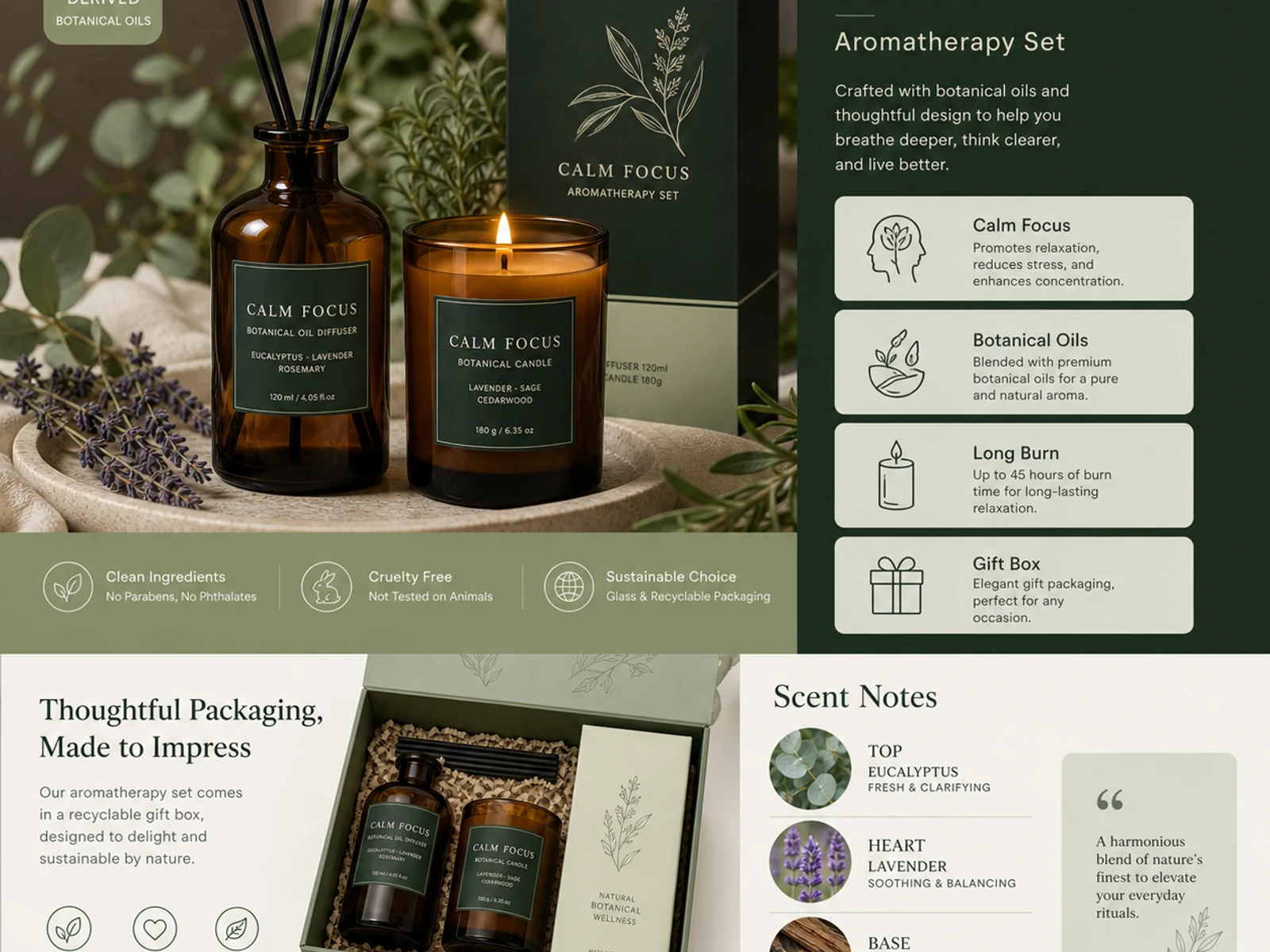
Páginas de produto de aromaterapia, linhas de embalagem, vidro, metal, tecido, cosméticos e variações em estilo catálogo.
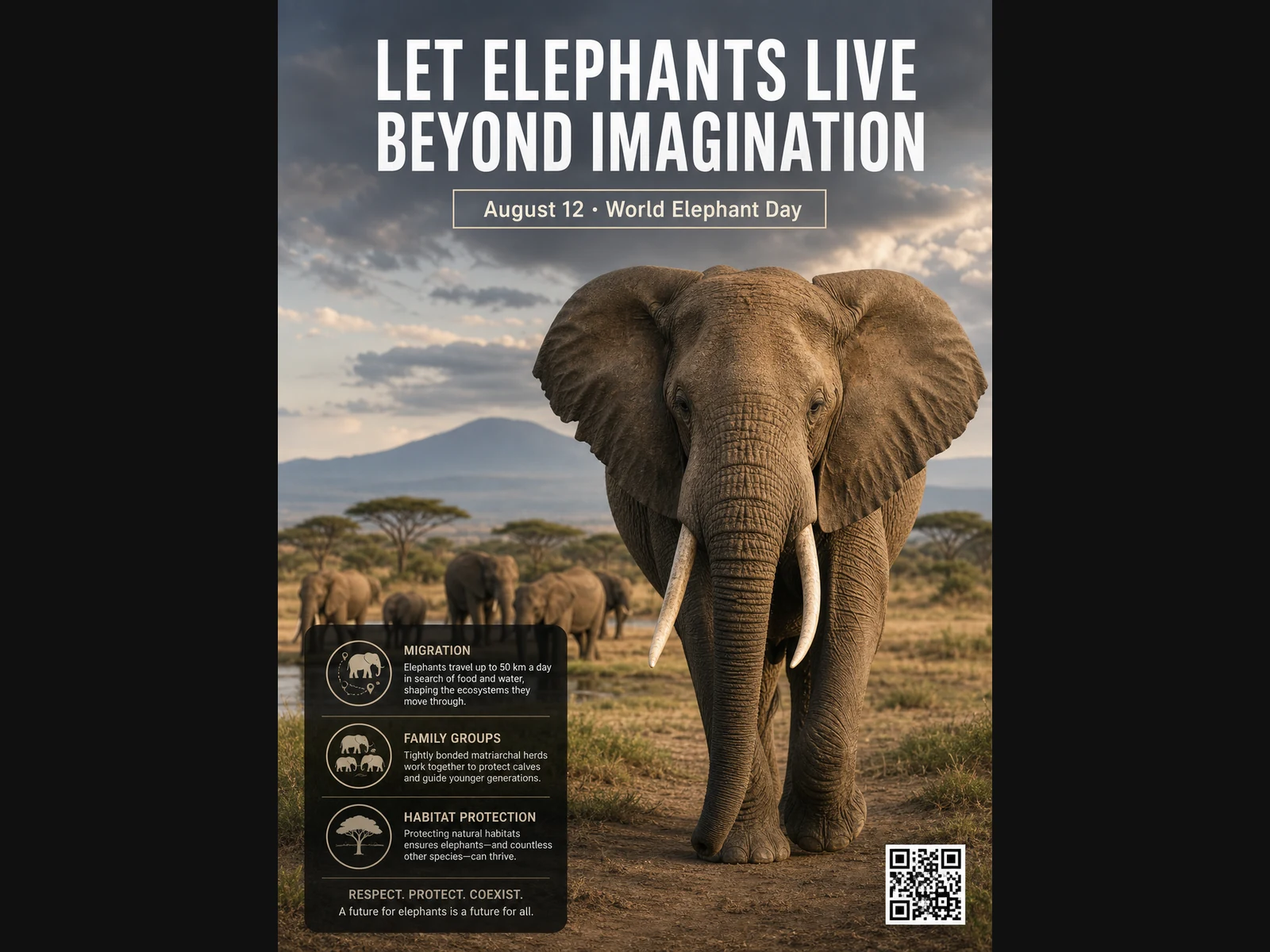
Pôsteres de vida selvagem, layouts educativos, retratos editoriais, conceitos de moda e referências para mood boards.
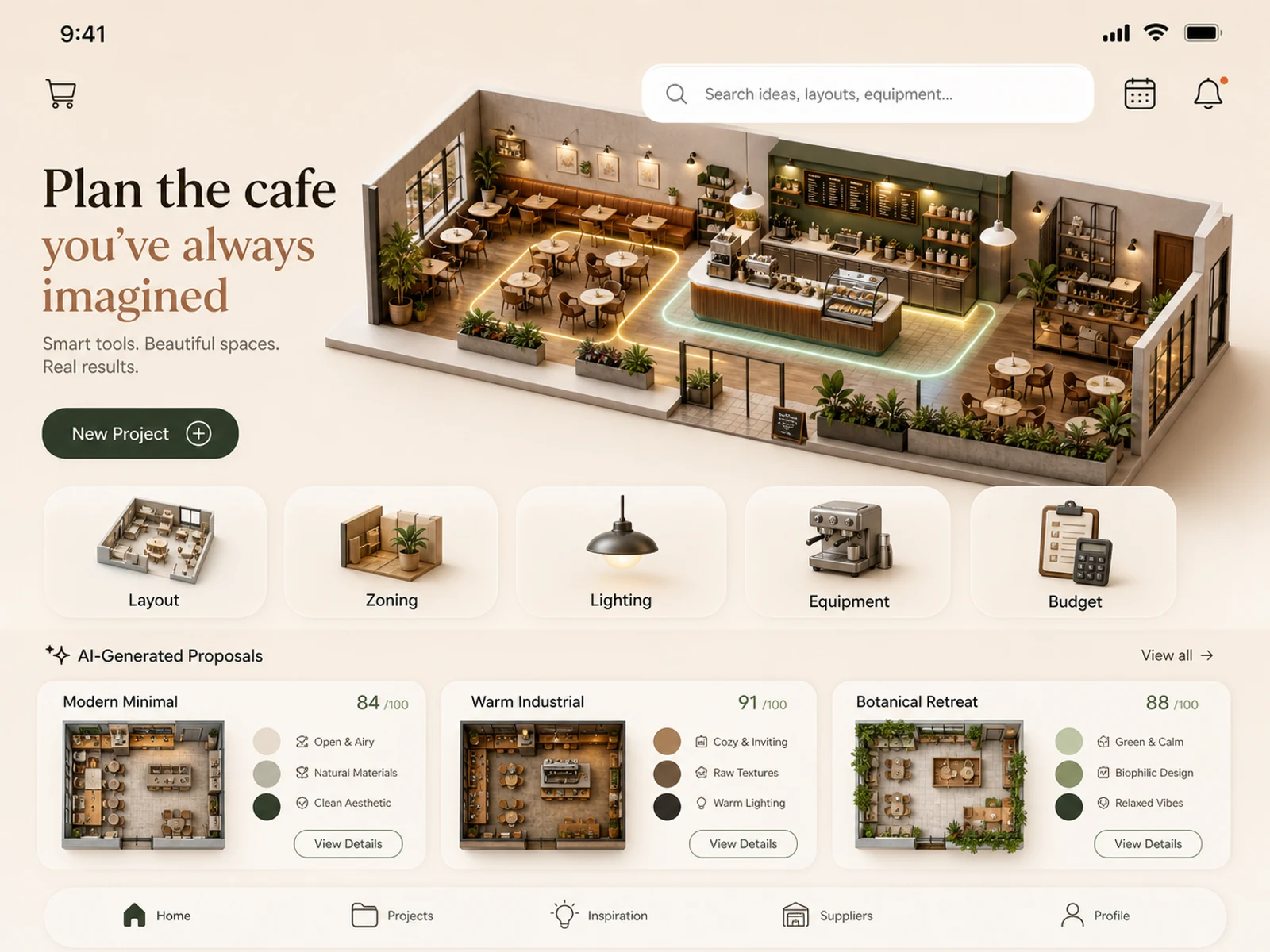
Conceitos de apps mobile, planejamento de cafeterias, espaços de varejo, decoração de ambientes, estudos de iluminação e propostas de locação.
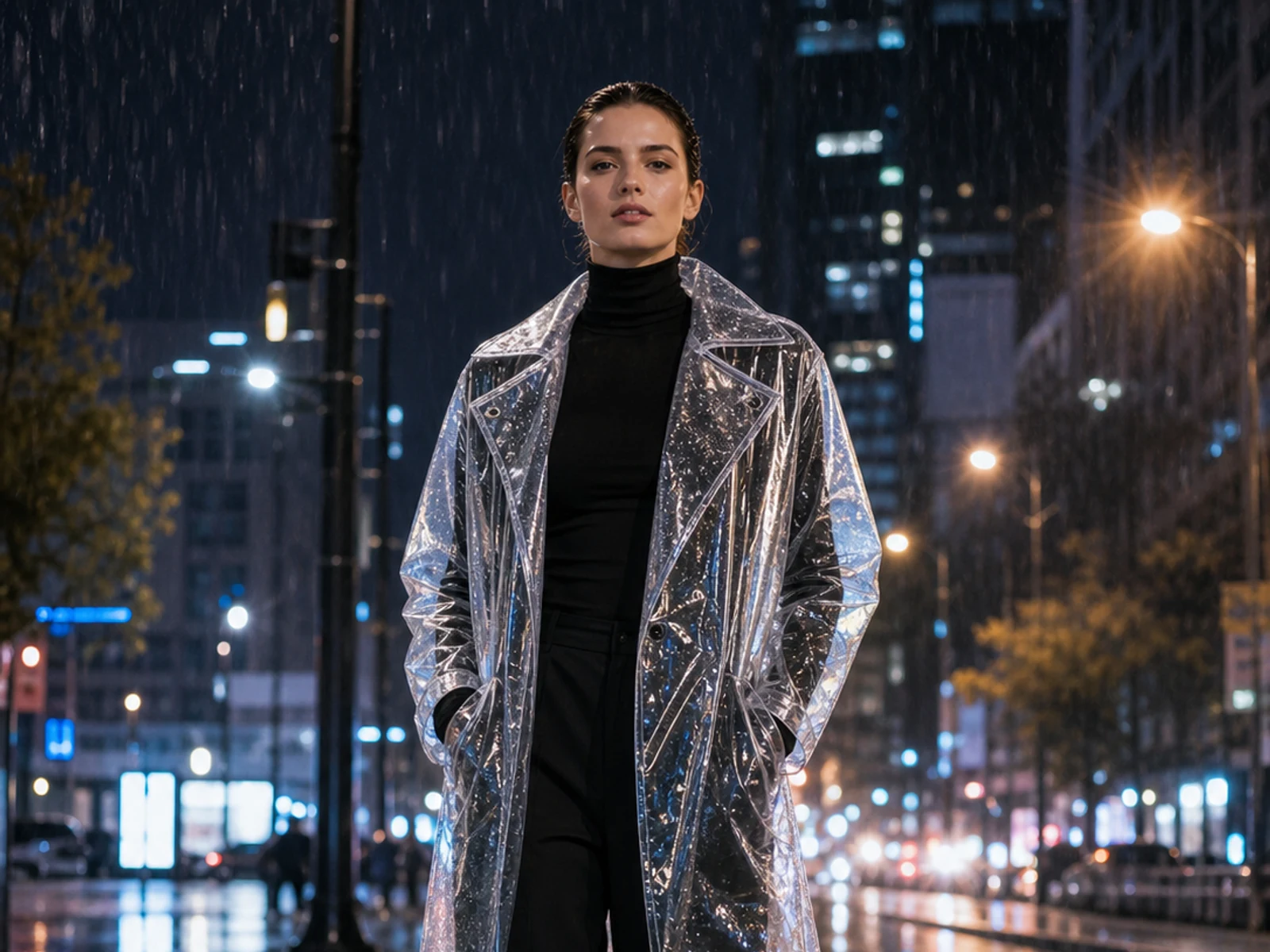
Adicione stickers ou mude o material, a iluminação, a estação do ano, o cenário, a roupa ou o estilo mantendo a imagem enviada como base.
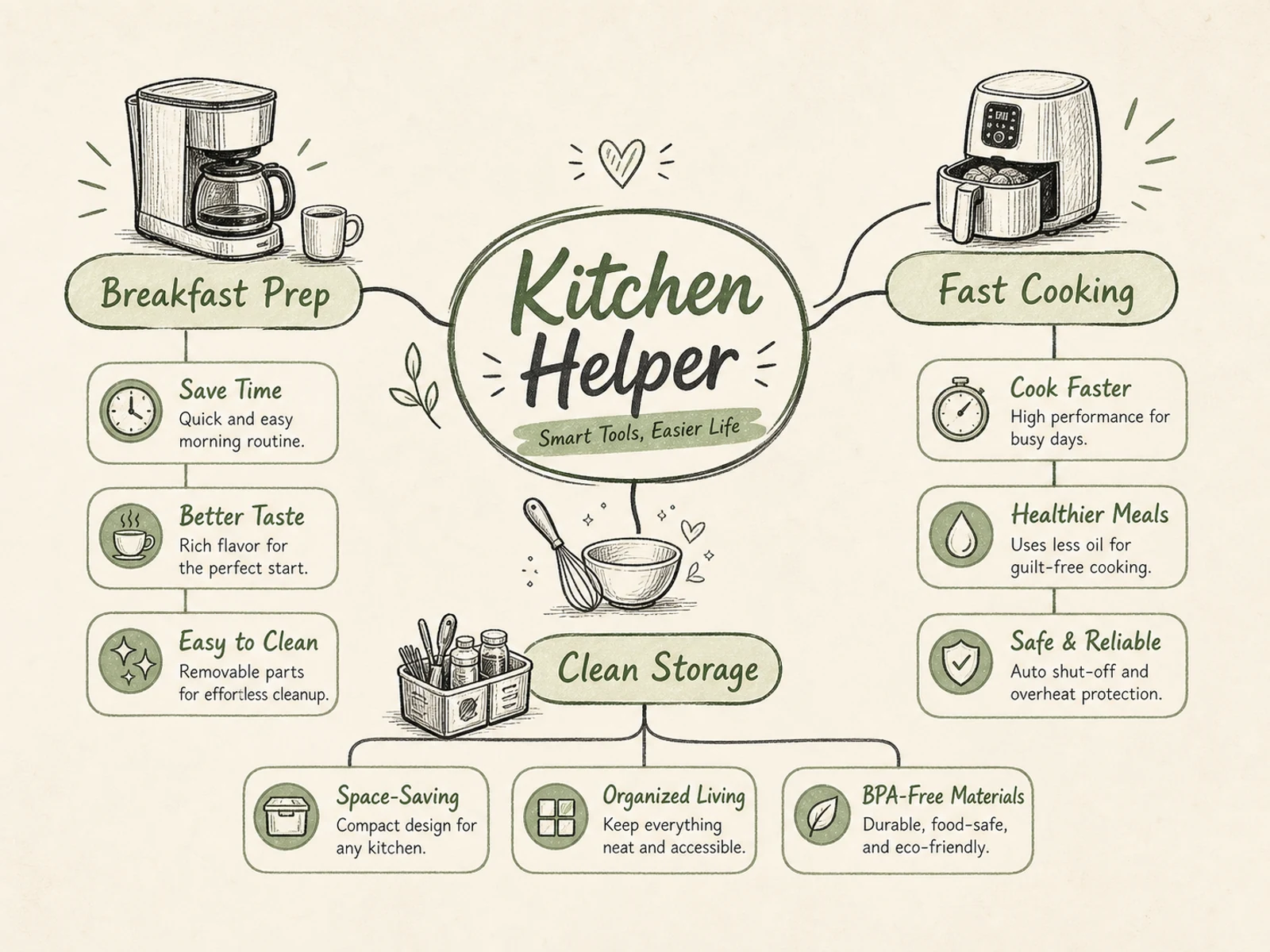
Mapas mentais, diagramas de processo, visuais educativos, explicações de produto, infográficos de eventos e briefings com hierarquia clara.
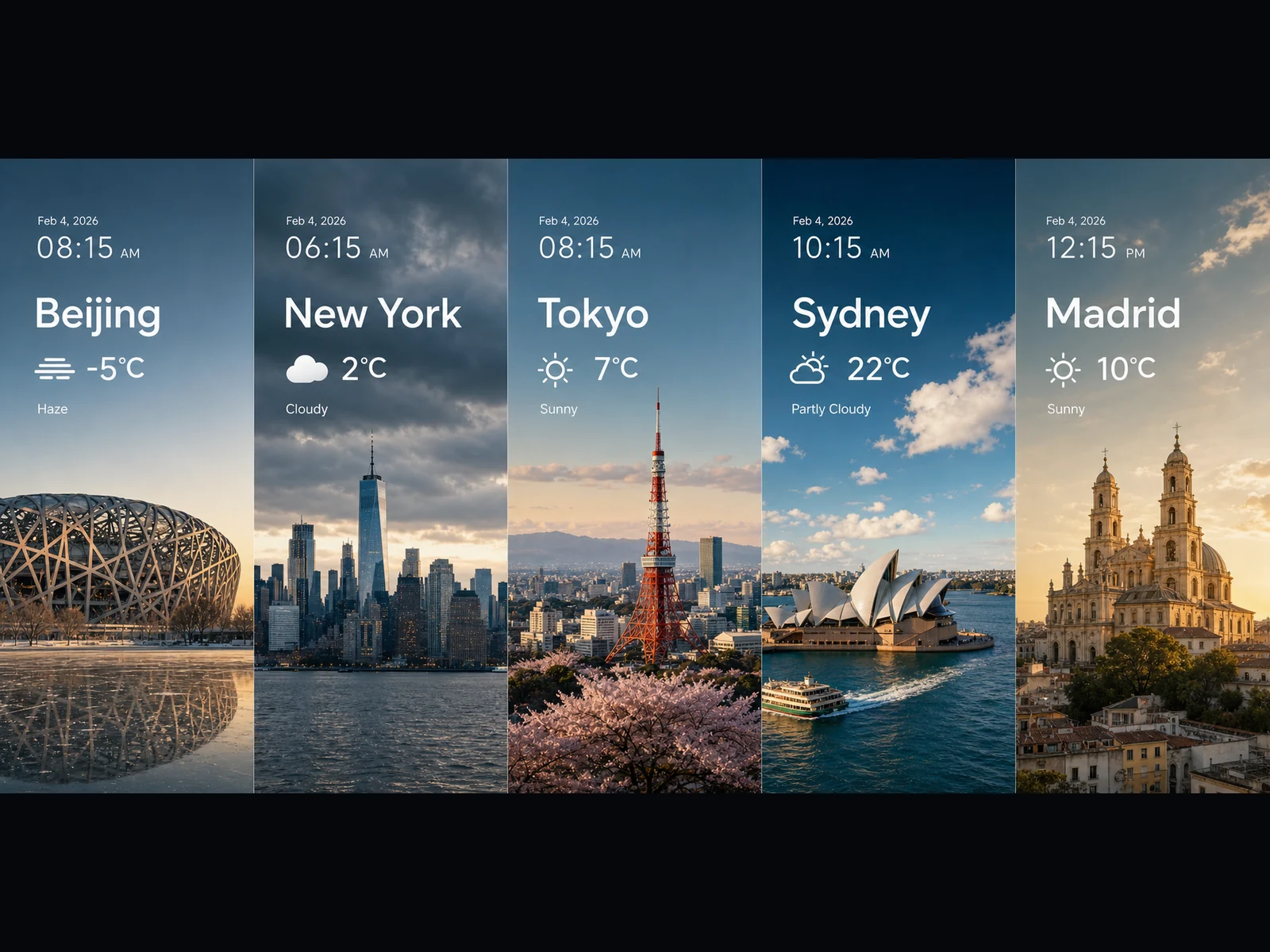
Painéis de previsão do tempo, visuais de tendências, cards em estilo de gráfico, key visuals amplos e ideias de cenas cinematográficas em 16:9 ou 21:9.
Todo prompt segue um padrão simples: defina a tarefa, detalhe o texto e o layout exatos, explique como os elementos se relacionam e fixe o estilo visual. Copie um e deixe do seu jeito.
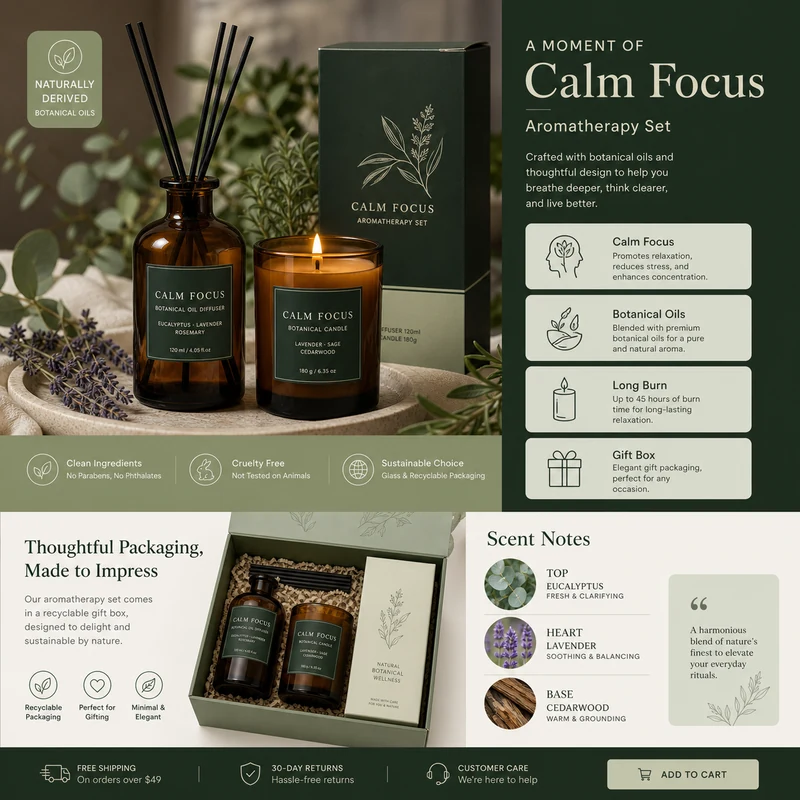
For e-commerce product detail pages of premium aromatherapy products, create an image that showcases high-resolution product photography, packaging design, key selling points, product advantages, and promotional copy blocks. Use a color scheme primarily consisting of dark green, light sage green, and warm ivory. Layout like a mature product detail page: large product image on the left, selling-point cards on the right, packaging and scent notes below. Use concise English text, premium and commercial.
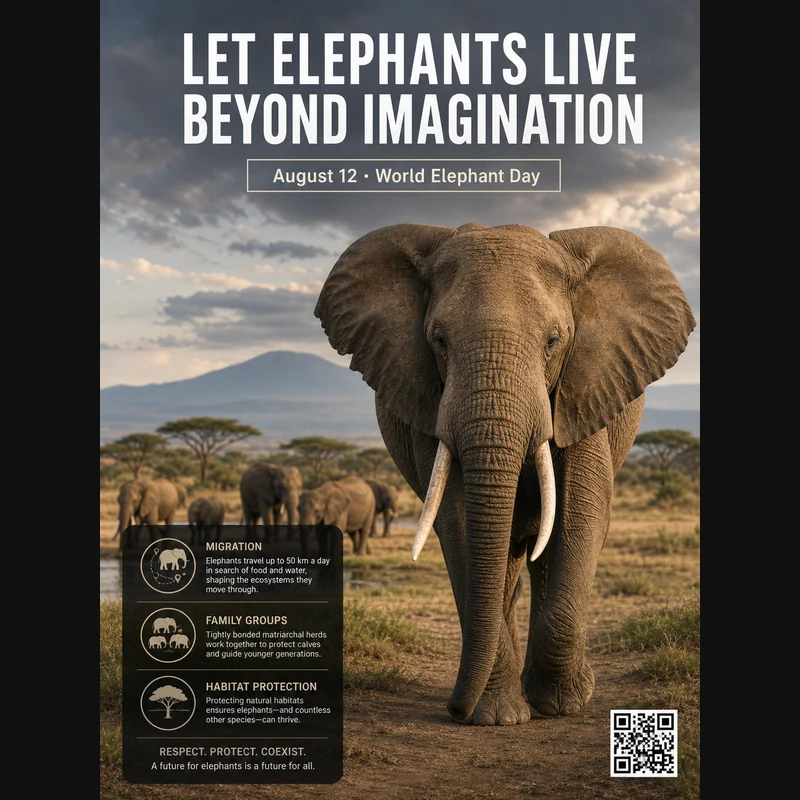
Realistic photographic science poster. A wild elephant is located in a tropical savanna. At the top is the title: “Let elephants live beyond imagination.” Below the title, inside a framed box, it says: “August 12: World Elephant Day.” In the lower-left corner, within a black semi-transparent box, there are three sections of educational text about elephant migration, family groups, and habitat protection. In the lower-right corner, there is a clean QR code. Professional conservation poster layout, photorealistic and print-ready.
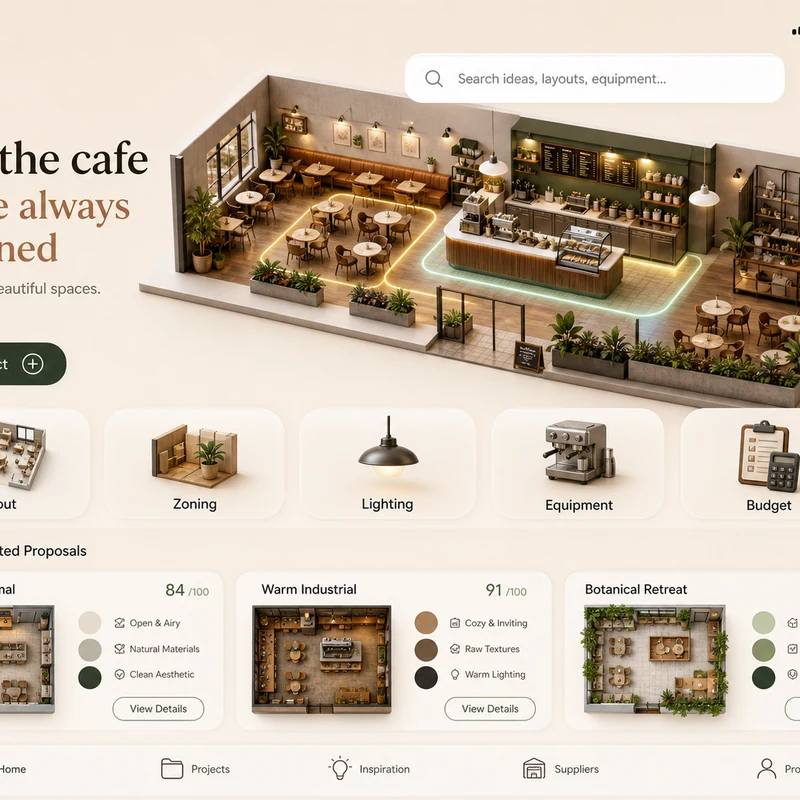
Trendy cafe-planning app interface design: 1. Warm cream background, with the time, mobile signal, Wi-Fi, and battery icons shown at the top. 2. At the top left there is a small cart icon; on the right there is a long white search box, plus calendar and bell icons. 3. The hero banner shows a modern neighborhood cafe as a small 3D space model. 4. Below is a function navigation bar: Layout, Zoning, Lighting, Equipment, Budget, with polished 3D icons. 5. Show 2–3 space proposal cards with mini floor plans, color swatches, and scores. The interface should look like a premium AI interior design SaaS mobile app.
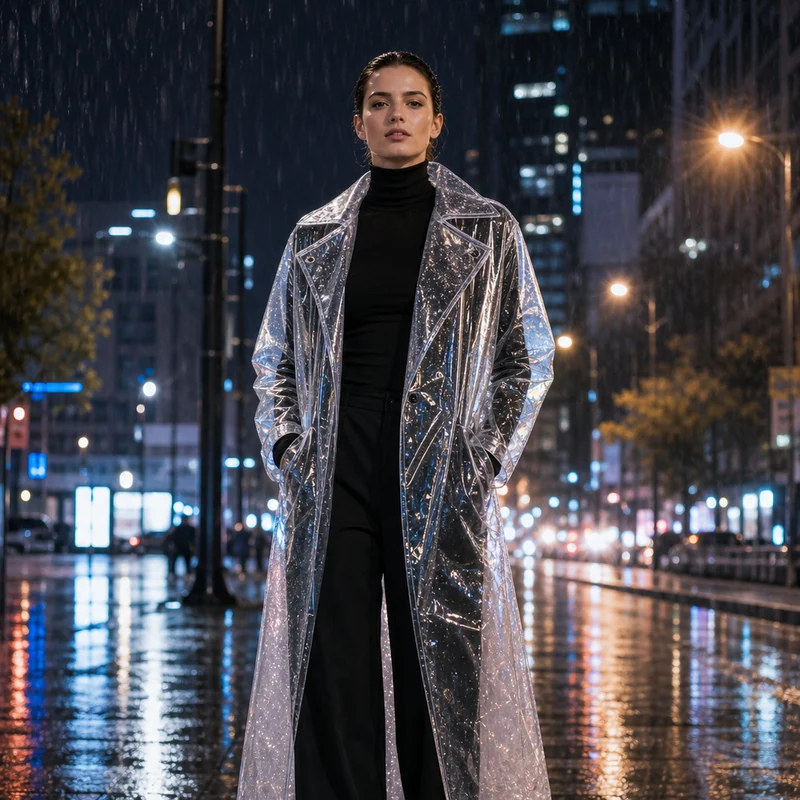
Image editing result example. Preserve the adult professional model’s realistic face, natural body proportions, front-facing pose, and rainy city-night background. Change the outerwear into a translucent architectural raincoat while keeping the rest of the outfit as a full black turtleneck and long trousers. The transparent raincoat should show realistic droplets, refraction, glossy folds, seams, and wet-pavement reflections. Premium commercial fashion photography, no text or logo.
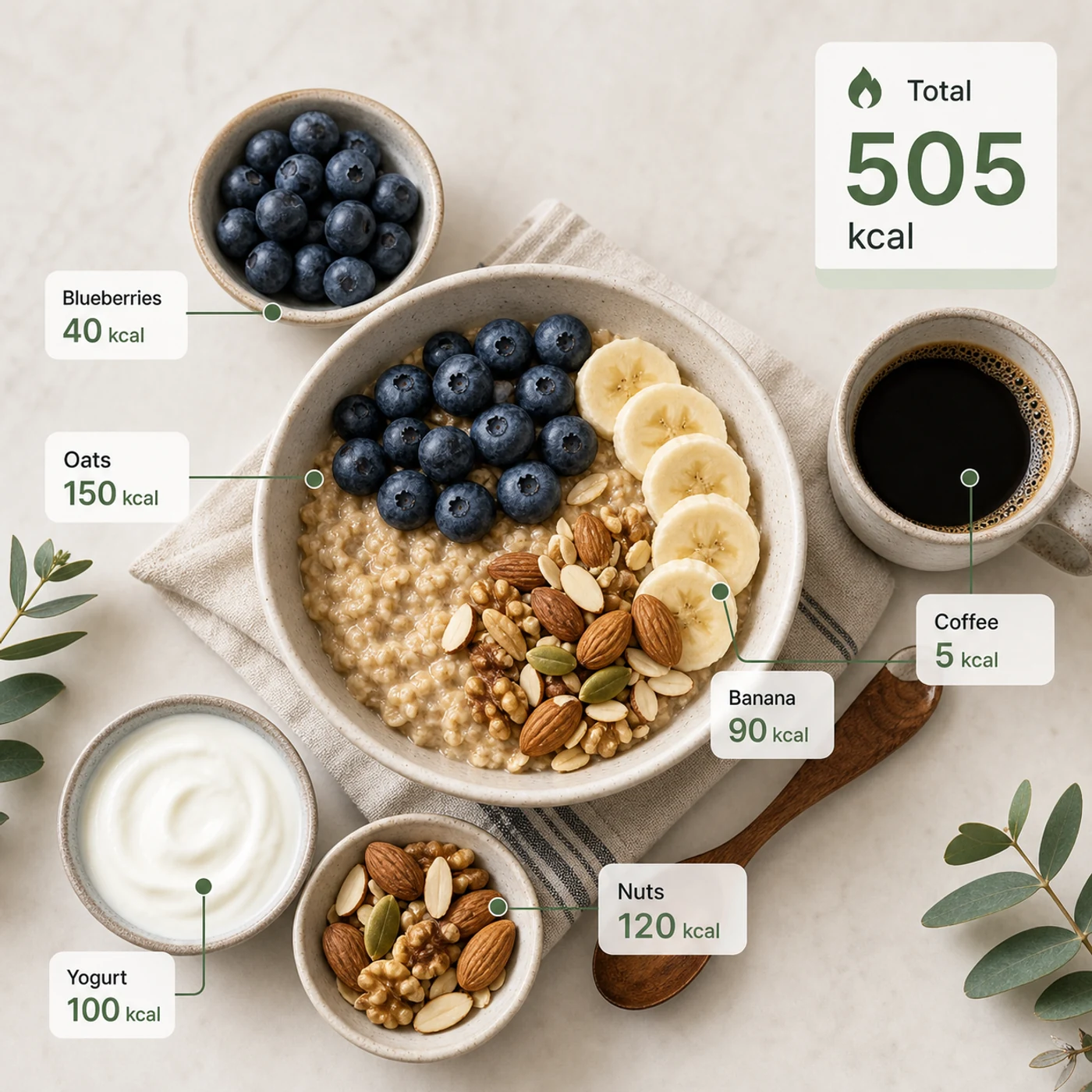
Identify the calorie content of the food in the image and annotate the information on the picture. The image contains an oatmeal bowl, blueberries, banana slices, nuts, yogurt, and a cup of coffee. Add clean calorie callout lines and small labels next to each food, such as “Oats 150 kcal” and “Blueberries 40 kcal.” Place a total-calorie card in the upper-right corner. Clean professional style, like a nutrition analysis app report.
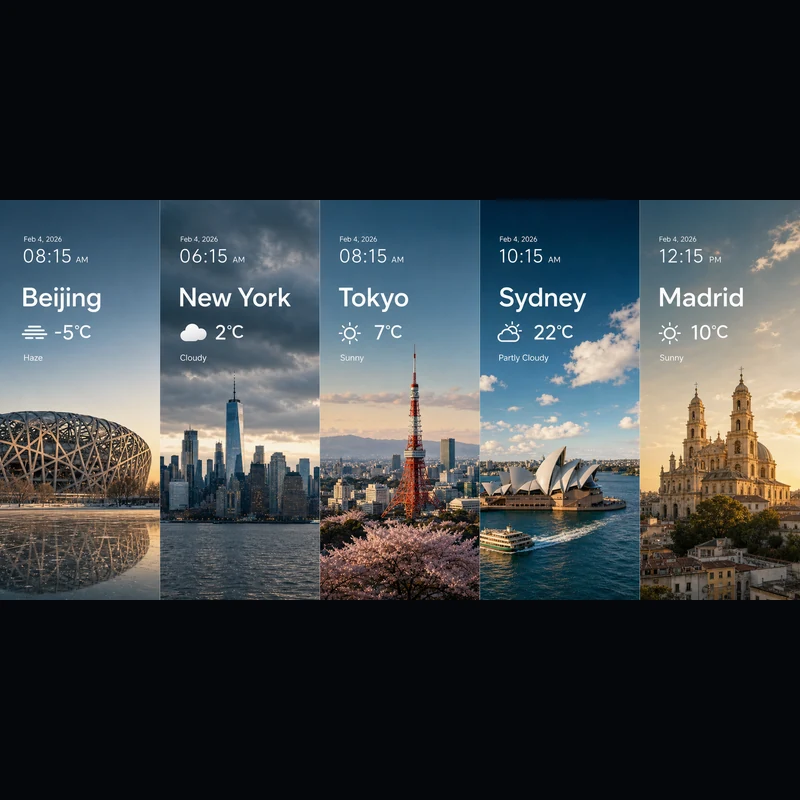
Search for the weather, temperature, and time on February 4, 2026, for the following locations: 1. Beijing, 2. New York, 3. Tokyo, 4. Sydney, 5. Madrid. High-concept composite photography. Note: only return ONE image. The image is composed of five seamlessly stitched vertical panoramic strips. Each strip presents the landmark, weather, and lighting of one city: Beijing Bird’s Nest Stadium, Manhattan skyscrapers, Tokyo Tower, Sydney Opera House, and San Francisco el Grande Cathedral in Madrid. Despite different weather conditions, use cinematic color grading to unify the image. High contrast, photorealistic, wide composition, English text.
Começando por texto ou por uma imagem de referência, o editor é o mesmo.
Descreva o assunto, a cena, o texto exato, o layout, a luz, o material, a proporção, as relações entre os elementos e a hierarquia da informação.
Partindo de uma referência? Envie-a e diga o que deve mudar e o que deve continuar igual.
Escolha 2K para rascunhos rápidos ou 3K para mais detalhe — de qualquer forma, são os mesmos 4 créditos por imagem.
Respostas às suas dúvidas sobre Seedream 5.0 Lite.
O Seedream 5.0 Lite é um modelo de imagem multimodal que transforma prompts detalhados e estruturados em imagens prontas — pôsteres, páginas de produto, UI de apps, infográficos, edições e muito mais. Como segue as instruções de perto, você pode detalhar o texto exato, o layout e como os elementos se relacionam, e esperar que apareçam no resultado. No Image 2 ele funciona em um único editor para texto para imagem e imagem para imagem, então dá para começar do zero ou trabalhar sobre uma imagem que você enviar.
Sim. Mude para imagem para imagem, envie uma ou mais imagens e descreva a mudança com suas palavras — trocar um material, recriar um look, adicionar elementos ou ajustar a iluminação mantendo o sujeito reconhecível. Uma única solicitação aceita até 14 imagens de referência, o que ajuda quando você quer que o resultado combine várias entradas ou se mantenha fiel a elas.
Você pode gerar em 2K ou 3K. O 2K é ótimo para rascunhos rápidos, posts e uso em tela, enquanto o 3K acrescenta detalhe para layouts grandes, impressão ou material que você vai recortar. As duas custam o mesmo por imagem, então dá para ir para o 3K sempre que o uso final pedir, sem pagar mais.
São oito proporções disponíveis: 1:1, 4:3, 3:4, 16:9, 9:16, 2:3, 3:2 e 21:9. Isso cobre posts quadrados, formatos verticais para stories e pôsteres, paisagem e retrato padrão, e o ultralargo 21:9 para visuais de impacto cinematográfico. Escolha a proporção antes de gerar para o enquadramento ficar certo desde o início.
Use o Seedream 5.0 Lite quando o prompt for detalhado e estruturado — pôsteres científicos, UI de apps, páginas de produto, visuais de conhecimento, composições de clima e dados, estudos de materiais, stickers, mapas mentais e edições com referência. Escolha o GPT Image 2 quando precisar especificamente da tipografia e do tratamento de referências dele.
Cada imagem custa 4 créditos — o mesmo se você gerar a partir de texto ou de uma referência, e tanto em 2K quanto em 3K. Você ainda recebe créditos grátis todos os dias para continuar experimentando.
Depende dos termos do Image 2, dos termos do próprio modelo e dos seus direitos sobre prompts, uploads, marcas e materiais de referência. Vale revisar os termos aplicáveis antes de publicar trabalhos para clientes ou pagos.
A maioria das imagens volta em bem menos de um minuto, embora varie conforme a demanda do momento, a complexidade do prompt e a quantidade de referências. O painel de resultados se atualiza sozinho assim que sua imagem fica pronta.
Ainda tem perguntas? Entre em contato conosco em: [email protected]
Use só texto ou adicione uma referência quando o resultado precisar combinar com uma imagem existente.
Resultados do Seedream 5.0 Lite