Prompt
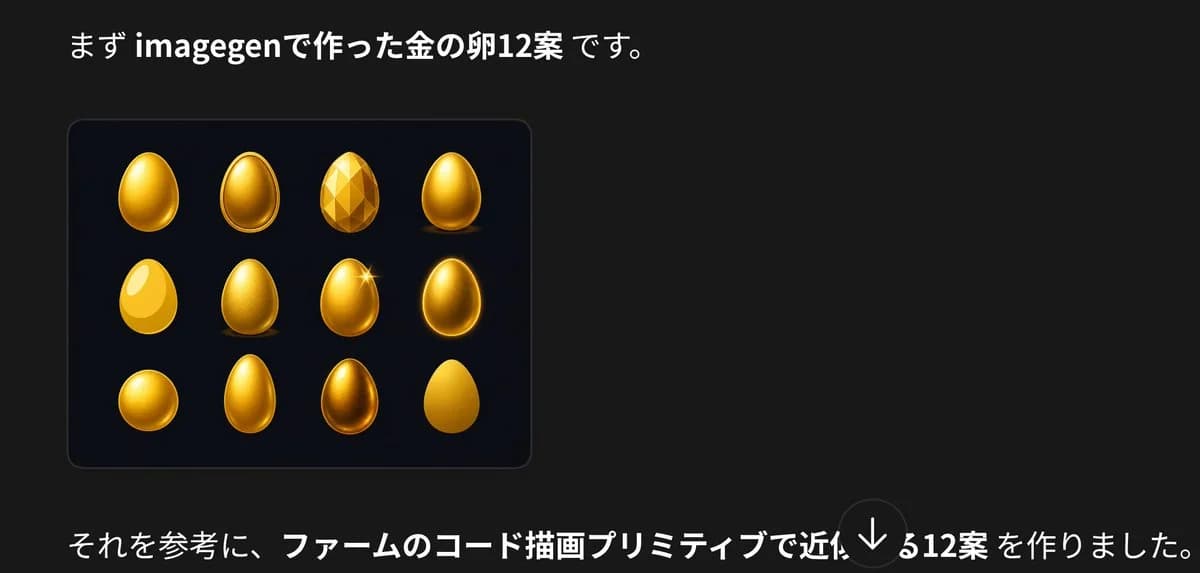
289 wordsCreate a dark presentation-style social media image in Japanese about golden egg design variations. Canvas: wide horizontal 16:9-ish crop, black/charcoal background (#181818), clean modern typography, generous negative space on the right. Top text: place a large Japanese sentence near the upper left reading 「まず imagegenで作った金の卵12案 です。」 with “imagegen” and “金の卵12案” in bold white, the rest in regular white. Main visual: below the headline on the left, draw a rounded rectangular dark navy-black card with a subtle border and soft shadow. Inside the card show exactly 12 golden egg concept designs arranged in a 4-column by 3-row grid. The 12 eggs are: 1) glossy smooth upright gold egg with bright highlight, 2) oval egg with raised rim/outline like an icon, 3) faceted low-poly gemstone egg, 4) smooth metallic gold egg standing on a small shadow, 5) flat bright yellow egg with large white highlight, 6) textured/brushed gold egg, 7) glossy gold egg with a star sparkle on the upper right, 8) dark glowing gold egg with bright rim light, 9) squat round golden egg, 10) tall narrow smooth gold egg, 11) darker bronze-gold reflective egg, 12) simple matte yellow-gold egg silhouette. Bottom text: place a long Japanese sentence across the lower left reading 「それを参考に、ファームのコード描画プリミティブで近似する12案 を作りました。」 with the central phrase 「ファームのコード描画プリミティブで近似する12案」 in bold white and the rest in regular white. Add a semi-transparent circular down-arrow overlay near the bottom center-right, like a social media viewer control. Visual style: clean screenshot-like composition, high contrast, realistic glossy gold rendering for the eggs, subtle card border, no extra logos or watermarks. Customizable text slots: top sentence may use {argument name="top Japanese text" default="まず imagegenで作った金の卵12案 です。"}; bottom sentence may use {argument name="bottom Japanese text" default="それを参考に、ファームのコード描画プリミティブで近似する12案 を作りました。"}; main object may use {argument name="object theme" default="golden egg"}.About this prompt
Japanese Golden Egg Design Slide is a ready-to-use infographic prompt for GPT Image 2 on Image 2. Copy the 289 words below, paste them into the Create form, and you will get a result close to the preview above. Tweak the Social Media, Infographic, Poster tag if you want to push it somewhere new.
Use it as a starting point, then adjust the subject, lighting, or composition to suit your idea. The credit cost stays the same whether you use it as written or customize it.
Use case
A strong starting point for Infographic
Start here when you want a infographic image inspired by Japanese Golden Egg Design Slide. The prompt already sets the look and composition; replace the subject, product, colors, or scene details to match your project.
Easy places to tweak
- Subject Swap in your person, product, place, or object without changing the overall composition.
- Look and mood Tune the lighting, palette, camera angle, or materials so the image fits your brand.
- Final format Set the aspect ratio, background, text, or layout notes before you generate.
More prompt paths to explore
Find more GPT Image 2 prompts with a similar style, use case, or subject.
How to use it
- Step 1
Copy the prompt
Hit the Copy button above to grab the full text.
- Step 2
Open Image 2 Create
Head to the Create form and paste it in.
- Step 3
Generate
Hit Generate. Your version lands in seconds.
Make it yours
Load the prompt into the Create form with one click, then start tweaking.