Prompt
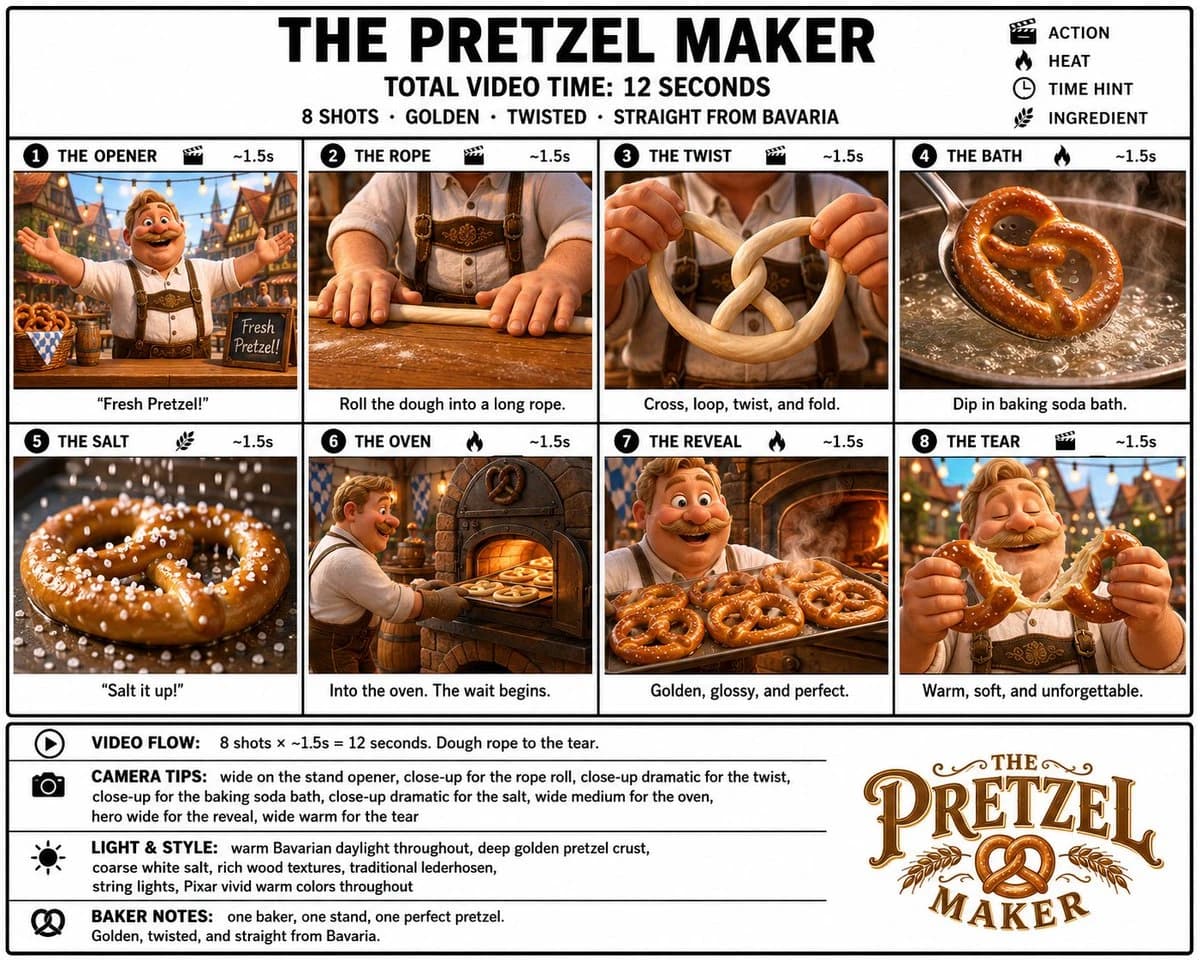
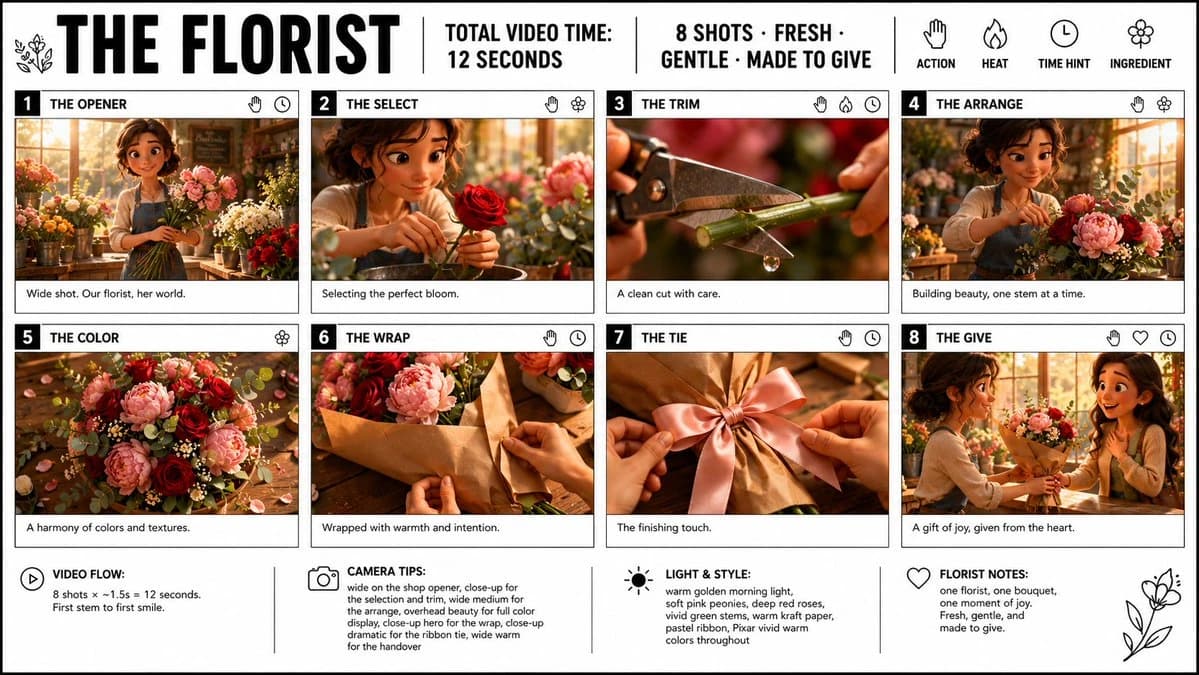
724 wordsGoal: Create a crisp, clean infographic storyboard poster for {argument name="film title" default="THE FLORIST"}, showing a short premium 3D animated video concept about a florist making and giving a bouquet.
Canvas: Wide 16:9 poster on a white background with thin black outer border and black grid lines. Use bold black typography, a clean editorial storyboard layout, and premium Pixar-like 3D stylized rendering inside each frame. Bright vivid colors, warm golden morning light, soft pink peonies, deep red roses, vivid green stems, eucalyptus leaves, kraft paper, and a warm cozy flower-shop atmosphere.
Header layout: Large bold title on the top left: {argument name="film title" default="THE FLORIST"}. Add a small simple floral line icon beside it. Across the top center, separated by vertical black divider lines, include: “TOTAL VIDEO TIME: 12 SECONDS” and “8 SHOTS · FRESH · GENTLE · MADE TO GIVE”. On the top right, show four simple black line icons with labels underneath: a hand labeled “ACTION”, a flame labeled “HEAT”, a clock labeled “TIME HINT”, and a flower labeled “INGREDIENT”.
Main storyboard layout: Use exactly 8 numbered shot cards arranged in a 4-column by 2-row grid. Each card has a black number block at top left, a bold uppercase shot title, small black line icons at the top right, a cinematic 3D image panel, and a short caption strip below. Keep all borders black and clean.
Shot 1: Number “1”, title “THE OPENER”. Image: wide shot of a cheerful young female florist in a sunlit flower shop, holding stems among buckets of flowers. Caption: “Wide shot. Our florist, her world.” Icons: hand and clock.
Shot 2: Number “2”, title “THE SELECT”. Image: close-up of the florist gently choosing a perfect deep red rose, soft bokeh flowers behind her. Caption: “Selecting the perfect bloom.” Icons: hand and flower.
Shot 3: Number “3”, title “THE TRIM”. Image: extreme close-up of pruning shears cutting a green flower stem, with a small water droplet falling from the cut. Caption: “A clean cut with care.” Icons: hand, flame, and clock.
Shot 4: Number “4”, title “THE ARRANGE”. Image: the florist arranging pink peonies, red roses, greenery, and small white filler flowers on a worktable in the warm shop. Caption: “Building beauty, one stem at a time.” Icons: hand and flower.
Shot 5: Number “5”, title “THE COLOR”. Image: overhead beauty shot of the bouquet ingredients spread on a wooden table: pink peonies, deep red roses, eucalyptus, tiny white flowers, petals, and warm highlights. Caption: “A harmony of colors and textures.” Icon: flower.
Shot 6: Number “6”, title “THE WRAP”. Image: hands wrapping the bouquet in warm brown kraft paper on a wooden counter. Caption: “Wrapped with warmth and intention.” Icons: hand and clock.
Shot 7: Number “7”, title “THE TIE”. Image: close-up of hands tying a soft satin ribbon bow around the kraft-wrapped bouquet, with a pink ribbon as the focal point. Caption: “The finishing touch.” Icons: hand and clock.
Shot 8: Number “8”, title “THE GIVE”. Image: the florist handing the finished bouquet to a delighted smiling recipient in the flower shop, warm emotional moment. Caption: “A gift of joy, given from the heart.” Icons: hand, heart, and clock.
Bottom information bar: Add four note sections across the bottom, separated by vertical black lines, each with a simple black icon and bold label. Section 1 with play icon: “VIDEO FLOW:” then “8 shots × ~1.5s = 12 seconds. First stem to first smile.” Section 2 with camera icon: “CAMERA TIPS:” then “wide on the shop opener, close-up for the selection and trim, wide medium for the arrange, overhead beauty for full color display, close-up hero for the wrap, close-up dramatic for the ribbon tie, wide warm for the handover”. Section 3 with sun icon: “LIGHT & STYLE:” then “warm golden morning light, soft pink peonies, deep red roses, vivid green stems, warm kraft paper, pastel ribbon, Pixar vivid warm colors throughout”. Section 4 with heart icon: “FLORIST NOTES:” then “one florist, one bouquet, one moment of joy. Fresh, gentle, and made to give.” Add a simple floral line drawing in the lower right corner.
Constraints: Use exactly 8 storyboard cards and exactly the four bottom note sections. Keep text legible, black typography on white, no watermark, no extra logos, no extra panels. Maintain a polished storyboard poster look with clean borders and vivid cinematic 3D frames.About this prompt
Florist Storyboard Poster is a ready-to-use infographic prompt for GPT Image 2 on Image 2. Copy the 724 words below, paste them into the Create form, and you will get a result close to the preview above. Tweak the Design, Infographic, UI tag if you want to push it somewhere new.
Use it as a starting point, then adjust the subject, lighting, or composition to suit your idea. The credit cost stays the same whether you use it as written or customize it.
Use case
A strong starting point for Infographic
Start here when you want a infographic image inspired by Florist Storyboard Poster. The prompt already sets the look and composition; replace the subject, product, colors, or scene details to match your project.
Easy places to tweak
- Subject Swap in your person, product, place, or object without changing the overall composition.
- Look and mood Tune the lighting, palette, camera angle, or materials so the image fits your brand.
- Final format Set the aspect ratio, background, text, or layout notes before you generate.
More prompt paths to explore
Find more GPT Image 2 prompts with a similar style, use case, or subject.
How to use it
- Step 1
Copy the prompt
Hit the Copy button above to grab the full text.
- Step 2
Open Image 2 Create
Head to the Create form and paste it in.
- Step 3
Generate
Hit Generate. Your version lands in seconds.
Make it yours
Load the prompt into the Create form with one click, then start tweaking.