Prompt
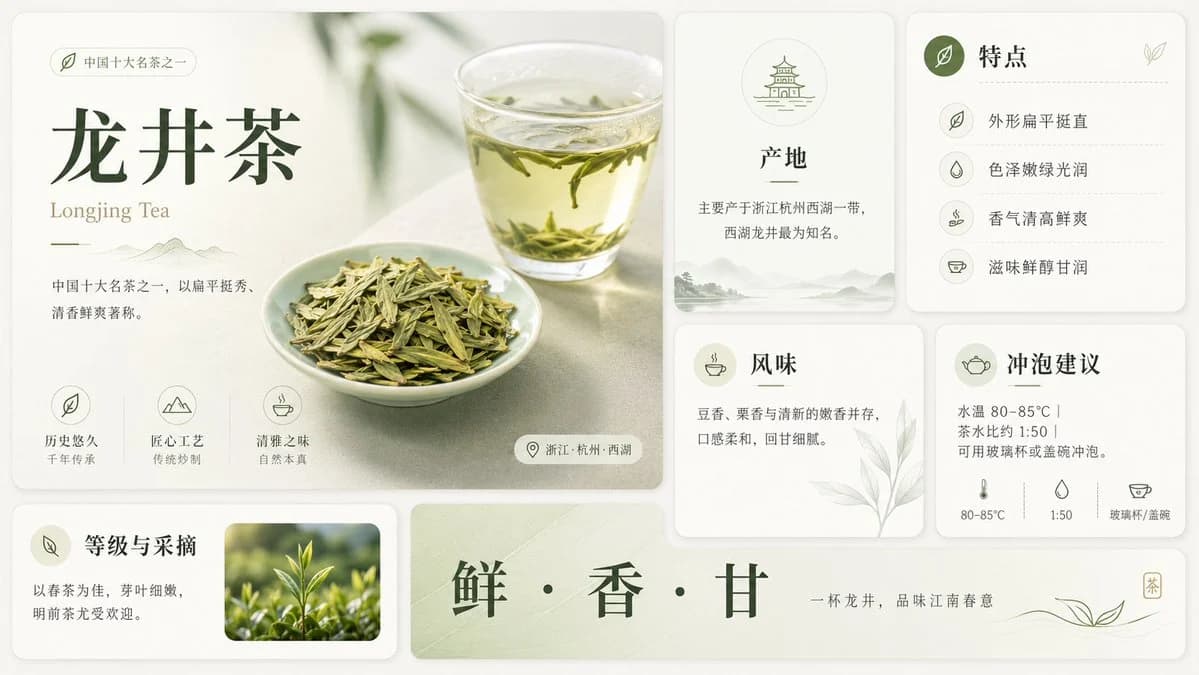
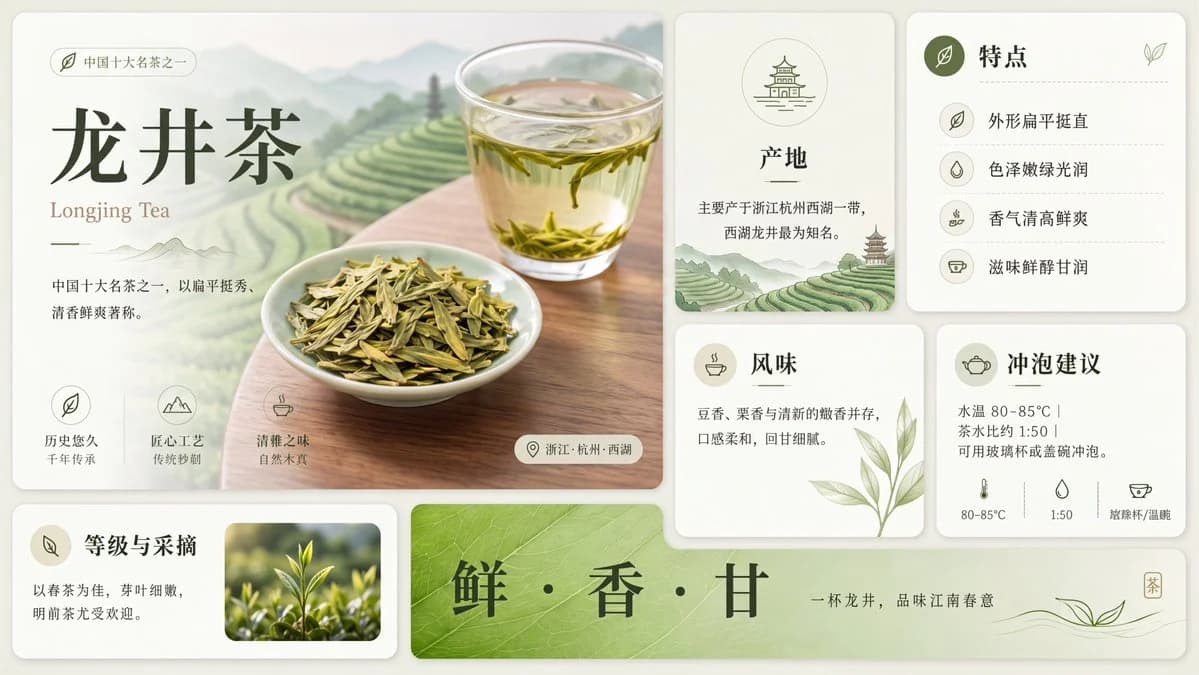
275 wordsUsing the provided reference image, redraw and upscale it into a cleaner, sharper, more polished version while preserving the same overall infographic layout, all original text content, and the Longjing tea theme. Keep the product title {argument name="tea name" default="龙井茶"} and the English subtitle {argument name="English tea name" default="Longjing Tea"} unchanged.
Goal: Make the image look less like a rough GPT-generated graphic by removing broken, noisy, meaningless textures and replacing them with crisp, intentional detail.
Enhancements to apply: Increase resolution and clarity; sharpen typography, icons, borders, tea leaves, glass, and card edges; make the lighting softer and more natural; improve material realism for the tea, cup, dried leaves, and ceramic dish; clean up any fuzzy or fragmented artifacts.
Meaningful detail additions: In the main hero panel, replace the vague pale background with a refined scenic tea plantation landscape of layered green terraces, misty mountains, and a wooden tabletop beneath the tea cup and plate. In the origin card, add a small matching tea-terrace landscape illustration at the bottom. Make the bottom green banner more vivid with a natural leaf-vein texture.
Layout constraints: Preserve exactly 7 visible content panels/sections: the large hero panel, origin card, features card, flavor card, brewing suggestion card, grade-and-picking card, and bottom slogan banner. Preserve exactly 4 feature rows in the features card, exactly 3 small icon benefits in the hero panel, and exactly 3 brewing parameter icons along the bottom of the brewing card. Do not add extra sections, extra labels, watermarks, logos, or decorative clutter.
Style: Elegant Chinese tea brochure design, cream-and-sage palette, refined minimal UI cards, soft shadows, crisp vector-like icons, realistic tea photography elements, calm premium product-advertising finish.About this prompt
Clean Longjing Tea Infographic Upscale is a ready-to-use infographic prompt for GPT Image 2 on Image 2. Copy the 275 words below, paste them into the Create form, and you will get a result close to the preview above. Tweak the Infographic, Poster, Storyboard tag if you want to push it somewhere new.
Use it as a starting point, then adjust the subject, lighting, or composition to suit your idea. The credit cost stays the same whether you use it as written or customize it.
Use case
A strong starting point for Infographic
Start here when you want a infographic image inspired by Clean Longjing Tea Infographic Upscale. The prompt already sets the look and composition; replace the subject, product, colors, or scene details to match your project.
Easy places to tweak
- Subject Swap in your person, product, place, or object without changing the overall composition.
- Look and mood Tune the lighting, palette, camera angle, or materials so the image fits your brand.
- Final format Set the aspect ratio, background, text, or layout notes before you generate.
More prompt paths to explore
Find more GPT Image 2 prompts with a similar style, use case, or subject.
How to use it
- Step 1
Copy the prompt
Hit the Copy button above to grab the full text.
- Step 2
Open Image 2 Create
Head to the Create form and paste it in.
- Step 3
Generate
Hit Generate. Your version lands in seconds.
Make it yours
Load the prompt into the Create form with one click, then start tweaking.