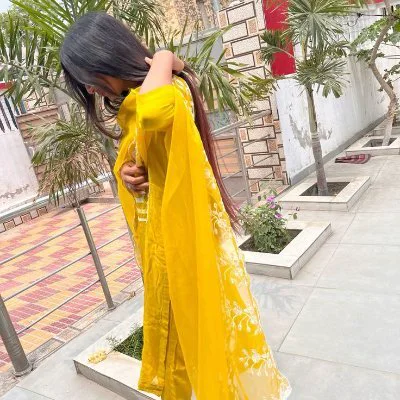
Giant Hands Dress Up a Girl
Limited Offer · 50% OFF50% OFFYearly plans · GPT Image 2.5 + Seedance 2.5
Image 2
Copy-ready Seedance 2.0 video prompts with previews and full text: cinematic scenes, product ads, anime, UGC, VFX, and image-to-video.
Start with one clear shot goal, then add only the details needed to control movement, camera direction, sound, and continuity. Treat the examples as starting points and adapt them to your scene instead of copying them word for word.
A practical prompt formula
A clear video prompt usually works best in this order: subject, action, setting, one main camera move, visual style, and anything to avoid. Keep it focused, describe the sound and dialogue that matter, and use simple motion cues such as slow, smooth, or gradual.
Name the subject, what happens, and where it happens. Split unrelated actions into separate shots instead of stacking them into one instruction.
Use one primary camera move per shot. Add timestamps when a clip needs a clear opening, transition, and final frame.
Spell out the identity, wardrobe, props, setting, and final composition that must stay consistent. Say exactly what should not change or appear, and keep that list short.
171 VFX
Giant Hands Dress Up a Girl
Beastman Dragon Rider Battle
Futuristic Military Gunship Combat Scene
Cinematic Invisible Woman Storyboard
Photorealistic Kaiju Disaster Film
Supernatural Assassin Fortress Infiltration
Cyber Warrior Mech Combat
Giant Octopus Kaiju Rampage
Collapsing Mech Hangar Escape
Underground Ocean Fantasy Journey
Cinematic Kaiju Monster Attack Sequence
Apocalyptic Storm Fantasy Battle
Parallel Life Outfit Swap
Sci-Fi Space Bridge Collapse
Giant Leviathan Under Frozen Lake
First-Person Fantasy Dragon Flight
Titan Canyon Interceptor Chase
Hyperrealistic Dark Xianxia Style
Bursting Ceiling Water Splash
Sci-Fi Hospital Rooftop Rescue
Open these detail pages for the full prompt, preview, source information, and related examples.
Practical notes for using these Seedance 2.0 video prompt examples.
Seedance 2.0 prompts are text instructions for AI video generation. The examples here include shot timing, camera direction, dialogue notes, product cues, and style references so you can copy or remix them quickly.
Yes. Copy a prompt, open the Seedance 2.0 generator on Image 2, then adjust the subject, duration, aspect ratio, or reference media before generating.
Timestamped prompts give the video model a clearer shot sequence. They are useful when you want a beginning, escalation, and ending inside a short clip.
No. Preview clips are example results published with the source posts for these prompts. Treat the prompt text as a reusable structure and adapt it for your own subject, product, or scene.
Yes. Browsing, copying, and saving any prompt in this library is completely free. You only spend credits when you generate a video with Seedance 2.0 on Image 2.
We add new prompts regularly, curated from community-shared results based on prompt quality, clip variety, and reproducibility on Seedance 2.0.
Still have questions? Contact us at [email protected]