Prompt
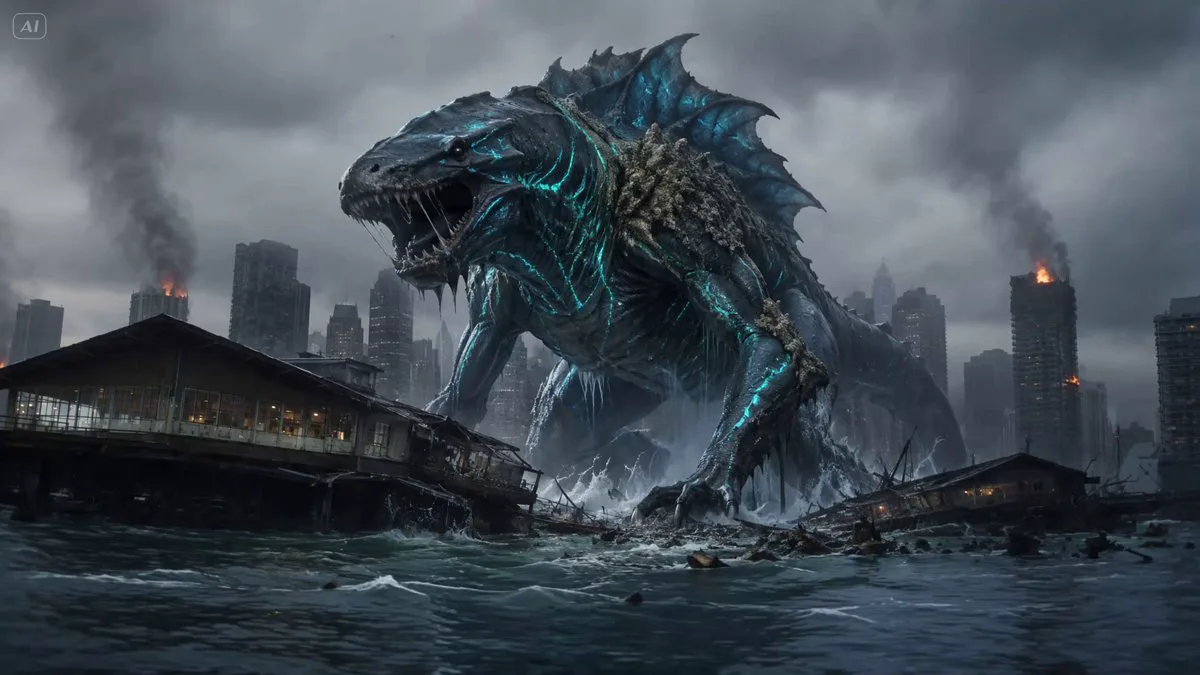
318 wordsBuild the monster, city, scale, and destruction entirely from text." style: "Photorealistic kaiju disaster film, stormy coastal metropolis, grounded structural destruction." visual_feel: "Rapid creature movement, controlled camera, heavy impacts, rain, spray, dust, readable tentacle action." duration: "15 seconds" character_modeling: octopus_monster: base: "A colossal deep-sea octopus taller than nearby skyscrapers." features: "Dark crimson-purple wet skin, pale eyes, rough suction cups, scarred mantle, eight massive muscular tentacles." movement_in_this_scene: "It never stops or poses. Four tentacles pull its body rapidly forward while the others destroy obstacles." cinematic_storyboard: 00_02_street_attack: camera: "Low street tracking backward, steady." action: "The monster crashes in immediately. One tentacle crushes buses and streetlights while another grips a glass tower." lighting: "Cold storm daylight, red siren reflections." vfx: "Water spray, glass, asphalt debris." 02_05_tower_pull: camera: "Wide rooftop side tracking." action: "Still advancing, it yanks the tower sideways. Lower floors shear apart and the structure collapses behind it." lighting: "Lightning through dark clouds." vfx: "Concrete dust, sparks, falling glass." 05_08_city_run: camera: "High aerial follow, controlled." action: "It races through several intersections. Each tentacle strike cracks roads and throws vehicles aside." lighting: "Steel-blue rain light." vfx: "Puddle bursts, fractured pavement, smoke." 02_12_block_vault: camera: "Wide frontal pull-back." action: "The monster plants two tentacles on opposite buildings, compresses, then vaults across a full city block, tearing signs and balconies free." lighting: "Storm backlight and orange fire glow." vfx: "Debris wake, rain trails, displaced smoke." 12_15_final_charge: camera: "Extreme wide slow pull-out." action: "It lands near the waterfront, sweeps through cranes and warehouses, then surges toward downtown as towers collapse behind it." lighting: "Lightning silhouette over burning streets." vfx: "Water plume, collapsing cranes, dust waves, embers." production_notes: audio_design: "Deep creature roars, rain, sirens, metal tearing, heavy impact bass." critical_constraint: "Destruction begins on frame one. Keep all eight tentacles connected, distinct, and readable. Fast creature action with controlled camera." avoid: "Slow opening, idle posing, extra limbs, tangled tentacles, anatomy drift, temporal flicker, weightless debris, chaotic camera."
About this prompt
Photorealistic Kaiju Disaster Film is a VFX Seedance 2.0 prompt with 318 words, structured around shot timing, camera direction, motion cues, and remixable scene details.
Use the preview clip when available to understand pacing, then treat the prompt text as a production brief you can adapt for your own subject, brand, or story.
Video prompt structure
Use it for VFX videos
Best for Seedance 2.0 generations that need VFX. Replace the subject, setting, product, dialogue, music, and timing before sending it to the generator.
Customize before generating
- Swap the subject. Keep the camera and timing structure, but change the character, product, or environment.
- Tighten the timeline. Shorten or expand shot blocks so they match the duration you want to render.
- Add reference media. Use first frames, last frames, images, video, or audio when the prompt depends on a specific look or rhythm.
More Seedance paths to explore
Browse adjacent styles and techniques from the same Seedance 2.0 prompt library.
How to use it
- Step 1
Copy or start from this prompt
Use the full prompt as a structured draft rather than rewriting the whole video brief.
- Step 2
Open Seedance 2.0
Send the text into the Seedance generator and choose text, image, or reference mode.
- Step 3
Adapt and render
Tune duration, aspect ratio, reference media, camera notes, and dialogue before generating.
Make it a Seedance video
Start from this prompt in the Seedance 2.0 generator, then adjust the scene, duration, aspect ratio, and reference media.