Prompt
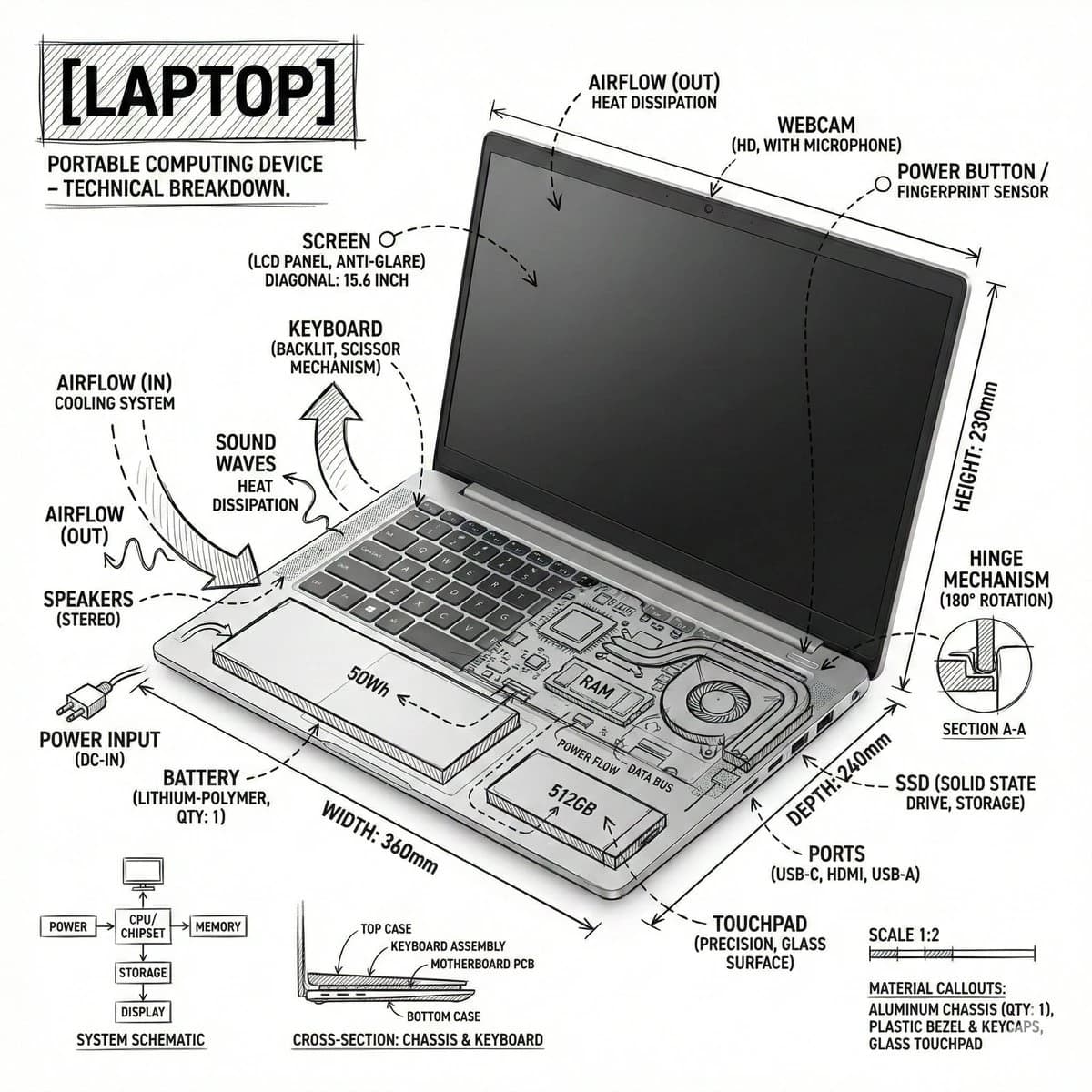
199 wordsCreate a square technical infographic of a {argument name="subject" default="laptop"}, combining a realistic product photograph or photorealistic render with precise annotation overlays drawn directly over the device.
Use a pure {argument name="background color" default="white"} studio background and {argument name="ink color" default="black"} ink technical linework, like an architectural sketch or engineering manual. Include:
- Key component labels
- Internal cutaway details or exploded-view outlines
- Measurements, dimensions, and scale markers
- Material callouts and quantity notes
- Arrows showing function, airflow, power flow, sound path, pressure, or other relevant system behavior
- Simple schematic or sectional diagrams where useful
Place the title "LAPTOP" inside a hand-drawn technical annotation box in one corner.
Style and layout rules:
- The realistic laptop must remain clearly visible beneath the annotations
- The annotations should feel sketched, technical, and architectural
- Keep the composition clean with balanced negative space
- Make it feel educational, like a museum exhibit panel or engineering manual page
Visual style:
Minimal technical illustration aesthetic, black linework over realistic imagery, precise but slightly hand-drawn.
Color palette:
White background with black annotation lines and black text only. No colors.
Output:
1080 x 1080, ultra-crisp, optimized for a social feed, no watermark.About this prompt
Technical Laptop Infographic Illustration is a ready-to-use infographic prompt for GPT Image 2 on Image 2. Copy the 199 words below, paste them into the Create form, and you will get a result close to the preview above. Tweak the Design, Infographic, Portrait tag if you want to push it somewhere new.
Use it as a starting point, then adjust the subject, lighting, or composition to suit your idea. The credit cost stays the same whether you use it as written or customize it.
Use case
A strong starting point for Infographic
Start here when you want a infographic image inspired by Technical Laptop Infographic Illustration. The prompt already sets the look and composition; replace the subject, product, colors, or scene details to match your project.
Easy places to tweak
- Subject Swap in your person, product, place, or object without changing the overall composition.
- Look and mood Tune the lighting, palette, camera angle, or materials so the image fits your brand.
- Final format Set the aspect ratio, background, text, or layout notes before you generate.
More prompt paths to explore
Find more GPT Image 2 prompts with a similar style, use case, or subject.
How to use it
- Step 1
Copy the prompt
Hit the Copy button above to grab the full text.
- Step 2
Open Image 2 Create
Head to the Create form and paste it in.
- Step 3
Generate
Hit Generate. Your version lands in seconds.
Make it yours
Load the prompt into the Create form with one click, then start tweaking.