Prompt
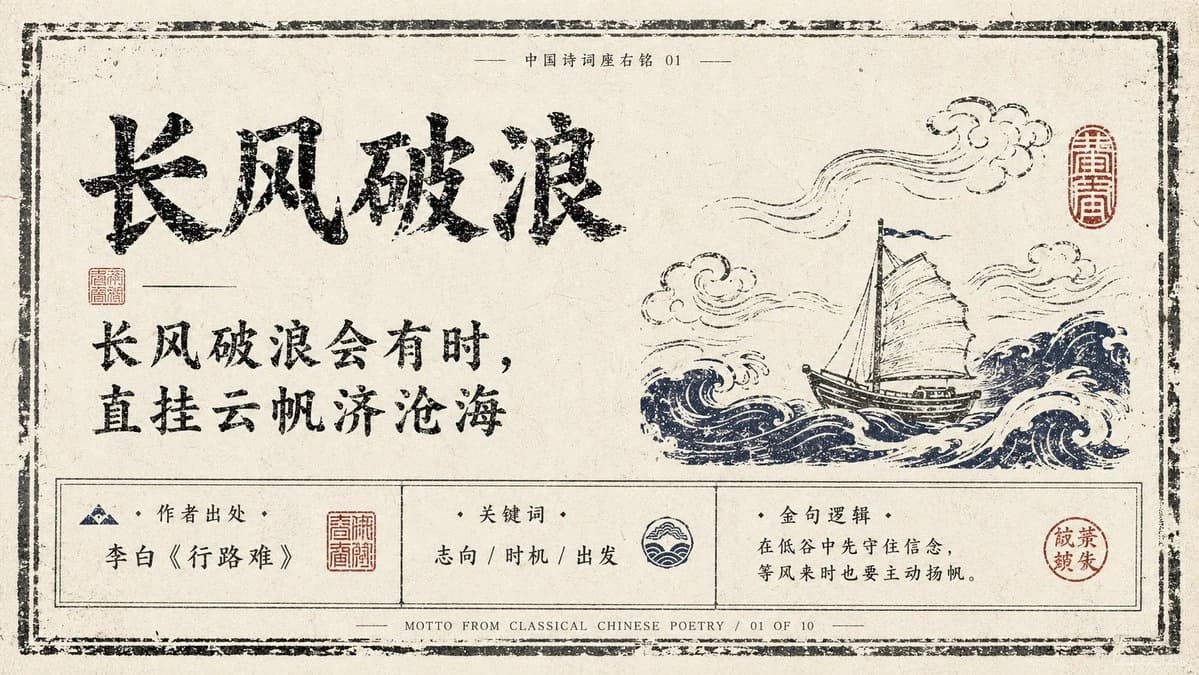
415 wordsGoal: Create a horizontal classical Chinese poetry motto poster with an antique banknote / rubbing-print / old book page aesthetic, centered on the calligraphic quote {argument name="main title" default="长风破浪"} and the motto {argument name="main quote" default="长风破浪会有时,\n直挂云帆济沧海"}.
Canvas: Wide 16:9 composition on warm aged rice paper, ivory beige with subtle stains, fibers, speckles, and uneven ink absorption. Add a distressed double-line black border around the entire image, like an old printed certificate or silver note, with chipped corners and rough ink wear.
Layout: At the very top center, place a small thin line of text reading {argument name="series label" default="中国诗词座右铭 01"} with short horizontal rules on both sides. The left half contains the large main title in bold black Chinese brush calligraphy, rough and dry-brushed. Beneath it, place a small red square seal, a short horizontal divider line, and then the two-line main quote in smaller but still expressive brush calligraphy. The right half contains an ink illustration of a traditional sailboat riding stylized ocean waves, with flowing wind lines and cloud motifs above it. Use dark navy-black ink for the waves and black linework for the boat, with a red oval seal near the upper right.
Bottom information band: Create exactly 3 bordered rectangular cards across the bottom, separated by vertical rules. Card 1 on the left is the source card: include a tiny mountain icon, the label “Author / Source”, the text {argument name="source text" default="李白《行路难》"}, and one red square seal. Card 2 in the center is the keyword card: include the label “Keywords”, the text {argument name="keywords" default="志向 / 时机 / 出发"}, and one small circular wave emblem. Card 3 on the right is the logic card: include the label “Sentence Logic”, the explanatory text “Hold your belief during a low valley; when the wind arrives, set sail actively.”, and one red circular seal. At the very bottom center outside the cards, add small English text: “MOTTO FROM CLASSICAL CHINESE POETRY / 01 OF 10”.
Visual style: Use monochrome black ink, dark navy wave accents, and muted cinnabar red seals only. The image should feel like a thought specimen made from stone rubbing, ancient book typography, Chinese seal carving, and weathered banknote engraving. Keep generous negative space, elegant asymmetry, tactile paper texture, imperfect ink edges, and hand-printed registration flaws.
Constraints: Use exactly 3 bottom cards, exactly 4 red seal marks total, exactly 1 sailboat, exactly 3 main wave clusters, and no modern objects, gradients, glossy effects, photos, QR codes, watermarks, or extra logos.About this prompt
Antique Chinese Poetry Motto Poster is a ready-to-use infographic prompt for GPT Image 2 on Image 2. Copy the 415 words below, paste them into the Create form, and you will get a result close to the preview above. Tweak the Design, Infographic, Poster tag if you want to push it somewhere new.
Use it as a starting point, then adjust the subject, lighting, or composition to suit your idea. The credit cost stays the same whether you use it as written or customize it.
Use case
A strong starting point for Infographic
Start here when you want a infographic image inspired by Antique Chinese Poetry Motto Poster. The prompt already sets the look and composition; replace the subject, product, colors, or scene details to match your project.
Easy places to tweak
- Subject Swap in your person, product, place, or object without changing the overall composition.
- Look and mood Tune the lighting, palette, camera angle, or materials so the image fits your brand.
- Final format Set the aspect ratio, background, text, or layout notes before you generate.
More prompt paths to explore
Find more GPT Image 2 prompts with a similar style, use case, or subject.
How to use it
- Step 1
Copy the prompt
Hit the Copy button above to grab the full text.
- Step 2
Open Image 2 Create
Head to the Create form and paste it in.
- Step 3
Generate
Hit Generate. Your version lands in seconds.
Make it yours
Load the prompt into the Create form with one click, then start tweaking.