Prompt
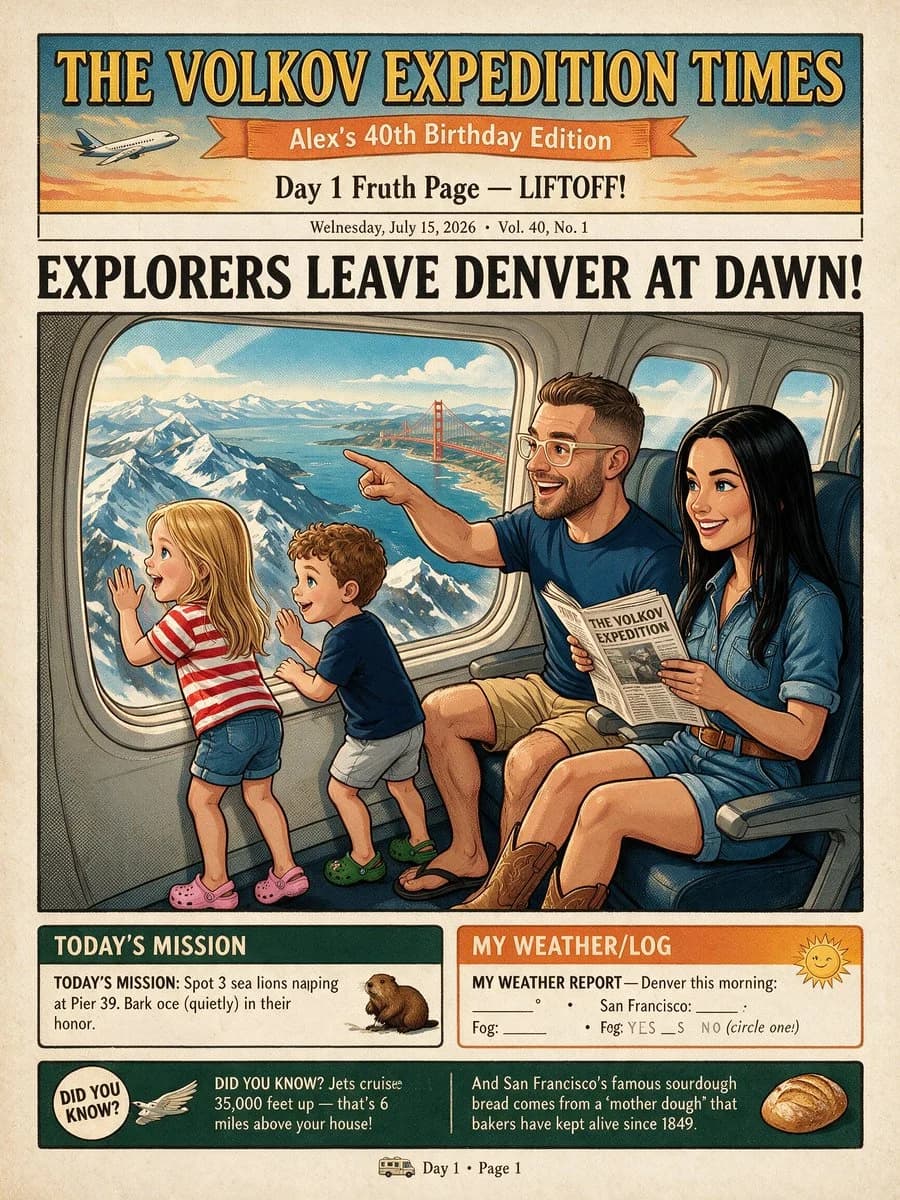
522 wordsGoal: Create a vintage illustrated travel newspaper front page for a family birthday adventure, styled like a playful 1940s expedition comic/newspaper.
Canvas: Vertical portrait page, 4:5 aspect ratio, aged cream paper with light stains, halftone texture, thick black ink outlines, muted retro colors, screen-print shading, hand-lettered typography.
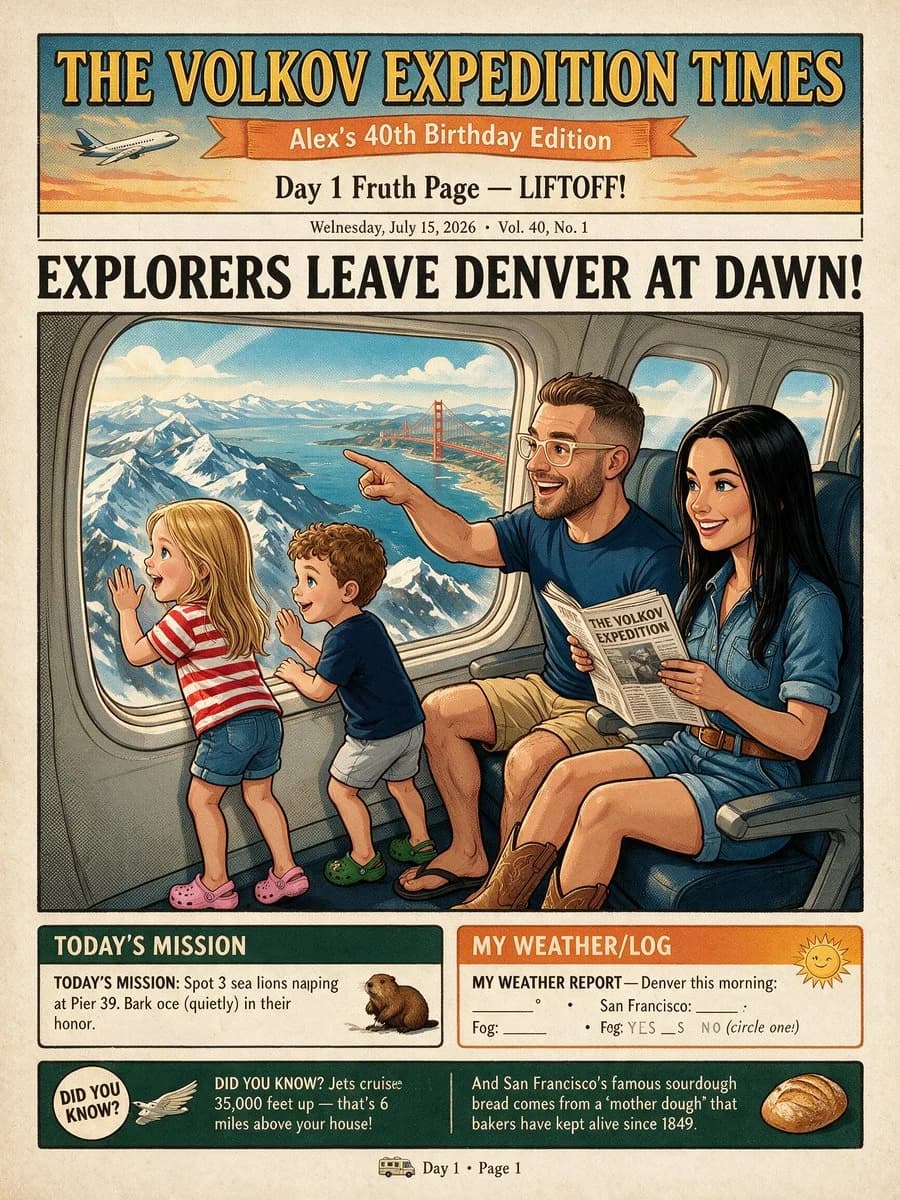
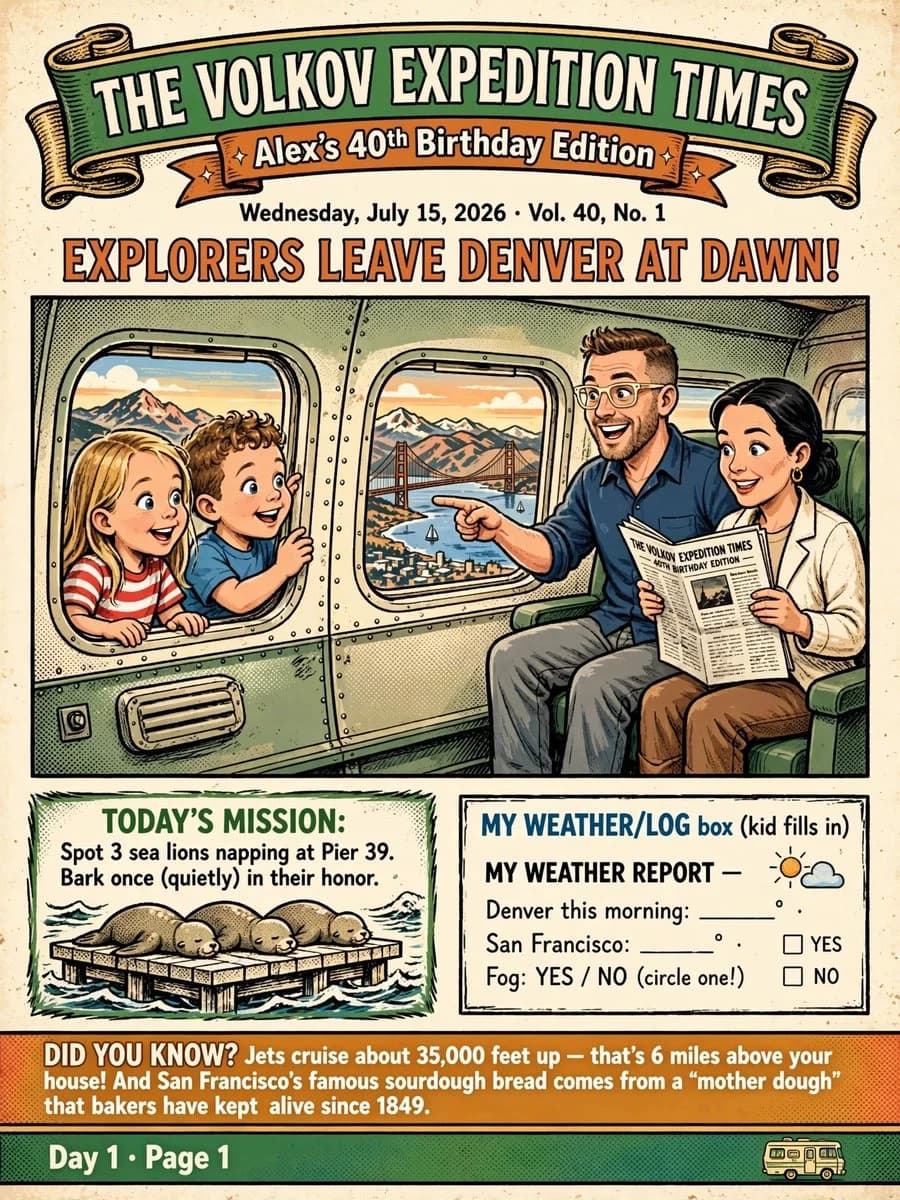
Header layout: At the very top place 2 stacked ribbon banners: a large green curled banner reading “THE VOLKOV EXPEDITION TIMES” and a smaller orange ribbon below reading “Alex’s 40th Birthday Edition”. Under the ribbons add the issue line: “Wednesday, July 15, 2026 • Vol. 40, No. 1”. Then a huge orange all-caps headline with black shadow: “EXPLORERS LEAVE DENVER AT DAWN!”
Main illustration: A large rectangular comic panel shows the inside of an airplane cabin. On the left, exactly 2 children press their faces and hands excitedly to an airplane window from inside the plane: one blonde girl in a red-and-white striped shirt and one curly-haired boy in a blue shirt. On the right, exactly 2 adults sit in airplane seats: a smiling dad with short brown hair, beard, glasses, navy shirt, pointing out the window, and a smiling mom with dark hair in a low bun, white jacket, holding a newspaper. Include exactly 2 visible airplane windows: the left window contains the two children and distant mountains; the middle window shows San Francisco Bay with the Golden Gate Bridge, sailboats, city, and mountains at sunrise. Make the family cheerful, wholesome, and cartoonish, with the kids clearly inside the airplane, not outside.
Lower information panels: Beneath the main illustration, create exactly 2 bordered boxes side by side. Left box title: “TODAY’S MISSION:” in green. Text: “Spot 3 sea lions napping at Pier 39. Bark once (quietly) in their honor.” Illustration inside the box must show exactly 3 sea lions sleeping on a wooden pier over water. Right box title: “MY WEATHER/LOG box (kid fills in)” with kid activity worksheet styling. Include the visible text “MY WEATHER REPORT —”, “Denver this morning: _____ °”, “San Francisco: _____ °”, “Fog: YES / NO (circle one!)”, and two empty checkboxes labeled “YES” and “NO”, plus a small sun-and-cloud icon.
Bottom facts and footer: Add an orange “DID YOU KNOW?” strip spanning the width with the text: “DID YOU KNOW? Jets cruise about 35,000 feet up — that’s 6 miles above your house! And San Francisco’s famous sourdough bread comes from a ‘mother dough’ that bakers have kept alive since 1849.” Below it add a green footer bar reading “Day 1 • Page 1” on the left and a tiny cartoon bus icon on the right.
Customizable text: Use {argument name="newspaper title" default="THE VOLKOV EXPEDITION TIMES"}, {argument name="edition subtitle" default="Alex’s 40th Birthday Edition"}, {argument name="main headline" default="EXPLORERS LEAVE DENVER AT DAWN!"}, {argument name="date and issue line" default="Wednesday, July 15, 2026 • Vol. 40, No. 1"}, and {argument name="mission text" default="Spot 3 sea lions napping at Pier 39. Bark once (quietly) in their honor."}.
Constraints: Keep all lettering legible, maintain a cohesive retro newspaper-comic look, use no photorealism, no modern UI elements, no watermark, no extra panels, and do not add extra children, adults, sea lions, windows, or banners.About this prompt
Retro Family Expedition Newspaper is a ready-to-use poster prompt for GPT Image 2 on Image 2. Copy the 522 words below, paste them into the Create form, and you will get a result close to the preview above. Tweak the Infographic, Poster, Storyboard tag if you want to push it somewhere new.
Use it as a starting point, then adjust the subject, lighting, or composition to suit your idea. The credit cost stays the same whether you use it as written or customize it.
Use case
A strong starting point for Poster
Start here when you want a poster image inspired by Retro Family Expedition Newspaper. The prompt already sets the look and composition; replace the subject, product, colors, or scene details to match your project.
Easy places to tweak
- Subject Swap in your person, product, place, or object without changing the overall composition.
- Look and mood Tune the lighting, palette, camera angle, or materials so the image fits your brand.
- Final format Set the aspect ratio, background, text, or layout notes before you generate.
More prompt paths to explore
Find more GPT Image 2 prompts with a similar style, use case, or subject.
How to use it
- Step 1
Copy the prompt
Hit the Copy button above to grab the full text.
- Step 2
Open Image 2 Create
Head to the Create form and paste it in.
- Step 3
Generate
Hit Generate. Your version lands in seconds.
Make it yours
Load the prompt into the Create form with one click, then start tweaking.