Prompt
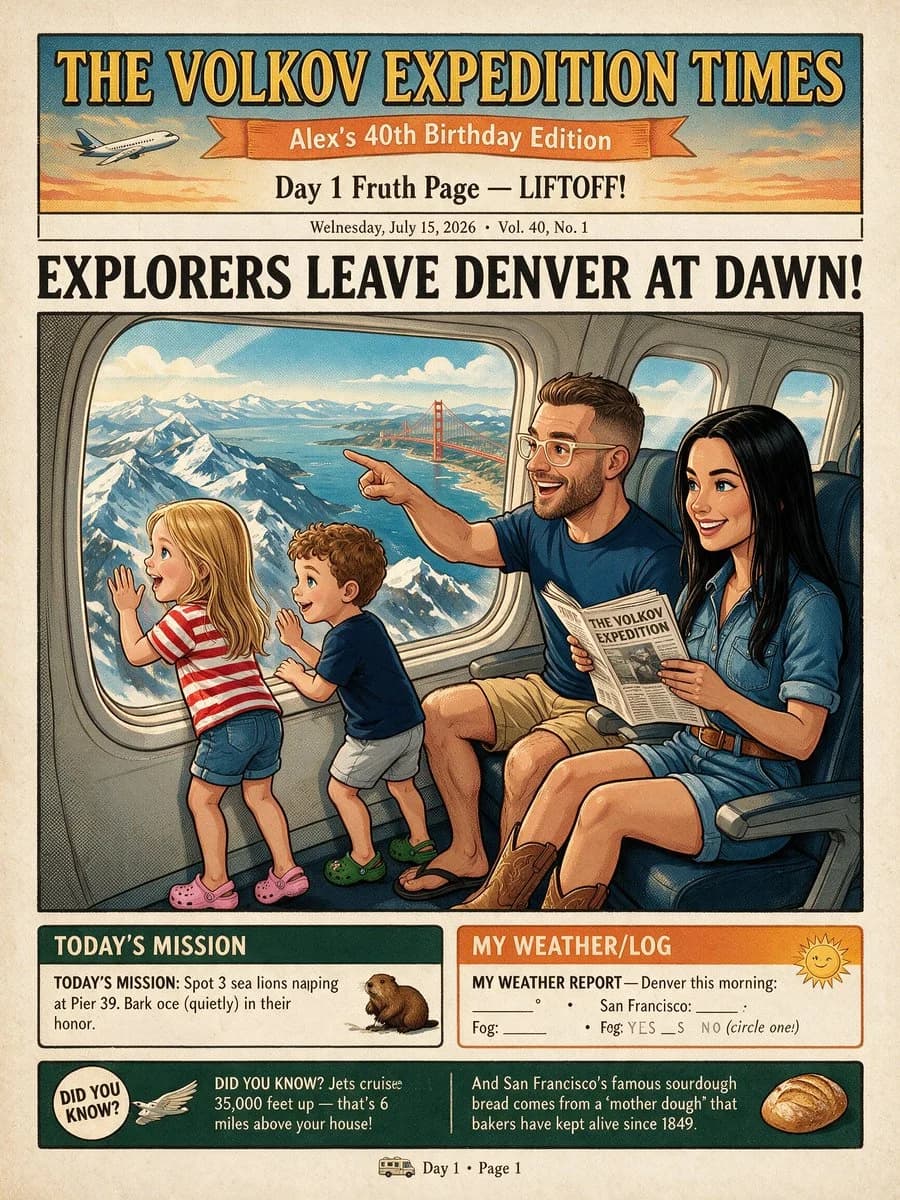
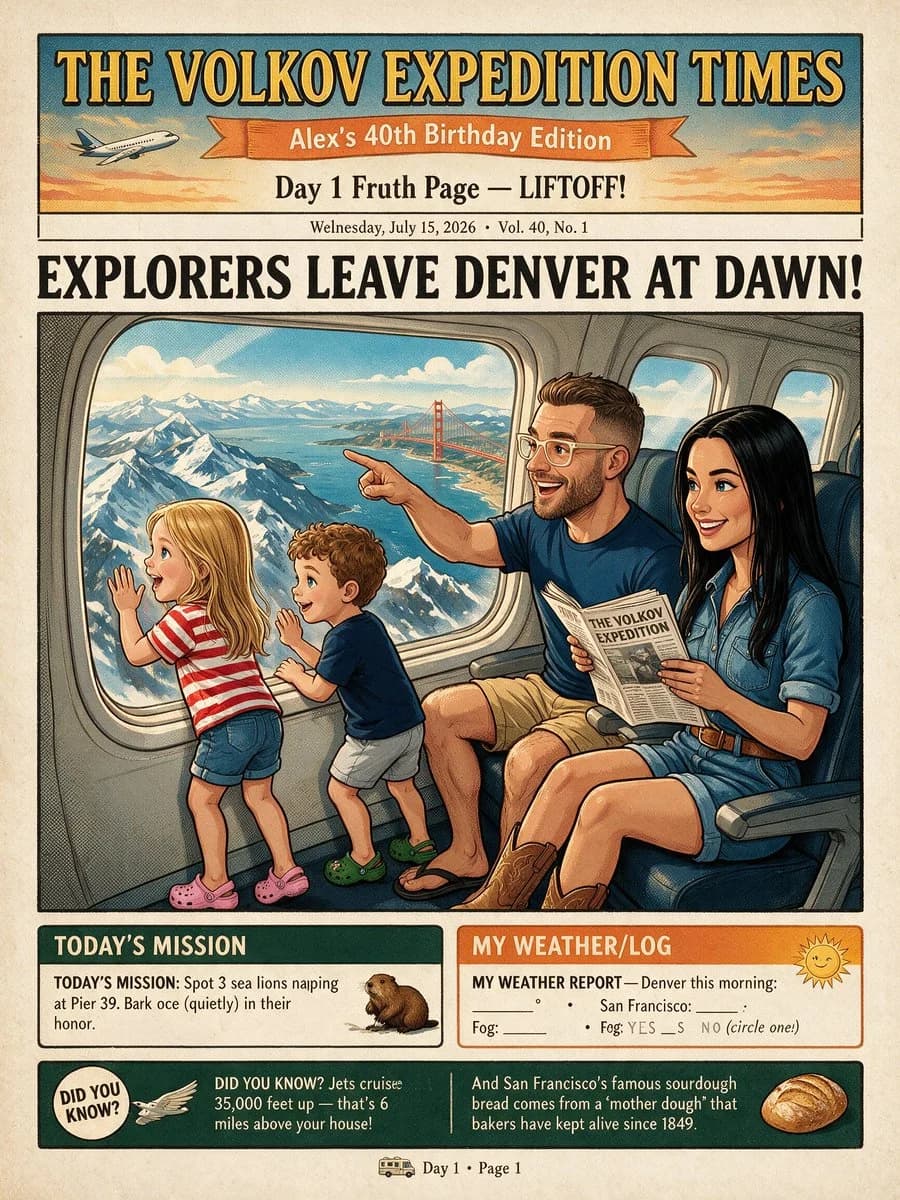
503 wordsGoal: Create a whimsical vintage illustrated travel newspaper front page for a family airplane adventure, titled {argument name="newspaper title" default="THE VOLKOV EXPEDITION TIMES"}, celebrating {argument name="edition banner text" default="Alex’s 40th Birthday Edition"}.
Canvas: Vertical 3:4 poster, aged cream newsprint paper texture, thin black border, retro 1930s expedition-newspaper composition with hand-inked illustration, halftone shading, warm sunset colors, teal and orange accents, and slightly imperfect printed typography.
Header layout: At the very top, a dark teal masthead panel with large yellow serif letters reading “THE VOLKOV EXPEDITION TIMES.” Beneath it, place an orange ribbon banner reading “Alex’s 40th Birthday Edition,” with a small passenger airplane illustration on the left flying through a pastel sky. Under the ribbon, add the subheadline “Day 1 Fruth Page — LIFTOFF!” and a small dateline line reading “Wednesday, July 15, 2026 • Vol. 40, No. 1.”
Main headline: Huge bold black newspaper headline across the page: {argument name="main headline" default="EXPLORERS LEAVE DENVER AT DAWN!"}
Main illustration: A large framed comic-style scene filling the center of the page, showing the interior of a commercial airplane cabin. There are exactly 4 family members: 1 blonde young girl in a red-and-white striped shirt, denim shorts, and pink clogs standing at the window with one hand raised; 1 curly-haired young boy in a navy shirt, pale shorts, and green clogs excitedly looking outside; 1 smiling adult man with short brown hair, trimmed beard, glasses, navy T-shirt, tan shorts, and flip-flops pointing out the window while holding a small newspaper; and 1 smiling adult woman with long black hair, denim short-sleeve romper, brown belt, and brown cowboy boots sitting beside him, holding the same newspaper. Show exactly 3 visible airplane windows: one large panoramic window in the center-left with dramatic snowy mountains, blue bay water, and the Golden Gate Bridge outside; one medium window behind the adults; and one small window far right. Use blue airplane seats and curved gray cabin walls.
Bottom information boxes: Include exactly 3 lower content blocks. Block 1 on the lower left is a dark green box titled “TODAY’S MISSION,” with text about spotting sea lions napping at Pier 39 and barking quietly in their honor, plus a small sea lion illustration. Block 2 on the lower right is an orange-bordered box titled “MY WEATHER/LOG,” with a sunny face icon and fill-in weather lines for Denver and San Francisco, plus fog yes/no options. Block 3 is a dark green trivia strip across the bottom with two trivia facts separated by a vertical divider: left side has a circular “DID YOU KNOW?” badge, a small wing/plane icon, and a fact about jets cruising 35,000 feet up; right side has a fact about San Francisco sourdough bread and a small loaf illustration.
Footer: Centered at the very bottom, add a tiny bus icon followed by “Day 1 • Page 1.”
Text constraints: Keep all visible text legible but allow charming hand-printed imperfections. Use the exact three bottom block count, exactly four people, exactly three airplane windows, and no extra logos or watermarks.About this prompt
Vintage Family Expedition Newspaper is a ready-to-use poster prompt for GPT Image 2 on Image 2. Copy the 503 words below, paste them into the Create form, and you will get a result close to the preview above. Tweak the Product Ad, Poster, Product tag if you want to push it somewhere new.
Use it as a starting point, then adjust the subject, lighting, or composition to suit your idea. The credit cost stays the same whether you use it as written or customize it.
Use case
A strong starting point for Poster
Start here when you want a poster image inspired by Vintage Family Expedition Newspaper. The prompt already sets the look and composition; replace the subject, product, colors, or scene details to match your project.
Easy places to tweak
- Subject Swap in your person, product, place, or object without changing the overall composition.
- Look and mood Tune the lighting, palette, camera angle, or materials so the image fits your brand.
- Final format Set the aspect ratio, background, text, or layout notes before you generate.
More prompt paths to explore
Find more GPT Image 2 prompts with a similar style, use case, or subject.
How to use it
- Step 1
Copy the prompt
Hit the Copy button above to grab the full text.
- Step 2
Open Image 2 Create
Head to the Create form and paste it in.
- Step 3
Generate
Hit Generate. Your version lands in seconds.
Make it yours
Load the prompt into the Create form with one click, then start tweaking.