Prompt
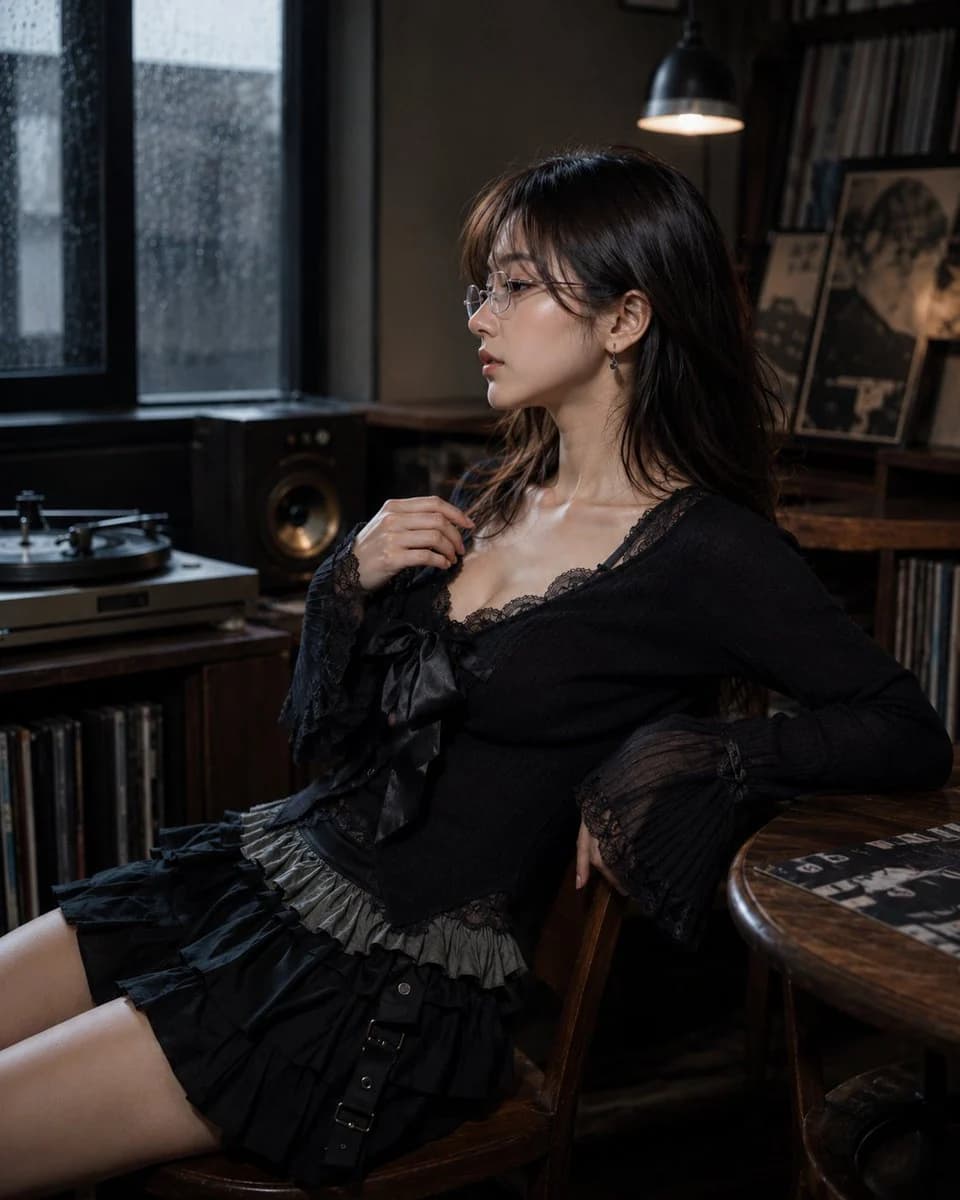
168 wordsCreate a photorealistic editorial portrait of one 20-year-old Japanese or Korean female portrait subject with white frame, thin-frame glasses, worn normally on the face, lenses aligned over the eyes and small teardrop gemstone earring detail, delicate understated sparkle, natural basic body, about 160-165 cm visual height, balanced torso-to-leg ratio around 4:6, young seductive alluring beauty face, magnetic feminine facial balance, defined eyes and lips, collarbone-length layered hair, airy natural volume, soft face-framing movement, soft black-tea brown hair, muted brown-black salon tone. She is sitting on a chair that naturally fits the current scene. The setting is British record listening corner, turntable setup, stacked vinyl sleeves, bookshelf speakers, aged wood cabinet, lamp fixture, small side table, indoor rainy-day daylight environment, dim grey window brightness. She wears gothic casual knit-and-ruffle outfit, fitted knit top, lace camisole layer, large ribbon bow, high-waist layered ruffle mini skirt. Inspired by Leslie Kee, polished commercial portrait image language. Camera positioned on the subject's left side, 90-degree left profile view, ultra shallow depth of field.
About this prompt
Kawaii Character Side Profile Portrait is a ready-to-use portrait prompt for GPT Image 2 on Image 2. Copy the 168 words below, paste them into the Create form, and you will get a result close to the preview above. Tweak the Product Ad, Portrait, Character Design tag if you want to push it somewhere new.
Use it as a starting point, then adjust the subject, lighting, or composition to suit your idea. The credit cost stays the same whether you use it as written or customize it.
Use case
A strong starting point for Portrait
Start here when you want a portrait image inspired by Kawaii Character Side Profile Portrait. The prompt already sets the look and composition; replace the subject, product, colors, or scene details to match your project.
Easy places to tweak
- Subject Swap in your person, product, place, or object without changing the overall composition.
- Look and mood Tune the lighting, palette, camera angle, or materials so the image fits your brand.
- Final format Set the aspect ratio, background, text, or layout notes before you generate.
More prompt paths to explore
Find more GPT Image 2 prompts with a similar style, use case, or subject.
How to use it
- Step 1
Copy the prompt
Hit the Copy button above to grab the full text.
- Step 2
Open Image 2 Create
Head to the Create form and paste it in.
- Step 3
Generate
Hit Generate. Your version lands in seconds.
Make it yours
Load the prompt into the Create form with one click, then start tweaking.