Prompt
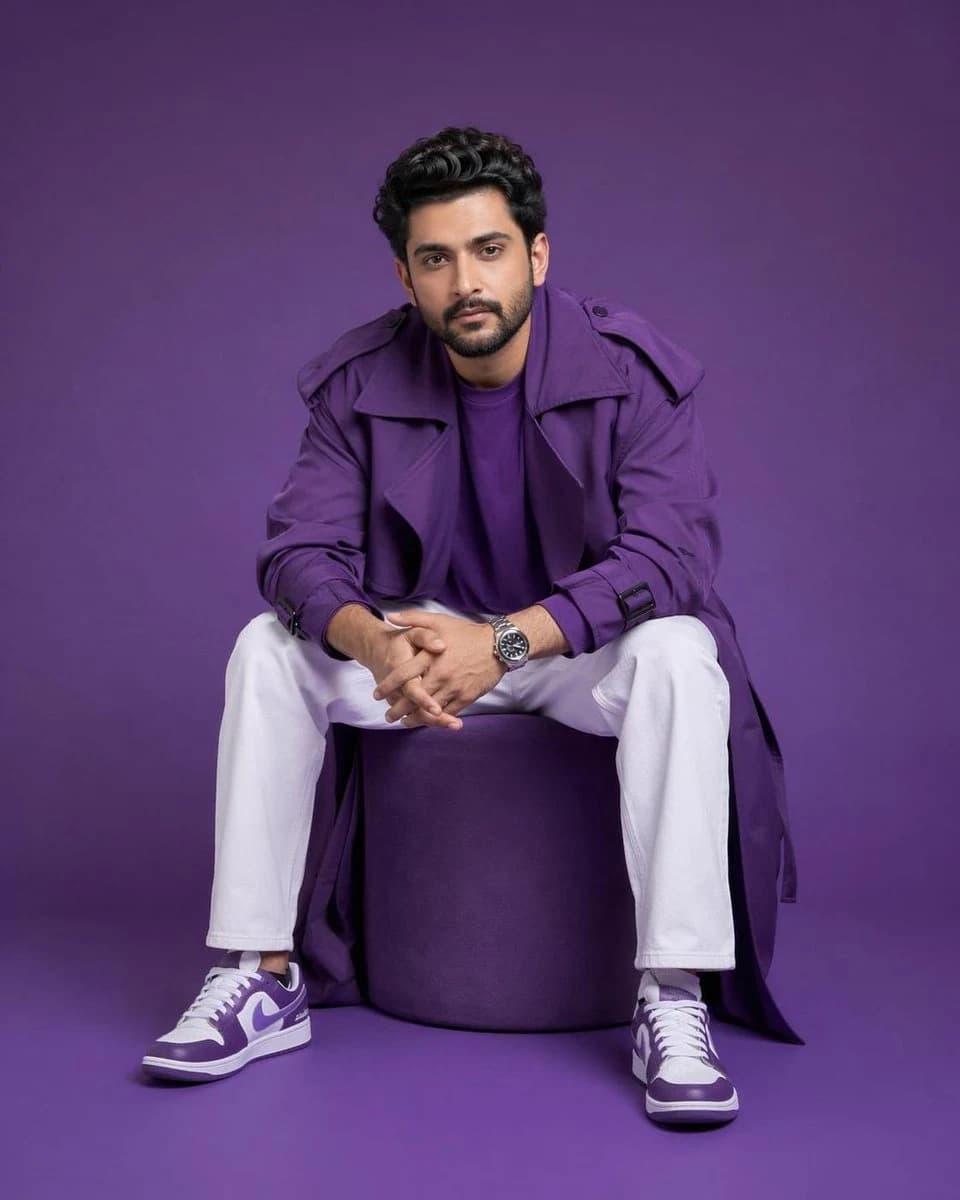
322 wordsUsing the uploaded face image, preserve the person's facial identity with absolute accuracy (100% identity preservation), maintaining the exact face shape, bone structure, forehead, eyebrows, eyes, nose, lips, ears, jawline, hairstyle, hairline, facial hair, skin tone, complexion, age, and natural expression without beautifying or altering the individual. Create an ultra-premium Gen-Z fashion editorial portrait of the same person seated casually on a perfectly cylindrical matte {argument name="furniture color" default="purple"} ottoman, leaning slightly forward with elbows resting naturally on the thighs and hands loosely clasped together, projecting effortless confidence and modern attitude while making direct eye contact with the camera. Dress the subject in an oversized luxury monochromatic {argument name="outfit color" default="purple"} trench coat layered over a matching purple crew-neck t-shirt, relaxed-fit white trousers, premium white and purple designer sneakers, and a sophisticated stainless steel wristwatch. Place the subject inside a seamless monochromatic purple studio where both the floor and background are the same rich matte purple with a clean {argument name="aesthetic style" default="minimalist"} aesthetic and no additional props or distractions. Illuminate the scene using high-end professional fashion studio lighting with a large softbox positioned slightly above and to camera left, complemented by subtle fill lighting and gentle cinematic shadows that sculpt the face while preserving realistic skin texture and premium fabric details. Capture the image in a perfectly balanced 4:5 vertical composition with the full body and shoes visible, centered framing, shot using an 85mm medium-format portrait lens with shallow depth of field, ultra-sharp focus, hyper-realistic skin pores, luxury editorial color grading, Apple-style minimalism, Vogue campaign quality, commercial advertising photography, HDR, photorealistic 8K resolution. Negative prompt: different person, identity change, face swap, altered facial features, beautified face, different hairstyle, incorrect facial hair, asymmetrical face, distorted anatomy, extra fingers, missing fingers, duplicate limbs, bad hands, blurry image, low quality, low resolution, cartoon, anime, CGI, illustration, plastic skin, oversmoothed skin, fisheye lens, wide-angle distortion, cluttered background, text, watermark, logo, cropped shoes, cropped body, artifacts.About this prompt
High-End Gen-Z Editorial Portrait is a ready-to-use portrait prompt for GPT Image 2 on Image 2. Copy the 322 words below, paste them into the Create form, and you will get a result close to the preview above. Tweak the Product Ad, Portrait, Product tag if you want to push it somewhere new.
Use it as a starting point, then adjust the subject, lighting, or composition to suit your idea. The credit cost stays the same whether you use it as written or customize it.
Use case
A strong starting point for Portrait
Start here when you want a portrait image inspired by High-End Gen-Z Editorial Portrait. The prompt already sets the look and composition; replace the subject, product, colors, or scene details to match your project.
Easy places to tweak
- Subject Swap in your person, product, place, or object without changing the overall composition.
- Look and mood Tune the lighting, palette, camera angle, or materials so the image fits your brand.
- Final format Set the aspect ratio, background, text, or layout notes before you generate.
More prompt paths to explore
Find more GPT Image 2 prompts with a similar style, use case, or subject.
How to use it
- Step 1
Copy the prompt
Hit the Copy button above to grab the full text.
- Step 2
Open Image 2 Create
Head to the Create form and paste it in.
- Step 3
Generate
Hit Generate. Your version lands in seconds.
Make it yours
Load the prompt into the Create form with one click, then start tweaking.