Prompt
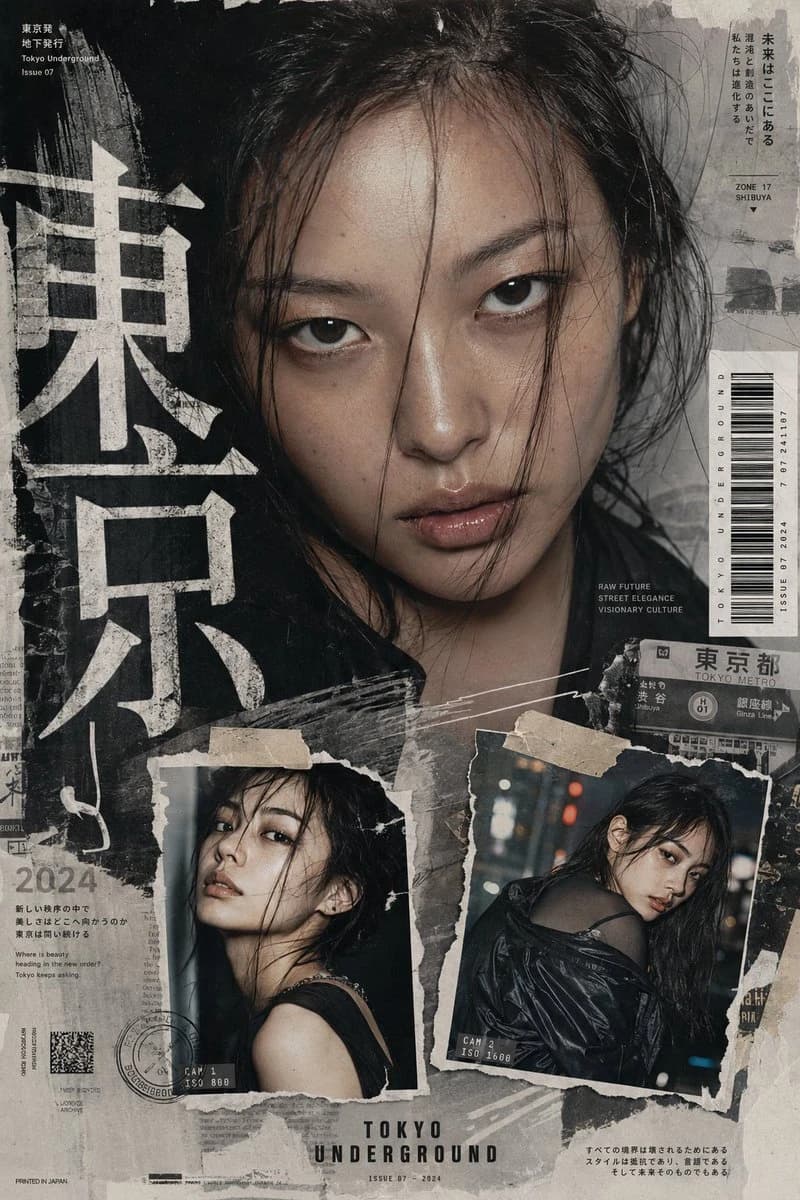
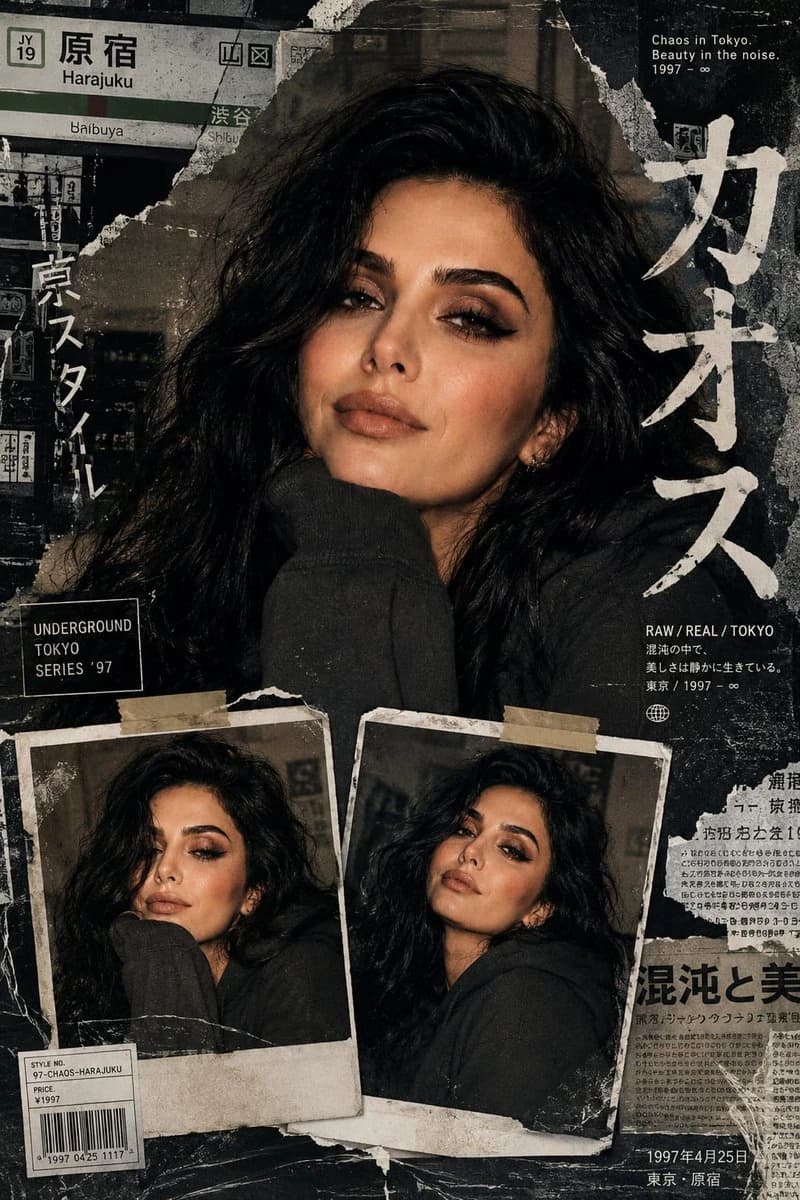
341 wordsUse the uploaded reference image as the exact facial identity reference for the girl. Preserve her real facial structure, eye shape, nose, lips, jawline, skin tone, hairstyle essence, and overall appearance consistency throughout the entire poster. Maintain accurate identity realism with natural skin texture and authentic facial proportions. Create an avant-garde Tokyo street-fashion editorial collage poster with a sophisticated neo-Y2K Japanese magazine aesthetic. Inspired by underground Harajuku fashion zines, luxury streetwear campaigns, and raw urban print design. Composition built from layered torn-paper textures, distressed xerox scans, folded magazine scraps, scratched film overlays, faded ink marks, and gritty editorial collage elements. Main composition: one large cinematic close-up portrait of the same girl from the reference image dominating the upper section of the poster. Strong eye contact with sharp realistic eye detail, naturally glossy lips, subtle skin imperfections, softly tied messy hair with loose strands framing the face, no glasses, no exaggerated makeup, calm but magnetic expression. Lighting should feel like premium DSLR flash photography mixed with cinematic shadow gradients, creating a modern luxury fashion-campaign atmosphere. Lower composition: exactly two smaller collage portraits of the same girl placed asymmetrically near the bottom, styled like ripped instant-film photographs taped onto the layout. Each frame should show different facial expressions, angles, and poses while maintaining perfect facial identity consistency with the reference image. Design elements: oversized experimental Japanese typography, small minimal English captions, subtle Tokyo subway signage fragments, barcode labels, newspaper clipping textures, masking tape pieces, distressed brush strokes, folded paper shadows, vintage print imperfections, halftone grain, layered editorial cutouts, and premium fashion-magazine spacing. Color palette and mood: muted neutral tones with charcoal black, faded white, soft silver, washed beige, and subtle cool-gray highlights. Clean but rebellious high-fashion energy, cinematic contrast, raw streetwear editorial moodboard aesthetic, ultra-realistic RAW DSLR photography feel, luxury Japanese graphic design style, sharp focus, highly detailed textures, authentic print wear, ultra detailed, 8K quality. Avoid: pastel colors, kawaii styling, cartoon elements, bubbles, exaggerated neon effects, anime aesthetics, overly colorful backgrounds, unrealistic beauty filters, duplicated faces, distorted anatomy, or fake AI-looking skin.
About this prompt
Identity Reference Fashion Portrait is a ready-to-use portrait prompt for GPT Image 2 on Image 2. Copy the 341 words below, paste them into the Create form, and you will get a result close to the preview above. Tweak the Product Ad, Portrait, Fashion tag if you want to push it somewhere new.
Use it as a starting point, then adjust the subject, lighting, or composition to suit your idea. The credit cost stays the same whether you use it as written or customize it.
Use case
A strong starting point for Portrait
Start here when you want a portrait image inspired by Identity Reference Fashion Portrait. The prompt already sets the look and composition; replace the subject, product, colors, or scene details to match your project.
Easy places to tweak
- Subject Swap in your person, product, place, or object without changing the overall composition.
- Look and mood Tune the lighting, palette, camera angle, or materials so the image fits your brand.
- Final format Set the aspect ratio, background, text, or layout notes before you generate.
More prompt paths to explore
Find more GPT Image 2 prompts with a similar style, use case, or subject.
How to use it
- Step 1
Copy the prompt
Hit the Copy button above to grab the full text.
- Step 2
Open Image 2 Create
Head to the Create form and paste it in.
- Step 3
Generate
Hit Generate. Your version lands in seconds.
Make it yours
Load the prompt into the Create form with one click, then start tweaking.