Prompt
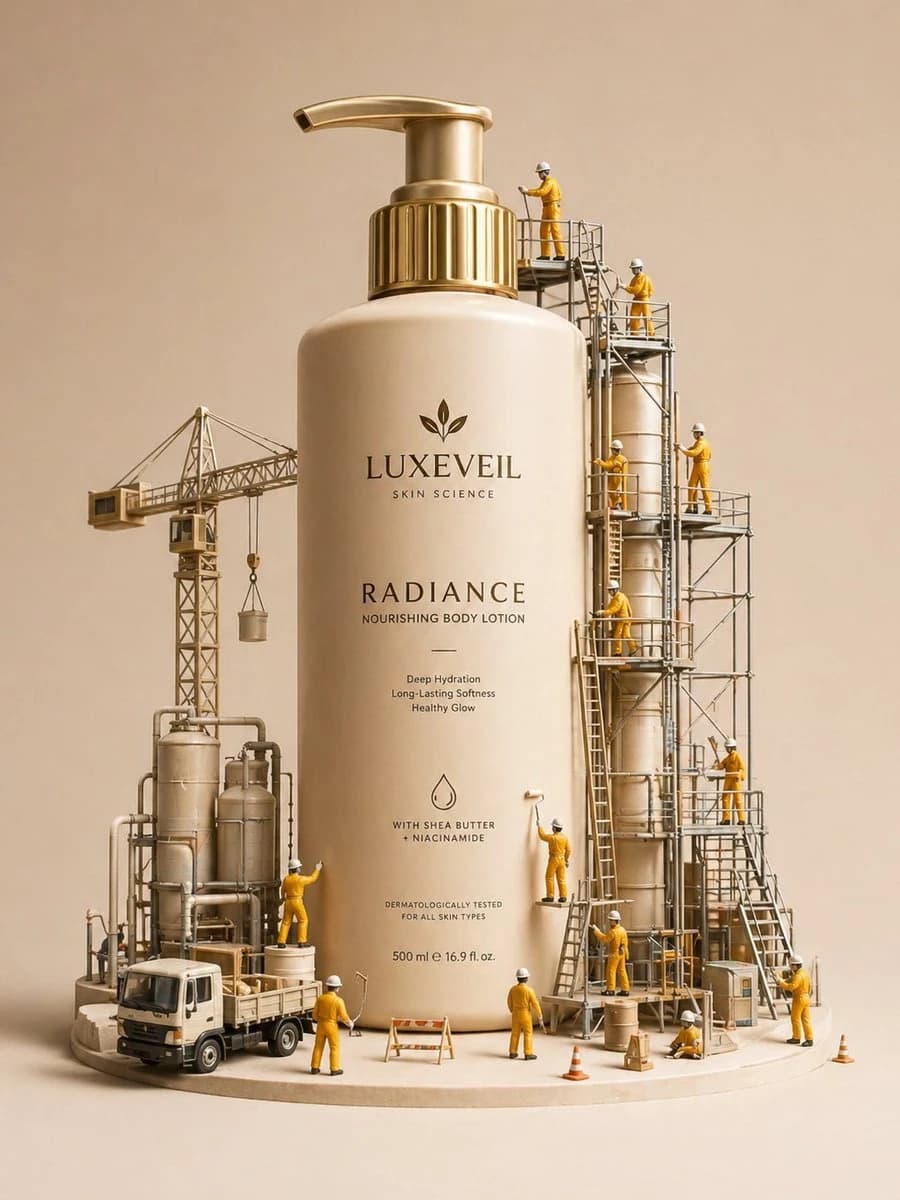
137 wordsA hyper-realistic miniature diorama product advertisement featuring an oversized luxury skincare pump bottle labeled "LUXEVEIL Skin Science – Radiance Nourishing Body Lotion" in cream/beige with a polished gold pump top, placed on a circular platform. Tiny figurine construction workers dressed in yellow coveralls and white hard hats swarm around the bottle climbing scaffolding, painting the bottle with rollers, operating a tower crane, working near industrial tanks and pipework, and unloading a miniature flatbed truck. The scene includes metal scaffolding structures, industrial silos, orange traffic cones, wooden barricades, and storage barrels. The overall color palette is warm beige, cream, gold, and mustard yellow. Studio photography style with soft diffused lighting, no shadows, clean beige background. The concept metaphorically shows workers "crafting" or "building" the perfect lotion. Tilt-shift miniature aesthetic, ultra-detailed, commercial product photography, 8K resolution, photorealistic CGI render.
About this prompt
E-commerce Main Image - Miniature Diorama Skincare Advertisement is a ready-to-use e-commerce prompt for GPT Image 2 on Image 2. Copy the 137 words below, paste them into the Create form, and you will get a result close to the preview above. Tweak the Product Ad, E-commerce, Infographic tag if you want to push it somewhere new.
Use it as a starting point, then adjust the subject, lighting, or composition to suit your idea. The credit cost stays the same whether you use it as written or customize it.
Use case
A strong starting point for E-commerce
Start here when you want a e-commerce image inspired by E-commerce Main Image - Miniature Diorama Skincare Advertisement. The prompt already sets the look and composition; replace the subject, product, colors, or scene details to match your project.
Easy places to tweak
- Subject Swap in your person, product, place, or object without changing the overall composition.
- Look and mood Tune the lighting, palette, camera angle, or materials so the image fits your brand.
- Final format Set the aspect ratio, background, text, or layout notes before you generate.
More prompt paths to explore
Find more GPT Image 2 prompts with a similar style, use case, or subject.
How to use it
- Step 1
Copy the prompt
Hit the Copy button above to grab the full text.
- Step 2
Open Image 2 Create
Head to the Create form and paste it in.
- Step 3
Generate
Hit Generate. Your version lands in seconds.
Make it yours
Load the prompt into the Create form with one click, then start tweaking.