Prompt
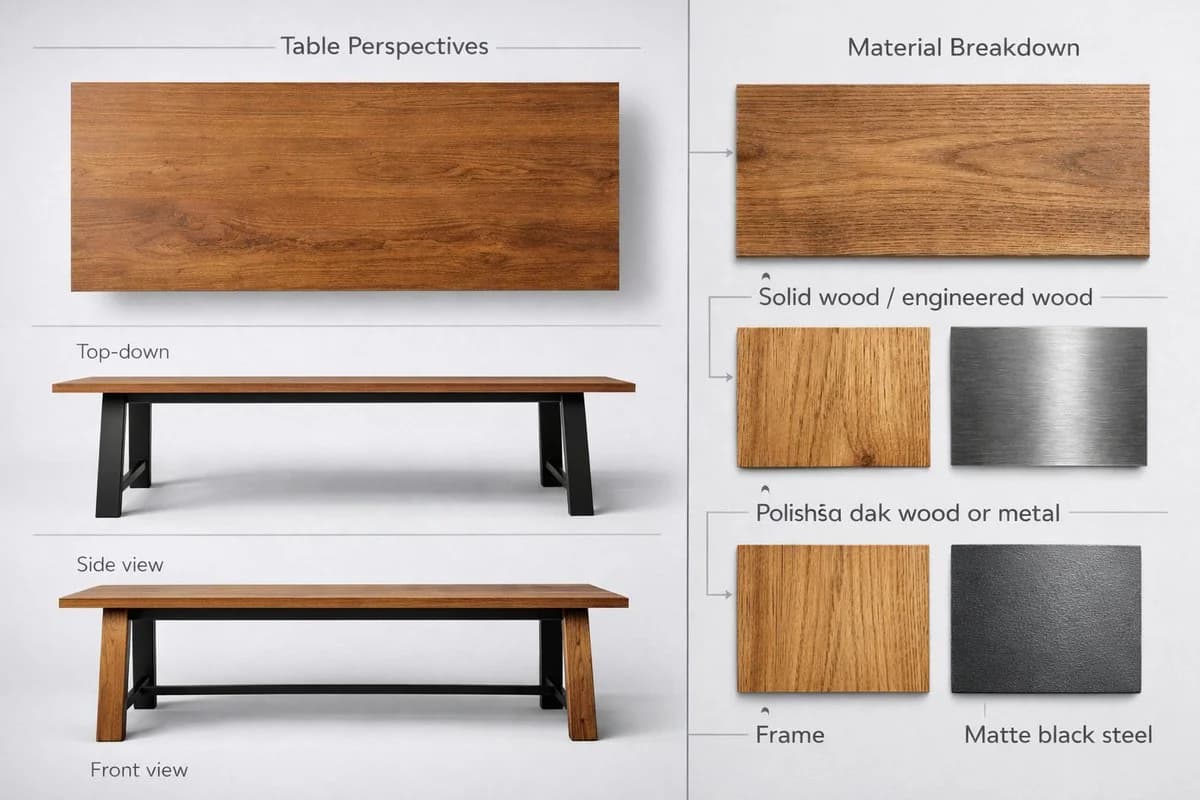
167 wordsCreate a high-quality realistic 3D product showcase for a table, using a split-view layout (3:2 or 4:3 aspect ratio) on a neutral light gray or white background. Left side — Table Perspectives: - Top-down view: full tabletop shape, surface texture, and edge details - Side view: leg design, table height, and tabletop thickness - Front view: width, symmetry, and leg alignment Use consistent lighting with subtle shadows for realism. Right side — Material Breakdown: - Tabletop: solid or engineered wood, with a close-up wood texture swatch and clean sans-serif label - Legs: polished oak wood or metal, with a material texture swatch and consistent labeling - Frame: matte black steel, with a small metallic texture swatch and minimalist annotation Separate the two sections with a vertical dividing line or subtle split background. Use natural tones for materials and grayscale for backgrounds and lines. Modern readable font for labels and section titles. Output as a high-resolution image suitable for a product sheet, interior design catalog, or furniture showcase.
About this prompt
Furniture Product Sheet Layout is a ready-to-use e-commerce prompt for GPT Image 2 on Image 2. Copy the 167 words below, paste them into the Create form, and you will get a result close to the preview above. Tweak the Product Ad, E-commerce, Product tag if you want to push it somewhere new.
Use it as a starting point, then adjust the subject, lighting, or composition to suit your idea. The credit cost stays the same whether you use it as written or customize it.
Use case
A strong starting point for E-commerce
Start here when you want a e-commerce image inspired by Furniture Product Sheet Layout. The prompt already sets the look and composition; replace the subject, product, colors, or scene details to match your project.
Easy places to tweak
- Subject Swap in your person, product, place, or object without changing the overall composition.
- Look and mood Tune the lighting, palette, camera angle, or materials so the image fits your brand.
- Final format Set the aspect ratio, background, text, or layout notes before you generate.
More prompt paths to explore
Find more GPT Image 2 prompts with a similar style, use case, or subject.
How to use it
- Step 1
Copy the prompt
Hit the Copy button above to grab the full text.
- Step 2
Open Image 2 Create
Head to the Create form and paste it in.
- Step 3
Generate
Hit Generate. Your version lands in seconds.
Make it yours
Load the prompt into the Create form with one click, then start tweaking.