Prompt
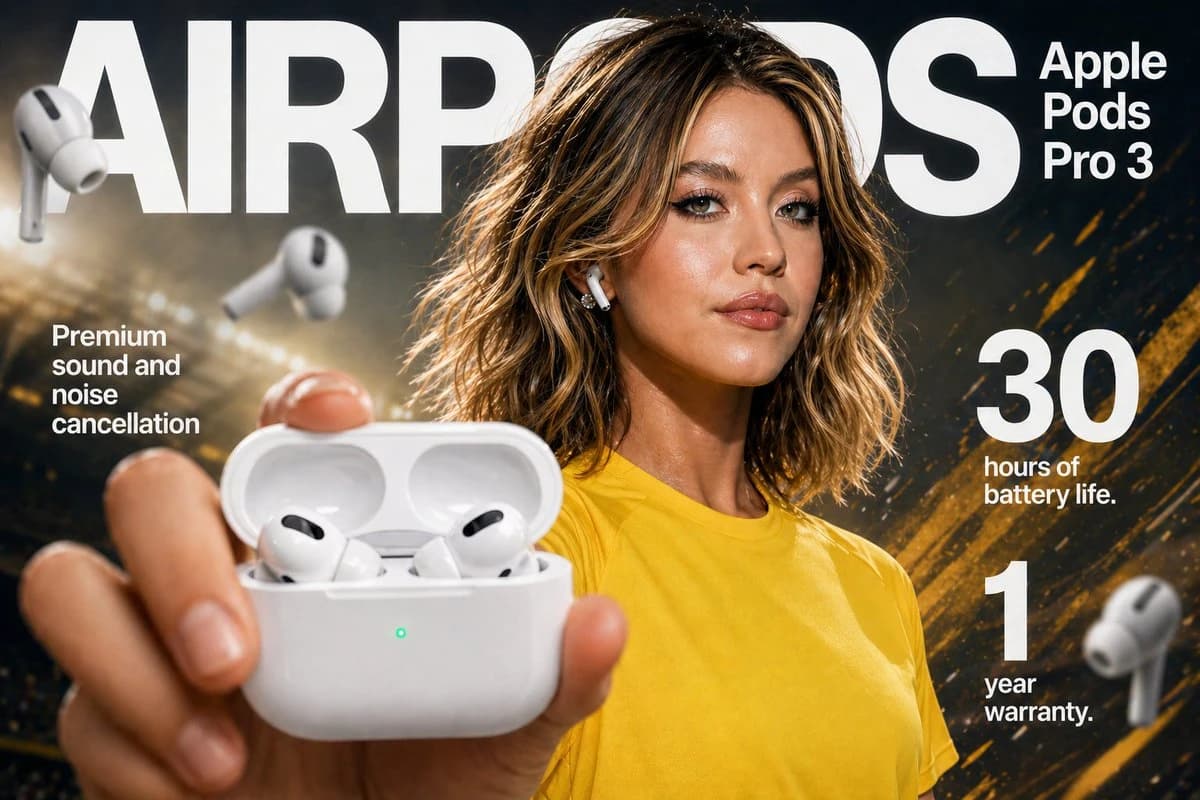
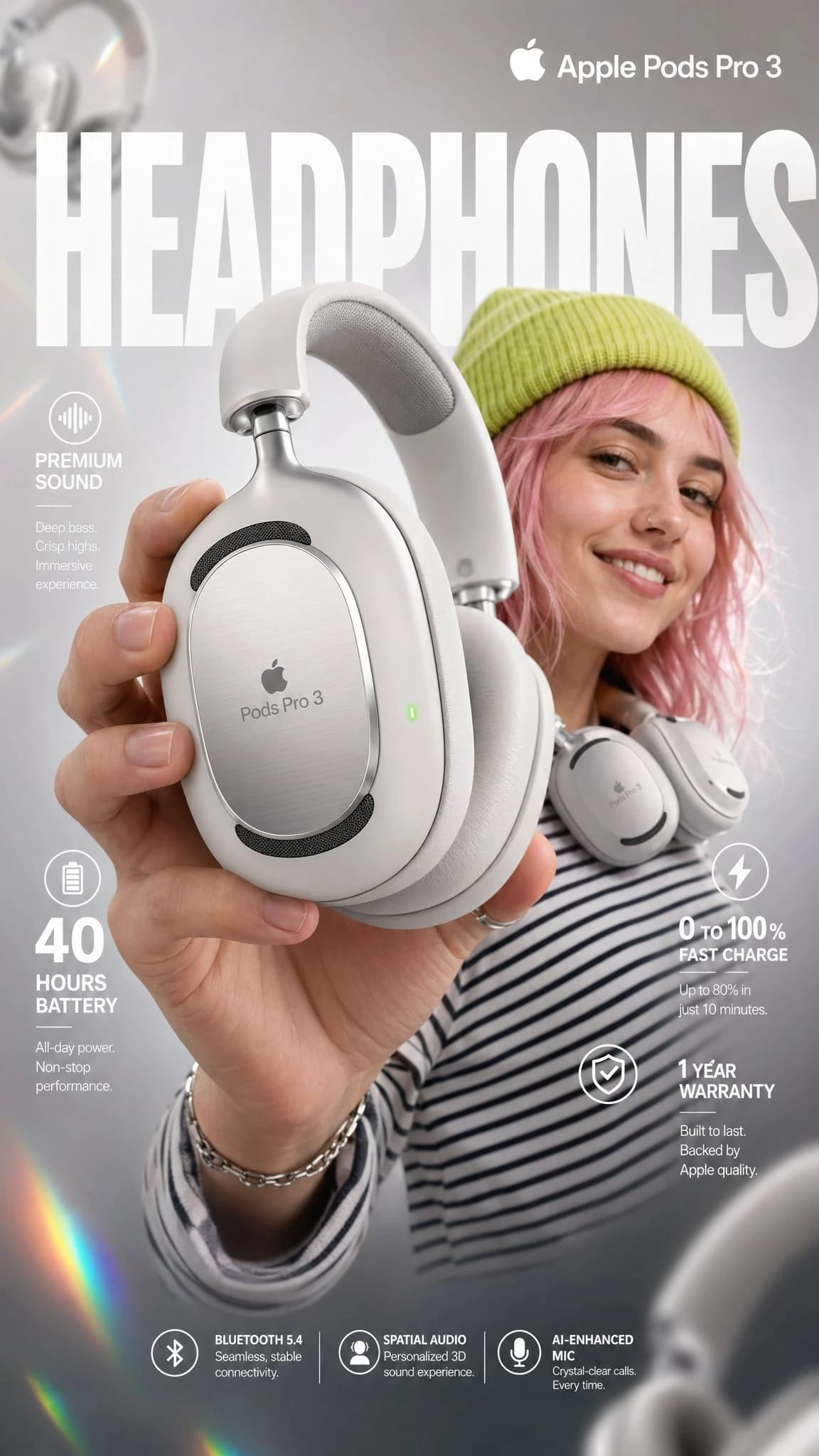
469 wordsHigh-impact e-commerce infographic for "Apple Pods Pro 3"
premium wireless over-ear headphones.
FOREGROUND - PRODUCT HERO SHOT
Extreme close-up of a hand holding a sleek,
matte-white premium over-ear headphone toward the camera
at a slight angle. The headphone features:
- Glossy white ear cushions with soft memory foam padding
- Brushed aluminum silver headband with subtle Apple Pods
Pro 3 embossed branding
- Black mesh speaker grille visible on the ear cup face
- A tiny glowing green LED status indicator on the
right ear cup edge
- Subtle touch-control icons etched on the outer cup surface
Macro-lens shallow depth of field — hand and headphone
slightly blurred at edges to create cinematic depth.
Product remains razor-sharp in center frame.
CENTRAL SUBJECT — MODEL
In the mid-ground: a smiling young woman with freckles
and wavy pastel-pink hair. She wears:
- A vibrant lime-green knit beanie
- A psychedelic black and white-striped long-sleeve shirt
- The white over-ear headphones resting stylishly
around her neck (not on ears) — one hand casually
touching the ear cup
Expression: relaxed, confident, joyful.
She is glancing slightly off-camera with a natural smile.
BACKGROUND & ATMOSPHERE
Clean soft-focus studio backdrop — light gray gradient
fading to warm white at center.
Atmospheric overlays:
- Diagonal rainbow prism lens flares cutting across
upper-left to lower-right
- Soft pastel light leaks in pink and yellow at corners
- 4–5 blurred white over-ear headphones floating
artistically in the background at various depths
and rotation angles
- Subtle bokeh circles from background studio lights
Lighting: Soft professional three-point studio lighting.
Key light from upper-left, fill light right side.
Rim light behind model for separation.
Glossy highlights on headphone surfaces catching light naturally.
TYPOGRAPHY & LAYOUT — Sans-Serif, Clean white
TOP CENTER (behind model, large background text):
→ Massive bold oversized text: "HEADPHONES"
Semi-transparent white, spanning full width behind subject
TOP RIGHT CORNER:
→ Bold clean text: "Apple Pods Pro 3"
Subtitle smaller text: "Over-Ear Wireless"
MID LEFT:
→ Icon: small sound wave symbol
→ Bold text: "Premium Sound"
→ Sub-text: "Active Noise Cancellation + Transparency Mode"
MID RIGHT:
→ Extra-large bold numeral: "40"
→ Smaller text below: "hours of battery life"
LOWER LEFT:
→ Extra-large bold numeral: "0"
with "to" beside it → then bold "100%"
→ Sub-text: "Fast charge — 10 min = 3hrs playback"
BOTTOM RIGHT:
→ Extra-large bold numeral: "1"
→ Sub-text: "Year Warranty Included"
BOTTOM CENTER (fine print style):
→ Small elegant text:
"Bluetooth 5.4 | Hi-Res Audio Certified
| Foldable Design | USB-C Charging"
TECHNICAL SPECS
Resolution: 8K ultra-sharp
Style: Commercial product photography meets
editorial fashion advertising
Color Palette: White, lime green, pastel pink,
rainbow prism accents
Focus: Tack-sharp on headphone product —
shallow DOF on everything else
Lens: 85mm macro, slight low angle
Render Quality: Hyperrealistic, clean ad aesthetic,
vibrant yet professional color gradingAbout this prompt
Apple Pods Pro 3 Headphone E-Commerce Infographic is a ready-to-use e-commerce prompt for GPT Image 2 on Image 2. Copy the 469 words below, paste them into the Create form, and you will get a result close to the preview above. Tweak the Product Ad, E-commerce, Infographic tag if you want to push it somewhere new.
Use it as a starting point, then adjust the subject, lighting, or composition to suit your idea. The credit cost stays the same whether you use it as written or customize it.
Use case
A strong starting point for E-commerce
Start here when you want a e-commerce image inspired by Apple Pods Pro 3 Headphone E-Commerce Infographic. The prompt already sets the look and composition; replace the subject, product, colors, or scene details to match your project.
Easy places to tweak
- Subject Swap in your person, product, place, or object without changing the overall composition.
- Look and mood Tune the lighting, palette, camera angle, or materials so the image fits your brand.
- Final format Set the aspect ratio, background, text, or layout notes before you generate.
More prompt paths to explore
Find more GPT Image 2 prompts with a similar style, use case, or subject.
How to use it
- Step 1
Copy the prompt
Hit the Copy button above to grab the full text.
- Step 2
Open Image 2 Create
Head to the Create form and paste it in.
- Step 3
Generate
Hit Generate. Your version lands in seconds.
Make it yours
Load the prompt into the Create form with one click, then start tweaking.