Prompt
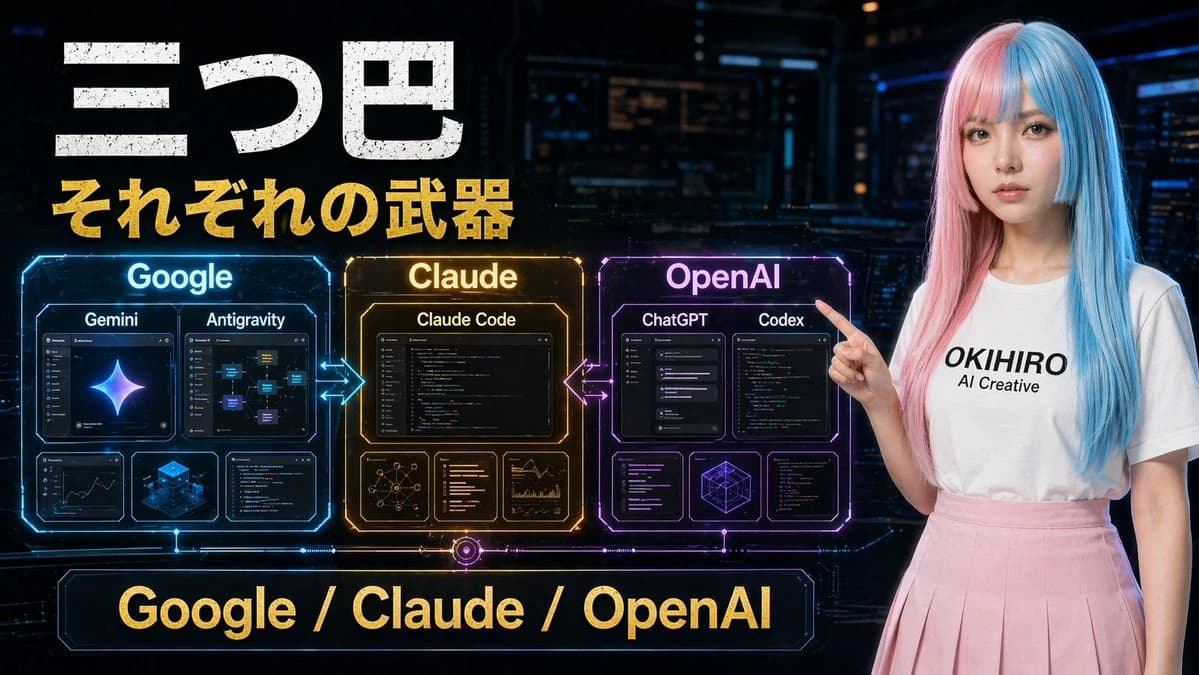
259 wordsA futuristic Japanese tech comparison poster in a dark cyberpunk control-room setting, wide 16:9 composition. Large distressed white Japanese headline text at the upper left reading "三つ巴", with a bold gold subtitle directly below reading "それぞれの武器". Across the center-left are 3 glowing holographic comparison panels arranged horizontally and connected by neon arrows: a blue panel labeled "Google", an amber-gold panel labeled "Claude", and a purple-magenta panel labeled "OpenAI". The Google panel contains 4 inner cards: 2 larger top cards labeled "Gemini" and "Antigravity", plus 2 smaller bottom cards showing analytics/dashboard-like visuals and a blue isometric cube graphic. The Claude panel contains 4 inner cards: 1 large top card labeled "Claude Code", plus 3 smaller bottom cards showing a network diagram, text/code list, and chart analytics. The OpenAI panel contains 5 inner cards: 2 larger top cards labeled "ChatGPT" and "Codex", plus 3 smaller bottom cards showing interface/code windows and a geometric wireframe cube. Add glowing bidirectional arrows between Google and Claude, and between Claude and OpenAI. At the bottom center, place a large neon-framed banner with gold text reading "Google / Claude / OpenAI". On the right side, include a young woman standing and pointing left toward the panels, with long straight split-dyed hair in pastel pink and cyan blue, a plain white t-shirt with black text reading "{argument name="shirt text" default="OKIHIRO AI Creative"}", and a soft pink pleated skirt. Her face is obscured by a smooth rectangular blur block. Use cinematic sci-fi lighting, glossy hologram UI details, high contrast, vivid blue-gold-purple accents, and a polished YouTube thumbnail aesthetic.About this prompt
Cyberpunk AI Tools Comparison Poster is a ready-to-use comparison prompt for GPT Image 2 on Image 2. Copy the 259 words below, paste them into the Create form, and you will get a result close to the preview above. Tweak the Social Media, Infographic, Mockup tag if you want to push it somewhere new.
Use it as a starting point, then adjust the subject, lighting, or composition to suit your idea. The credit cost stays the same whether you use it as written or customize it.
Use case
A strong starting point for Comparison
Start here when you want a comparison image inspired by Cyberpunk AI Tools Comparison Poster. The prompt already sets the look and composition; replace the subject, product, colors, or scene details to match your project.
Easy places to tweak
- Subject Swap in your person, product, place, or object without changing the overall composition.
- Look and mood Tune the lighting, palette, camera angle, or materials so the image fits your brand.
- Final format Set the aspect ratio, background, text, or layout notes before you generate.
More prompt paths to explore
Find more GPT Image 2 prompts with a similar style, use case, or subject.
How to use it
- Step 1
Copy the prompt
Hit the Copy button above to grab the full text.
- Step 2
Open Image 2 Create
Head to the Create form and paste it in.
- Step 3
Generate
Hit Generate. Your version lands in seconds.
Make it yours
Load the prompt into the Create form with one click, then start tweaking.