Prompt
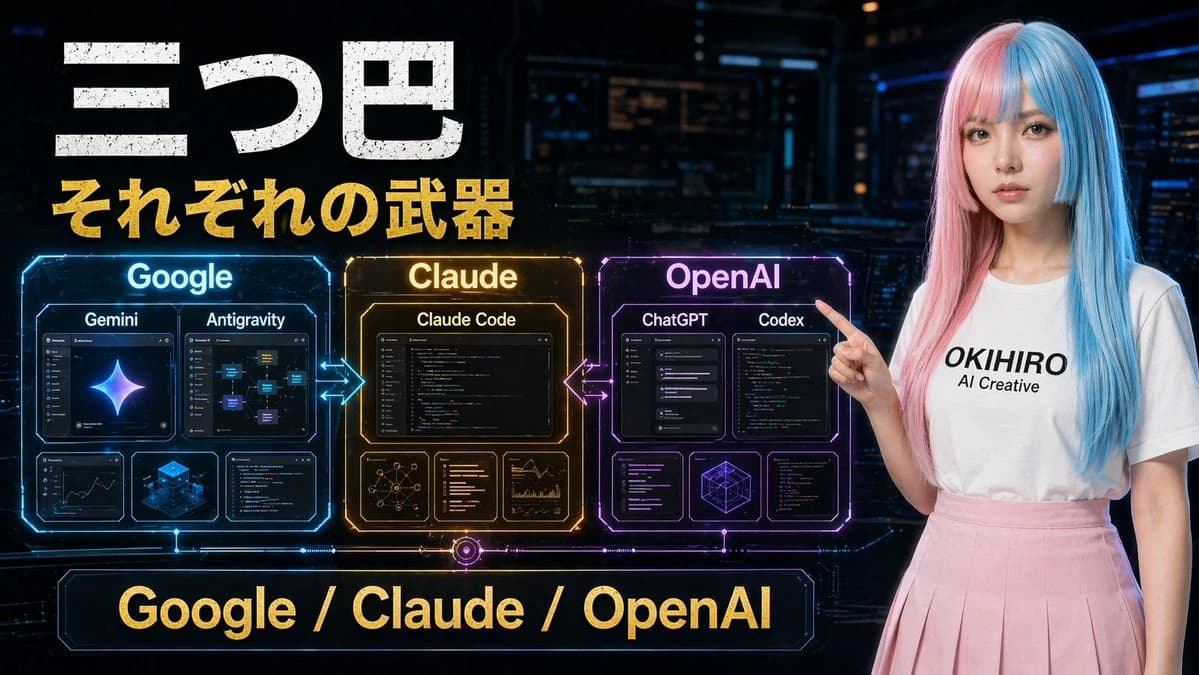
265 wordsA bold Japanese YouTube thumbnail about the AI competition era, 16:9 widescreen, high contrast, dramatic tech-news style. Use a dark futuristic control-room background filled with 3 glowing holographic dashboard screens and blue cyber interface elements around the edges. On the left and center, place a luminous circular hub labeled “AI” in bright blue, with 3 directional glowing energy arrows branching outward to competing platforms: “Google” on the left in a blue electric region, “Claude” on the upper right in a gold electric region, and “OpenAI” at the bottom center in a magenta-purple electric region. Add a subtle world-map or territory-battle visualization effect under each brand region, like illuminated digital land masses or influence zones. On the right side, show a young Japanese-looking woman from waist up, facing forward, wearing a long straight split-color wig with pastel pink on one side and pastel blue on the other, a plain white T-shirt with the printed text “OKIHIRO AI Creative”, and a light pink skirt. She raises one index finger beside her face in a presenter pose. Her face is fully obscured by a large soft-edged rectangular blur block. Across the top, add huge distressed white Japanese headline text: {argument name="headline text" default="AI戦国時代"}. Beneath it, add a second line in bold gold Japanese text: {argument name="subheadline text" default="性能だけの話じゃない"}. Across the bottom, place a wide black banner with massive bold gold Japanese text: {argument name="bottom text" default="空気を取った側が勝つ"}. Make the typography oversized, gritty, and attention-grabbing, with slight glow and drop shadow. Use a color palette of black, electric blue, gold, magenta, and neon white, with intense contrast and thumbnail readability.About this prompt
Japanese AI Battle YouTube Thumbnail is a ready-to-use comparison prompt for GPT Image 2 on Image 2. Copy the 265 words below, paste them into the Create form, and you will get a result close to the preview above. Tweak the Social Media, Infographic, Mockup tag if you want to push it somewhere new.
Use it as a starting point, then adjust the subject, lighting, or composition to suit your idea. The credit cost stays the same whether you use it as written or customize it.
Use case
A strong starting point for Comparison
Start here when you want a comparison image inspired by Japanese AI Battle YouTube Thumbnail. The prompt already sets the look and composition; replace the subject, product, colors, or scene details to match your project.
Easy places to tweak
- Subject Swap in your person, product, place, or object without changing the overall composition.
- Look and mood Tune the lighting, palette, camera angle, or materials so the image fits your brand.
- Final format Set the aspect ratio, background, text, or layout notes before you generate.
More prompt paths to explore
Find more GPT Image 2 prompts with a similar style, use case, or subject.
How to use it
- Step 1
Copy the prompt
Hit the Copy button above to grab the full text.
- Step 2
Open Image 2 Create
Head to the Create form and paste it in.
- Step 3
Generate
Hit Generate. Your version lands in seconds.
Make it yours
Load the prompt into the Create form with one click, then start tweaking.