Prompt
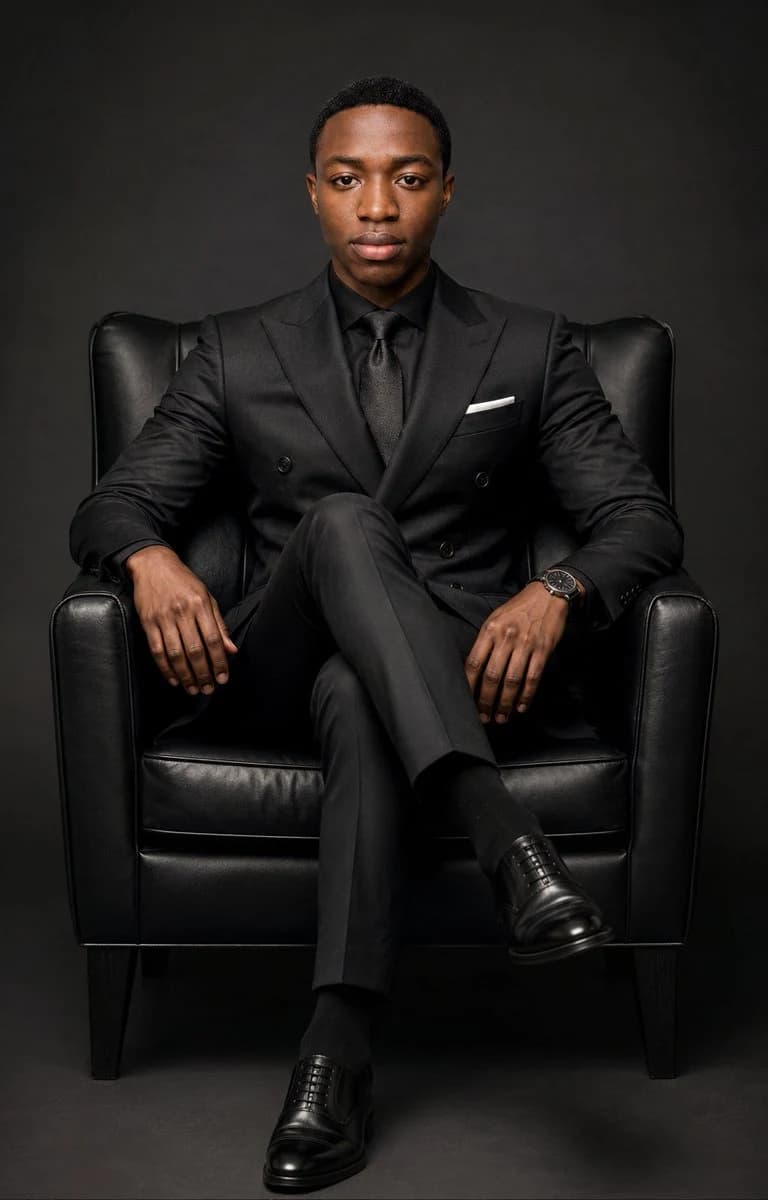
185 wordsCreate an ultra-premium executive studio portrait of {argument name="subject" default="a young Black man"} seated in a black leather armchair, centered and facing the camera with a calm, confident, serious expression. He wears a perfectly tailored all-black double-breasted suit, black dress shirt, textured black tie, black socks, polished black Oxford shoes, a slim white pocket square, and a luxury dark wristwatch on his left wrist. Pose him with legs crossed, both arms relaxed on the chair arms, upright posture, shoulders squared, direct eye contact. Use a vertical 2:3 composition, full seated body visible from head to shoes, symmetrical framing, slight low-to-eye-level perspective. Background is a seamless dark charcoal studio backdrop with subtle vignette and no props besides the chair. Lighting should be dramatic high-end editorial portrait lighting: large soft key light from front-left, gentle fill from front-right, subtle rim separation on shoulders, controlled highlights on the leather chair and shoes, deep rich blacks with visible fabric texture. Photorealistic, sharp focus on face, natural skin texture, premium magazine cover quality, refined contrast, cinematic grading, no text, no watermark, no distorted hands, no extra fingers, no facial stylization.About this prompt
Ultra-Premium Executive Portrait is a ready-to-use portrait prompt for GPT Image 2 on Image 2. Copy the 185 words below, paste them into the Create form, and you will get a result close to the preview above. Tweak the Social Media, Portrait, Product tag if you want to push it somewhere new.
Use it as a starting point, then adjust the subject, lighting, or composition to suit your idea. The credit cost stays the same whether you use it as written or customize it.
Use case
A strong starting point for Portrait
Start here when you want a portrait image inspired by Ultra-Premium Executive Portrait. The prompt already sets the look and composition; replace the subject, product, colors, or scene details to match your project.
Easy places to tweak
- Subject Swap in your person, product, place, or object without changing the overall composition.
- Look and mood Tune the lighting, palette, camera angle, or materials so the image fits your brand.
- Final format Set the aspect ratio, background, text, or layout notes before you generate.
More prompt paths to explore
Find more GPT Image 2 prompts with a similar style, use case, or subject.
How to use it
- Step 1
Copy the prompt
Hit the Copy button above to grab the full text.
- Step 2
Open Image 2 Create
Head to the Create form and paste it in.
- Step 3
Generate
Hit Generate. Your version lands in seconds.
Make it yours
Load the prompt into the Create form with one click, then start tweaking.