Prompt
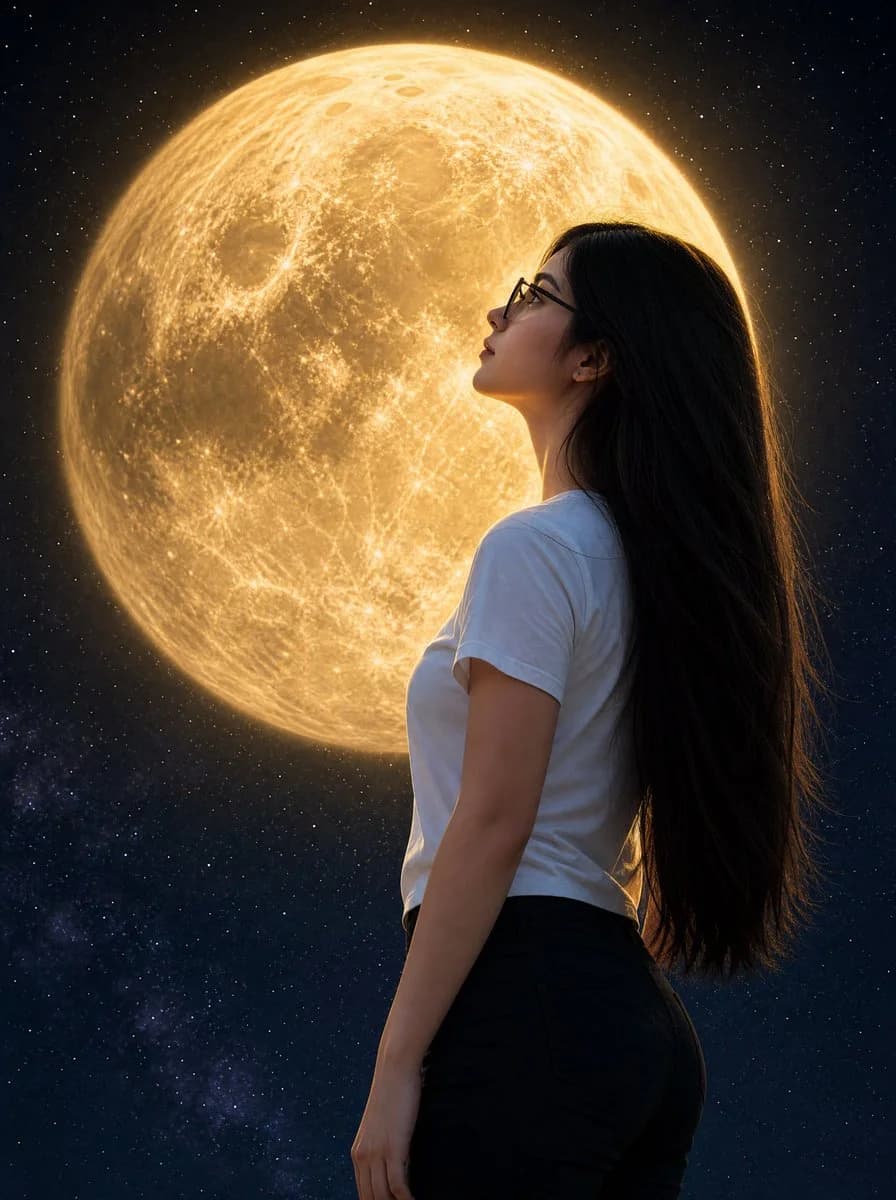
197 wordsCreate a photorealistic cinematic portrait of {argument name="character description" default="a young woman with pale matte skin, very long straight black hair, and dark-framed glasses"} shown from the waist up in side profile facing left, standing outdoors beneath a vast starry night sky. She wears {argument name="outfit" default="a plain white fitted short-sleeve T-shirt and high-waisted dark pants"}. Her head is gently tilted upward as she gazes in awe toward an enormous glowing {argument name="moon color" default="golden"} full moon directly behind and slightly left of her face, so large it fills most of the upper background. The moon should be hyper-detailed with visible craters, maria, surface texture, and a soft radiant halo, casting warm rim light along her hair, glasses, cheek, shoulder, and arm. Use a deep navy-black space background with countless small stars and a faint Milky Way-like cloud near the lower left. Compose vertically in a 3:4 portrait frame, with the woman occupying the right half and the moon dominating the left and upper center. Keep the lighting dramatic and realistic, with warm gold highlights against cool blue shadows, sharp focus on the woman and moon, subtle depth, natural skin texture, and no text, logos, or watermark.About this prompt
Woman Gazing at Giant Golden Moon is a ready-to-use portrait prompt for GPT Image 2 on Image 2. Copy the 197 words below, paste them into the Create form, and you will get a result close to the preview above. Tweak the Social Media, Portrait, Fashion tag if you want to push it somewhere new.
Use it as a starting point, then adjust the subject, lighting, or composition to suit your idea. The credit cost stays the same whether you use it as written or customize it.
Use case
A strong starting point for Portrait
Start here when you want a portrait image inspired by Woman Gazing at Giant Golden Moon. The prompt already sets the look and composition; replace the subject, product, colors, or scene details to match your project.
Easy places to tweak
- Subject Swap in your person, product, place, or object without changing the overall composition.
- Look and mood Tune the lighting, palette, camera angle, or materials so the image fits your brand.
- Final format Set the aspect ratio, background, text, or layout notes before you generate.
More prompt paths to explore
Find more GPT Image 2 prompts with a similar style, use case, or subject.
How to use it
- Step 1
Copy the prompt
Hit the Copy button above to grab the full text.
- Step 2
Open Image 2 Create
Head to the Create form and paste it in.
- Step 3
Generate
Hit Generate. Your version lands in seconds.
Make it yours
Load the prompt into the Create form with one click, then start tweaking.