Prompt
399 wordsMasterpiece quality 9:16 aspect ratio
@image1 = {argument name="reference character" default="primary character reference"}
Preserve the referenced characters’ face shape, hairstyle, hair color, eye color, correct number of limbs and fingers, personality, body language, signature color palette, outfit motifs, species traits, accessories, silhouette, body shape, body proportions, and overall character vibe. If the character has a mask, do not change it. If the character does not have a head, do not invent one. Do not lose character recognizability. Do not turn the character into a generic person or unrelated design. Do not overcrowd the composition. Do not introduce extra characters or duplicates. Do not break anatomy unless clearly justified by transformation concept. Do not make the scene visually confusing or unreadable. Do not explicitly list or name the hidden influences used. Do not let environment overpower the character.
Use your Python environment (Code Interpreter) to generate a pseudo-random number. Do not guess or rely on your language modeling weights to pick the number.
Please follow these exact constraints:
1. Range: Between [1] and [4], inclusive.
2. Type: [Integer]
3. Execution: Import the 'random' or 'secrets' library to compute the result.
4. Output: Do not provide the final random number(s) as the output. Do not include conversational filler. Use the number to select the setting from the list below.
1. Wild West
2. Edwardian England
3. 1920’s Jazz Era
4. Medieval
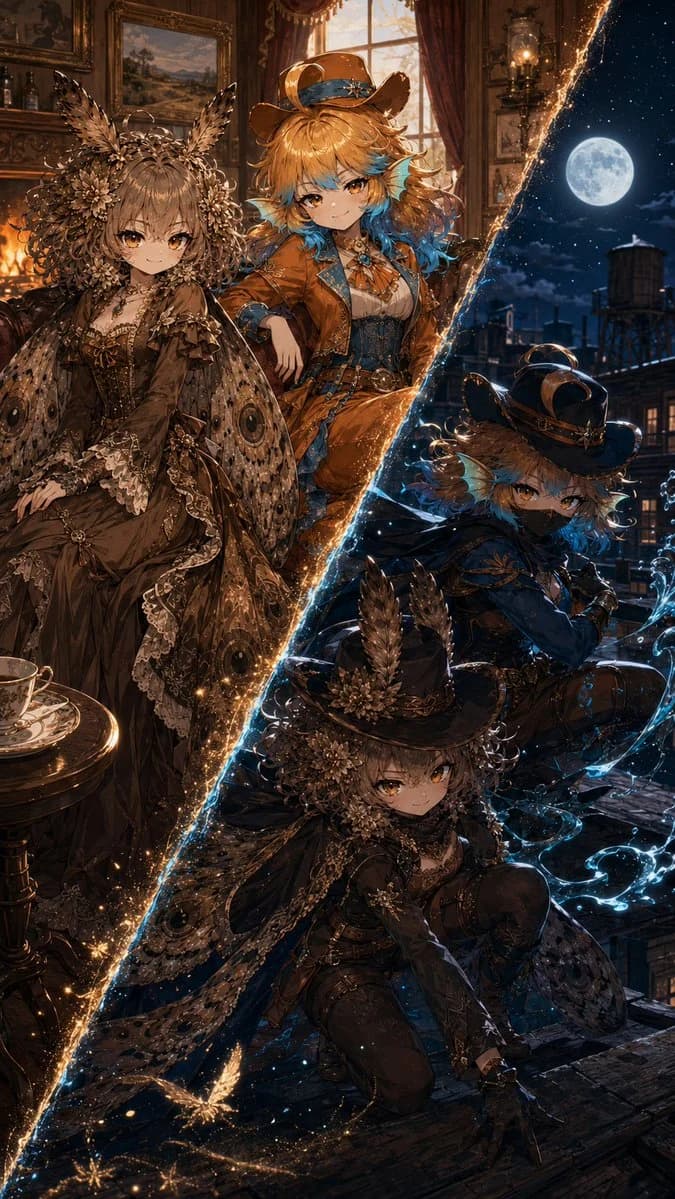
Draw two versions of @image1. Draw a diagonal line separating both versions. The line’s color, shape, and material effect will be determined by the visual personality of @image1. @image1 will be On the left, standing in a parlor fitting to the chosen setting and wearing a formal outfit, also fitting the chosen setting, by a fireplace. The outfit must adhere to the visual personality of @image1. The expression and posture will one of peaceful contentment. This setting will be midday.
The right side will have @image1 wearing a superhero costume fitting to the chosen setting. The costume must be intricate, elegant, designed for maximum stealth, adhere to the visual personality of @iamge1, and have a powerful aura. They will be outdoors at night, and they will be stalking potential criminals. @image1 will use weapons or magic fitting to their character and visual personality. If @image1 is a child, they will use magic and ensure their costume is appropriate and cute. The expression and posture will one of a stealthy assassin.About this prompt
Superhero Era Transformation Split Portrait is a ready-to-use comparison prompt for GPT Image 2 on Image 2. Copy the 399 words below, paste them into the Create form, and you will get a result close to the preview above. Tweak the Comparison, Portrait, Character tag if you want to push it somewhere new.
Use it as a starting point, then adjust the subject, lighting, or composition to suit your idea. The credit cost stays the same whether you use it as written or customize it.
Use case
A strong starting point for Comparison
Start here when you want a comparison image inspired by Superhero Era Transformation Split Portrait. The prompt already sets the look and composition; replace the subject, product, colors, or scene details to match your project.
Easy places to tweak
- Subject Swap in your person, product, place, or object without changing the overall composition.
- Look and mood Tune the lighting, palette, camera angle, or materials so the image fits your brand.
- Final format Set the aspect ratio, background, text, or layout notes before you generate.
More prompt paths to explore
Find more GPT Image 2 prompts with a similar style, use case, or subject.
How to use it
- Step 1
Copy the prompt
Hit the Copy button above to grab the full text.
- Step 2
Open Image 2 Create
Head to the Create form and paste it in.
- Step 3
Generate
Hit Generate. Your version lands in seconds.
Make it yours
Load the prompt into the Create form with one click, then start tweaking.