Prompt
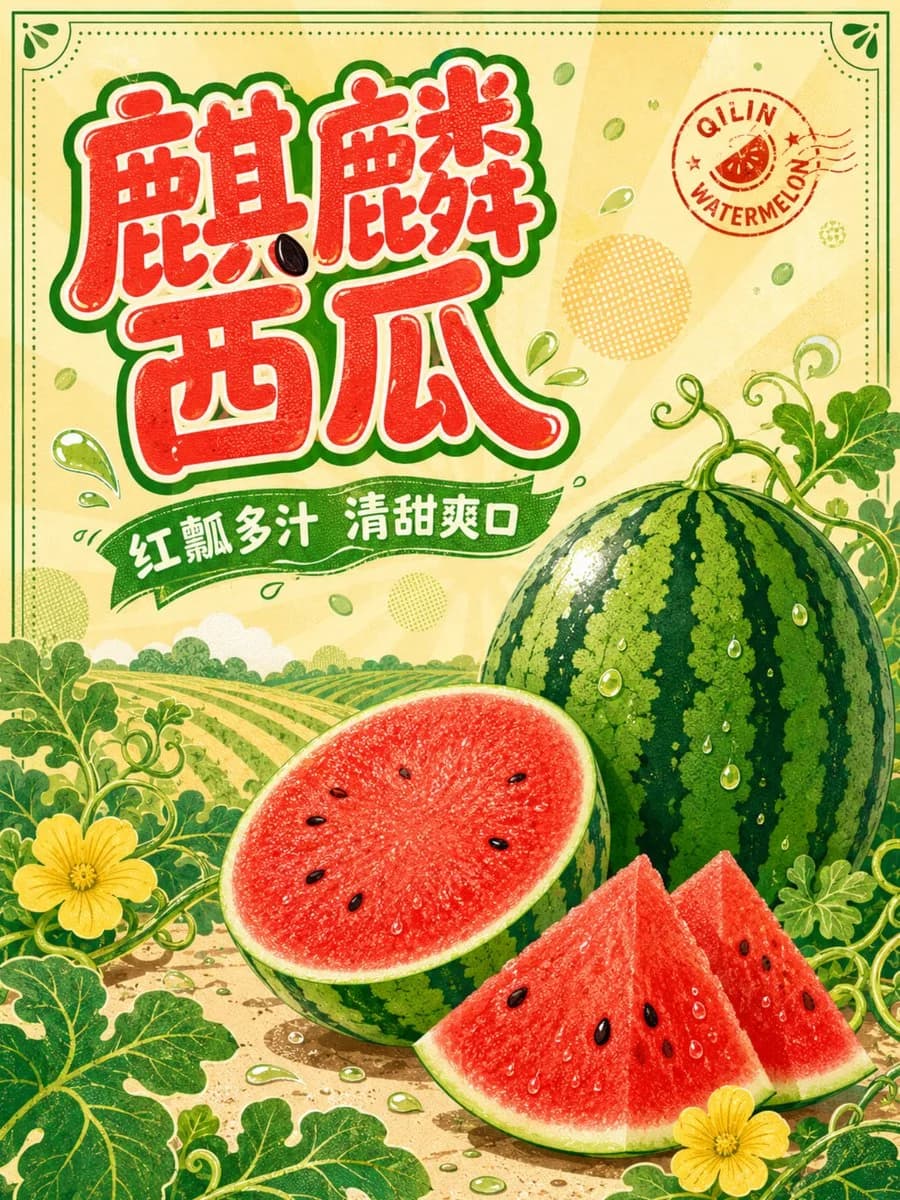
182 wordsVertical 3:4 Qilin watermelon theme commercial poster, front-view graphic design, {argument name="background color" default="creamy yellow"} full background, with low-contrast light orange sunburst patterns and light green melon seed scatters. A whole oval Qilin watermelon, a half-cut watermelon, and two scattered melon slices are placed in the bottom right, accurately depicting dark green longitudinal stripes, thin green rind, bright red delicate pulp, a few natural black seeds, and glistening juice; the top left features a bold, rounded, and playful hand-drawn font for '{argument name="main title" default="Qilin Watermelon"}', with pulp-red fill, creamy white inner lines, and dark green outlines, where a melon seed cleverly interacts with partial strokes without affecting legibility; the subtitle '{argument name="subtitle" default="Red Pulp, Juicy, Sweet and Refreshing"}' is placed on a green wavy ribbon, with the English 'QILIN WATERMELON' as a curved small seal. The background adds melon field ridge lines, curling vines, melon flowers, small water droplets, and halftone dots, while the foreground uses enlarged leaves to frame the edges. High-saturation Q-version vector illustration, retro screen printing grain, clear flat painting layers, maintaining print bleed areas, no black background.About this prompt
Qilin Watermelon Commercial Poster is a ready-to-use ad creative prompt for GPT Image 2 on Image 2. Copy the 182 words below, paste them into the Create form, and you will get a result close to the preview above. Tweak the Product Ad, Ad Creative, Vintage tag if you want to push it somewhere new.
Use it as a starting point, then adjust the subject, lighting, or composition to suit your idea. The credit cost stays the same whether you use it as written or customize it.
Use case
A strong starting point for Ad Creative
Start here when you want a ad creative image inspired by Qilin Watermelon Commercial Poster. The prompt already sets the look and composition; replace the subject, product, colors, or scene details to match your project.
Easy places to tweak
- Subject Swap in your person, product, place, or object without changing the overall composition.
- Look and mood Tune the lighting, palette, camera angle, or materials so the image fits your brand.
- Final format Set the aspect ratio, background, text, or layout notes before you generate.
More prompt paths to explore
Find more GPT Image 2 prompts with a similar style, use case, or subject.
How to use it
- Step 1
Copy the prompt
Hit the Copy button above to grab the full text.
- Step 2
Open Image 2 Create
Head to the Create form and paste it in.
- Step 3
Generate
Hit Generate. Your version lands in seconds.
Make it yours
Load the prompt into the Create form with one click, then start tweaking.