Prompt
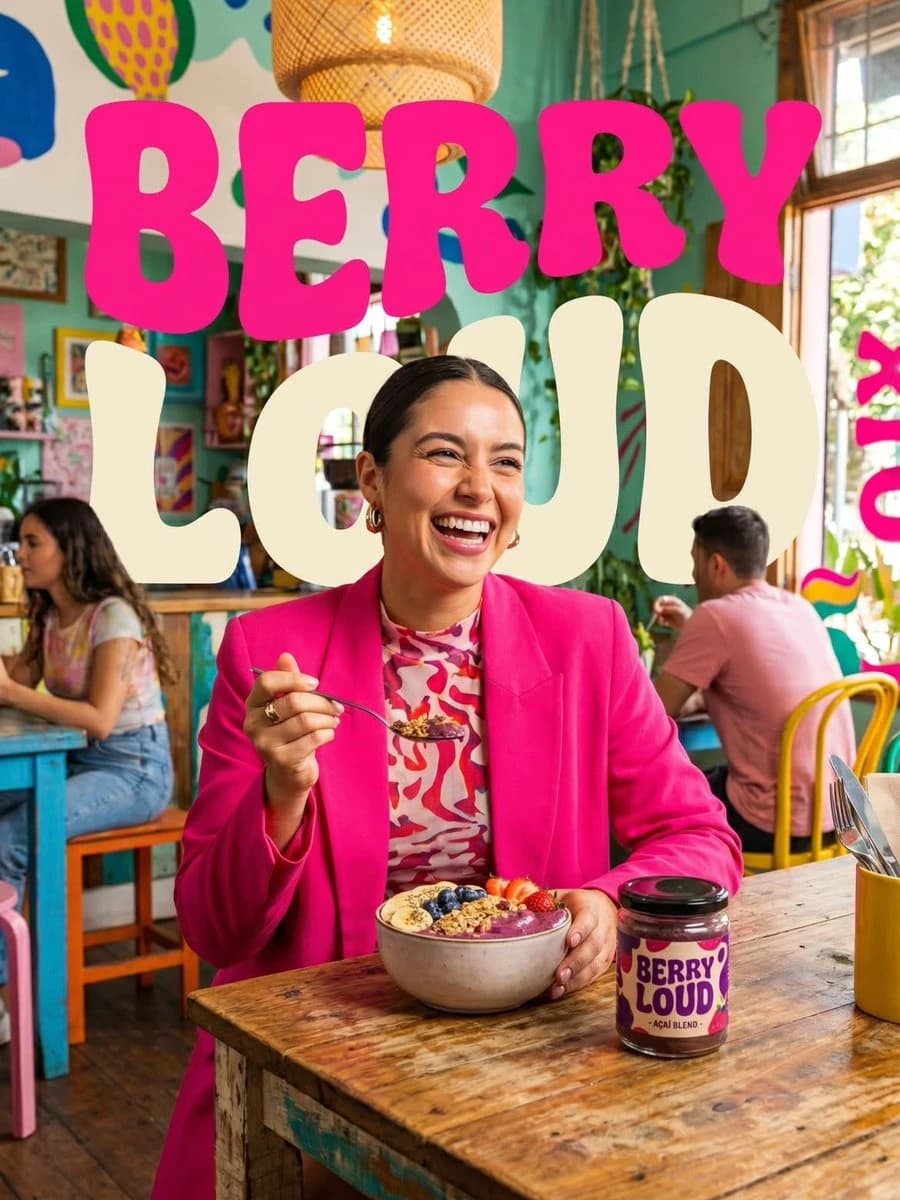
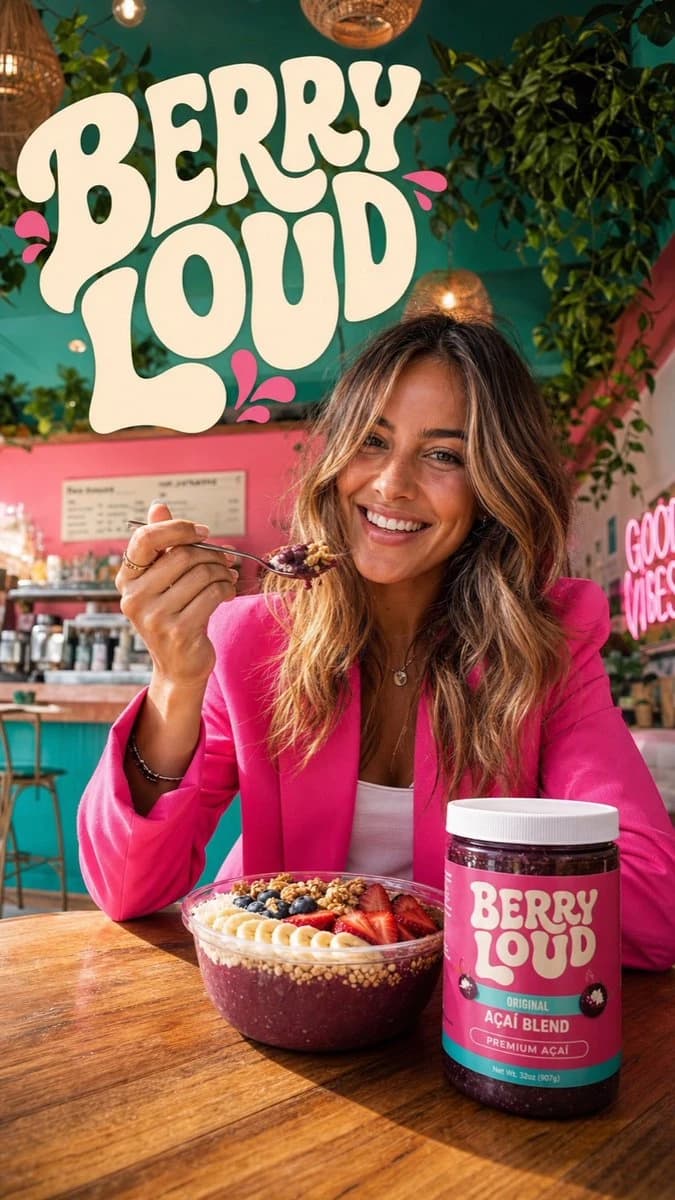
209 wordsPrompt 1: Create a vibrant lifestyle food ad set inside a colorful, trendy cafe. Show a smiling woman in a bright hot pink blazer seated at a wooden table, lifting a spoon as she eats an acai berry bowl topped with strawberries, blueberries, banana slices, and granola. Keep a clearly branded "Berry Loud" jar on the table. Add playful retro cream bubble-letter typography that reads "BERRY LOUD". Use a tropical cafe interior with hanging plants, warm natural sunlight, a cheerful mood, a bold pink-and-teal palette, shallow depth of field, cinematic food-photography realism, high detail, and a polished commercial campaign finish. Format: vertical 9:16. Quality: ultra realistic, 4k. Prompt 2: Create a dynamic food product advertisement for "Berry Loud" mixed berry blend. Feature an acai smoothie bowl overflowing with strawberries, raspberries, blueberries, blackberries, banana slices, and granola. Surround it with dramatic berry juice splashes and floating fruit frozen midair. Place a branded jar next to the bowl. Use a vivid hot pink background and large retro cream typography that says "NEW DROP BERRY LOUD". Keep the lighting glossy, the composition energetic, the colors vibrant, the textures ultra detailed, and the overall look like a polished studio-shot commercial poster with hyper-realistic food photography and splash-effect motion. Format: vertical 9:16. Quality: 4k.
About this prompt
Berry Splash Cafe Campaign is a ready-to-use ad creative prompt for GPT Image 2 on Image 2. Copy the 209 words below, paste them into the Create form, and you will get a result close to the preview above. Tweak the Product Ad, Ad Creative, Product tag if you want to push it somewhere new.
Use it as a starting point, then adjust the subject, lighting, or composition to suit your idea. The credit cost stays the same whether you use it as written or customize it.
Use case
A strong starting point for Ad Creative
Start here when you want a ad creative image inspired by Berry Splash Cafe Campaign. The prompt already sets the look and composition; replace the subject, product, colors, or scene details to match your project.
Easy places to tweak
- Subject Swap in your person, product, place, or object without changing the overall composition.
- Look and mood Tune the lighting, palette, camera angle, or materials so the image fits your brand.
- Final format Set the aspect ratio, background, text, or layout notes before you generate.
More prompt paths to explore
Find more GPT Image 2 prompts with a similar style, use case, or subject.
How to use it
- Step 1
Copy the prompt
Hit the Copy button above to grab the full text.
- Step 2
Open Image 2 Create
Head to the Create form and paste it in.
- Step 3
Generate
Hit Generate. Your version lands in seconds.
Make it yours
Load the prompt into the Create form with one click, then start tweaking.