Prompt
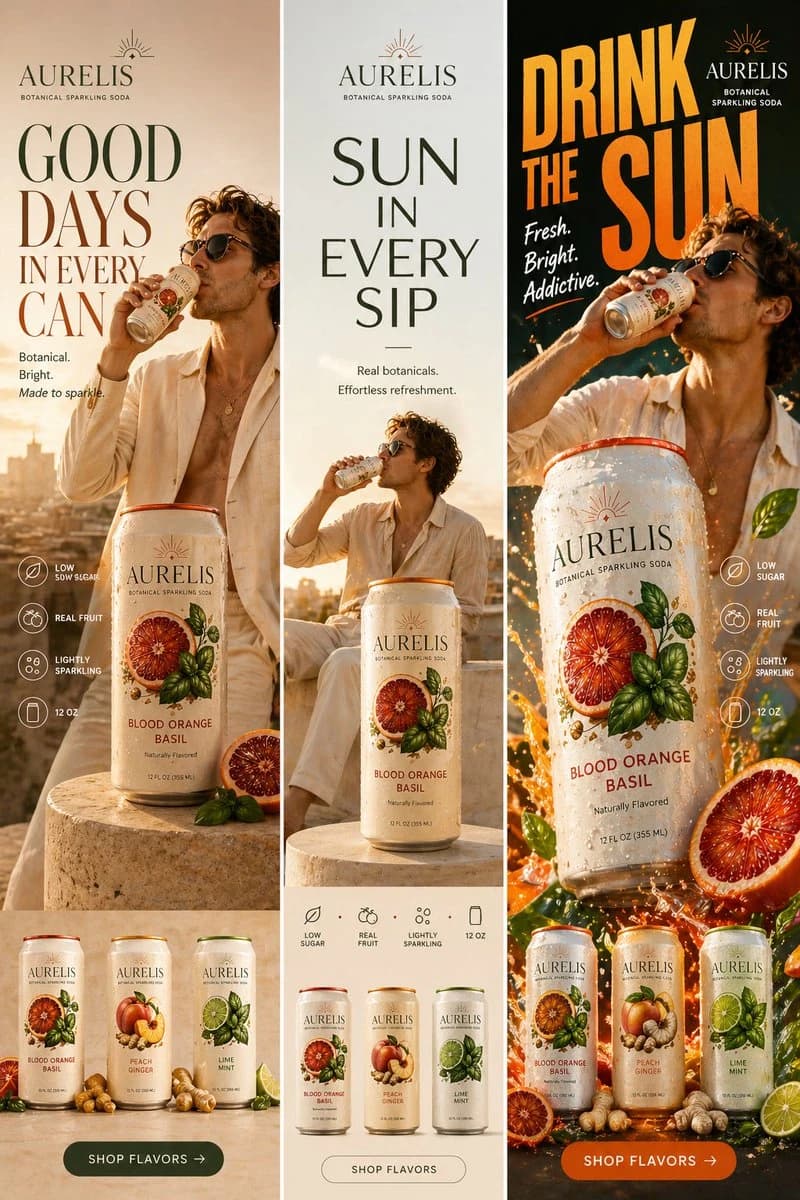
183 wordsCreate a high-fashion editorial beverage campaign set on a minimalist rooftop at golden hour. Ultra-clean composition with strong negative space, warm sun flare, and soft shadows. A stylish male model with sharp features and effortless confidence is posed like a fashion editorial—slightly turned away, sipping from the can. He wears elevated linen tailoring in monochrome cream tones, partially unbuttoned, with subtle jewelry. Foreground: a sculptural stone pedestal holding a large hero can of AURELIS – Blood Orange Basil, hyper-detailed with condensation and botanical artwork. Typography is bold, oversized, and editorial: GOOD DAYS IN EVERY CAN Use refined serif typography with dramatic scale and spacing. Keep layout asymmetrical and magazine-like. Add subtle microcopy: “Botanical. Bright. Made to sparkle.” Minimal icons (thin line style): LOW SUGAR / REAL FRUIT / LIGHTLY SPARKLING / 12 OZ Bottom strip: 3 cans styled like a luxury product lineup with fruit + herbs arranged like still life photography: Blood Orange Basil Peach Ginger Lime Mint CTA: SHOP FLAVORS → Style: Vogue campaign, luxury branding, cinematic lighting, ultra-realistic, muted tones, high contrast, premium finish. Aspect ratio: vertical (4:5 or 9:16)
About this prompt
High-Fashion Beverage Campaign Board is a ready-to-use ad creative prompt for GPT Image 2 on Image 2. Copy the 183 words below, paste them into the Create form, and you will get a result close to the preview above. Tweak the Product Ad, Ad Creative, Product tag if you want to push it somewhere new.
Use it as a starting point, then adjust the subject, lighting, or composition to suit your idea. The credit cost stays the same whether you use it as written or customize it.
Use case
A strong starting point for Ad Creative
Start here when you want a ad creative image inspired by High-Fashion Beverage Campaign Board. The prompt already sets the look and composition; replace the subject, product, colors, or scene details to match your project.
Easy places to tweak
- Subject Swap in your person, product, place, or object without changing the overall composition.
- Look and mood Tune the lighting, palette, camera angle, or materials so the image fits your brand.
- Final format Set the aspect ratio, background, text, or layout notes before you generate.
More prompt paths to explore
Find more GPT Image 2 prompts with a similar style, use case, or subject.
How to use it
- Step 1
Copy the prompt
Hit the Copy button above to grab the full text.
- Step 2
Open Image 2 Create
Head to the Create form and paste it in.
- Step 3
Generate
Hit Generate. Your version lands in seconds.
Make it yours
Load the prompt into the Create form with one click, then start tweaking.