Prompt
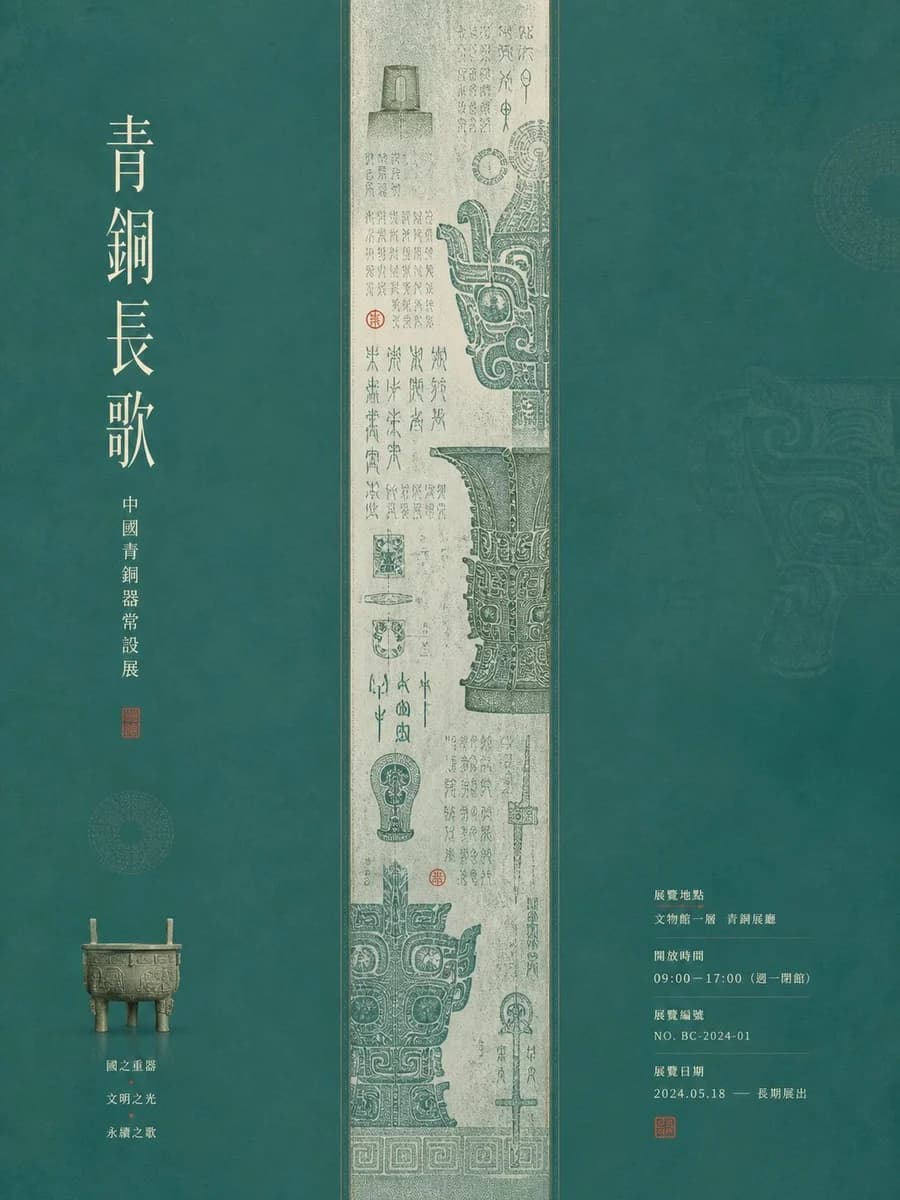
255 wordsGenerate a quiet and ceremonial graphic visual centered around {argument name="subject" default="any subject object"}: the frame forms a strong column order with a large theme background and a centered narrow main visual strip. The main visual strip carries the main forms, linear textures, or image narratives derived from the theme, running through the reading path like a precisely framed fine image; the two background fields remain wide, soft, and breathable, with a small number of theme-related artifacts or symbols placed as lightweight anchors, so the eye first reads the dense details in the center, then the large headings and grouped information. The theme object should not be displayed in isolation, but disassembled into four roles: main form, attached details, information layers, and small objects, forming an exhibition rhythm of dense center, sparse sides, and paused text. If text appears, use tall, thin, elegant title characters with letter spacing, forming silent weight in few-word columns; descriptive text uses small, neat, restrained blocks, maintaining precise margins with images, like exhibition labels and date information embedded in the color field. Colors are extracted from the theme's own material, season, cultural semantics, and emotions, retaining the role relationships of a large clear and bright base color, a lighter main visual support color, clear light and dark gradations, a small amount of high-saturation emphasis color, and light-colored information text; overall bright and clean, warm and quiet, with clear boundaries and soft printing grains, texture only increases paper and material tactile feel, without making the image dirty, dim, smoky, or old.About this prompt
Museum Poster Design Template is a ready-to-use infographic prompt for GPT Image 2 on Image 2. Copy the 255 words below, paste them into the Create form, and you will get a result close to the preview above. Tweak the Infographic, Sports tag if you want to push it somewhere new.
Use it as a starting point, then adjust the subject, lighting, or composition to suit your idea. The credit cost stays the same whether you use it as written or customize it.
Use case
A strong starting point for Infographic
Start here when you want a infographic image inspired by Museum Poster Design Template. The prompt already sets the look and composition; replace the subject, product, colors, or scene details to match your project.
Easy places to tweak
- Subject Swap in your person, product, place, or object without changing the overall composition.
- Look and mood Tune the lighting, palette, camera angle, or materials so the image fits your brand.
- Final format Set the aspect ratio, background, text, or layout notes before you generate.
More prompt paths to explore
Find more GPT Image 2 prompts with a similar style, use case, or subject.
How to use it
- Step 1
Copy the prompt
Hit the Copy button above to grab the full text.
- Step 2
Open Image 2 Create
Head to the Create form and paste it in.
- Step 3
Generate
Hit Generate. Your version lands in seconds.
Make it yours
Load the prompt into the Create form with one click, then start tweaking.