Prompt
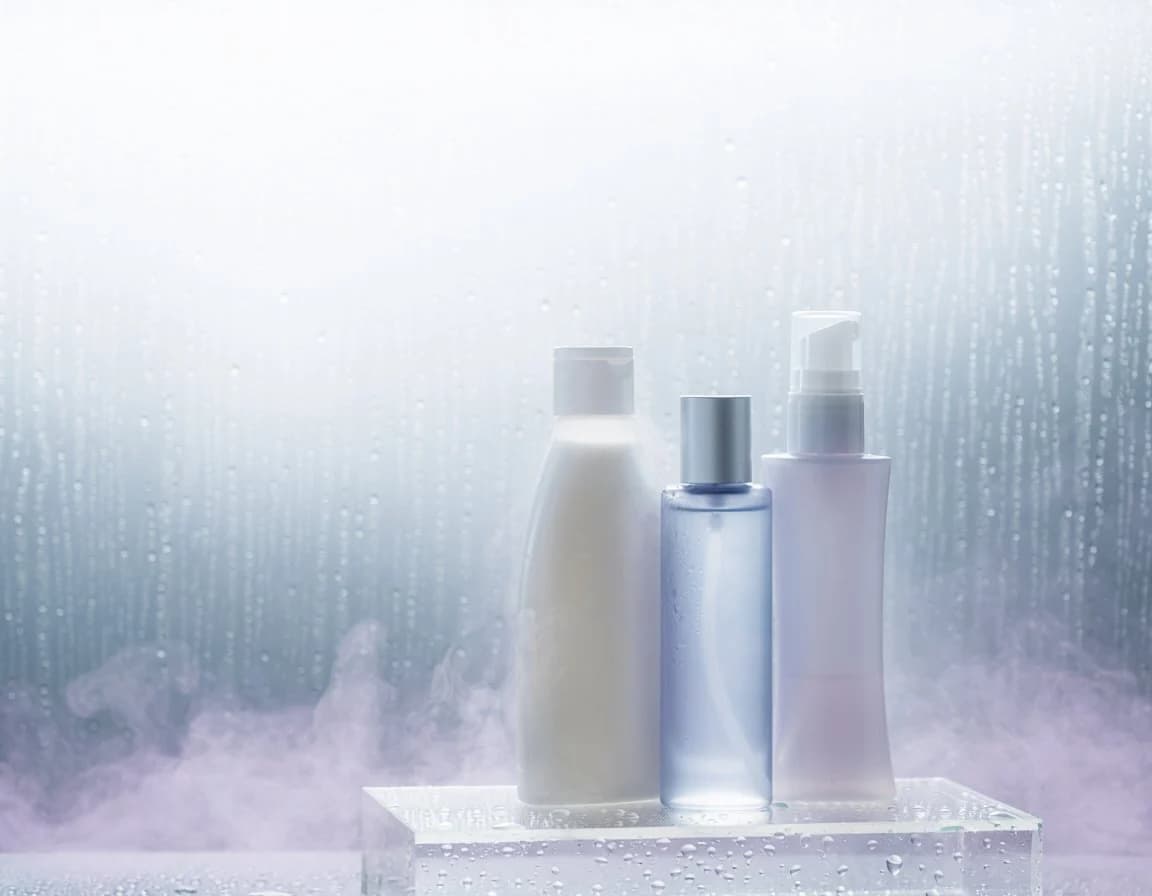
196 wordsCreate a photorealistic luxury skincare product still life on a 4:3 horizontal canvas. Show exactly 3 unlabeled cosmetic containers standing on a clear acrylic block: 1 tall matte milky-white lotion bottle with a rounded-shoulder shape and translucent white flip cap on the left, 1 transparent pale-blue cylindrical bottle filled with clear liquid and a satin silver cap in the center, and 1 pale lavender-pink pump bottle with a white pump dispenser on the right. Arrange them tightly grouped, centered slightly to the right, with the center blue bottle a little shorter than the white bottle and the pump bottle slightly taller than the blue bottle. The acrylic pedestal should be rectangular, glossy, transparent, and covered with visible water droplets along the front face and top surface. Use a cool misty spa atmosphere: frosted glass background with vertical condensation streaks, many tiny water droplets, soft blue-gray and white gradient lighting, and low lavender-tinted fog drifting around the base. Lighting should be high-key, diffused, backlit through the wet glass, with soft reflections and gentle bloom. No readable labels, no branding, no people, no text, no extra products. Emphasize clean hydration, freshness, dewy condensation, and premium cosmetic advertising photography.
About this prompt
Misty Skincare Product Still Life is a ready-to-use e-commerce prompt for GPT Image 2 on Image 2. Copy the 196 words below, paste them into the Create form, and you will get a result close to the preview above. Tweak the Product Ad, E-commerce, Product tag if you want to push it somewhere new.
Use it as a starting point, then adjust the subject, lighting, or composition to suit your idea. The credit cost stays the same whether you use it as written or customize it.
Use case
A strong starting point for E-commerce
Start here when you want a e-commerce image inspired by Misty Skincare Product Still Life. The prompt already sets the look and composition; replace the subject, product, colors, or scene details to match your project.
Easy places to tweak
- Subject Swap in your person, product, place, or object without changing the overall composition.
- Look and mood Tune the lighting, palette, camera angle, or materials so the image fits your brand.
- Final format Set the aspect ratio, background, text, or layout notes before you generate.
More prompt paths to explore
Find more GPT Image 2 prompts with a similar style, use case, or subject.
How to use it
- Step 1
Copy the prompt
Hit the Copy button above to grab the full text.
- Step 2
Open Image 2 Create
Head to the Create form and paste it in.
- Step 3
Generate
Hit Generate. Your version lands in seconds.
Make it yours
Load the prompt into the Create form with one click, then start tweaking.