Prompt
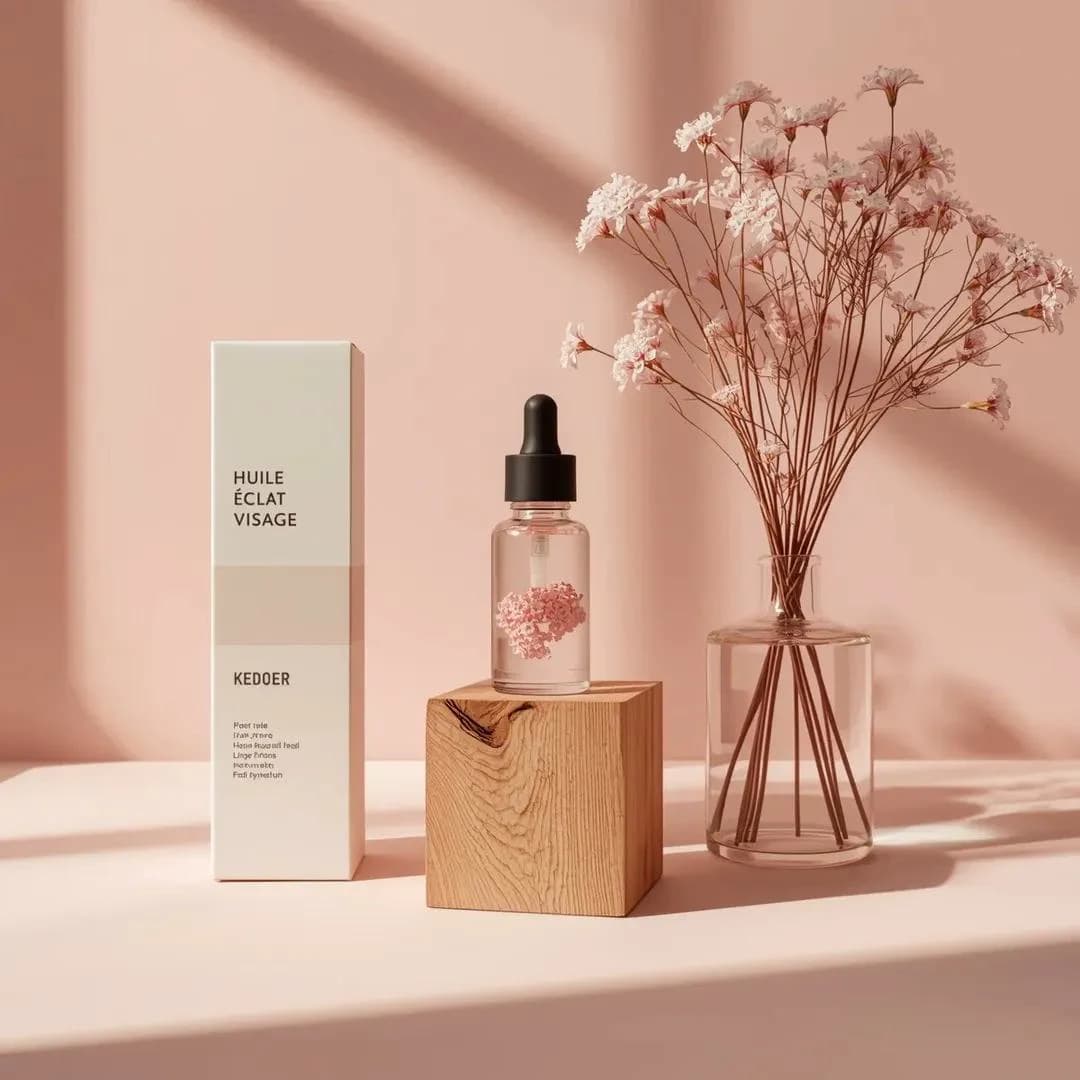
165 wordsMinimalist studio product photography, a small transparent glass facial oil dropper bottle with a black rubber pipette cap, containing pale pink serum with suspended dried pink floral elements, centered on a natural raw wooden block with visible grain and split texture. Tall matte white skincare box on the left labeled "HUILE ÉCLAT VISAGE" with clean black typography and subtle logo near the bottom. Clear cylindrical glass vase on the right filled with water and thin stems of dried pink gypsophila extending upward. Composition rests on a smooth matte pastel pink surface against a matching seamless pink studio background. Strong directional soft light from the left casts long natural-style shadows of the flowers onto the background, with gentle highlights on the glass, subtle reflections on the serum bottle, and soft texture on the wooden block. Straight-on tabletop camera angle, all objects in sharp focus. Color palette: blush pink, soft rose, warm light wood, clean white, transparent glass. Premium Scandinavian minimalist skincare aesthetic, ultra-realistic, studio-grade. full prompt:
About this prompt
Floral Serum Product Shot is a ready-to-use e-commerce prompt for GPT Image 2 on Image 2. Copy the 165 words below, paste them into the Create form, and you will get a result close to the preview above. Tweak the Product Ad, E-commerce, Infographic tag if you want to push it somewhere new.
Use it as a starting point, then adjust the subject, lighting, or composition to suit your idea. The credit cost stays the same whether you use it as written or customize it.
Use case
A strong starting point for E-commerce
Start here when you want a e-commerce image inspired by Floral Serum Product Shot. The prompt already sets the look and composition; replace the subject, product, colors, or scene details to match your project.
Easy places to tweak
- Subject Swap in your person, product, place, or object without changing the overall composition.
- Look and mood Tune the lighting, palette, camera angle, or materials so the image fits your brand.
- Final format Set the aspect ratio, background, text, or layout notes before you generate.
More prompt paths to explore
Find more GPT Image 2 prompts with a similar style, use case, or subject.
How to use it
- Step 1
Copy the prompt
Hit the Copy button above to grab the full text.
- Step 2
Open Image 2 Create
Head to the Create form and paste it in.
- Step 3
Generate
Hit Generate. Your version lands in seconds.
Make it yours
Load the prompt into the Create form with one click, then start tweaking.