Prompt
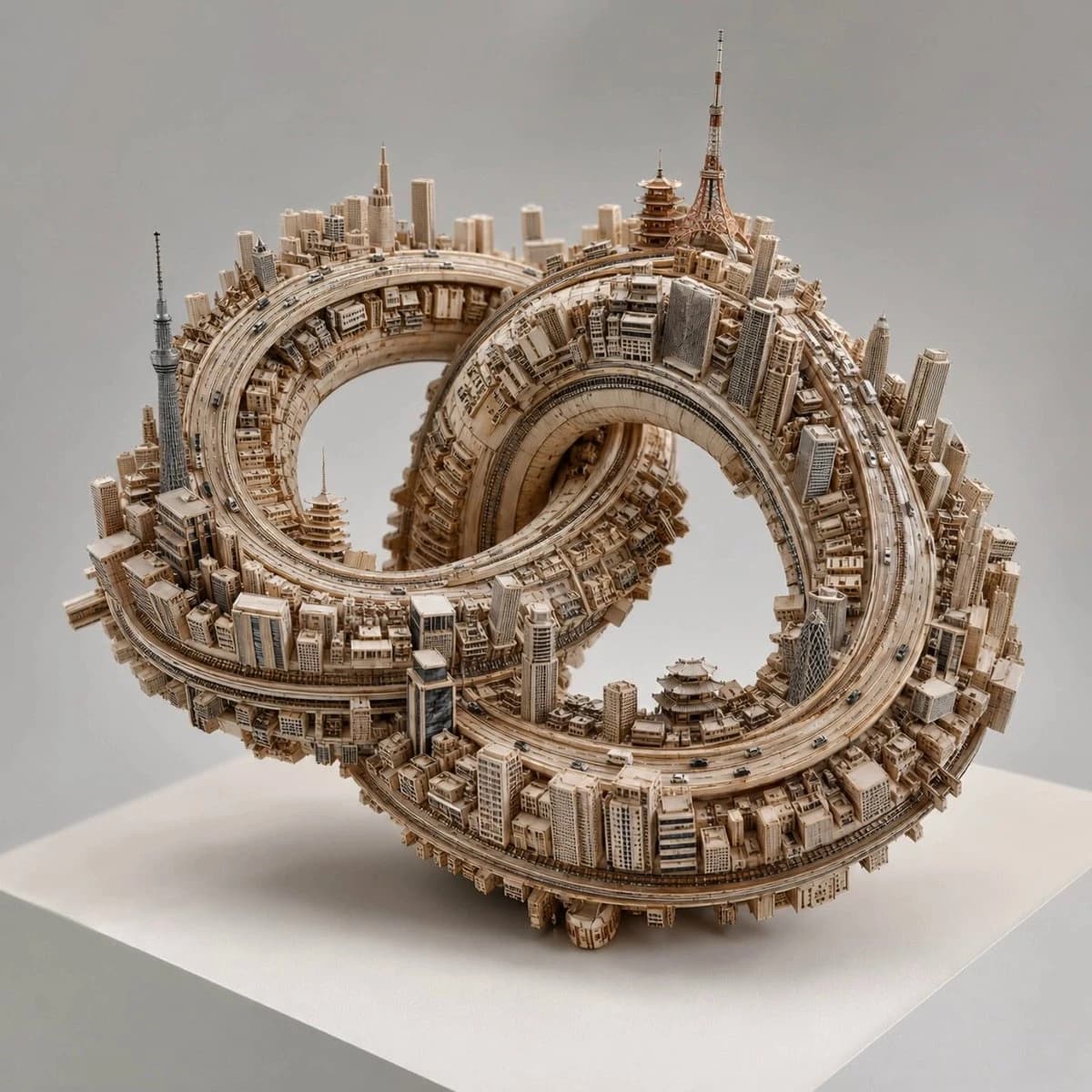
148 wordsGPT Image 2 + Kling = 🔥 This was done for Tokyo. [VAR_CITY] = "Tokyo, Japan" [NODE 1: BASE_TOPOLOGY] Generate a complex, self-intersecting 3D endless loop (e.g., a thick Trefoil Knot or Gordian Knot). Material_Output: Raw, unfinished layered birch plywood. Visible wood grain. [NODE 2: INSTANCER_LOGIC] AI_INFERENCE_TRIGGER: Analyze [VAR_CITY]. Extract its iconic architectural style, specific landmarks, and road infrastructure. Action: Instance these urban elements directly onto the surface normals of the [BASE_TOPOLOGY]. [NODE 3: GRAVITY_WARP] The gravity vector is strictly relative to the surface of the knot. Buildings must project outward from the wood, regardless of whether the surface is facing up, down, or sideways. The roads must follow the curvature perfectly. Tiny metallic cars dot the highways. [RENDER_ENGINE] Execute Tree. Output as a physical macro-photography studio shot. The object sits on a blank museum pedestal. Soft, diffuse top-lighting. Shallow depth of field to emphasize the miniature scale.
About this prompt
Miniature City Knot Sculpture is a ready-to-use poster prompt for GPT Image 2 on Image 2. Copy the 148 words below, paste them into the Create form, and you will get a result close to the preview above. Tweak the Poster, Travel, Architecture tag if you want to push it somewhere new.
Use it as a starting point, then adjust the subject, lighting, or composition to suit your idea. The credit cost stays the same whether you use it as written or customize it.
Use case
A strong starting point for Poster
Start here when you want a poster image inspired by Miniature City Knot Sculpture. The prompt already sets the look and composition; replace the subject, product, colors, or scene details to match your project.
Easy places to tweak
- Subject Swap in your person, product, place, or object without changing the overall composition.
- Look and mood Tune the lighting, palette, camera angle, or materials so the image fits your brand.
- Final format Set the aspect ratio, background, text, or layout notes before you generate.
More prompt paths to explore
Find more GPT Image 2 prompts with a similar style, use case, or subject.
How to use it
- Step 1
Copy the prompt
Hit the Copy button above to grab the full text.
- Step 2
Open Image 2 Create
Head to the Create form and paste it in.
- Step 3
Generate
Hit Generate. Your version lands in seconds.
Make it yours
Load the prompt into the Create form with one click, then start tweaking.