Prompt
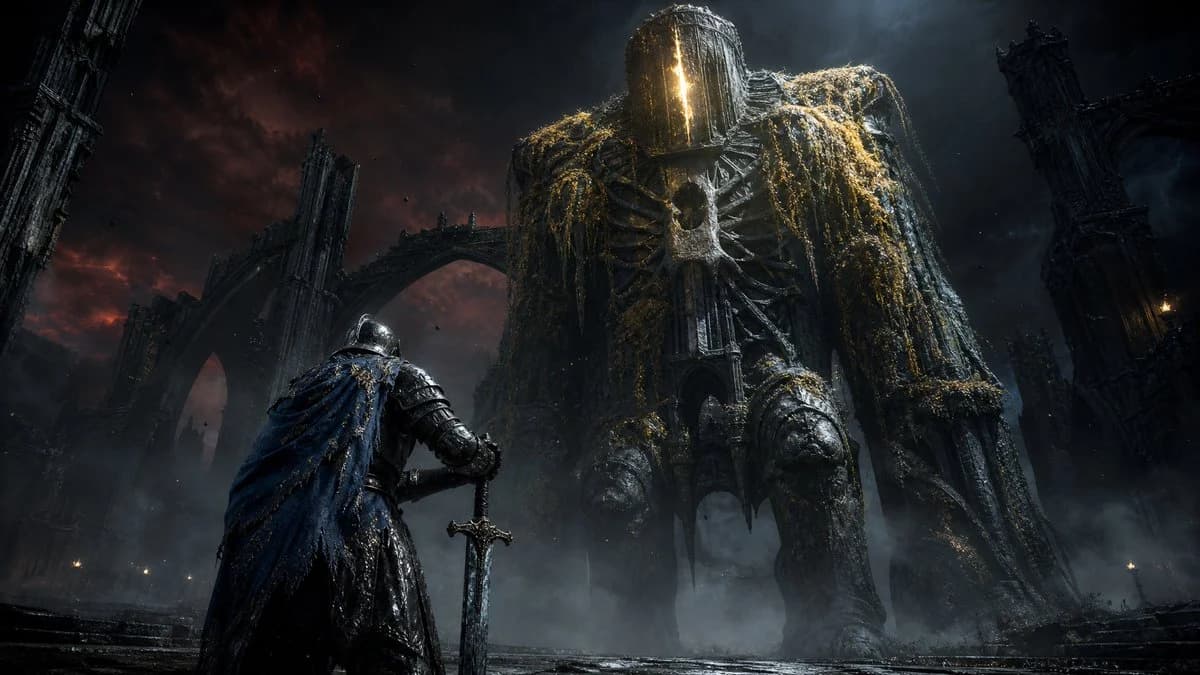
242 wordsCreate a dark fantasy cinematic key art scene in an ultra-wide 16:9 frame. In the foreground left, show one lone armored knight, back turned toward the viewer, wearing battered blackened plate armor and a torn deep {argument name="cape color" default="blue"} cloak with gold frayed trim, gripping a long straight sword planted point-down in the wet stone ground. In the midground and center-right, show one colossal undead cathedral-like giant towering over the knight, with a helmet-like vertical slitted glowing face, exposed ribcage armor, massive hunched shoulders, long dangling arms, thick legs, and heavy strands of moss, roots, chains, and tarnished gold filigree hanging from its body. The scene contains exactly two humanoid figures: the small knight and the enormous giant. Surround them with exactly three prominent ruined gothic structures: a tall tilted spire on the far left edge, a broken arched bridge behind the knight in the middle-left background, and a dark ruined cathedral arch tower on the far right. Set the environment in a ruined medieval city or cathedral courtyard under a stormy night sky, with low fog, ash particles, scattered tiny torch flames, wet reflective stone, and a red-black storm glow on the left fading into cold blue moonlight on the right. Use {argument name="visual style" default="grimdark photorealistic fantasy concept art"}, extremely detailed armor, monumental scale, high contrast chiaroscuro lighting, dramatic low camera angle, atmospheric haze, sharp focal detail on the knight and giant, no text, no logos, no modern objects.About this prompt
Knight Facing Cathedral Giant is a ready-to-use character design prompt for GPT Image 2 on Image 2. Copy the 242 words below, paste them into the Create form, and you will get a result close to the preview above. Tweak the Character Design, Character Sheet tag if you want to push it somewhere new.
Use it as a starting point, then adjust the subject, lighting, or composition to suit your idea. The credit cost stays the same whether you use it as written or customize it.
Use case
A strong starting point for Character Design
Start here when you want a character design image inspired by Knight Facing Cathedral Giant. The prompt already sets the look and composition; replace the subject, product, colors, or scene details to match your project.
Easy places to tweak
- Subject Swap in your person, product, place, or object without changing the overall composition.
- Look and mood Tune the lighting, palette, camera angle, or materials so the image fits your brand.
- Final format Set the aspect ratio, background, text, or layout notes before you generate.
More prompt paths to explore
Find more GPT Image 2 prompts with a similar style, use case, or subject.
How to use it
- Step 1
Copy the prompt
Hit the Copy button above to grab the full text.
- Step 2
Open Image 2 Create
Head to the Create form and paste it in.
- Step 3
Generate
Hit Generate. Your version lands in seconds.
Make it yours
Load the prompt into the Create form with one click, then start tweaking.