Prompt
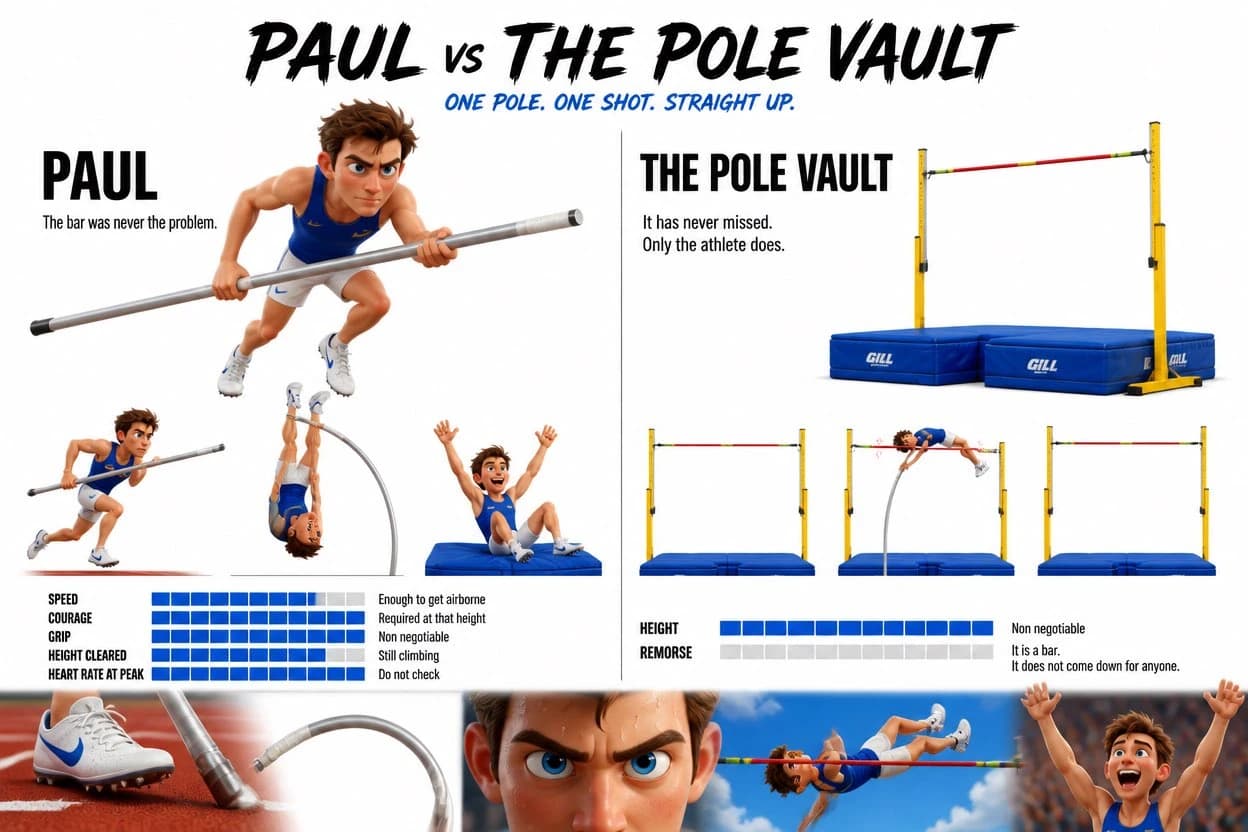
448 words“Create a Pixar 3D style character design sheet. Clean white background. Two characters side by side with a clean dividing line. Bold brushstroke-style title at the top: PAUL vs THE POLE VAULT. Subtitle beneath: One pole. One shot. Straight up. LEFT SIDE — PAUL Large name in bold black. Underneath: "The bar was never the problem." Hero portrait — Paul isolated on clean white. No background. Pixar 3D man, mid 20s, lean athletic build, electric blue athletics vest with thin gold stripe on shoulder, white shorts, white spikes with electric blue detail. Focused determined expression. Holding a long silver pole horizontally in both hands, slightly crouched forward. Just Paul on white. Three poses beneath: Full sprint down the runway, pole angled forward low, eyes locked ahead, every muscle firing. Inverted at full height — body perfectly upside down, pole bent at maximum flex, toes pointed straight at the sky. Landing in the pit, arms raised, head turned back to check the bar. Pure joy. SPEED ████████░░ Enough to get airborne COURAGE ██████████ Required at that height GRIP ██████████ Non negotiable HEIGHT CLEARED █████████░ Still climbing HEART RATE AT PEAK ██████████ Do not check RIGHT SIDE — THE POLE VAULT Large name in bold black. Underneath: "It has never missed. Only the athlete does." Hero portrait — the pole vault apparatus isolated on clean white. Tall yellow standards, bright red crossbar at full height, blue crash mat below. Still. Imposing. Just the apparatus on white. Three poses beneath: Bar sitting perfectly still on the standards. Unbothered. Waiting. Bar shaking mid-vault as Paul's body passes over — millimeters of clearance. Bar still. Settled. Unmoved. It was never going anywhere. HEIGHT ██████████ Non negotiable REMORSE ░░░░░░░░░░ It is a bar. It does not come down for anyone. BOTTOM STRIP — five cinematic close-up panels bleeding into each other, some transparent, no hard boxes: Paul's white spikes on the red rubber runway surface, pole tip visible at the edge · Silver pole at maximum bend, pure white background, nothing else · Extreme close-up of Paul's face — jaw set, eyes locked forward, pure focus, sweat visible · Paul fully inverted against bright blue sky, body horizontal, red bar inches from his chest · Paul's hands releasing the pole mid-air, arms exploding upward, pure joy, crowd blur behind him THE POLE BENDS. THE BAR STAYS. PAUL DOES NOT KNOW HOW. STYLE NOTES: Pixar 3D vivid rendering. Clean white background on both character sides. Electric blue stat bars throughout. Bottom strip cinematic and tight — close-ups bleeding into each other with transparent edges like a film production sheet, not boxed panels with full backgrounds. Paul identical across all poses. Maximum brightness and color throughout.”
About this prompt
Pixar 3D Character Design Sheet is a ready-to-use character design prompt for GPT Image 2 on Image 2. Copy the 448 words below, paste them into the Create form, and you will get a result close to the preview above. Tweak the Storyboard, Character Design, Fashion tag if you want to push it somewhere new.
Use it as a starting point, then adjust the subject, lighting, or composition to suit your idea. The credit cost stays the same whether you use it as written or customize it.
Use case
A strong starting point for Character Design
Start here when you want a character design image inspired by Pixar 3D Character Design Sheet. The prompt already sets the look and composition; replace the subject, product, colors, or scene details to match your project.
Easy places to tweak
- Subject Swap in your person, product, place, or object without changing the overall composition.
- Look and mood Tune the lighting, palette, camera angle, or materials so the image fits your brand.
- Final format Set the aspect ratio, background, text, or layout notes before you generate.
More prompt paths to explore
Find more GPT Image 2 prompts with a similar style, use case, or subject.
How to use it
- Step 1
Copy the prompt
Hit the Copy button above to grab the full text.
- Step 2
Open Image 2 Create
Head to the Create form and paste it in.
- Step 3
Generate
Hit Generate. Your version lands in seconds.
Make it yours
Load the prompt into the Create form with one click, then start tweaking.