Prompt
155 words[STYLE]
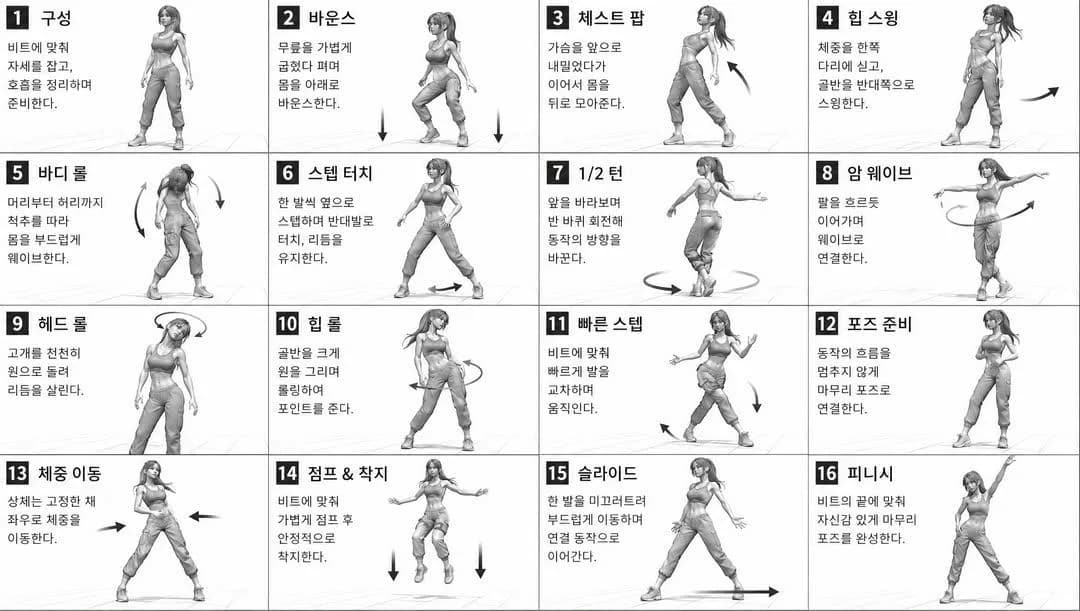
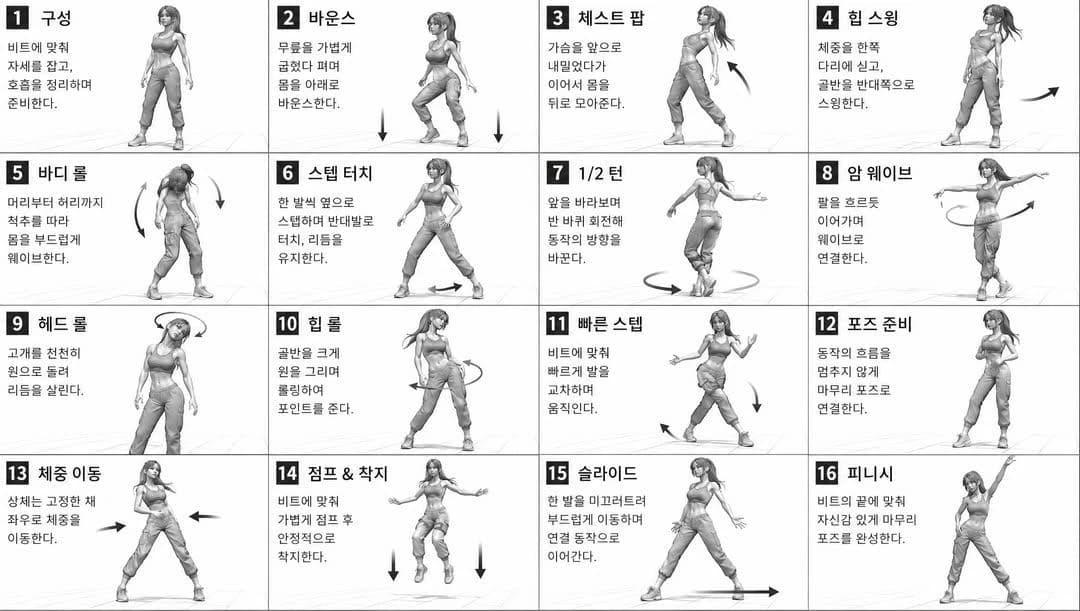
monochromatic grayscale illustration, 3D rendered character, clean instructional reference sheet,
white background, comic-style cell grid layout, technical diagram aesthetic
[LAYOUT]
4x4 grid layout, 16 panels total, each panel separated by thin black border lines,
numbered cells from 1 to 16, consistent panel size
[CHARACTER]
{argument name="character" default="young female dancer, athletic build, ponytail hairstyle, crop top and baggy pants, sneakers"}, same character in all panels
[PANEL STRUCTURE - per cell]
top-left: bold number badge + {argument name="title" default="Korean title text"}
center: full-body character pose illustration
bottom-left: {argument name="description" default="Korean description text (3-4 lines)"}
overlay: directional arrows indicating movement direction
[ARROWS / MOTION INDICATORS]
curved arrows, straight arrows, circular rotation indicators,
placed around the character to show movement flow and direction
[RENDERING STYLE]
high detail 3D sculpt style, soft studio lighting, subtle shadows,
no color, grayscale shading, clean linework, game concept art quality
[NEGATIVE]
no background scenery, no color tones, no extra characters,
no cluttered backgroundsAbout this prompt
Dance Movement Reference Sheet is a ready-to-use character design prompt for GPT Image 2 on Image 2. Copy the 155 words below, paste them into the Create form, and you will get a result close to the preview above. Tweak the Infographic, Storyboard, Character Design tag if you want to push it somewhere new.
Use it as a starting point, then adjust the subject, lighting, or composition to suit your idea. The credit cost stays the same whether you use it as written or customize it.
Use case
A strong starting point for Character Design
Start here when you want a character design image inspired by Dance Movement Reference Sheet. The prompt already sets the look and composition; replace the subject, product, colors, or scene details to match your project.
Easy places to tweak
- Subject Swap in your person, product, place, or object without changing the overall composition.
- Look and mood Tune the lighting, palette, camera angle, or materials so the image fits your brand.
- Final format Set the aspect ratio, background, text, or layout notes before you generate.
More prompt paths to explore
Find more GPT Image 2 prompts with a similar style, use case, or subject.
How to use it
- Step 1
Copy the prompt
Hit the Copy button above to grab the full text.
- Step 2
Open Image 2 Create
Head to the Create form and paste it in.
- Step 3
Generate
Hit Generate. Your version lands in seconds.
Make it yours
Load the prompt into the Create form with one click, then start tweaking.