Prompt
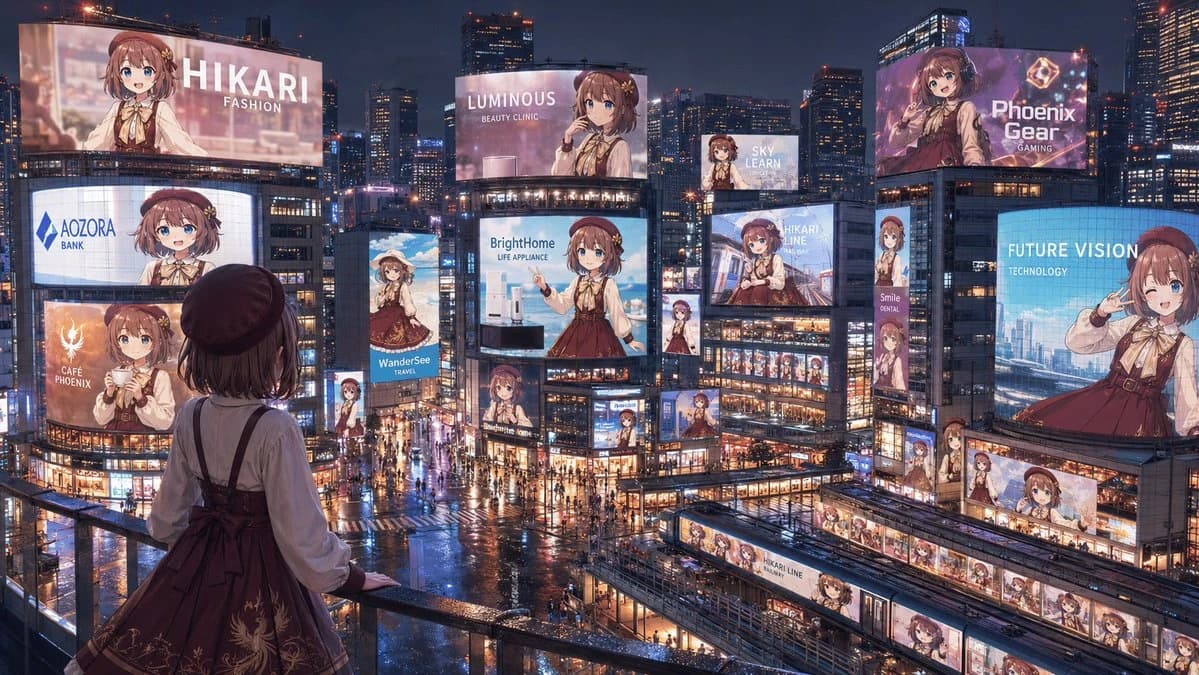
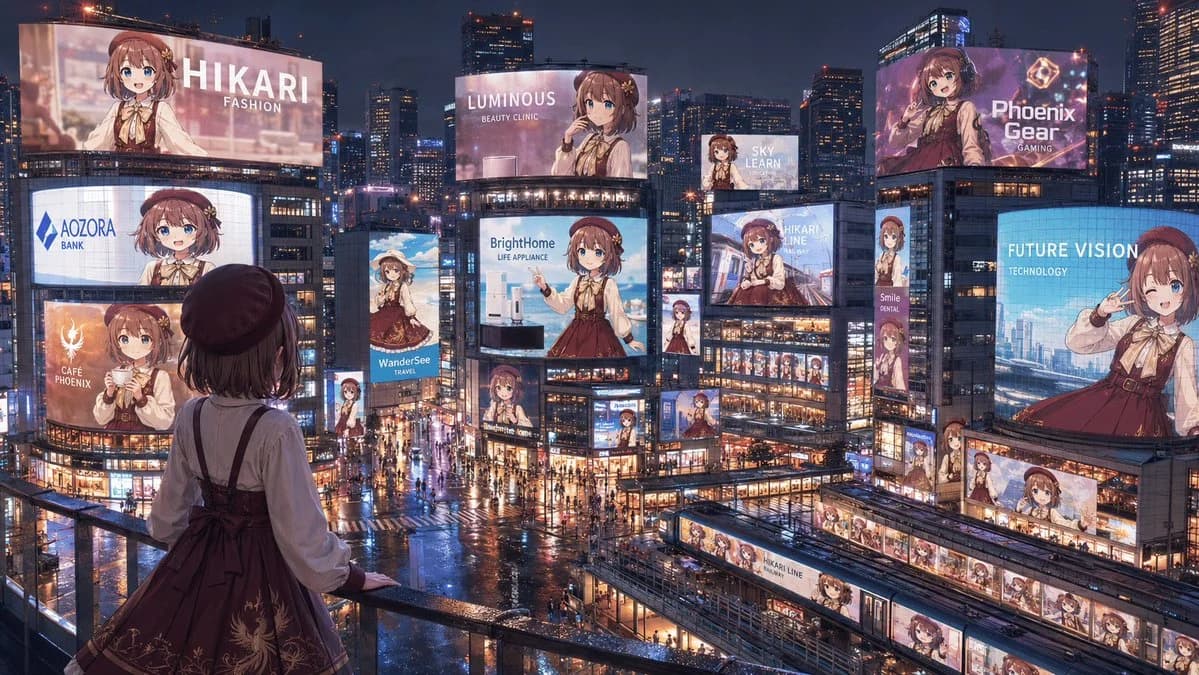
386 wordsCreate a cinematic wide 16:9 anime-style nighttime cityscape showing a full “advertising takeover” of a futuristic Tokyo-like entertainment district by one idol character, {argument name="character name" default="Hikari"}. View from a high pedestrian balcony in the foreground, looking down over a rainy neon plaza packed with tiny pedestrians, wet reflective streets, glass buildings, trains, skybridges, and dense skyscrapers under a dark blue evening sky. In the foreground, place the same character seen from behind at the railing: a young anime girl with short brown hair, a dark beret, cream blouse, burgundy jumper dress with ribbon bow and subtle gold embroidery, looking out at the city. Fill the city with exactly 18 visible advertisements featuring the same girl in different poses and crops: 1) giant top-left billboard reading “HIKARI / FASHION,” 2) curved mid-left screen reading “AOZORA / BANK,” 3) lower-left orange cafe ad reading “CAFÉ PHOENIX,” 4) slim vertical travel ad reading “WanderSee / TRAVEL,” 5) large central billboard reading “LUMINOUS / BEAUTY CLINIC,” 6) central appliance billboard reading “BrightHome / LIFE APPLIANCE,” 7) small high billboard reading “SKY LEARN,” 8) large upper-right purple gaming ad reading “Phoenix Gear / GAMING,” 9) right-side blue technology billboard reading “FUTURE VISION / TECHNOLOGY,” 10) center-right transit ad reading “HIKARI LINE,” 11) narrow vertical sign reading “Smile / DENTAL,” 12) small vertical character sign beneath the central screens, 13) small character billboard near the lower center intersection, 14) small character sign on a mid-right building corner, 15) long horizontal station-front banner with repeated Hikari portraits, 16) train-side wrap ad labeled “HIKARI LINE,” 17) another train or platform wrap with repeated portraits in the lower-right transit area, and 18) small rooftop or facade screen near the center-right showing her portrait. Make every ad visually consistent but branded differently, with clean white sans-serif English text, glossy LED glow, and no extra unreadable copy. Use rich cyberpunk-commercial lighting, rain reflections, warm shop windows, blue and pink neon, highly detailed architecture, and a grand sense of scale. Some distant character faces on billboards may be softly blurred by glow and distance, but the overall impression must be clear: one beloved character has taken over the entire city’s advertising landscape. Use {argument name="primary outfit color" default="burgundy"}, {argument name="hair color" default="brown"}, {argument name="city mood" default="rainy neon night"}, and {argument name="main brand theme" default="idol fashion and lifestyle"}.About this prompt
Anime Idol Advertising Takeover City is a ready-to-use social media prompt for GPT Image 2 on Image 2. Copy the 386 words below, paste them into the Create form, and you will get a result close to the preview above. Tweak the Product Ad, Social Media, Infographic tag if you want to push it somewhere new.
Use it as a starting point, then adjust the subject, lighting, or composition to suit your idea. The credit cost stays the same whether you use it as written or customize it.
Use case
A strong starting point for Social Media
Start here when you want a social media image inspired by Anime Idol Advertising Takeover City. The prompt already sets the look and composition; replace the subject, product, colors, or scene details to match your project.
Easy places to tweak
- Subject Swap in your person, product, place, or object without changing the overall composition.
- Look and mood Tune the lighting, palette, camera angle, or materials so the image fits your brand.
- Final format Set the aspect ratio, background, text, or layout notes before you generate.
More prompt paths to explore
Find more GPT Image 2 prompts with a similar style, use case, or subject.
How to use it
- Step 1
Copy the prompt
Hit the Copy button above to grab the full text.
- Step 2
Open Image 2 Create
Head to the Create form and paste it in.
- Step 3
Generate
Hit Generate. Your version lands in seconds.
Make it yours
Load the prompt into the Create form with one click, then start tweaking.