Prompt
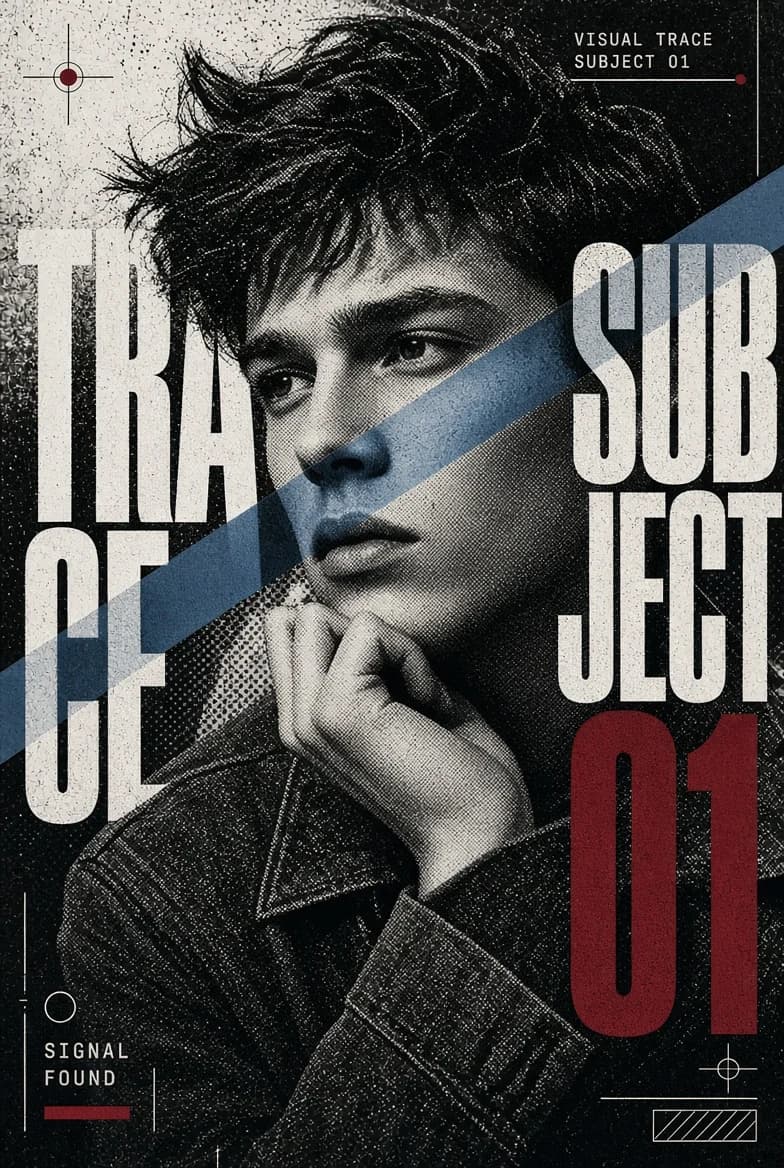
202 wordsCreate a {argument name="aspect ratio" default="9:16"} experimental character poster featuring a close-up or waist-up portrait with a strong, confident pose. Build the main portrait in stark black and white with a visible vintage halftone print texture. Keep the face detailed with smaller dots, while using heavier halftone patterns across the hair, jacket and darker areas. Introduce a {argument name="color accent" default="single sharp color strip"} cutting through the portrait — across the eyes, cheek and hand. Inside this strip, show realistic high-resolution photography with cool skin tones, subtle blue-grey shadows and natural facial details. Integrate large condensed typography directly into the artwork. Allow parts of the letters to disappear beyond the edges, overlap the subject and interact with the color strip. Use a minimal palette of black, white and grey, with restrained electric blue and deep burgundy accents. Add a few subtle graphic marks: thin technical lines, small circles, registration marks and labels like {argument name="labels" default="“VISUAL TRACE”, “SUBJECT 01” and “SIGNAL FOUND”"}. Make it feel like an underground fashion editorial mixed with a photocopied art zine and experimental character archive. Avoid excessive glitch effects, warm color grading, multiple color windows, floating objects, complicated interface elements, long text, logos, watermarks or decorative sparkles.About this prompt
Halftone Experimental Character Poster is a ready-to-use social media prompt for GPT Image 2 on Image 2. Copy the 202 words below, paste them into the Create form, and you will get a result close to the preview above. Tweak the Social Media, Mockup, Fashion tag if you want to push it somewhere new.
Use it as a starting point, then adjust the subject, lighting, or composition to suit your idea. The credit cost stays the same whether you use it as written or customize it.
Use case
A strong starting point for Social Media
Start here when you want a social media image inspired by Halftone Experimental Character Poster. The prompt already sets the look and composition; replace the subject, product, colors, or scene details to match your project.
Easy places to tweak
- Subject Swap in your person, product, place, or object without changing the overall composition.
- Look and mood Tune the lighting, palette, camera angle, or materials so the image fits your brand.
- Final format Set the aspect ratio, background, text, or layout notes before you generate.
More prompt paths to explore
Find more GPT Image 2 prompts with a similar style, use case, or subject.
How to use it
- Step 1
Copy the prompt
Hit the Copy button above to grab the full text.
- Step 2
Open Image 2 Create
Head to the Create form and paste it in.
- Step 3
Generate
Hit Generate. Your version lands in seconds.
Make it yours
Load the prompt into the Create form with one click, then start tweaking.