Prompt
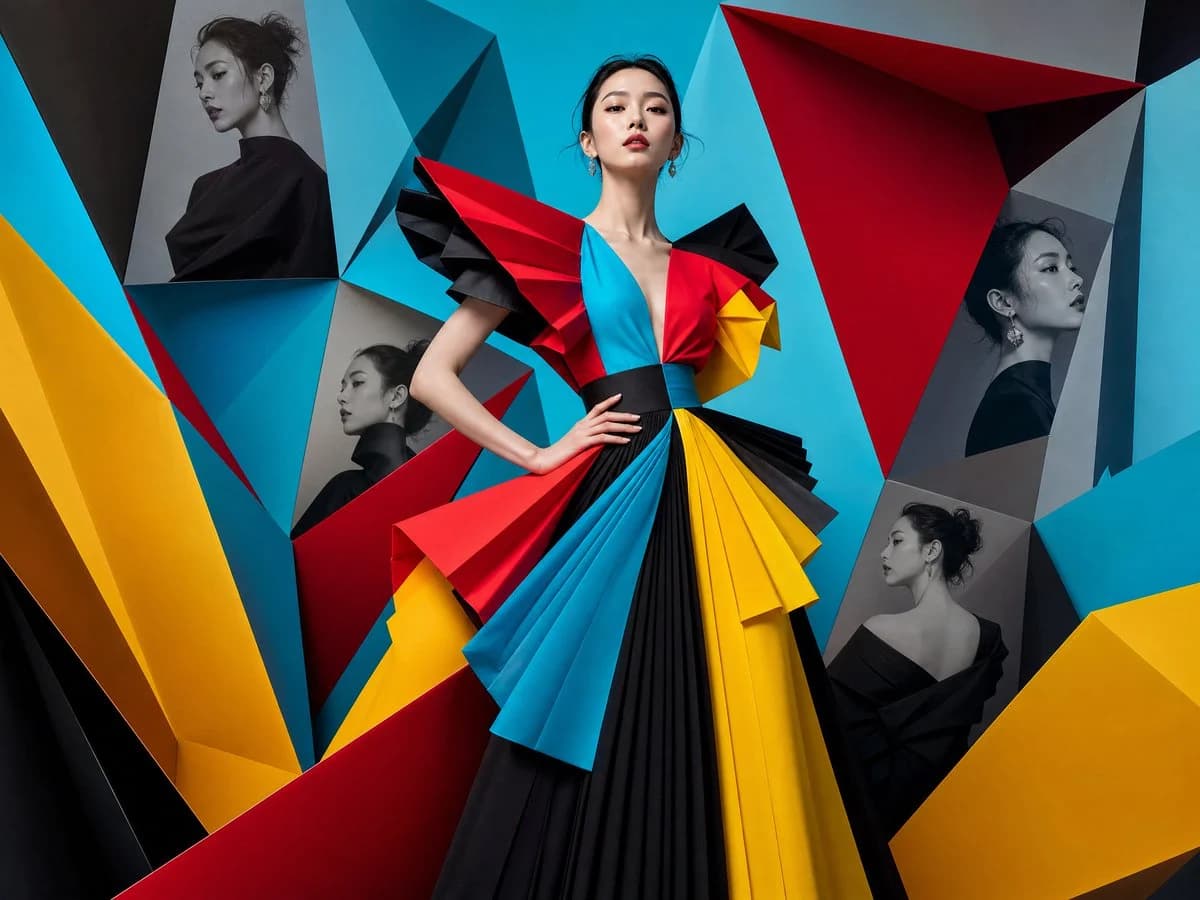
109 wordsHyper-detailed 1:1 square composition featuring {argument name="subject" default="High-fashion editorial portrait of an elegant Korean woman"} wearing {argument name="outfit" default="avant-garde couture"} in {argument name="colors" default="vivid cyan, ruby red, sunshine yellow, and jet black"}.
The background transforms into a massive architectural installation made from folded origami-inspired geometric surfaces. Hidden within different folded planes are monochrome fashion portraits of the same woman viewed from multiple perspectives. The colorful main portrait stands confidently in the center with dramatic editorial lighting, premium fashion styling, luxurious textures, and clean minimal sophistication. Inspired by futuristic gallery architecture and luxury fashion campaigns. VERY COLORFUL
No typography, no letters, no logo, watermark, symbols, captions, magazine title, or text.About this prompt
High-Fashion Origami Editorial Portrait is a ready-to-use social media prompt for GPT Image 2 on Image 2. Copy the 109 words below, paste them into the Create form, and you will get a result close to the preview above. Tweak the Social Media, Fashion, Architecture tag if you want to push it somewhere new.
Use it as a starting point, then adjust the subject, lighting, or composition to suit your idea. The credit cost stays the same whether you use it as written or customize it.
Use case
A strong starting point for Social Media
Start here when you want a social media image inspired by High-Fashion Origami Editorial Portrait. The prompt already sets the look and composition; replace the subject, product, colors, or scene details to match your project.
Easy places to tweak
- Subject Swap in your person, product, place, or object without changing the overall composition.
- Look and mood Tune the lighting, palette, camera angle, or materials so the image fits your brand.
- Final format Set the aspect ratio, background, text, or layout notes before you generate.
More prompt paths to explore
Find more GPT Image 2 prompts with a similar style, use case, or subject.
How to use it
- Step 1
Copy the prompt
Hit the Copy button above to grab the full text.
- Step 2
Open Image 2 Create
Head to the Create form and paste it in.
- Step 3
Generate
Hit Generate. Your version lands in seconds.
Make it yours
Load the prompt into the Create form with one click, then start tweaking.