Prompt
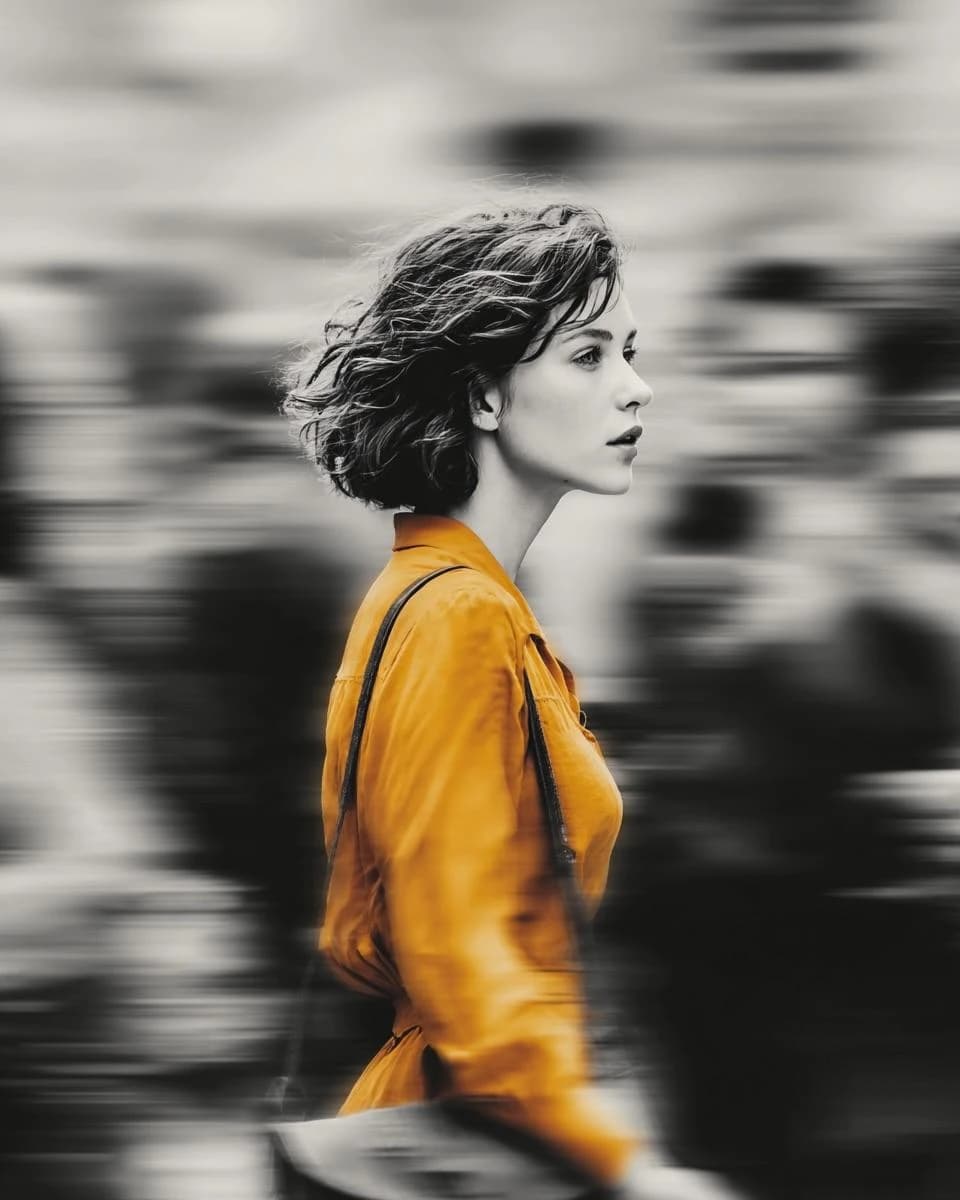
180 wordsA cinematic street portrait of a beautiful young woman wearing a {argument name="clothing color" default="vibrant mustard-yellow coat"} while walking through a busy city crowd. The woman remains perfectly sharp and in focus as the surrounding pedestrians dissolve into dramatic horizontal motion blur, creating a powerful sense of movement and isolation. {argument name="effect" default="Selective color effect: the entire scene is monochrome black-and-white except for the rich golden-yellow coat"}, which becomes the only vibrant color in the frame.\n\nCaptured from a side profile with a {argument name="lens" default="50mm lens"}, shallow depth of field, natural overcast lighting, realistic skin texture, wind-blown short wavy hair, subtle emotional expression, elegant shoulder bag, modern urban fashion, soft cinematic contrast, high dynamic range, ultra-photorealistic, editorial fashion photography, magazine cover quality, Leica look, Kodak Portra-inspired tones, crisp facial details, panning photography effect, long exposure motion blur, minimal composition, premium fine-art street photography, 8K, award-winning photography.\n\nCamera Settings:\nSony A7R V, 50mm f/1.4 lens, f/1.8, ISO 100, 1/15s shutter, eye-level composition, natural ambient light, ultra-high detail.\n\nColor Treatment:\nSelective color (yellow coat only), monochrome city, grayscale crowd, cinematic black-and-white background, rich golden fabric texture.About this prompt
Selective Color Street Motion Portrait is a ready-to-use social media prompt for GPT Image 2 on Image 2. Copy the 180 words below, paste them into the Create form, and you will get a result close to the preview above. Tweak the Social Media, Fashion, Vintage tag if you want to push it somewhere new.
Use it as a starting point, then adjust the subject, lighting, or composition to suit your idea. The credit cost stays the same whether you use it as written or customize it.
Use case
A strong starting point for Social Media
Start here when you want a social media image inspired by Selective Color Street Motion Portrait. The prompt already sets the look and composition; replace the subject, product, colors, or scene details to match your project.
Easy places to tweak
- Subject Swap in your person, product, place, or object without changing the overall composition.
- Look and mood Tune the lighting, palette, camera angle, or materials so the image fits your brand.
- Final format Set the aspect ratio, background, text, or layout notes before you generate.
More prompt paths to explore
Find more GPT Image 2 prompts with a similar style, use case, or subject.
How to use it
- Step 1
Copy the prompt
Hit the Copy button above to grab the full text.
- Step 2
Open Image 2 Create
Head to the Create form and paste it in.
- Step 3
Generate
Hit Generate. Your version lands in seconds.
Make it yours
Load the prompt into the Create form with one click, then start tweaking.