プロンプト
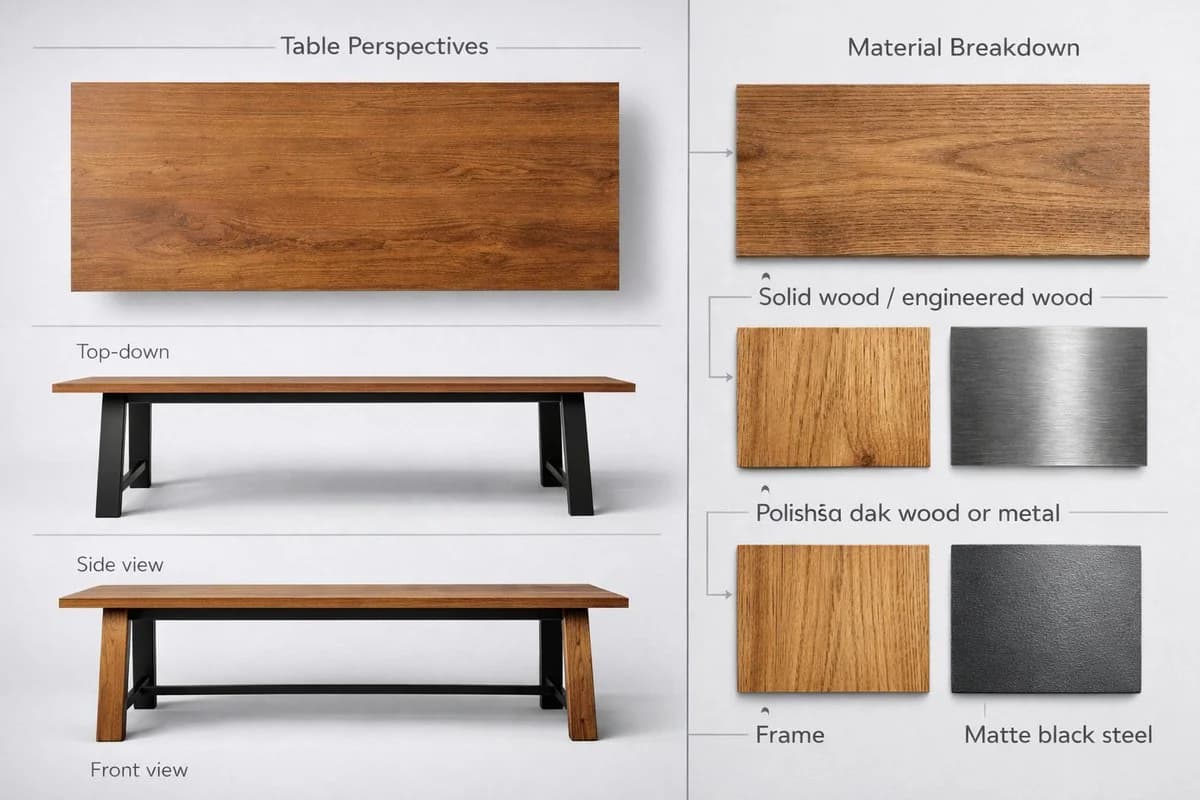
495 文字テーブルの高品質でリアルな3D製品ショーケースを、ニュートラルなライトグレーまたは白の背景に、左右分割レイアウト(アスペクト比3:2または4:3)で作成してください。 左側——テーブルの各ビュー: - 上面図:天板全体の形状、表面の質感、エッジのディテール - 側面図:脚のデザイン、テーブルの高さ、天板の厚み - 正面図:幅、左右対称性、脚の配置 リアルさを出すため、一貫したライティングとさりげない影を使う。 右側——素材の内訳: - 天板:無垢材または集成材。木目のテクスチャを拡大したスウォッチと、すっきりしたサンセリフ体のラベルを添える - 脚:磨き上げたオーク材または金属。素材テクスチャのスウォッチと統一感のあるラベルを添える - フレーム:マットブラックのスチール。小さな金属テクスチャのスウォッチとミニマルな注記を添える 2つのセクションは縦の区切り線か、さりげなく分割した背景で分ける。素材には自然な色調、背景と線にはグレースケールを使う。ラベルとセクション見出しには、モダンで読みやすいフォントを使う。製品シート、インテリアデザインのカタログ、家具のショーケースに使える高解像度の画像として出力する。
このプロンプトについて
家具商品シートレイアウト は、Image 2でGPT Image 2にそのまま使えるECプロンプトです。下の495文字をコピーして作成フォームに貼り付けると、上のプレビューに近い画像を生成できます。 商品広告, EC, 商品 タグを調整すると、別の方向性にも展開できます。
出発点として使い、被写体、ライティング、構図を変えながら仕上げてください。そのまま使ってもリミックスしても、生成コストは同じです。
用途
EC制作の起点に使いやすいプロンプト
家具商品シートレイアウト に近い EC の画像を作りたいときは、この GPT Image 2 プロンプトから始めるとスムーズです。画面の方向性と構成はすでに整っているので、被写体、商品、色、シーンの細部だけを自分の内容に差し替えられます。
まず調整しやすいところ
- 被写体 人物、商品、場所、オブジェクトを自分の内容に差し替え、構図はそのまま活かします。
- 雰囲気 ライティング、配色、カメラ角度、質感をブランドや用途に合わせます。
- 仕上がり 生成前にアスペクト比、背景、文字、レイアウト指定を整えます。
近いテーマのプロンプトを探す
スタイル、用途、テーマが近い GPT Image 2 プロンプトを続けて確認できます。
使い方
- ステップ 1
プロンプトをコピー
上のコピー ボタンで全文を取得します。
- ステップ 2
Image 2 Create を開く
作成フォームに移動して貼り付けます。
- ステップ 3
生成する
Generate を押すと、数秒であなたのバージョンが完成します。
自分用に調整
ワンクリックで作成フォームに読み込み、すぐに調整を始められます。