Prompt
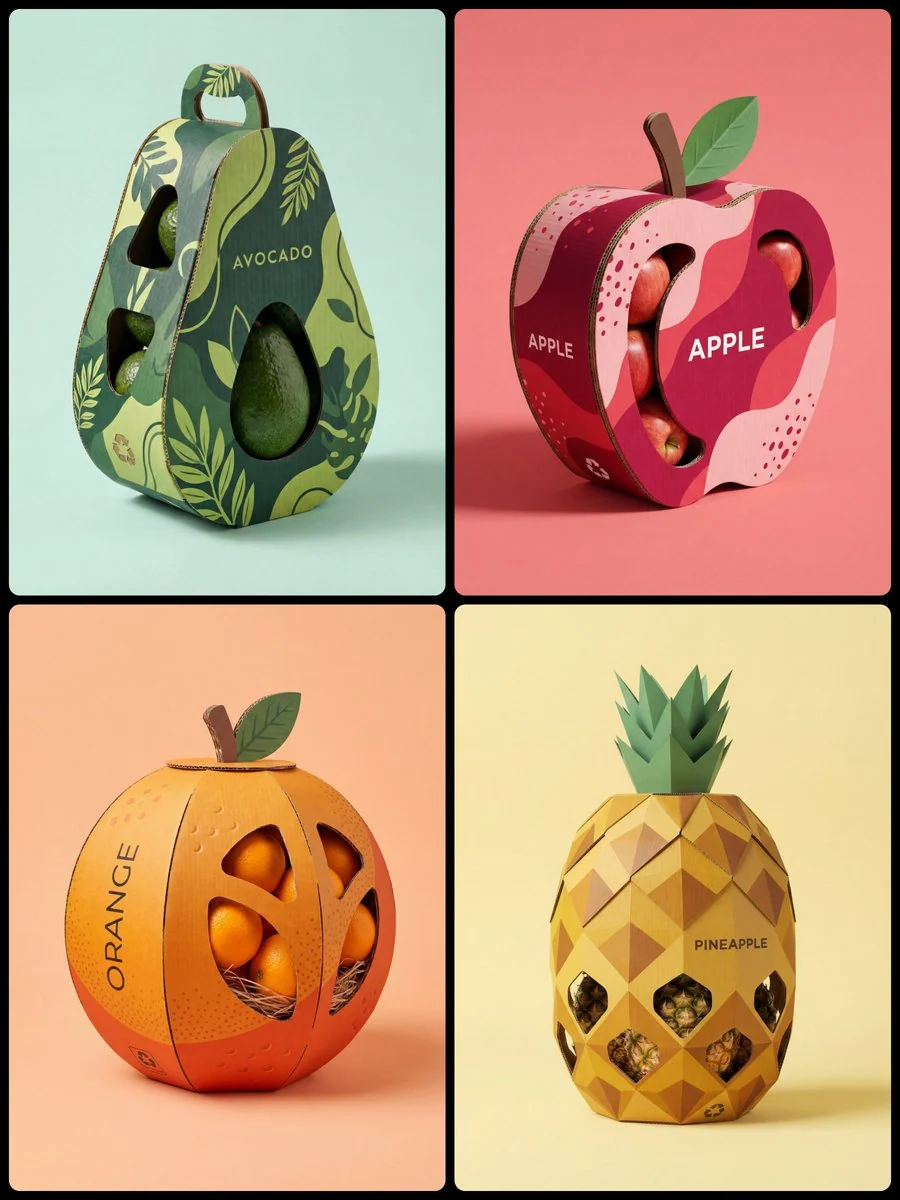
132 wordsProfessional product photography of a sculptural packaging design built for [Fruit Name]. The box is premium corrugated cardboard shaped and cut into the exact silhouette of a giant [Shape — spherical, curved, or elongated] [Fruit Name]. Outer surface is printed with a bold, minimal [Pattern — geometric hexagons / organic wavy lines / botanical line-art / horizontal ridges] that echoes the natural skin texture, rendered in a duo-tone scheme of [Color 1] and [Color 2]. Die-cut window panels expose the [Product Inside] nestled inside. Clean modern sans-serif text on the side reads "[BRAND NAME]". Eco details include a recycling icon and a sculpted corrugated [Stem / Leaf / Crown] on top. Soft diffused studio lighting, gentle drop shadows, set against a solid pastel [Background Color]. 8K, photorealistic, cinematic framing, industrial design aesthetic.
About this prompt
Sculptural Fruit Packaging Design is a ready-to-use e-commerce prompt for GPT Image 2 on Image 2. Copy the 132 words below, paste them into the Create form, and you will get a result close to the preview above. Tweak the Product Ad, E-commerce, Storyboard tag if you want to push it somewhere new.
Use it as a starting point, then adjust the subject, lighting, or composition to suit your idea. The credit cost stays the same whether you use it as written or customize it.
Use case
A strong starting point for E-commerce
Start here when you want a e-commerce image inspired by Sculptural Fruit Packaging Design. The prompt already sets the look and composition; replace the subject, product, colors, or scene details to match your project.
Easy places to tweak
- Subject Swap in your person, product, place, or object without changing the overall composition.
- Look and mood Tune the lighting, palette, camera angle, or materials so the image fits your brand.
- Final format Set the aspect ratio, background, text, or layout notes before you generate.
More prompt paths to explore
Find more GPT Image 2 prompts with a similar style, use case, or subject.
How to use it
- Step 1
Copy the prompt
Hit the Copy button above to grab the full text.
- Step 2
Open Image 2 Create
Head to the Create form and paste it in.
- Step 3
Generate
Hit Generate. Your version lands in seconds.
Make it yours
Load the prompt into the Create form with one click, then start tweaking.