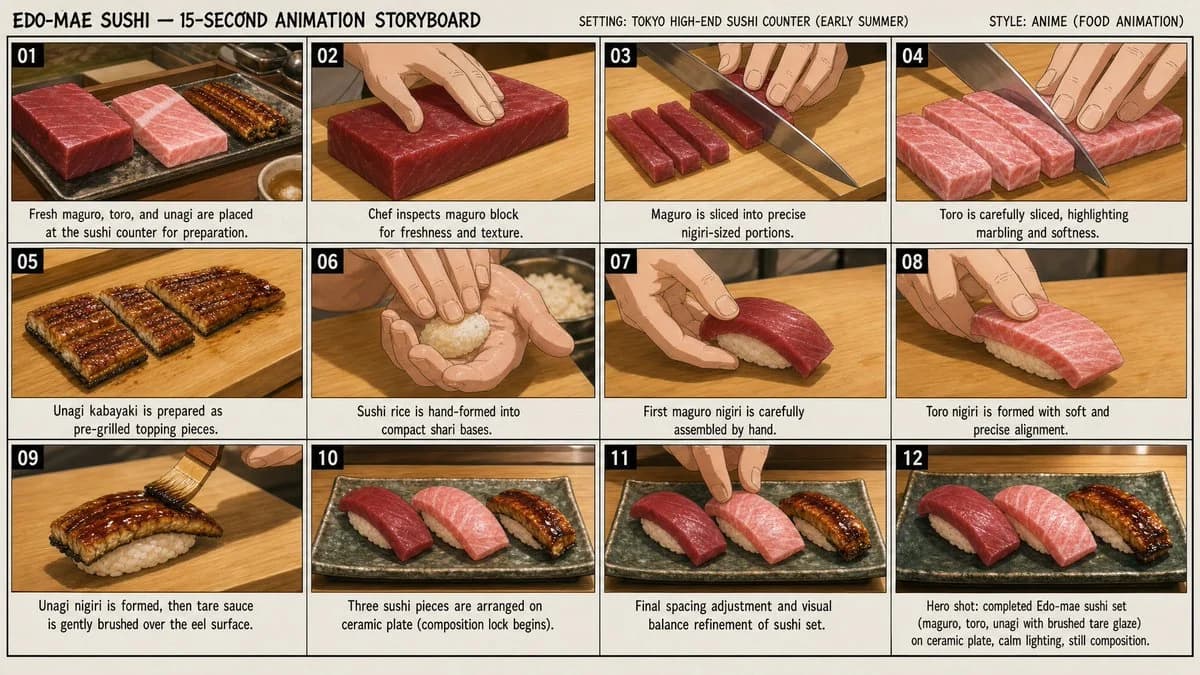
Prompt
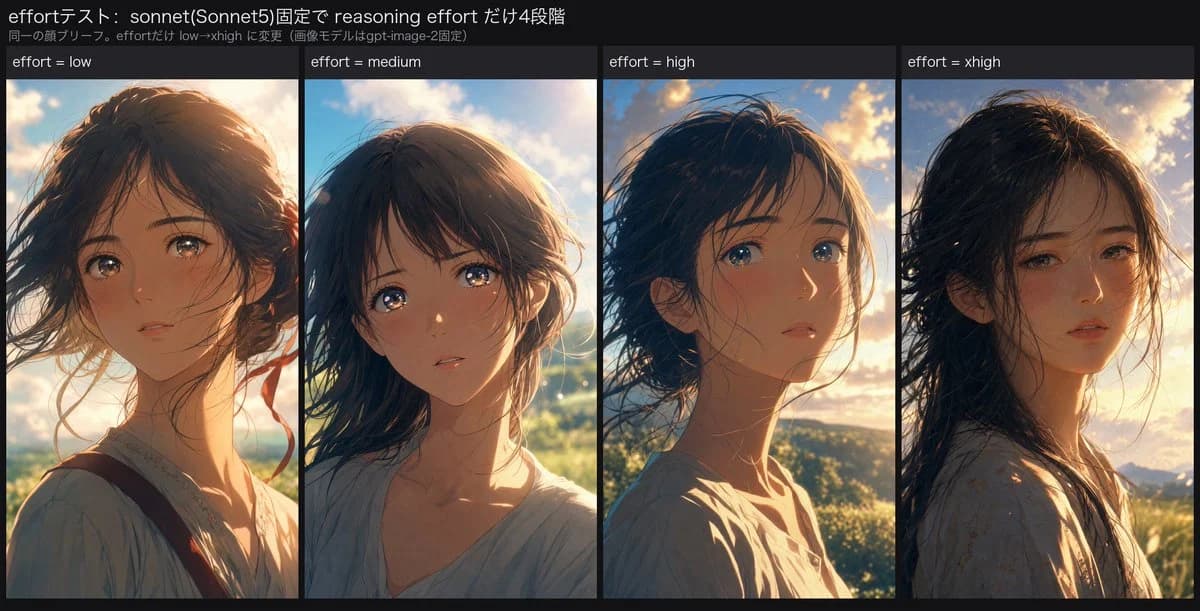
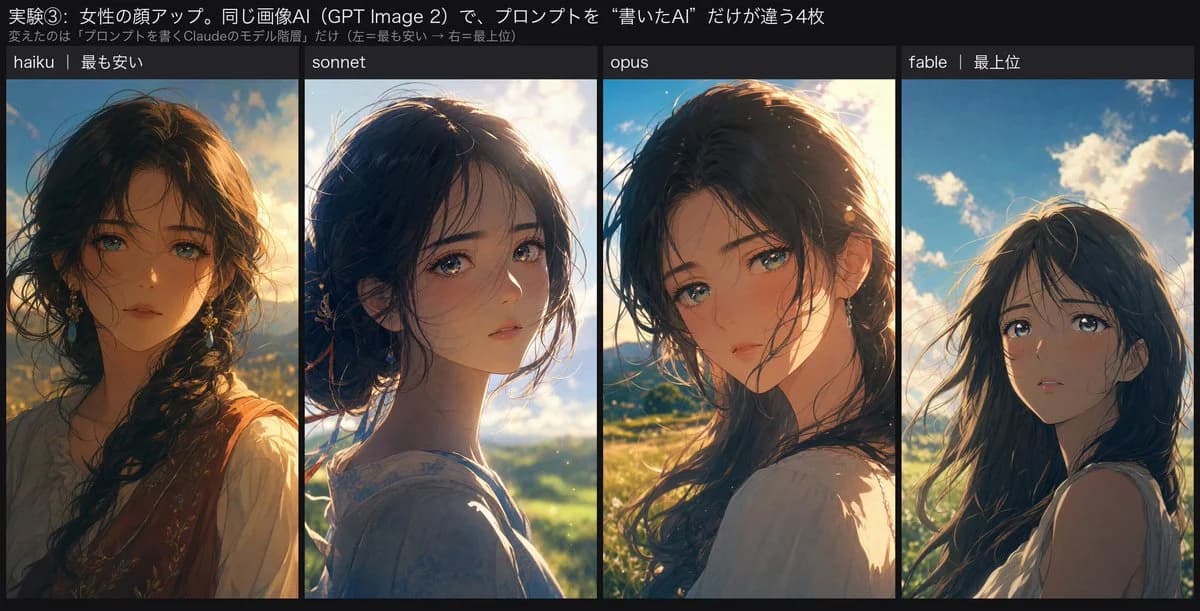
382 wordsGoal: Create a wide comparison graphic showing four generated anime-style close-up portraits of the same young woman, comparing prompt-writing AI tiers.
Canvas: 1200×675 landscape image with a dark charcoal/black background, like a social media comparison card. Use a clean editorial layout with a narrow title band at the top and four equal vertical portrait panels underneath.
Top text: Add a large white Japanese headline across the top: 「実験③:女性の顔アップ。同じ画像AI(GPT Image 2)で、プロンプトを“書いたAI”だけが違う4枚」. Beneath it, add a smaller gray Japanese subtitle: 「変えたのは『プロンプトを書くClaudeのモデル階層』だけ(左=最も安い → 右=最上位)」.
Layout: Four side-by-side portrait columns, exactly 4 panels, separated by thin black gutters. Each panel has a dark header strip with small white text. The 4 visible panel labels from left to right are: 1) 「haiku|最も安い」, 2) 「sonnet」, 3) 「opus」, 4) 「fable|最上位」.
Subject: In every panel, show the same {argument name="character description" default="young woman with long dark hair, delicate features, large emotional eyes, soft lips, and a wistful expression"} in a close-up or bust portrait. She is outdoors in warm golden-hour sunlight with blue sky, soft clouds, distant greenery or mountains, and wind-blown hair. The emotional tone should be tender, cinematic, and slightly melancholic, with teary or reflective eyes.
Panel-specific portrait styles: Panel 1, “haiku”, should look more semi-realistic and decorative, with painterly anime illustration rendering, heavier details, ornate earrings, a braid, warm sunset shadows, and a slightly less clean cel-animation face. Panel 2, “sonnet”, should look cleaner and more theatrical-anime-like, with a soft cel-shaded face, long dark hair tied loosely back, bright rim light, delicate tearful eyes, and a pale blouse. Panel 3, “opus”, should be polished anime illustration with strong cinematic golden backlight, loose dark hair, refined eyes, warm blush, and a close shoulder-turned pose. Panel 4, “fable”, should be the cleanest flat theatrical anime cel style, simpler facial features, long loose hair, sleeveless light top, blue sky and clouds behind her, and an innocent upward-looking expression with subtle tears.
Visual style: High-quality Japanese anime portrait comparison, cinematic lighting, soft lens glow, natural wind, expressive eyes, delicate linework, warm highlights, dark UI-like framing, crisp readable text. Keep the four portraits related but visibly different in rendering quality and style.
Constraints: Use exactly 4 portrait panels and exactly the 4 listed labels. Do not add extra panels, logos, watermarks, or additional explanatory text. Preserve the Japanese text exactly as specified.About this prompt
Four-Panel Anime Face Comparison is a ready-to-use comparison prompt for GPT Image 2 on Image 2. Copy the 382 words below, paste them into the Create form, and you will get a result close to the preview above. Tweak the Social Media, Comparison, Storyboard tag if you want to push it somewhere new.
Use it as a starting point, then adjust the subject, lighting, or composition to suit your idea. The credit cost stays the same whether you use it as written or customize it.
Use case
A strong starting point for Comparison
Start here when you want a comparison image inspired by Four-Panel Anime Face Comparison. The prompt already sets the look and composition; replace the subject, product, colors, or scene details to match your project.
Easy places to tweak
- Subject Swap in your person, product, place, or object without changing the overall composition.
- Look and mood Tune the lighting, palette, camera angle, or materials so the image fits your brand.
- Final format Set the aspect ratio, background, text, or layout notes before you generate.
More prompt paths to explore
Find more GPT Image 2 prompts with a similar style, use case, or subject.
How to use it
- Step 1
Copy the prompt
Hit the Copy button above to grab the full text.
- Step 2
Open Image 2 Create
Head to the Create form and paste it in.
- Step 3
Generate
Hit Generate. Your version lands in seconds.
Make it yours
Load the prompt into the Create form with one click, then start tweaking.