Prompt
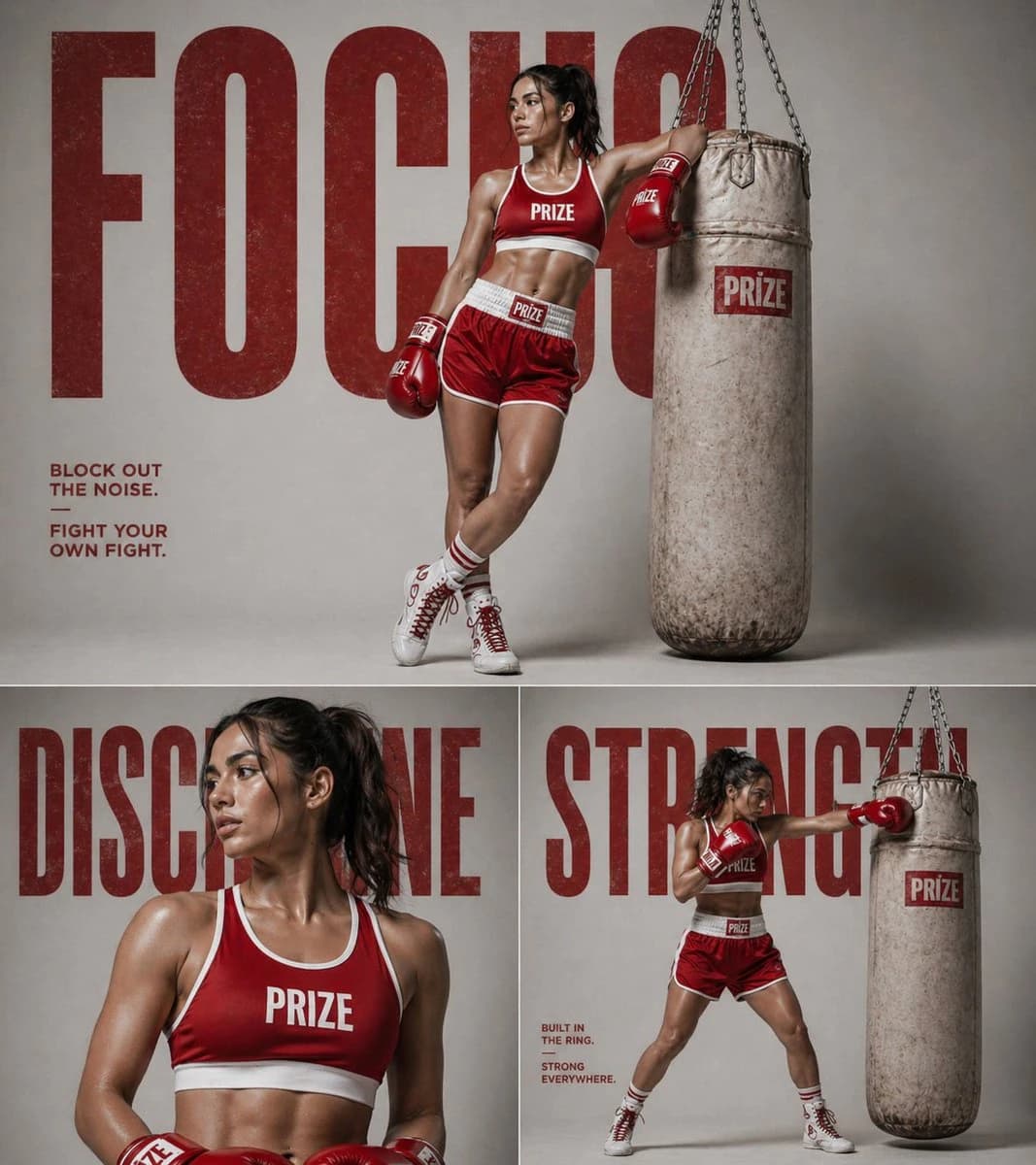
163 wordsCreate a high-end fitness boxing poster in a 3-panel collage layout. Top panel: A strong athletic woman boxer wearing a red boxing outfit (sports bra, shorts, boxing gloves, high socks, boxing shoes) leaning confidently against a worn heavy punching bag. Studio background with large bold red typography behind her (word like “FOCUS” or “IMPACT” in oversized distressed font). Clean minimal lighting, editorial fitness campaign style. Bottom left panel: Close-up portrait of the same woman (shoulders and face). Slight sweat, sharp jawline, focused expression looking sideways. Boxing gloves visible near frame. Background includes large faded typography partially visible. Bottom right panel: Full-body action pose of the woman throwing a punch at the punching bag. Dynamic stance, strong posture, gloves in motion. Same studio setup and typography in background (different word like “STRENGTH” or “DISCIPLINE”). Overall style: premium fitness brand campaign, dramatic studio lighting, soft shadows, high contrast, ultra realistic, sharp details, minimal color palette (red, white, neutral tones), clean composition, cinematic photography, 4k quality.
About this prompt
Fitness Boxing Campaign Collage Poster is a ready-to-use ad creative prompt for GPT Image 2 on Image 2. Copy the 163 words below, paste them into the Create form, and you will get a result close to the preview above. Tweak the Product Ad, Ad Creative, Storyboard tag if you want to push it somewhere new.
Use it as a starting point, then adjust the subject, lighting, or composition to suit your idea. The credit cost stays the same whether you use it as written or customize it.
Use case
A strong starting point for Ad Creative
Start here when you want a ad creative image inspired by Fitness Boxing Campaign Collage Poster. The prompt already sets the look and composition; replace the subject, product, colors, or scene details to match your project.
Easy places to tweak
- Subject Swap in your person, product, place, or object without changing the overall composition.
- Look and mood Tune the lighting, palette, camera angle, or materials so the image fits your brand.
- Final format Set the aspect ratio, background, text, or layout notes before you generate.
More prompt paths to explore
Find more GPT Image 2 prompts with a similar style, use case, or subject.
How to use it
- Step 1
Copy the prompt
Hit the Copy button above to grab the full text.
- Step 2
Open Image 2 Create
Head to the Create form and paste it in.
- Step 3
Generate
Hit Generate. Your version lands in seconds.
Make it yours
Load the prompt into the Create form with one click, then start tweaking.