Prompt
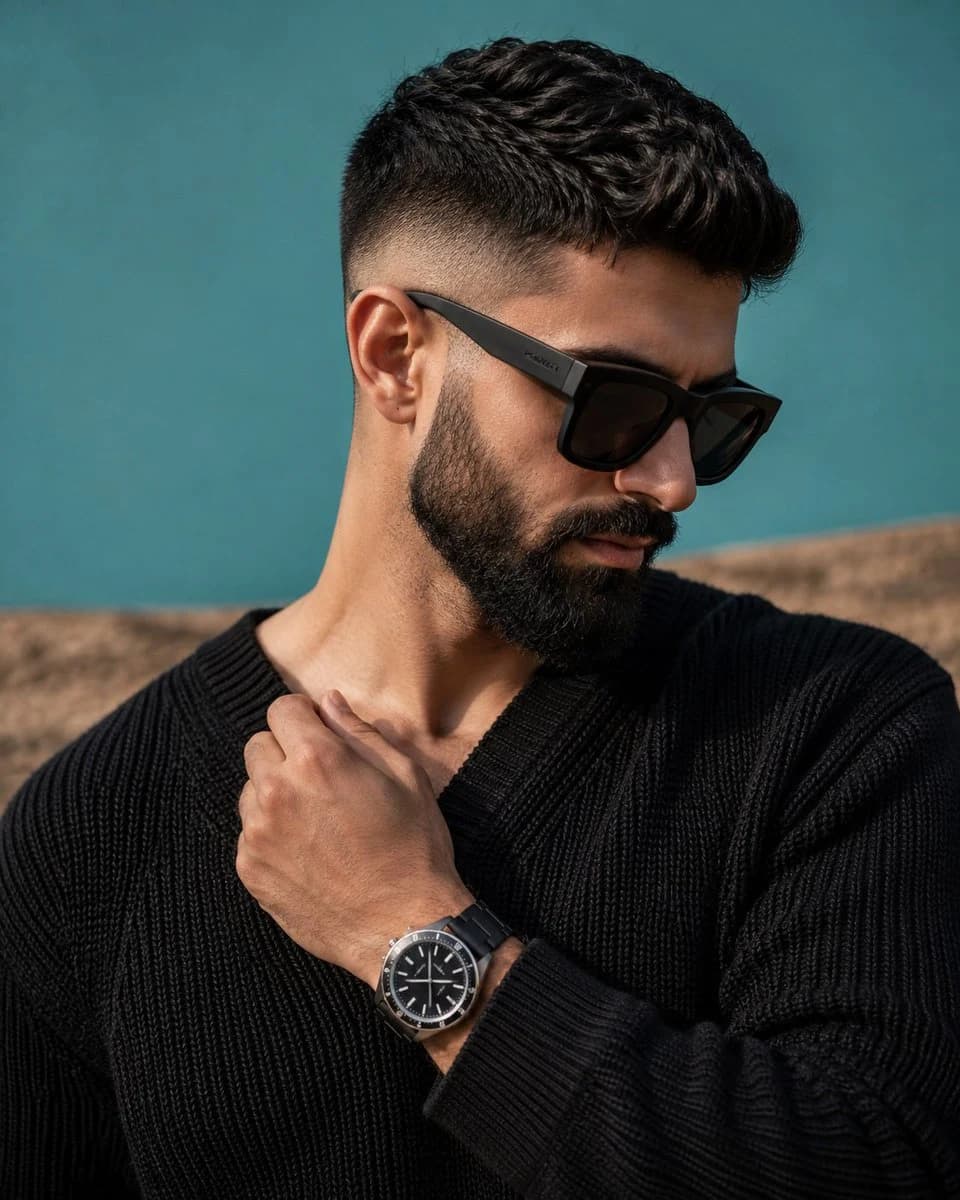
148 wordsA premium editorial portrait featuring a stylish man with a precision mid-fade haircut and a thick trimmed beard. He is positioned in a relaxed three-quarter profile while looking downward with a composed expression. He wears {argument name="sunglasses" default="oversized matte black sunglasses"} with chunky frames and a subtle engraved logo on the temples. His {argument name="sweater" default="black heavyweight knit sweater"} has a rich woven texture and slightly loose neckline. His right hand gently crosses his chest to touch the collar, exposing a sophisticated {argument name="watch" default="black wristwatch"} with a brushed silver bezel, black radial dial, and clean white indices. Natural window light from the upper-right softly shapes his facial features while preserving rich contrast in the beard and knit fabric. The backdrop blends a matte cyan-teal upper field with an out-of-focus sandy brown lower section. Hyper-realistic editorial fashion photography, eye-level composition, shallow depth of field, premium magazine cover quality.About this prompt
Editorial Male Fashion Portrait is a ready-to-use portrait prompt for GPT Image 2 on Image 2. Copy the 148 words below, paste them into the Create form, and you will get a result close to the preview above. Tweak the Portrait, Fashion, Editorial tag if you want to push it somewhere new.
Use it as a starting point, then adjust the subject, lighting, or composition to suit your idea. The credit cost stays the same whether you use it as written or customize it.
Use case
A strong starting point for Portrait
Start here when you want a portrait image inspired by Editorial Male Fashion Portrait. The prompt already sets the look and composition; replace the subject, product, colors, or scene details to match your project.
Easy places to tweak
- Subject Swap in your person, product, place, or object without changing the overall composition.
- Look and mood Tune the lighting, palette, camera angle, or materials so the image fits your brand.
- Final format Set the aspect ratio, background, text, or layout notes before you generate.
More prompt paths to explore
Find more GPT Image 2 prompts with a similar style, use case, or subject.
How to use it
- Step 1
Copy the prompt
Hit the Copy button above to grab the full text.
- Step 2
Open Image 2 Create
Head to the Create form and paste it in.
- Step 3
Generate
Hit Generate. Your version lands in seconds.
Make it yours
Load the prompt into the Create form with one click, then start tweaking.